

Switch Oled Blinking White?

  • Thread starter Thread starter NikX20
  • Start date Start date
  • Views Views 1,502
  • Replies Replies 8

NikX20

Member
Newcomer
Joined
Oct 14, 2024
Messages
6
Reaction score
0
Trophies
0
Age
22
XP
41
Country
United Kingdom
I Had an issue with my oled. Not sure what happened but it was working before.
It didn't want to boot into hekate but only OFW.
I tried guides on updating the firmware and other guides to reset the chip but it didn't even help.
The lights indicated with Orange, purple mostly which lasted for longer than 2m and even blue.
Since I'm a idiot I updated the OFW and now I'm stuck at V19 and can't even boot into hekate anymore and I have a white light indicating on the chip now...
I think I really screwed up my oled, I'm not sure if it's fixable but I really give up.
After hearing v19 was not supported with atmosphere I really regret the upgrade.
 
I Had an issue with my oled. Not sure what happened but it was working before.
It didn't want to boot into hekate but only OFW.
I tried guides on updating the firmware and other guides to reset the chip but it didn't even help.
The lights indicated with Orange, purple mostly which lasted for longer than 2m and even blue.
What chip have you got installed?
 
Static blue is an error code, meaning that the config was reset, if the the reset pin is bridged during powering. Double check if there are any bridges on the motherboard, reflow if possible.

Furthermore, static white indicates that the capacitors on the CPU were damaged or is not connected properly.
 
Static blue is an error code, meaning that the config was reset, if the the reset pin is bridged during powering. Double check if there are any bridges on the motherboard, reflow if possible.

Furthermore, static white indicates that the capacitors on the CPU were damaged or is not connected properly.
I guess il take a look inside, I'm not very confident when it comes to checking internally but if I feel stuck I could always send clear screenshots.
 
instinct v6 can usually reset itself after a major firmware update, then rewrite the payload to boot0 (flashing yellow led when powering on). Most of the time it's those older hwfly chips that will have issues after firmware update and will require a reset.

Anyway, if it's not a problem with the installation, you can use the included micro usb header to connect the chip to your pc, open a serial terminal, erase payload from emmc, reset the chip, then retrain it.
> h
# Debug menu keys overview
'v' Show modchip board info
'd' Diagnose single boot
'b' Boot OFW
't' (Re-)train modchip
'c' Show timing configuration table
'r' Reset timing configuration table
'p' Program eMMC with embedded payload
'e' Erase eMMC BOOT0 payload
'x' Jump to bootloader
'h' Show this help text
# ========================
> v
# Board ID: SX Lite, FPGA ID: INSTINCT
 
After hearing v19 was not supported with atmosphere I really regret the upgrade.
Usually it takes a day to a week for Atmosphere and Hekate to catch up.
Hekate has been fixed for FW19.0.0
https://github.com/ctcaer/hekate/releases

Just grab the latest Hekate version and try retraining your modchip once more.

But the color codes of the error do indicate some hardware issue.
So of retraining doesn't work, let someone have a look inside.
 
Well updating hekate hasn't helped.
Its not a surprise but hardware issues is the problem I think.
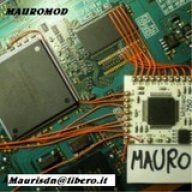
I've tried to look inside but I'm no expert at fixing soldier or any shorts and I'm not able to identify the problem.
 

Attachments

  • Screenshot_20241016_164736_InShot~2.jpg
    Screenshot_20241016_164736_InShot~2.jpg
    166.8 KB · Views: 58

Site & Scene News

Popular threads in this forum

