Hacking Switch doesn´t boot anymore

  • Thread starter Thread starter YannikRie
  • Start date Start date
  • Views Views 4,116
  • Replies Replies 12

YannikRie

Member
Newcomer
Joined
Nov 1, 2019
Messages
17
Reaction score
0
Trophies
0
Age
24
XP
92
Country
Germany
I tried to downgrade my switch Firmware from 9.0.1 to 4.1.0 using ChoiDujourNX.
After installing the Firmware version, I skipped the timer and restarted my switch instantly.
My switch didn´t boot up further than showing the Atmosphere symbol when I boot it into CFW and the Nintendo logo when I try to boot it in stock.

I already used an old version of Atmosphere and the latest version of Atmosphere, cleared the Atmosphere folders and restored my 9.0.1 NAND backup.
Nothing is changing when you look at the boot. But I found out that the switch boots into RCM even thoug I turned autoRCM off and that I was able to connect the Joy Cons to the switch via Bluetooth before restoring my backup. Now, after restoring the backup, I can´t connect them anymore.

When I use Hekate to boot the switch into CFW, the screen turns off after showing the Atmosphere logo. When I use it to boot into stock, the screen turns off after showing the Nintendo logo. But when I use fusee primary to boot, the screen turns on and stays black without showing anything.

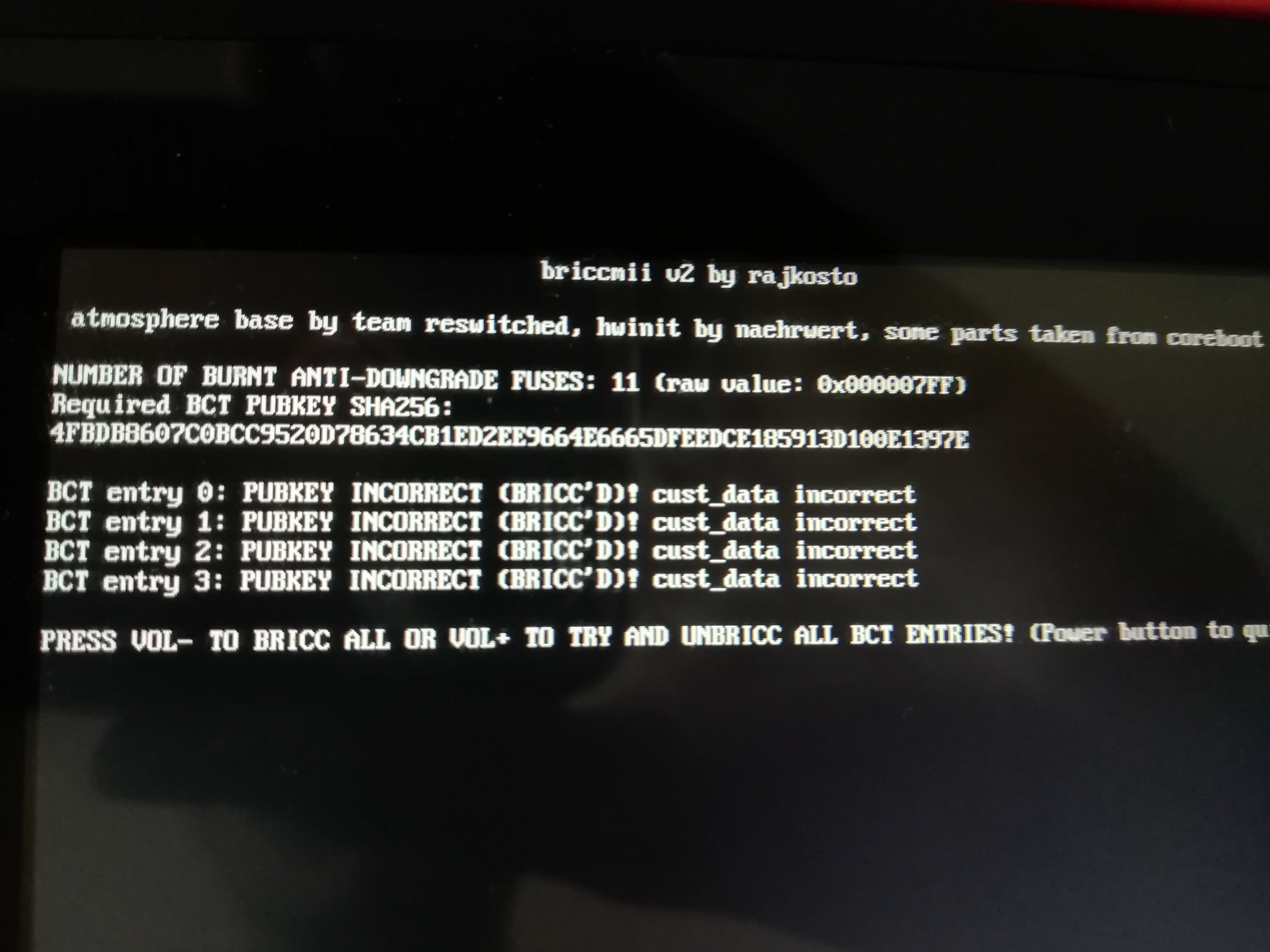
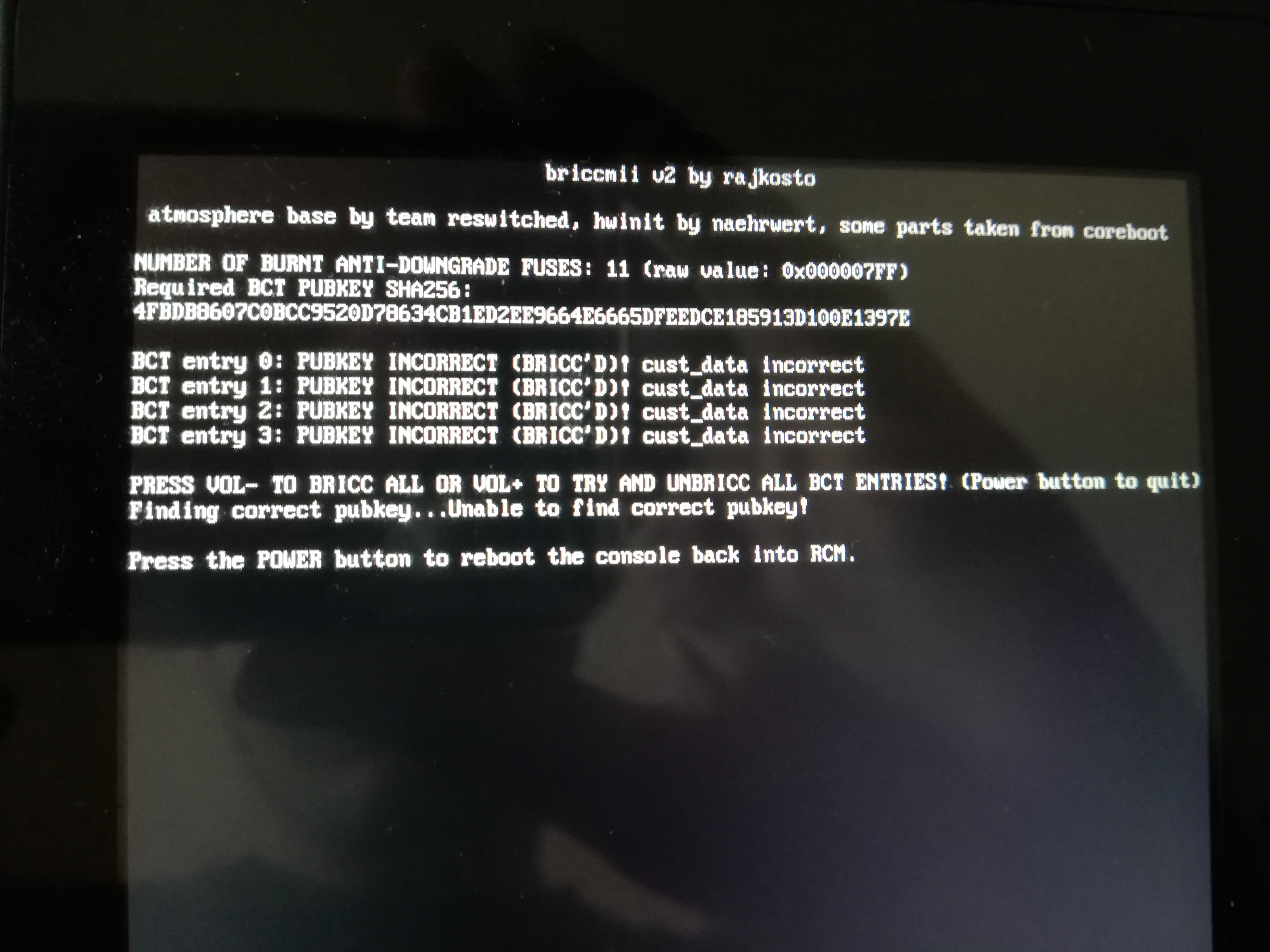
I am still able to do backups using Hekate and I tried using briccmii to turn off the autoRCM. The pictures show what briccmii showed me as I booted it and after I tried to fix the files with briccmii.

Please tell me what I can do to fix my switch or link a thread if there was already somebody with the same problem.
IMG_20191207_135918.jpg
IMG_20191207_135941.jpg
 
Last edited by YannikRie,
Why on Earth did you downgrade? Anyways, the issue seems like you didn't initialize the console when downgrading. You can perform one by booting into Maintenance Mode which you enter by holding volume + and - when booting the console up. And since you burnt more fuses than the firmware you are trying to boot, you need AutoRCM to boot up the console.
 
It's as drax said above

Re-initialize the system, re-enable autoRCM

Also you can't boot with a gamecard in now unless you are on 9.x
 
I'm having similar issues, I downgraded to 4.1.0 from 8.1.0 but I don't have the burned fuses issues, I just can't get my switch to boot. I am unable to get into maintenance mode either, it just goes to black screen and stops. I have a nand backup but don't know where to begin to get this thing up and going again.
 
I'm having similar issues, I downgraded to 4.1.0 from 8.1.0 but I don't have the burned fuses issues, I just can't get my switch to boot. I am unable to get into maintenance mode either, it just goes to black screen and stops. I have a nand backup but don't know where to begin to get this thing up and going again.
Begin from getting into rcm and launching hekate... It should always work (well, unless there's a hardware issue)...

...And why on earth people go for downgrading their fw to 4.1 (for jigless experience i guess lol, but oh boy they lack a lot of information about how switch hacking works).
 
Last edited by bad361,
What are you trying to launch getting a black screen afterwards?
It doesn't matter if I launch CFW or OFW, same result. I'm wondering if the FW flash was bad, not sure what to do, trying to manual create a backup with a different FW.
 
I'm having similar issues, I downgraded to 4.1.0 from 8.1.0 but I don't have the burned fuses issues, I just can't get my switch to boot. I am unable to get into maintenance mode either, it just goes to black screen and stops. I have a nand backup but don't know where to begin to get this thing up and going again.

You need to boot maintenance mode and reinitialize (holding both vol buttons after the sept screen), that or restore nand backup OR rebuild nand which is alot more risky

Oh also , make sure you have no gamecard in AND your sd card is fat32

--------------------- MERGED ---------------------------

I can't be fucked for reading or anything too brain...process-stuff, but this?
https://www.youtube.com/results?search_query=rebuild+switch+nand
god no video guides please
 
god no video guides please

Um...okay, then are you going to walk NiftyBeard through this? All the way and back again?

I feel like if video guides were that bad, NO ONE would use them.

I have a feeling NiftyBeard can figure it out, but maybe something in these video guides will give him an idea of what everyone is talking about.


For fun: do you really think the scene changed that much in one month? Like everything changed so much that nothing in the video will work? Like no one in the comments section is going to speak up?
I get where you're coming from, but mai du, I believe there are some important information in those videos; even if he doesn't end up downloading any linked file, being able to see what you're talking might help.
 
  • Like
Reactions: NiftyBeard
Um...okay, then are you going to walk NiftyBeard through this? All the way and back again?

I feel like if video guides were that bad, NO ONE would use them.

I have a feeling NiftyBeard can figure it out, but maybe something in these video guides will give him an idea of what everyone is talking about.


For fun: do you really think the scene changed that much in one month? Like everything changed so much that nothing in the video will work? Like no one in the comments section is going to speak up?
I get where you're coming from, but mai du, I believe there are some important information in those videos; even if he doesn't end up downloading any linked file, being able to see what you're talking might help.

People still put them out and people still mess up, because the information is out of date, the links are out of date etc.

That may be, but it's still not recommended.

I've had to get people to rebuild nands who have attempted to follow video guides and it is a pain in the ass to correct those who have messed up. You're better off live talking to someone over a chat messenger who has done it before who can accurately guide you through the process. plus you can exchange photos instantly with them
 
Last night I went through everything, double checked my NAND backup, and for good measure followed a guide to do an initialization to the backup via hacdiskmount, ran out of time and let it be over night, this morning I flashed the backup that was initialized and the mf booted right up :) Thanks everyone for your help really appreciate you all.

--------------------- MERGED ---------------------------

I have a feeling NiftyBeard can figure it out, but maybe something in these video guides will give him an idea of what everyone is talking about.
Dude without the second video of the material you recommended I probably would have given up, but I scrubbed through a 35 minute long video, found the piece where he gets rid of the USER.bin info and the portion of save within SYSTEM.bin and worked like a charm, thanks for the insight and while I agree that following a video guide from start to finish can be risky if you don't know the material, having a bit of background in all this stuff I was able to find a plausible solution that worked. GBAtemp is the best.
 
  • Like
Reactions: H1B1Esquire

Site & Scene News

Popular threads in this forum