Sphaira - hbmenu replacement
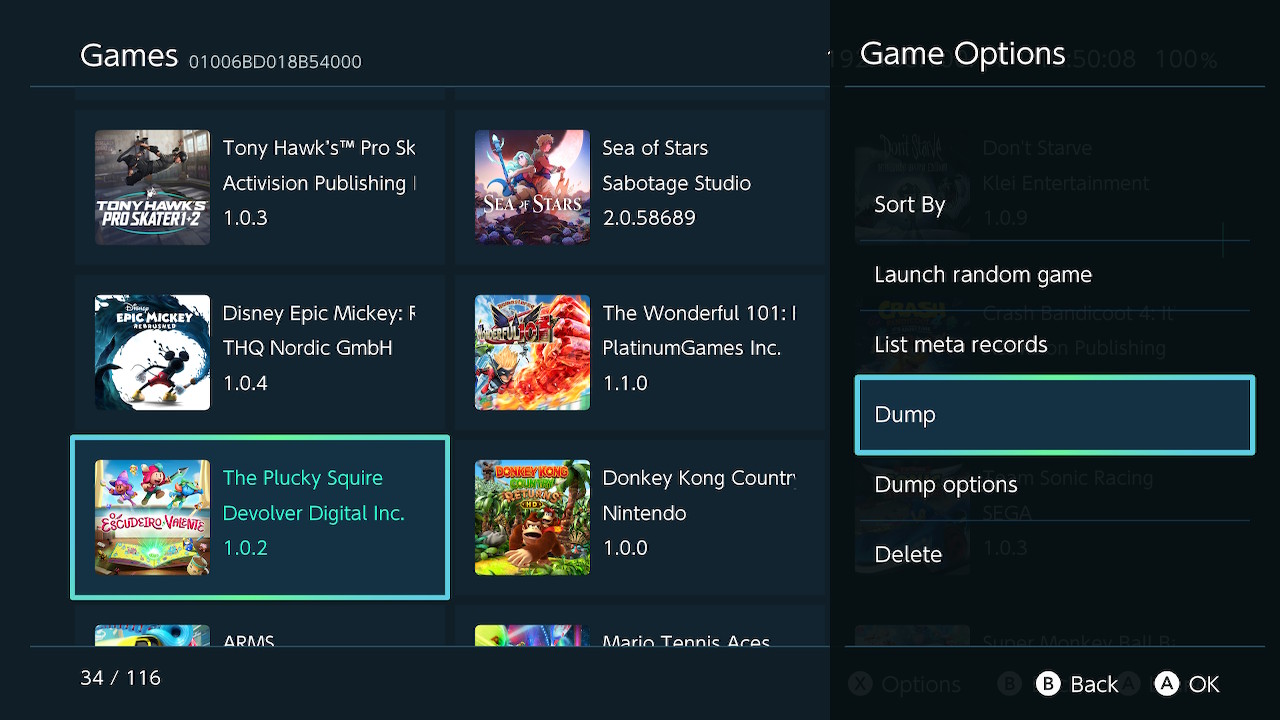
Sphaira is hbmenu alternative. It currently has feature parity with hbmenu (that is, launches homebrew + nxlink) whilst adding quite a few features.
You can navigate to the other menu tabs using "L" and "R", explained below.
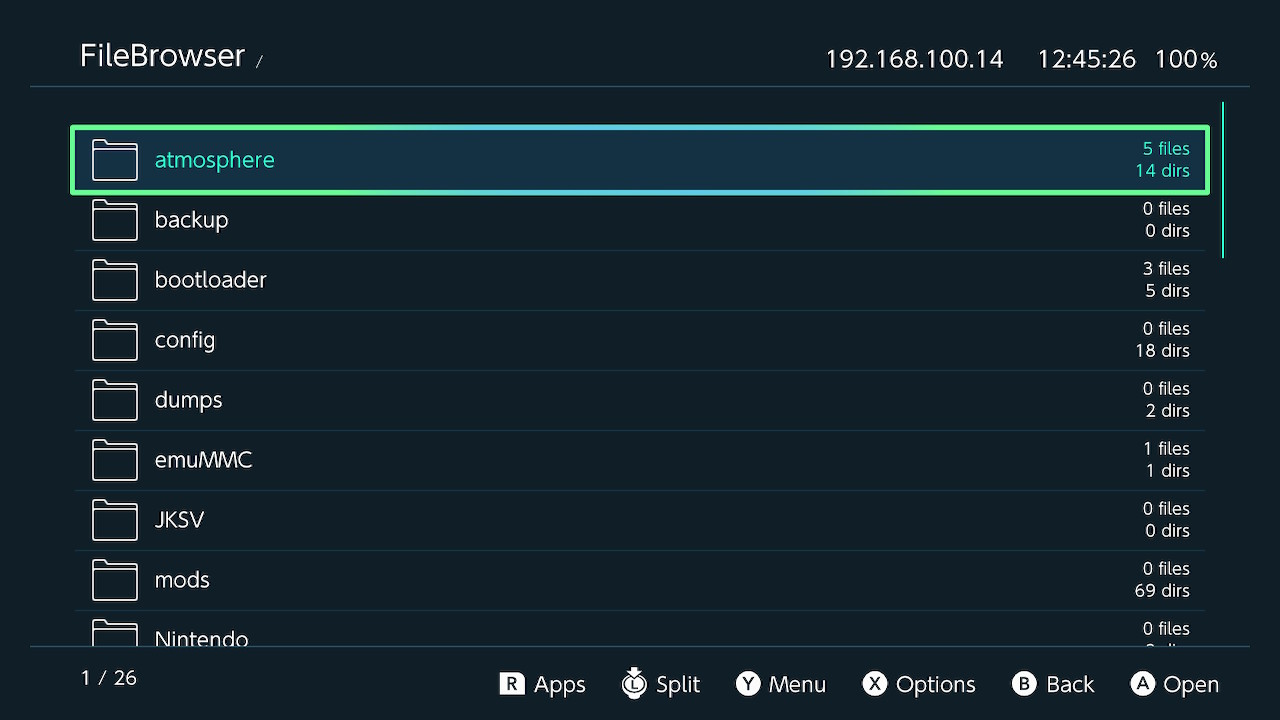
You can select multiple files / folders by using the "ZR" button and then se the above functions of that group of files.
Forwaders can be created if the selected file has a file assoc, see below for more details.
The appstore is feature parity with hb-appstore app, as well as installing the manifests in the same folder as hb-appstore, in order to not break compatibility between the two.
custom themes can be added to "/config/sphaira/themes/", here is the abyss theme for example:
music can be added to a theme, as long as the music is converted to bfstm format. simply add an entry like so: `music=/config/sphaira/themes/music/bgmusic_pcm.bfstm`
It can also install forwarders for files that have a file assoc. For example, if mgba is installed and a game is located in "/roms/gba/game.gba", then the "Install Fowarder" option will appear. In this case, it will try to scrape the icon of the game, otherwise it will use the icon of the .nro and the name will be a combination of the .nro name and game name.
This can be used for emulators, media players, text editors etc...
custom file assoc should go in the folder "/config/sphaira/assoc/"
the format is *very* simple, here is an example of vgedit.ini
and again for mgba.ini
"path": (optional) fullpath to the .nro. if not specified, it uses the name of the ini, ie, mgba.ini will use mgba.nro.
"supported_extensions": list of extensions the application supports, separated by |. plea
"database": (optional) name of the rom database to use defined by the left-side of this table <https://gist.github.com/ITotalJustice/d5e82ba601ca13b638af9b00e33a4a86>..
All of the retroarch cores has file assoc built into sphaira, so if you download retroarch using the appstore, and then navigate to "/roms/gbc/game.gbc", gambatte and mgba will be available to be selected.
Games can be kept in .zip format, sphaira will peek into the .zip and find the real extension and use that for displaying icons / file assoc.
this is the same layout emulation station uses. the reason for forcing roms to be in specific folders is due to many roms for different systems using the same file extension, ie, .bin / .cue or .chd.
roms placed in subfolders are allowed, for example "/roms/psx/scooby-doo/scooby-doo.bin" is valid.
To install themes, launch "NXThemes Installer" and browse to the selected folder listed above.
By default, this is enabled in the background, to disable it: Menu Options -> Network -> Nxlink.
That's most of the features spahira has. If you enjoy it so much that you'd rather it be launched over regular hbmenu, you can enable the option in "Menu Options -> Replace hbmenu on exit" where it will do just that. It will create a backup of hbmenu in "/switch/hbmenu.nro" should you wish to swap back.





Releases: https://github.com/ITotalJustice/sphaira/releases/
Bleeding-edge Releases: https://github.com/ITotalJustice/sphaira/actions
Source Code: https://github.com/ITotalJustice/sphaira
HomeBrew
The main menu tab, it lists all the .nro found in "/switch/". From there, you can launch, sort, delete, create a forwarder etc.You can navigate to the other menu tabs using "L" and "R", explained below.
FileBrowser
By pressing "L" from the main menu, you can access the file browser. You can Cut, Copy, Delete, Rename etc.You can select multiple files / folders by using the "ZR" button and then se the above functions of that group of files.
Forwaders can be created if the selected file has a file assoc, see below for more details.
Appstore
sphaira features an appstore, using the api from https://hb-app.store/switch. It can be navigated to by pressing "R" from the main menu.The appstore is feature parity with hb-appstore app, as well as installing the manifests in the same folder as hb-appstore, in order to not break compatibility between the two.
Themes
sphaira comes with 3 themes, abyss (default), black and white (unfinished).custom themes can be added to "/config/sphaira/themes/", here is the abyss theme for example:
INI:
[meta]
name=Abyss
author=TotalJustice
version=1.0.0
; unused currently
preview=romfs:/theme/preview.jpg

[theme]
background=0x0f111aff
grid=0x0f115c30
selected=0x0f115cff
selected_overlay=0x529cffff
text=0xffbc41ff
text_selected=0x529cffff

icon_audio=romfs:/theme/icon_audio.png
icon_video=romfs:/theme/icon_video.png
icon_image=romfs:/theme/icon_image.png
icon_file=romfs:/theme/icon_file.png
icon_folder=romfs:/theme/icon_folder.png
icon_zip=romfs:/theme/icon_zip.png
icon_nro=romfs:/theme/icon_nro.png
music can be added to a theme, as long as the music is converted to bfstm format. simply add an entry like so: `music=/config/sphaira/themes/music/bgmusic_pcm.bfstm`
Forwaders
sphaira can create and install forwarders for any .nro. It will use the icon of the .nro and the name + author.It can also install forwarders for files that have a file assoc. For example, if mgba is installed and a game is located in "/roms/gba/game.gba", then the "Install Fowarder" option will appear. In this case, it will try to scrape the icon of the game, otherwise it will use the icon of the .nro and the name will be a combination of the .nro name and game name.
File Assoc
file assoc is a way to associate file extensions (.gba, .nro etc) with a homebrew app. For example, clicking on rom.gbc that has an file assoc will bring up a list of all the applications that can handle it.This can be used for emulators, media players, text editors etc...
custom file assoc should go in the folder "/config/sphaira/assoc/"
the format is *very* simple, here is an example of vgedit.ini
INI:
[config]
supported_extensions=txt|json|cfg|ini|md|log
and again for mgba.ini
INI:
[config]
supported_extensions=gba|gbc|sgb|gb
database=Nintendo - Game Boy|Nintendo - Game Boy Color|Nintendo - Game Boy Advance
"path": (optional) fullpath to the .nro. if not specified, it uses the name of the ini, ie, mgba.ini will use mgba.nro.
"supported_extensions": list of extensions the application supports, separated by |. plea
"database": (optional) name of the rom database to use defined by the left-side of this table <https://gist.github.com/ITotalJustice/d5e82ba601ca13b638af9b00e33a4a86>..
All of the retroarch cores has file assoc built into sphaira, so if you download retroarch using the appstore, and then navigate to "/roms/gbc/game.gbc", gambatte and mgba will be available to be selected.
Games can be kept in .zip format, sphaira will peek into the .zip and find the real extension and use that for displaying icons / file assoc.
Roms
roms should be placed in "/roms/system_name/" where system name is defined by this table right-side entries <https://gist.github.com/ITotalJustice/d5e82ba601ca13b638af9b00e33a4a86>.this is the same layout emulation station uses. the reason for forcing roms to be in specific folders is due to many roms for different systems using the same file extension, ie, .bin / .cue or .chd.
roms placed in subfolders are allowed, for example "/roms/psx/scooby-doo/scooby-doo.bin" is valid.
Themezer
themes can be browsed and download by going Menu Options -> Misc -> Themezer. Themes will be downloaded to "/themes/sphaira/Theme Name - By Author/".To install themes, launch "NXThemes Installer" and browse to the selected folder listed above.
Nxlink
For homebrew developers, nxlink is built into sphaira. You do not have to press any special buttons, just do "nxlink *.nro" and send your nro like normal, console logging works to be using "nxlink -s *.nro"By default, this is enabled in the background, to disable it: Menu Options -> Network -> Nxlink.
That's most of the features spahira has. If you enjoy it so much that you'd rather it be launched over regular hbmenu, you can enable the option in "Menu Options -> Replace hbmenu on exit" where it will do just that. It will create a backup of hbmenu in "/switch/hbmenu.nro" should you wish to swap back.
Releases: https://github.com/ITotalJustice/sphaira/releases/
Bleeding-edge Releases: https://github.com/ITotalJustice/sphaira/actions
Source Code: https://github.com/ITotalJustice/sphaira
Last edited by Deleted member 413168,