Hardware Seagate 3tb drive format

  • Thread starter Thread starter DaTank45
  • Start date Start date
  • Views Views 1,979
  • Replies Replies 14

DaTank45

Well-Known Member
Member
Joined
Aug 18, 2017
Messages
416
Reaction score
97
Trophies
0
Age
45
XP
334
Country
United States
Hello I need some assistance with a 3tb seagate hdd. I’m trying to format the drive to fat 32. I can only get it to format 2tb of the 3. Does anyone have any idea how to format the whole drive? I’ve tried multiple programs with the same result. Any help would be greatly appreciated!
 
Last edited by DaTank45,
Hello I need some assistance with a 3tb seagate hdd. I’m trying to format the drive to fat 32. I can only get it to format 2tb of the 3. Does anyone have any idea how to format the whole drive? I’ve tried multiple programs with the same result. Any help would be greatly appreciated!

2tb is the limit for fat32, you can't have a single 3tb fat32 partition.
 
  • Like
Reactions: DaTank45
Thank you for the speedy reply! Do you know how a 4tb drive could be fat 32?
 

Attachments

  • 5AE826C8-2F34-4558-99BC-D516C8B6D55B.jpeg
    5AE826C8-2F34-4558-99BC-D516C8B6D55B.jpeg
    3.3 MB · Views: 193
Last edited by DaTank45,
Third party apps could format a large drive into FAT32, however there are a number of limitations on FAT32 you will inevitably run into, such as the maximum number of items in the directory and the 4GB file size limit.

You’re better off using exFAT or NTFS.

Also it needs to be initialised with GPT, not MBR.
 
Last edited by Originality,
  • Like
Reactions: DaTank45
It would be smart idea to split the drive in different partitions.
I made 3 partitions on my 1tb seagate drive, 2 small ones in fat32 for games (PS3 and WII) and the rest i formatted NTFS for backup and media purpose.
Just be sure you choose the right amount of available space, as it might become difficult to change after all the data is moved. It is possible to adjust the size afterward, but I personally don't like it.
 
  • Like
Reactions: DaTank45
Thank you for the speedy reply! Do you know how a 4tb drive could be fat 32?
I seem to remember this being possible as well, with a couple of requirements.
1. The drive must be using the GPT partition scheme because MBR has a hard limit of 2TB.
2. The second requirement has something to do with the cluster size, or the actual sector size of the drive itself. Cluster size you can increase when you format it, but sector size is a hard limit in the drive. I don't remember any details about this though. From some quick googling it seems that the 512 byte sector size is what is holding back FAT32 from supporting larger partitions, so if you have a drive with a larger sector size, AND you're able to format it with a cluster size >64KB, then larger partitions will work. That seems to line up with what I remember, although I have no idea where I heard this originally, so the info might be wrong.
Even if you got that to work, compatibility might be limited with different OSes and devices. And you're still stuck with a 4GB maximum file size. It's really far better to use ExFAT or NTFS if this is only for PC use.
 
Last edited by The Real Jdbye,
  • Like
Reactions: DaTank45
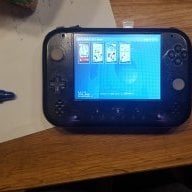
Thank you all for the replies! As you can see from the picture above I formatted a drive before using easuse partion manager (or something like that) for my wii. I tried setting up someone else's wii all went well until I got to the HDD. I just couldn't format it the same. I thought maybe the problem was with it being a Seagate and mine being a western digital. So my next questing is could I format 2tb to fat 32 and the remaining to fat 32 and be able to use both partitions on the vwii with usb loader. Wii games on one side and Gamecube on the other?
 
Thank you all for the replies! As you can see from the picture above I formatted a drive before using easuse partion manager (or something like that) for my wii. I tried setting up someone else's wii all went well until I got to the HDD. I just couldn't format it the same. I thought maybe the problem was with it being a Seagate and mine being a western digital. So my next questing is could I format 2tb to fat 32 and the remaining to fat 32 and be able to use both partitions on the vwii with usb loader. Wii games on one side and Gamecube on the other?
Yes (but you might need to format the drive with GPT partition scheme)
But how much space do you actually need for GC/Wii games? 3TB seems like a bit overkill. I have about 150 Wii games and a handful of GC games on a 500GB HDD with lots of space left over. I could fill up the rest of the space with GC games and I'd probably have just about every GC/Wii game I'd ever want to play.
GC games are pretty small so you could probably fit the entire collection minus duplicates on like 1TB or less (and how likely are you to ever want to play all of them anyway)
Wii games are a lot bigger but most of them were shovelware anyway.
So I'd say 2TB would be pretty generous for GC/Wii games.

For the record, Wii games can load from NTFS which saves having to split up the .wbfs games and you can store large files like movies etc. on it if you have lots of free space. So if you're going the 2 partition route you may as well make one of them NTFS.

 
  • Like
Reactions: DaTank45
There are some USB to SATA adapter with 4k emulation, which can use with hard disks larger than 2tb with fat 32.
I currently use 2x 4tb hard disks (one for PS3 and one for XBOX 360)
 
  • Like
Reactions: DaTank45
Yes (but you might need to format the drive with GPT partition scheme)
But how much space do you actually need for GC/Wii games? 3TB seems like a bit overkill. I have about 150 Wii games and a handful of GC games on a 500GB HDD with lots of space left over. I could fill up the rest of the space with GC games and I'd probably have just about every GC/Wii game I'd ever want to play.
GC games are pretty small so you could probably fit the entire collection minus duplicates on like 1TB or less (and how likely are you to ever want to play all of them anyway)
Wii games are a lot bigger but most of them were shovelware anyway.
So I'd say 2TB would be pretty generous for GC/Wii games.

For the record, Wii games can load from NTFS which saves having to split up the .wbfs games and you can store large files like movies etc. on it if you have lots of free space. So if you're going the 2 partition route you may as well make one of them NTFS.

Thanks for the info. I admit that I went a little overboard with gamecube and wii games when I first hacked my wii. About 1100 wii games, 350 GC for a total of 2.5tb. I was just hoping to copy my drive onto theirs. I thought it would just be easy that way. Now I just wanna figure out how to format this drive.


There are some USB to SATA adapter with 4k emulation, which can use with hard disks larger than 2tb with fat 32.
I currently use 2x 4tb hard disks (one for PS3 and one for XBOX 360)

Thanks for replying.
 
Like about 75 of those games are actually worth playing

--------------------- MERGED ---------------------------

You dont need the entire fucking library of Wii and GC games
 
Like about 75 of those games are actually worth playing

--------------------- MERGED ---------------------------

You dont need the entire fucking library of Wii and GC games
Thanks for the awesome reply! I'm so glad you felt the need to make decisions for me! I will PM you if I need anymore help! Thank you so much!
 
  • Like
Reactions: JellyPerson
Thanks for the awesome reply! I'm so glad you felt the need to make decisions for me! I will PM you if I need anymore help! Thank you so much!
To be honest though. It's probably worth it to go through the entire list and delete all the obvious shovelware. They're just cluttering up the game list anyway.
Edit: Also, this would have been better posted in the Wii section, it might get more useful replies that way since no one would know it was about Wii without first reading the thread and you won't get as many people knowledgeable about Wii clicking the thread.
 
Last edited by The Real Jdbye,
  • Like
Reactions: DaTank45
If you're still looking this thread of mine from a while ago might help with what you're looking for:
http://gbatemp.net/threads/usb-loader-gx.149922/page-1132#post-6662953

I'm currently using a Western Digital MyBook 8TB as a single FAT32 partion. Note that to see the whole drive above 4TB you'll needed to format with 64k clusters, but for your 3TB drive 32k clusters will work just fine for you.

I've used the tools in the above thread on many WD 4TB HDDs (before I started using 8TBs) and they've always worked well for me. You should be able to get the tools you need from it for your 3TB drive.

Edit: Also take note in step 1 to make sure the drive has only one partion, merge any others into the main partion if needed. You'll also probably be skipping step 2 & 3 because you don't have a WD drive & probably don't need to break the drive from GPT. What you really want is going to be in step 4.
 
Last edited by ca032769,
  • Like
Reactions: DaTank45

Site & Scene News

Popular threads in this forum