Homebrew RELEASE [RELEASE] Amiga Emulator UAE4All2 for Switch

  • Thread starter Thread starter rsn8887
  • Start date Start date
  • Views Views 121,443
  • Replies Replies 441
  • Likes Likes 37
There are no debug logs.

Are you launching the community update as hddir or hdf? I suggest hdf, because hddir is not as compatible. There are many file system differences between host and Amiga.
 
i am launching it as a hdf.
as I said game is working fine , just the training bit in the career is freezing the game.
This doesn't happen in the swos 96/97 hdf so i suspect it is something with particular hdf. As other things working i was wondering if there is some log to capture what is happening.
I will try same hdf in winuae and check training just to see if hdf might have some problem or it is in emulator.
thanks for the fast reply !
 
You could also try different blitter settings (requires reset), and/or A500 and A1200 settings, but usually those help with flickering gfx, not so much with freezing.

Another thing to try is different memory setup. Try A1200 with 2 MB Chip plus 6 MB Fast mem. Also try A500 config with 512k Chip, 512k slow, 2 MB Fast.
 
Last edited by rsn8887,
@rsn8887
Thanks for this great emulator.
I tried a 2 players game of "North & South" with split joycon option.
The problem is that the second player can only move the cursor by very very small steps.
Any help for the config ?

Envoyé de mon ONEPLUS A6003 en utilisant Tapatalk
 
@rsn8887
Thanks for this great emulator.
I tried a 2 players game of "North & South" with split joycon option.
The problem is that the second player can only move the cursor by very very small steps.
Any help for the config ?

Envoyé de mon ONEPLUS A6003 en utilisant Tapatalk

The little movement means it is designed for mouse control, not joystick.

I think North and South second player has to be controlled by keyboard (cursor keys and space), it only supports one joystick. You can use custom controls to map controller 2 to arrow keys and space bar. Then it should work.

The manual is here: http://www.lemonamiga.com/games/docs.php?id=1156 . It mentions only single joystick support. One player is controlled via joystick, the other is controlled by keyboard. So you will have to use custom controls. I remember even as a kid I was disappointed the game didn't support two joysticks.

--------------------- MERGED ---------------------------

New release v1.90:

https://github.com/rsn8887/uae4all2/releases/latest

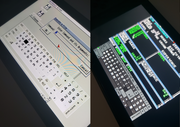
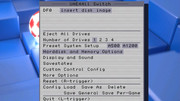
I added an option to change keyboard style between original, warm, cool, and dark. Thanks @wronghands for the idea, for drawing all the awesome new keyboards, and for the screenshot!

Changelog:

1.90

- Add keyboard style option with many choices: original, warm, cool, dark (thanks @wronghands)

- On Switch, quit gracefully when using home button to exit

- Speed up rendering of savestate menu when thumbnails are displayed


Last edited by rsn8887,
thank you rsn8887, i your emulator is one the best out there for switch. I just have one dream to become true: mouse support. It could be just fantastic
 
New version 1.91
https://github.com/rsn8887/uae4all2/releases/latest

1.91
  • widescreen menu
  • physical keyboard and mouse support also on Switch. All keyboards I tried seem to work. Not many mice work. The Logitech M187 mouse seems to work fine.
  • on Switch, no more slow-down when returning from sleep (thanks @Cpasjuste)


Wow these updates are coming thick and fast Thanks mate :)
I do have a request, is there any chance of an auto update feature? sorry if this has already been requested.
But with how fast updates are coming an update prompt\download option would be really handy :)
 
New update:

1.93 (Switch only)

- fix mouse pointer getting stuck sometimes when using USB mouse (fixed in SDL)

1.92

- add frameskip option back in
- on Vita, also use 48 kHz as default sound frequency (seems to work a bit better)
 

Site & Scene News

Popular threads in this forum