Hacking R4 DS skins

  • Thread starter Thread starter BoneMonkey
  • Start date Start date
  • Views Views 501,533
  • Replies Replies 1,785

BoneMonkey

The cheese stash is a lie.
Banned
Joined
Dec 9, 2006
Messages
3,224
Reaction score
14
Trophies
1
Location
USA
Website
Visit site
XP
555
Country
United States
i decided to make a thread where ppl can post there R4DS skins and or ideas !

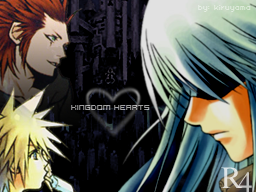
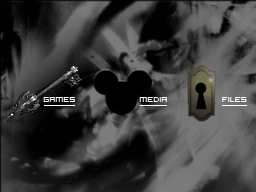
here is my first atempt at a skin for R4DS its a preview once i get my R4ds i will make the files available

image2ct6.jpg
 
They don't show =X But, to see them you just need to right click on "user posted image" and click "View Image".
wink.gif
 
Can someone briefly explain to me how skins work (I'm getting an R4 soon)? From what I see, it looks like you have 2 static pictures, where image corresponding to touch screen has 3 icons which are in a preset location (spread evenly horizontally in the vertical middle), with the clock positioned in a static location along the bottom of the touch screen.

Is this all it is? It sounds a bit too simple.
 
just replace the pictures and u have it!
i forgot the size.. smth like 256 * 195


i'm just gonna put nature wallpapers on the top..
and smth nice on the bottom with the 3 icons
 
just replace the pictures and u have it!
i forgot the size.. smth like 256 * 195


i'm just gonna put nature wallpapers on the top..
and smth nice on the bottom with the 3 icons

So the clock and the writing at the bottom is just always there? What if the colors clash (ie. black on black). And I'm seeing the pictures at the top, there is a white bar at the top of the *top right* picture. What is this? Also, the pictures on the right side have what purpose; seeing as the left side are for the main menu.

Sorry for the questions, just an excited customer
ohmy.gif


PS. Anyone got anywhere which teaches you exactly what you need to do to skin? I might try make mine before my R4 even gets here.
 
So the clock and the writing at the bottom is just always there? What if the colors clash (ie. black on black). And I'm seeing the pictures at the top, there is a white bar at the top of the *top right* picture. What is this? Also, the pictures on the right side have what purpose; seeing as the left side are for the main menu.
I was kinda wondering about that as well. I guess I'll probably have to wait until mine ships to see exactly how everything is displayed. I'll probably just toy around with the current ones for now.
 
yes basically in the new version
there is a folder called _system_
in it are 4 bmp pictures of the same size.

http://www.r4ds.com/soft/7.htm
here, this should explain everything.

the clock and the version at the bottom will appear automatically on top of the picture you placed.
 
Nice skin, I like it, don't have a R4DS though.
frown.gif

One question though, why is the border at the top white, while here the text that should be placed there is white too? Or is that color changeable too or something. *-)
Looks really good. The R4 seems to have an easy skining process.

My skin

Link for the Skin

my.php


my.php


Is it just me or do my pics not show?
The thing you have putten between the [ img ] tags, is a webpage containing the image, not the image itself.
Use either
or just
r4dsmacosx1zz1.jpg

Thanks to ImageShack for Free Image Hosting

(You can quote me and check out the quote to see the ubb tags)
 
Here's an idea I toyed with for a few minutes tonight - what do you guys think?

maviSkin.jpg


A little too dark for the white DSL, maybe - anyway I wanna wait until my R4 actually arrives before I post the skin (so I can test it first) but I wanted to see what you guys thought of it first. Good/bad?
 
woah that looks pretty cool..
which program did u use ?

Just Photoshop. I created a skins template so it just takes a few seconds to slap a skin together now, once you have the icons and background chosen anyway ...
wink.gif
I'll upload it later if anyone wants it, but I'm off to bed now and tomorrow will be out all day (Japanese New Year's Day stuff) ... I also made a preview template (with that black DS) so it's easy to show the finished product as it would appear on the DS.

Actually I'll leave all of this up to H8TR, the skin site was his idea so it's totally up to him, he's put together quite a bit in the last twelve hours - all I'm doing is providing the disk space and bandwidth. So, yeah - H8TR has/will have all of these files, I'm sure he'll post them if there's any interest!
smile.gif
 
I also love the buttons Mavis has done. Great job, there are going to be some awesome skins popping up as we all get used to making them.
biggrin.gif
 
I also love the buttons Mavis has done. Great job, there are going to be some awesome skins popping up as we all get used to making them.
biggrin.gif

Glad you guys like the buttons, actually I didn't make them myself - they're dock icons I got from deviantart ...
smile.gif
I used to be into to custom icons for WindowsXP (do a Google search for CrystalMX to see one of the icon sets I put together) so I have thousands of cool icons on my HDD here ...

Anyway if you guys want to have your skins posted on the skin site, just PM H8TR and he'll add your work to the site!

The 'official' skin site!

Enjoy! And keep the cool skins coming!
 

Site & Scene News

Popular threads in this forum