Hacking [Question] O3DS error when downgrading

x_master_1234

Well-Known Member
Member
Joined
Feb 29, 2016
Messages
156
Reaction score
31
Trophies
1
XP
325
Country
United States
I have Old 3DS XL:
- SysNAND: 9.2.0-20U
- EmuNAND: 11.0.0-33U
- MenuHax
- Luma3DS Nightly5.4

I follow Plailect's Guide :)

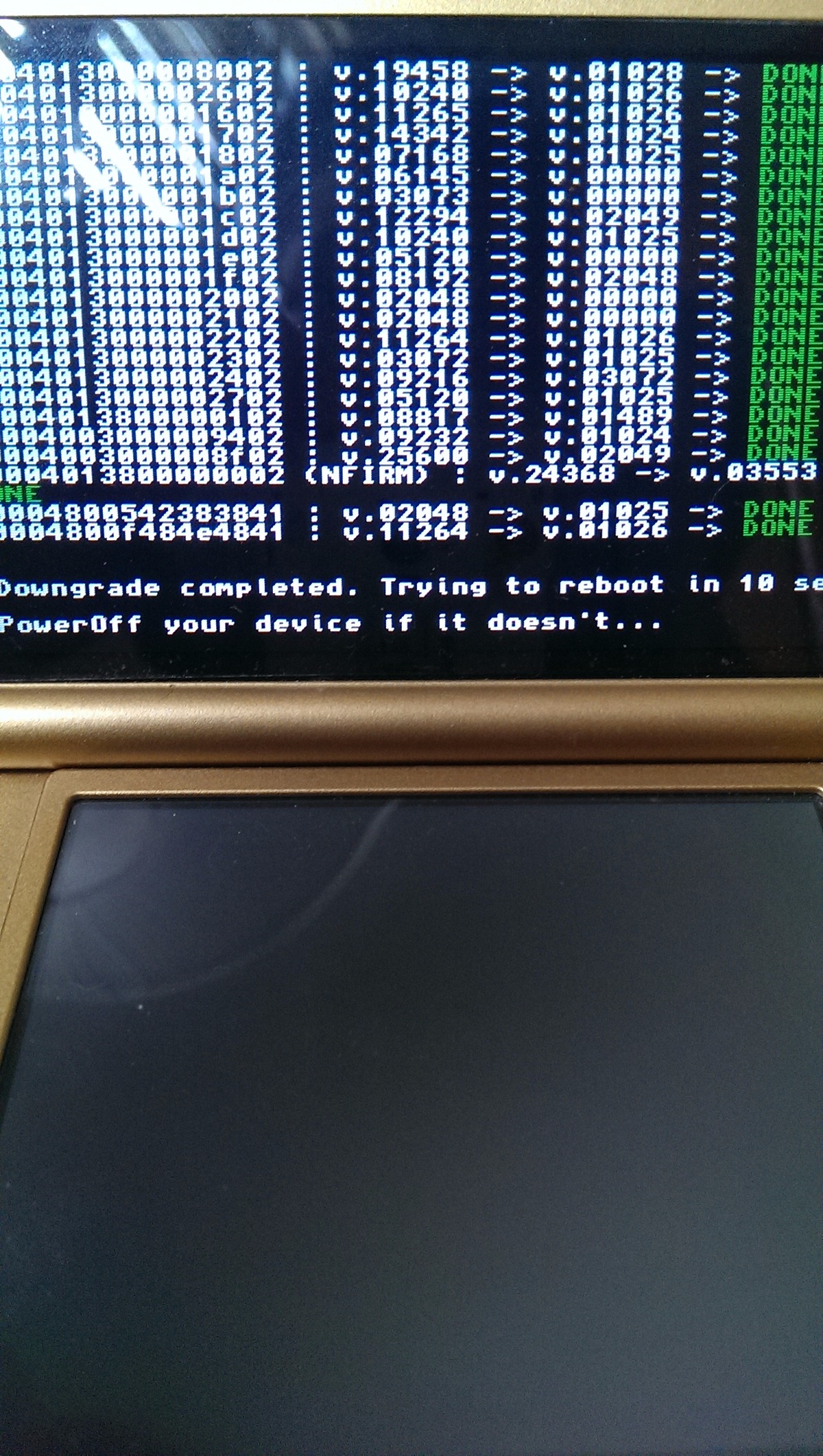
When I try to downgrade emuNAND to 2.1.0 with Plaisysupdater, it work fine until the upper screen display something about NFIRM. After that, my 3DS say: "An error has occured. Please turn off..."

I restore emuNAND and try again, it show an error again.

Please help me.

 
I have Old 3DS XL:
- SysNAND: 9.2.0-20U
- EmuNAND: 11.0.0-33U
- MenuHax
- Luma3DS Nightly5.4

I follow Plailect's Guide :)

When I try to downgrade emuNAND to 2.1.0 with Plaisysupdater, it work fine until the upper screen display something about NFIRM. After that, my 3DS say: "An error has occured. Please turn off..."

I restore emuNAND and try again, it show an error again.

Please help me.

Have you reffered to the help guide section?

--------------------- MERGED ---------------------------

I have Old 3DS XL:
- SysNAND: 9.2.0-20U
- EmuNAND: 11.0.0-33U
- MenuHax
- Luma3DS Nightly5.4

I follow Plailect's Guide :)

When I try to downgrade emuNAND to 2.1.0 with Plaisysupdater, it work fine until the upper screen display something about NFIRM. After that, my 3DS say: "An error has occured. Please turn off..."

I restore emuNAND and try again, it show an error again.

Please help me.
upload_2016-5-24_4-16-59.png
 
  • Like
Reactions: x_master_1234
I have Old 3DS XL:
- SysNAND: 9.2.0-20U
- EmuNAND: 11.0.0-33U
- MenuHax
- Luma3DS Nightly5.4

I follow Plailect's Guide :)

When I try to downgrade emuNAND to 2.1.0 with Plaisysupdater, it work fine until the upper screen display something about NFIRM. After that, my 3DS say: "An error has occured. Please turn off..."

I restore emuNAND and try again, it show an error again.

Please help me.

is the NTR Firmware.bin inside your luma folder?
 
  • Like
Reactions: x_master_1234
As of Firmware 11.0.0-33 you have to add the NTR Firmware to the Luma folder in the root directory

As per the overview in the guide it
https://github.com/Plailect/Guide/wiki/Part-4-(Getting-the-OTP)

It states:
If you are using Luma3DS and DID NOT follow Part 3, you should copy the appropriatefirmware.bin from Part 3 to the /luma/ folder on your SD card, otherwise the downgrade will fail.

Let us know how you go
 
  • Like
Reactions: x_master_1234
Im getting the same error on an o3ds that used to have a gateway emunand. I setup a new rednand in part 3 but now, there is no ntr firmware mentioned in the guide (unless i am just missing it). The latest luma will not boot through the homebrew loader. Luma 5.2 will, but everytime i try to downgrade to 2.1, i get an error at nfirm.

Any suggestions? What version of ntr firmware bin do I need? 3.2?
 
Im getting the same error on an o3ds that used to have a gateway emunand. I setup a new rednand in part 3 but now, there is no ntr firmware mentioned in the guide (unless i am just missing it). The latest luma will not boot through the homebrew loader. Luma 5.2 will, but everytime i try to downgrade to 2.1, i get an error at nfirm.

Any suggestions? What version of ntr firmware bin do I need? 3.2?


It is mentioned, just not very clearly as it's on the luma github, use luma 5.5 and place firmware.bin in the luma folder in the root of your SD card

firmware.bin is here https://github.com/AuroraWright/Luma3DS/wiki/Installation-and-Upgrade
 

Site & Scene News

Popular threads in this forum