Hacking ps4 exploit for 7.51 or downgrade?

  • Thread starter Thread starter lilalex
  • Start date Start date
  • Views Views 63,620
  • Replies Replies 346
  • Likes Likes 1
I just checked and pkg viewer did the same thing to me. instant error, so I think it needs to be updated. using pub chk you can check integrity without that problem:
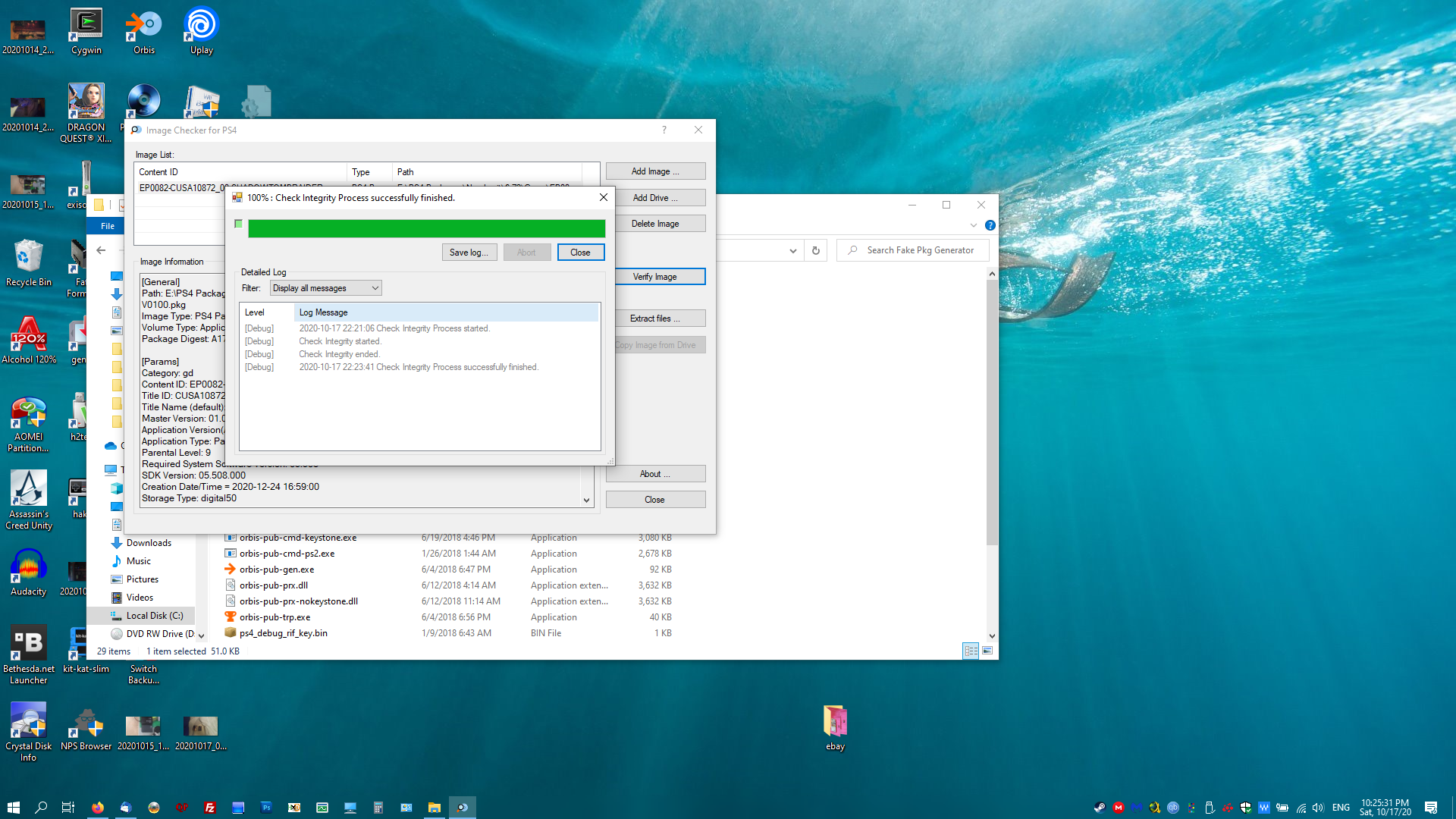
upload_2020-10-17_22-26-36.png


passcode is all 0s as I mentioned. pkg viewer hasn't been updated since 2018, so that may be the reason we're having a problem with it. reading the content of a pkg also doesn't work for me if the firmware is above 5.05.

 
there can't be so many bad rips out there when there working for other's, i have had a lot to deal with recently so my brain is not it's best but could it be my antivirus (bitdefender) being an arse?
 
pretty sure pkg viewer needs some sort of update. 5.05 and below can check integrity; above that, it errors for me.
 
game still crapped out when trying to install on ps4, thats why i'm now thinking it might be my antivirus
Are you using ftp to install the game? if not the antivirus has nothing to do about that. Antivirus blocks some PC games when trying to install on PC, so I doubt this is a antivirus relate case.
 
i have a question
how much time do i need to download i prk in the ps4
for example 50gb how much time? i have to wait

--------------------- MERGED ---------------------------

i have a question
how much time do i need to download i pkg in the ps4
for example 50gb how much time? i have to wait
 
Are you using ftp to install the game? if not the antivirus has nothing to do about that. Antivirus blocks some PC games when trying to install on PC, so I doubt this is a antivirus relate case.
copying to usb stick then istalling from that
 
i copied the game to a hdd from the motherboard sata connection and it's only gone and fucking installed, looks like it could be the USB ports that are crapping out
 
hashtab. it adds a checksum scanning option to properties.

dunno, @sudeki300 . the game runs fine for me. you can also check the checksum with pub-chk. it checked out fine for me when I did that.
as i said in my previous post i copied the pkg to a hdd that was using SATA connection on my motherboard instead of copying through USB, connected that HDD to the ps4 with a USB - SATA adapter and it installed first time.
 
pkg files probably have some sort of checksum inside the pkg. here's an example of a ps3 pkg that uses a sha-1 (checksum of everything minus the last two lines). the last two lines are the sha-1 of the rest of the package:

upload_2020-10-18_12-41-35.png


upload_2020-10-18_12-48-12.png
 
I wouldn't worry too much about a corrupted pkg. I've never even encountered one. I don't know how packages for the ps4 check integrity, but it's probably reading a checksum that's built into the package just like the ps3 does. I don't think it's at the bottom though (not sure what is), but it's a quick way to test if the package is corrupted without actually installing anything. just use pub-chk. it will tell if you if it's corrupted, since pkg viewer doesn't seem to work with later firmware packages.
 

Site & Scene News

Popular threads in this forum