
PowerA Nintendo Switch Wired Controller Not Working in Nintendont

  • Thread starter Thread starter YoshiMelon
  • Start date Start date
  • Views Views 4,186
  • Replies Replies 17

YoshiMelon

Member
Newcomer
Joined
Oct 7, 2023
Messages
9
Reaction score
0
Trophies
0
Age
25
XP
42
Country
Australia
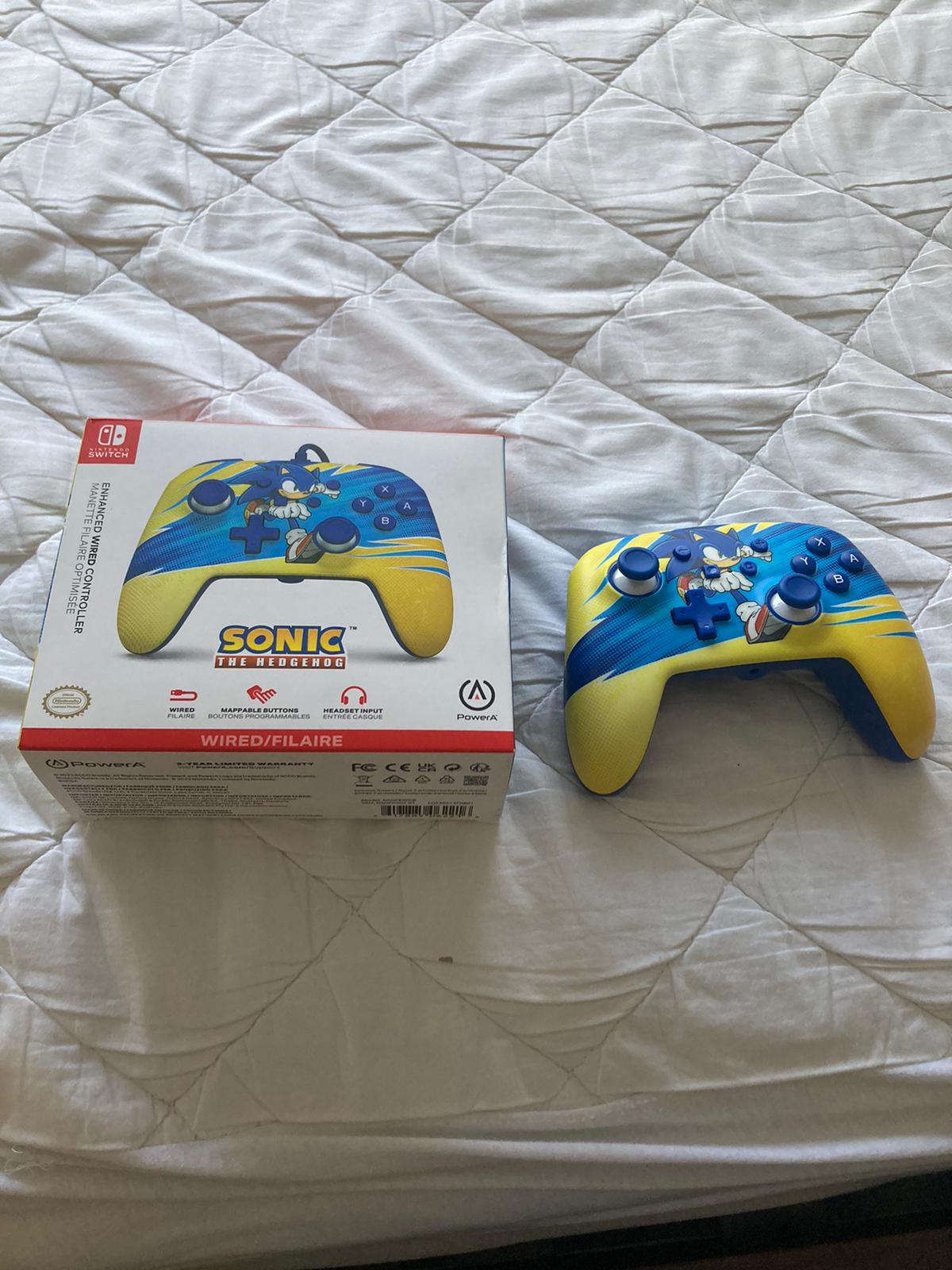
I own a wired PowerA Switch Controller I've tried to get to work with Nintendont. It works with HIDtest, but not nintendont.
I looked far and wide, made my own .ini, used a config for this controller and I even made sure to name it with the VID and PID and put it in the controllers folder on my usb.
I am completely stuck on what to do next, so if anyone could figure out what is wrong that would be great.

this is the box of the one I have specifically.
gbatemp.jpg
 
I vaguely remember that you have to name the file controller.ini and place it on the root of your SD card
 
I believed it needed to be named based on the VID and PID, but i will check that out quickly.
Post automatically merged:

I vaguely remember that you have to name the file controller.ini and place it on the root of your SD card
nope
 
Last edited by YoshiMelon,
Try the attached one, but modify VID & PID data to your needs.

Keep in mind that this one is for a Power A PS3 wired controller.
Lemme try real quick
Post automatically merged:

looking through my pc i was able to find the switch ini file I used for nintendont, hope it works.
I'll try using this as well, any idea if what you said earlier is how I have to make it work?
 
Lemme try real quick
Post automatically merged:


I'll try using this as well, any idea if what you said earlier is how I have to make it work?
yeah just change the file name to controller.ini and place it at the root of your sd card
 
UPDATE: I finally decided to see if it just couldn't read the ini by using HID test, it does recognise it, but allegedly "the configuration is not for this device" I can still press buttons and move the sticks and it reacts accordingly, just with that line of text. Now I really have no idea what is wrong.
Post automatically merged:

Here’s an image of hid test right now, sorry for the glare btw
 

Attachments

  • IMG_4367.jpeg
    IMG_4367.jpeg
    1.4 MB · Views: 90
Last edited by YoshiMelon,
UPDATE: I finally decided to see if it just couldn't read the ini by using HID test, it does recognise it, but allegedly "the configuration is not for this device" I can still press buttons and move the sticks and it reacts accordingly, just with that line of text. Now I really have no idea what is wrong.
are yah using the ini you created or the one i sent? cause the one i sent works for me
 
if anyone leaves comments over the next week, I may not be as active but I'll try and check the thread as often as possible
Post automatically merged:

Try the attached one, but modify VID & PID data to your needs.

Keep in mind that this one is for a Power A PS3 wired controller.
I kinda completely forgot about this, gonna try this now
Post automatically merged:

from that, the other errors are fixed but the "this config is not for this device" text is still there and it still doesn't work.
 
Last edited by YoshiMelon,

Site & Scene News

Popular threads in this forum