


Hi everyone,
I’m really hoping to get some support with a mod I performed on a Switch OLED.
I successfully ground out the DAT0 point using the Kamikaze method, and everything seemed to be going smoothly until I reassembled the system and tried to boot it. On startup, I got the “No SD Card” screen, and for some reason I was unable to boot into OFW. That said, I was able to dump my keys and back up boot0/boot1 without any issues.
After rechecking all of the points, the Picofly indicated that the CMD point was not connected. I then decided to completely remove the Picofly and all associated flex cables, but I’m still getting a black screen.
At this point, I’m not sure what else to try. Any help or insight would be greatly appreciated. I’ve attached photos below for reference and the diode values that were taken.
On ribbon / adaptor
3.3v = 0.465
D (CLK) = 0.468
A (CMD) = 0.532
C (DAT0) = 0.468
SP1 & SP2 - Resistance mode - black on ground
SP1 = 13.3
SP2 = 13.4
SP1 & SP2 - Diode mode - red on ground
SP1 = 0.014
SP2 = 0.015
Readings taken from the points on the picofly
3.3 = 0.433
D (CLK) = 0.480
A (CMD) = 0.516
C (DAT0) = 0.496
B (RST) = 0.433
CPU = 0.438
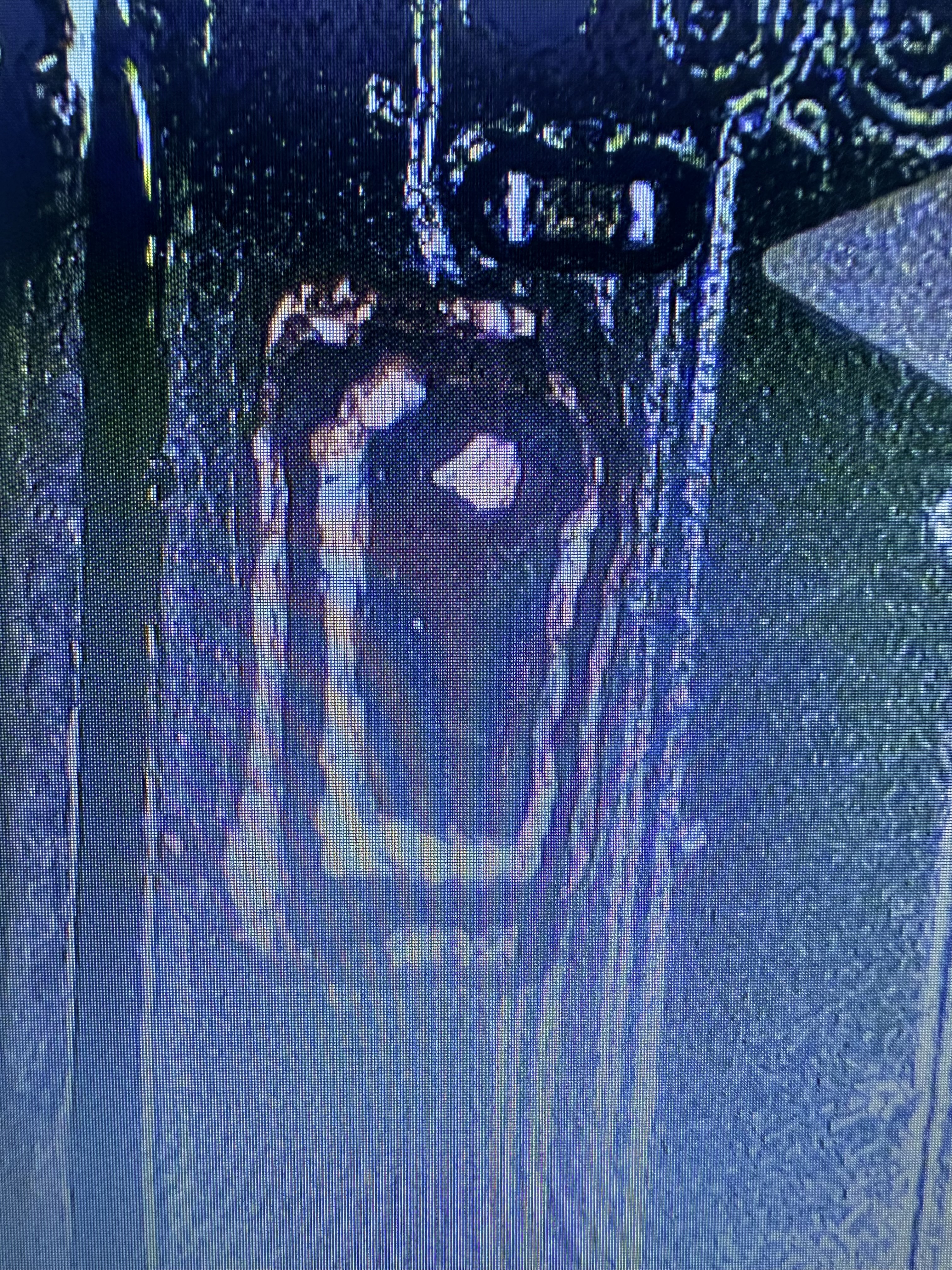
Dat0 exposed
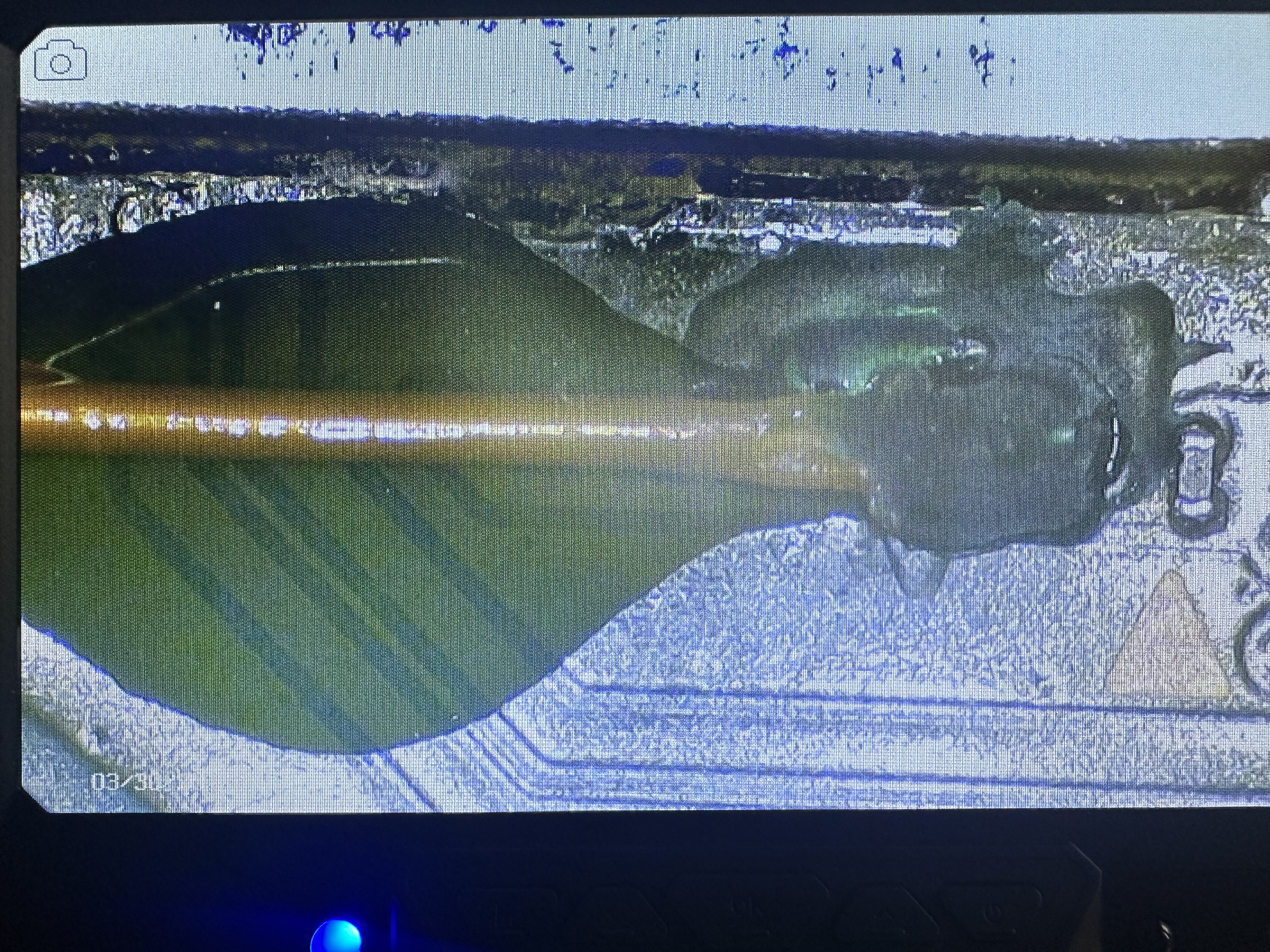
Dat0 wire connected and set in place with mask and resin
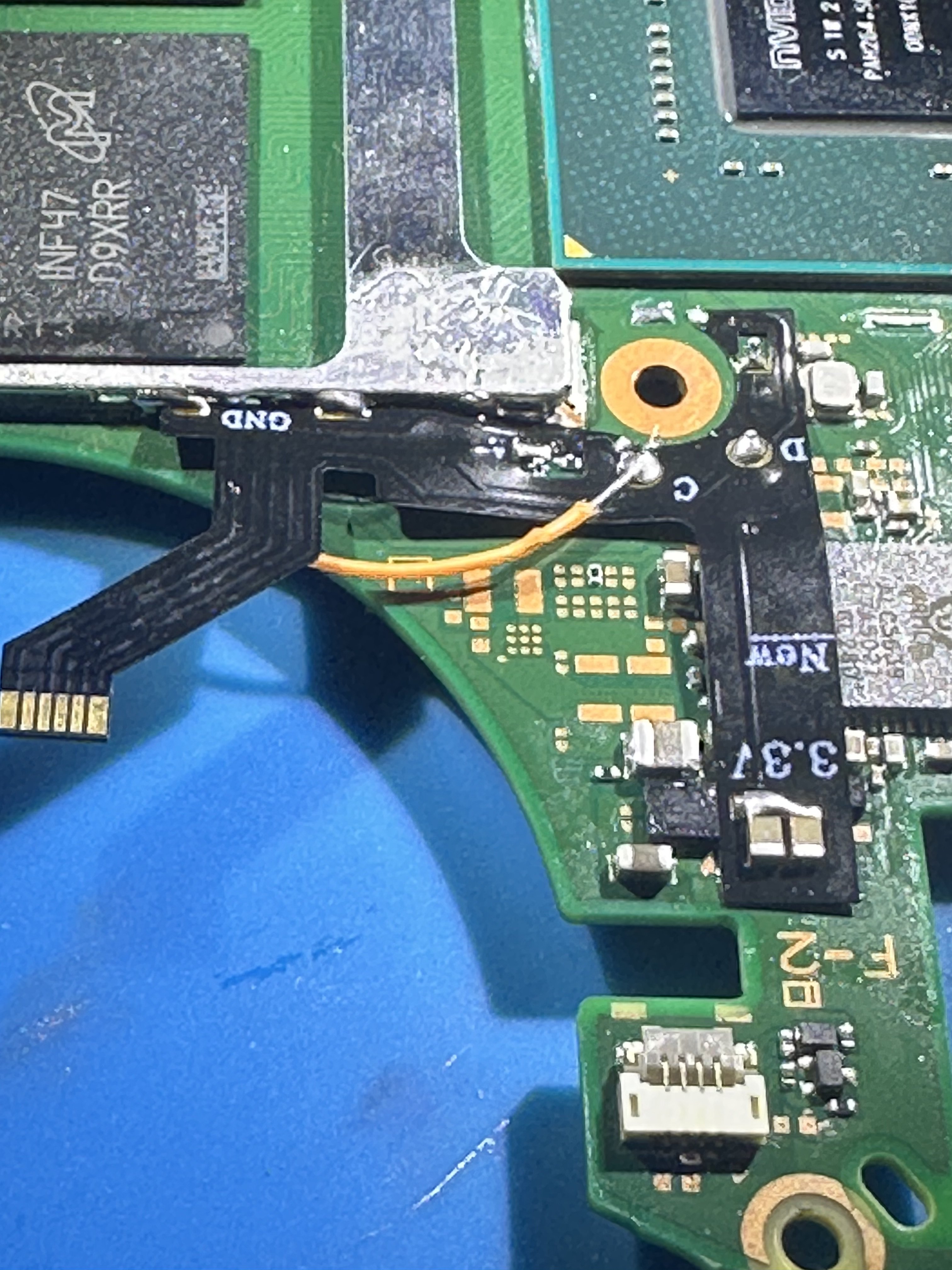
Flex cable attached
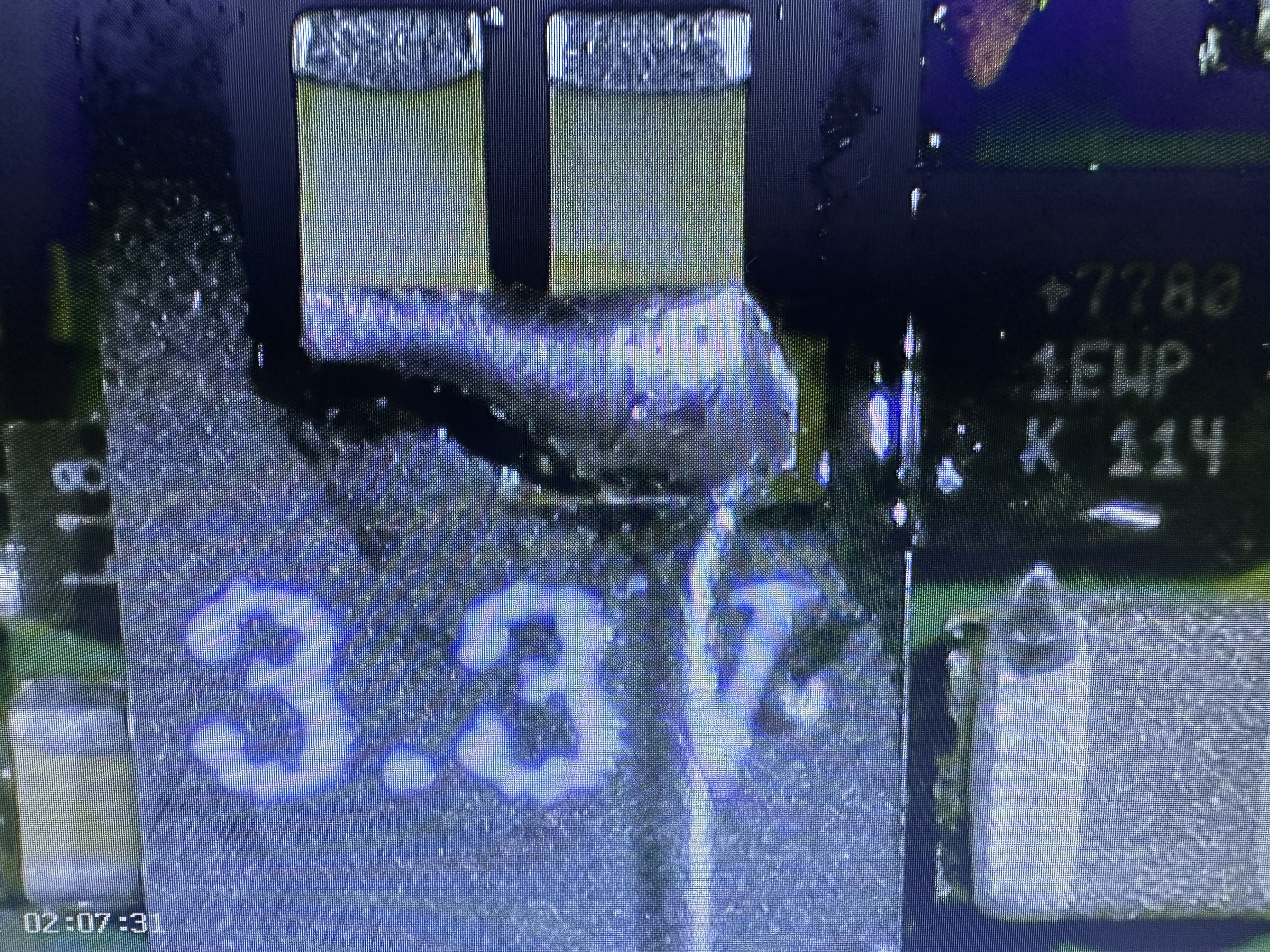
3.3v Close up
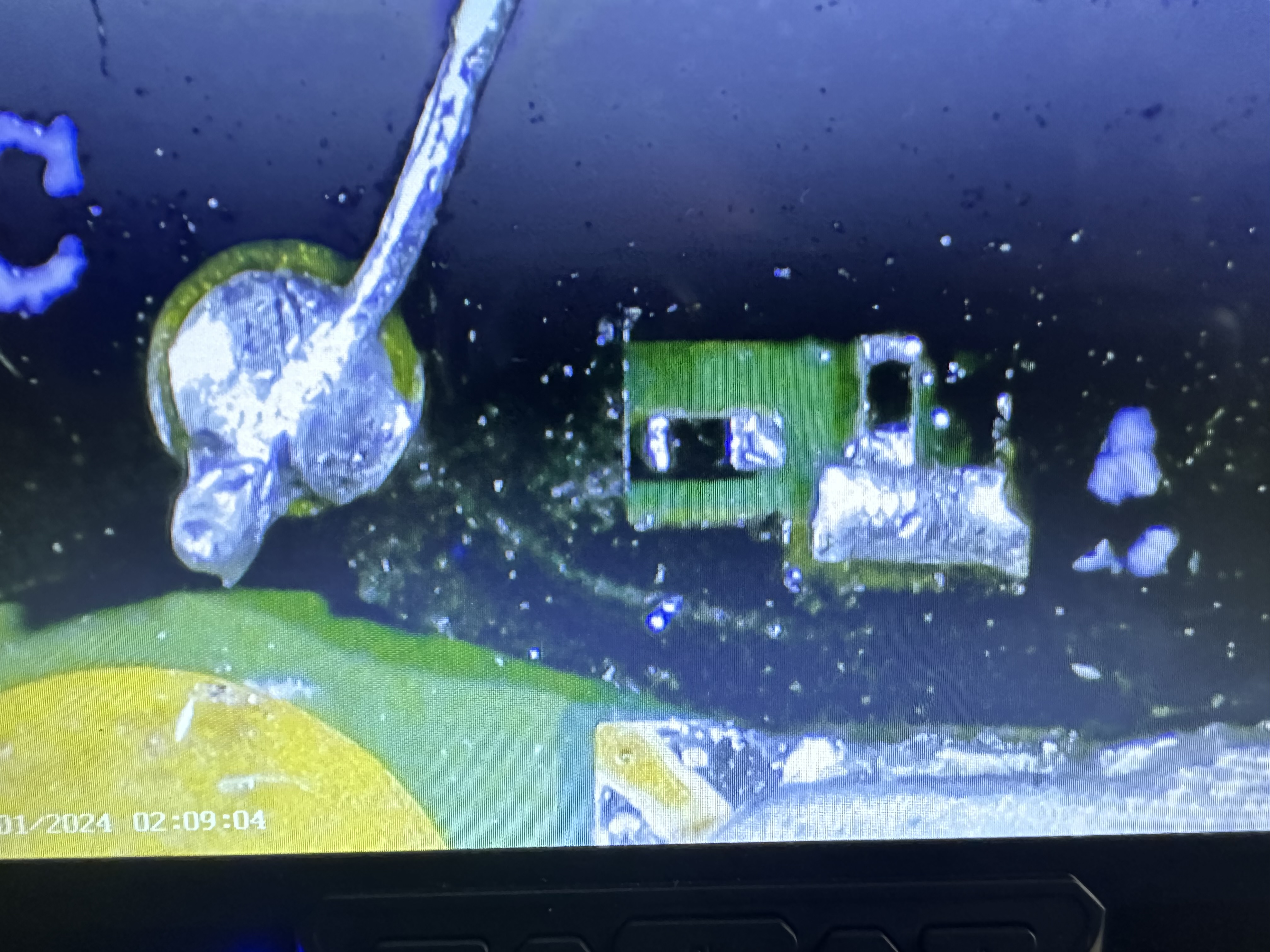
A Point and C point close up
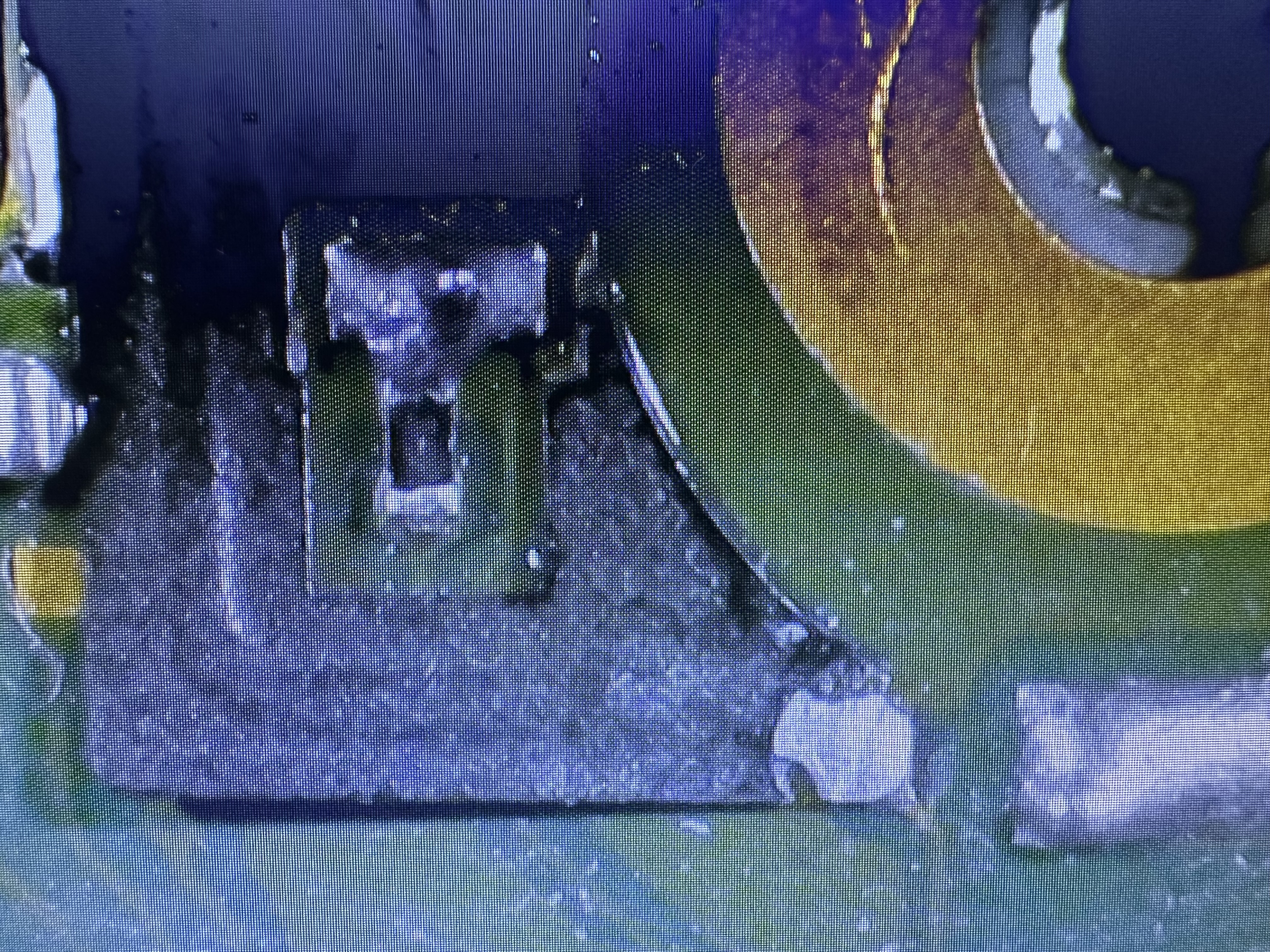
CLK point close up
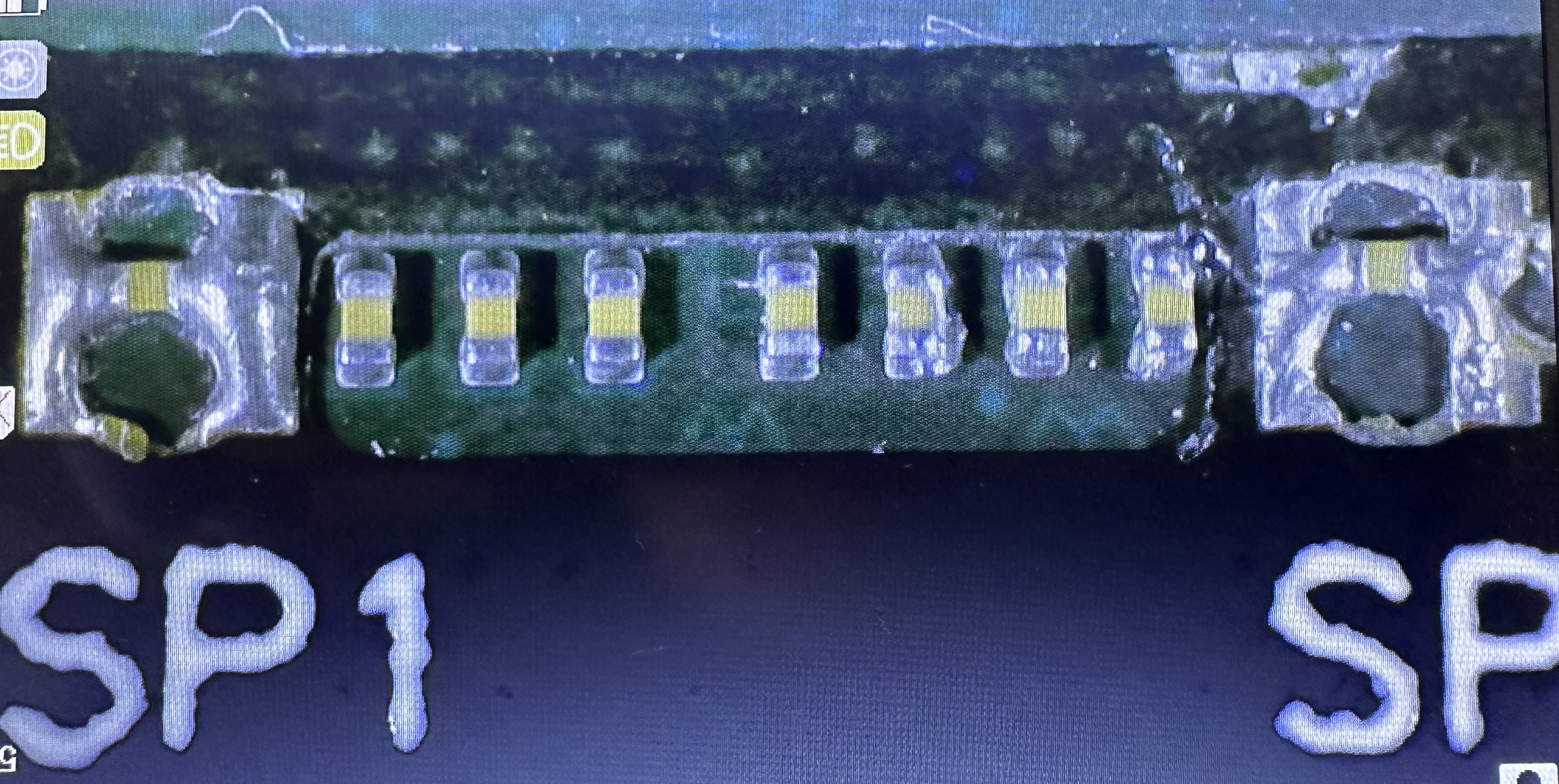
SP1 and SP2 close up
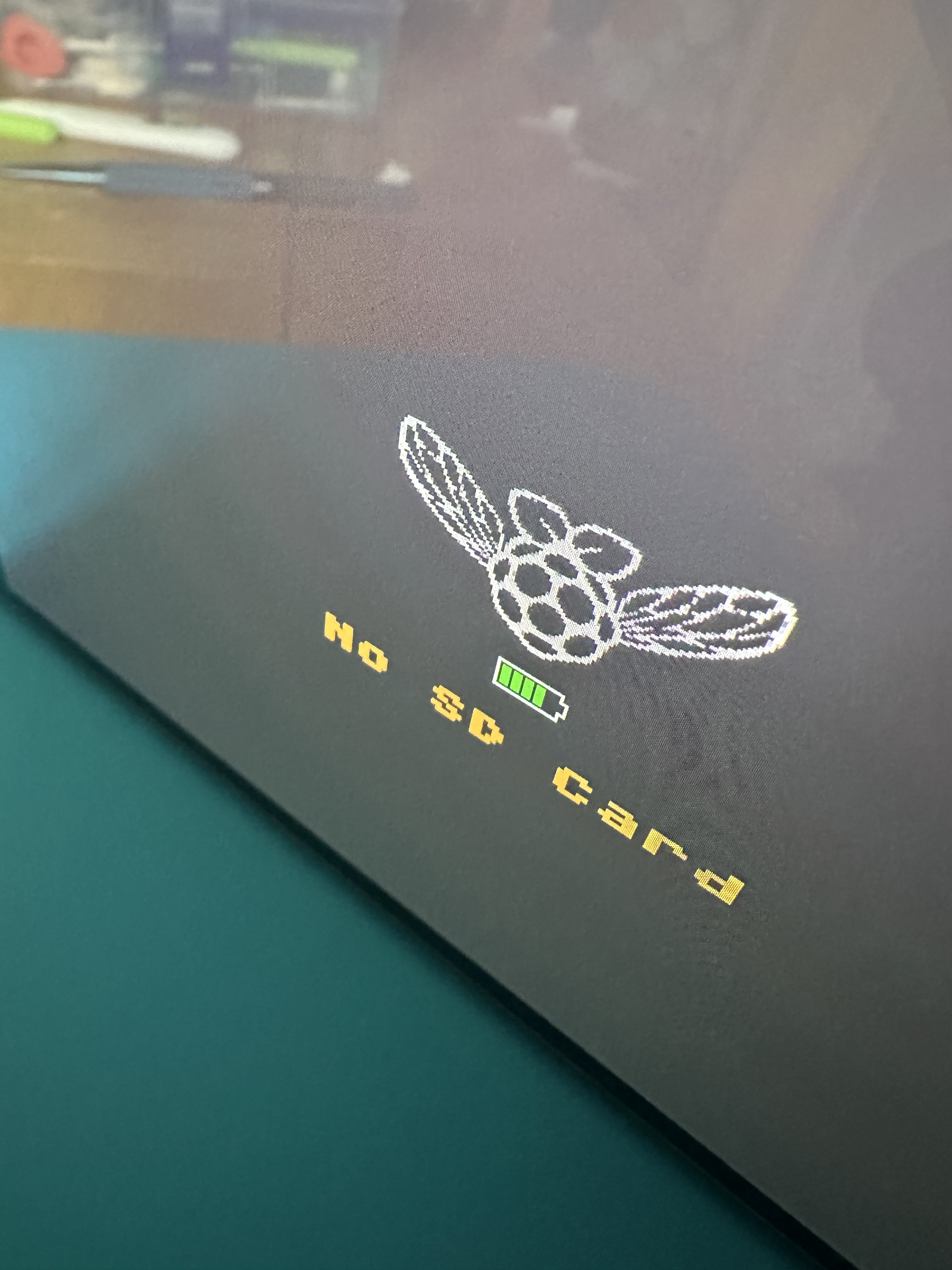
No SD Card screen.
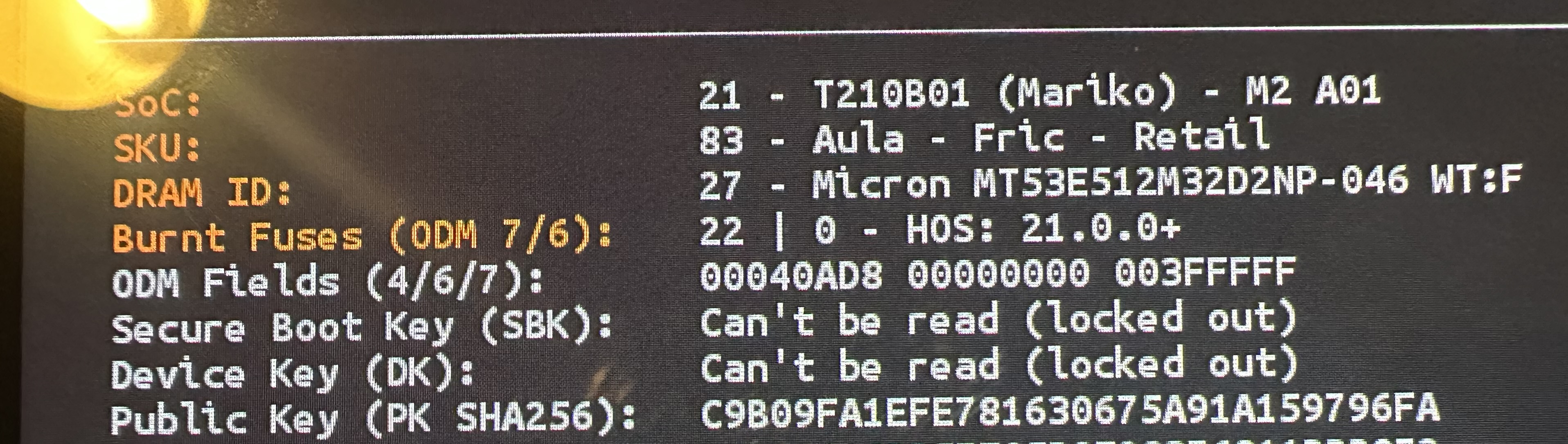
Locked out error message
After all of the above, like i said, i removed the picofly and cables to go back to scratch. Even at this point i was unable to get the Switch to boot to OFW. See photos below following removal of all the bits.
See diode reads following removal of the picofly and flex cables.
3.3v = 0.484
A (CMD) = 0.560
B (RST) = 0.435
C (DAT0) = 0.567
D (CLK) = 0.464
SP1 = 0.014
SP2 = 0.014
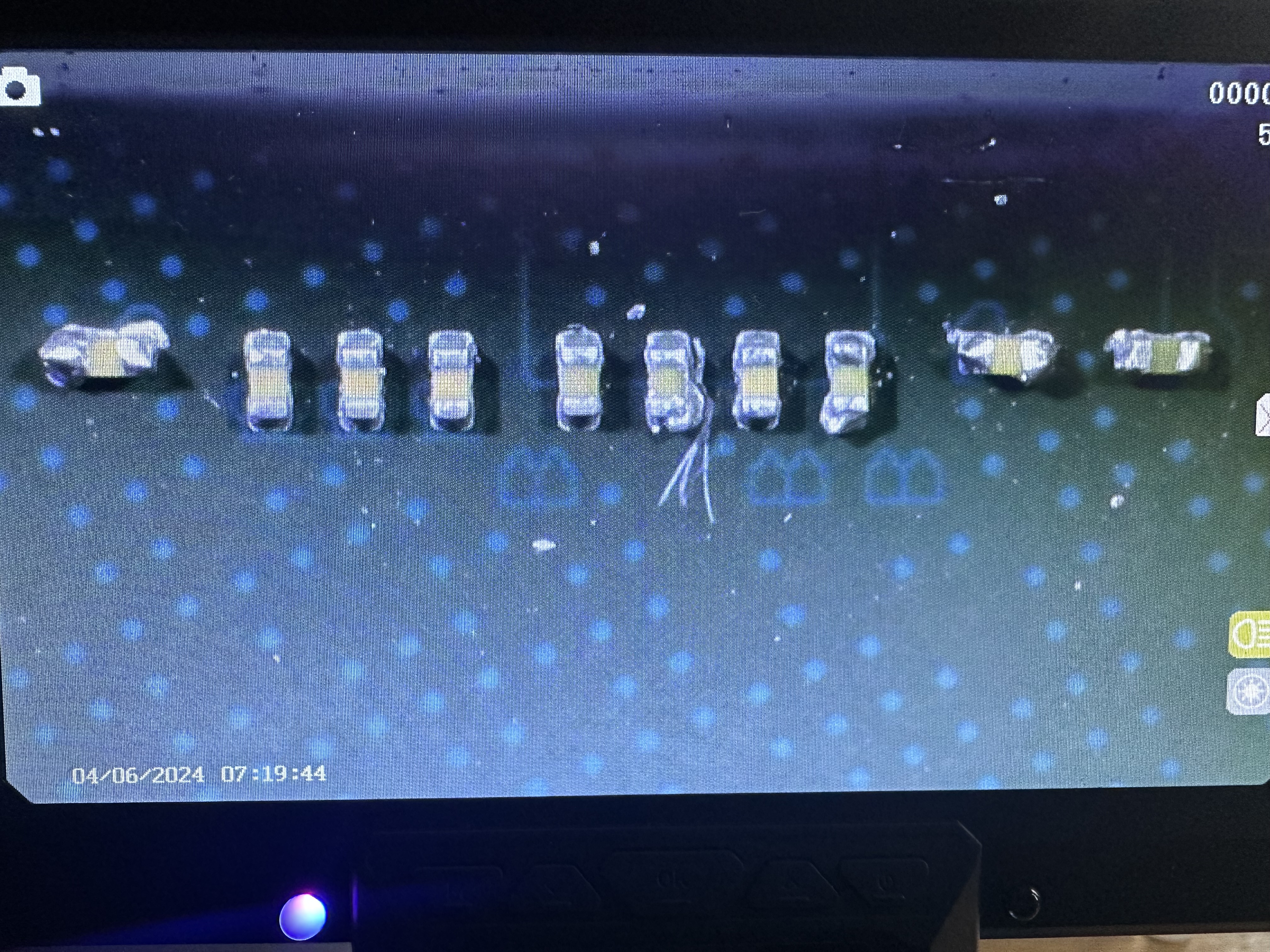
SP1 SP2 after removal close up.
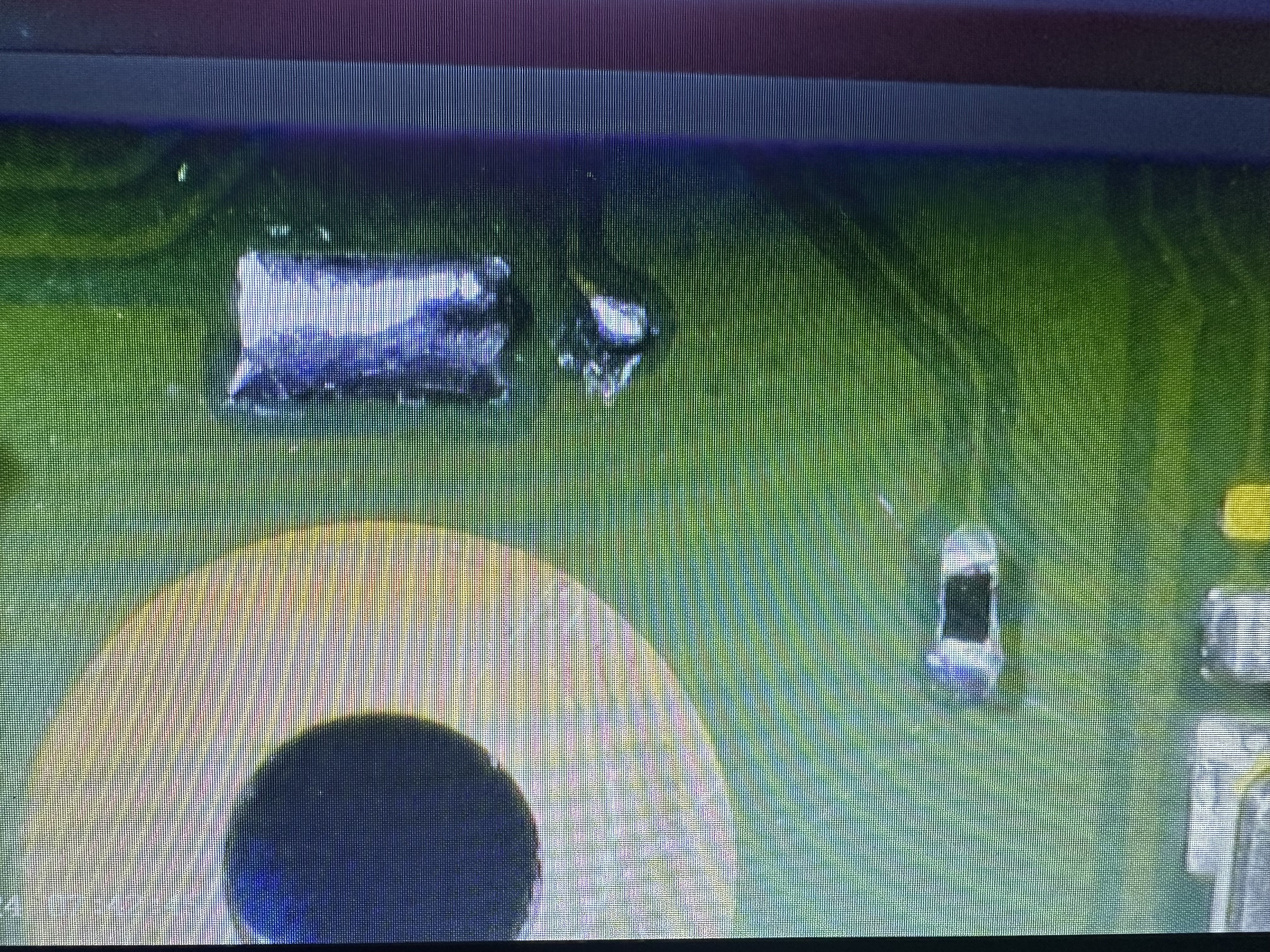
CLK point after removal close up
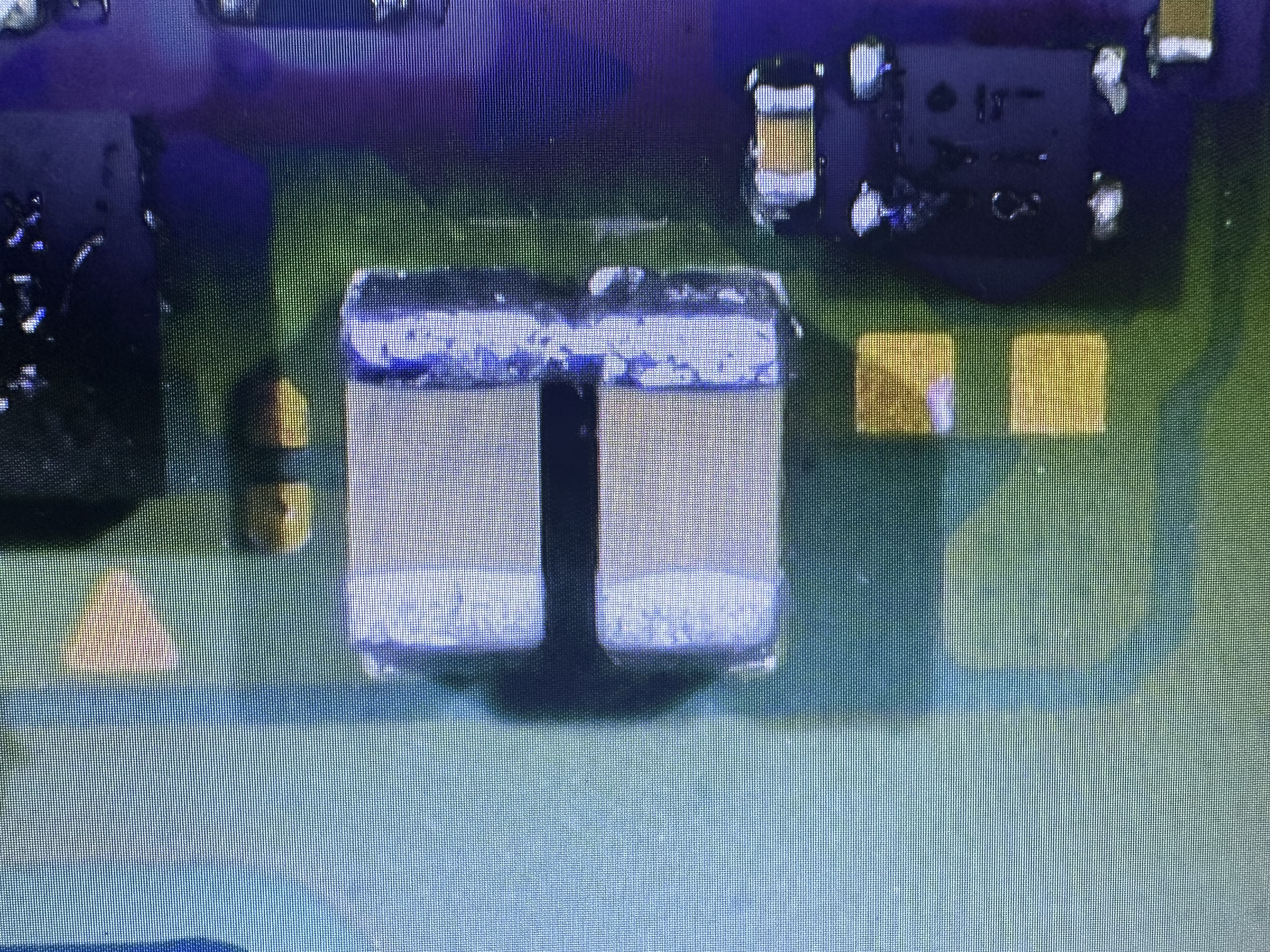
3.3v after removal close up
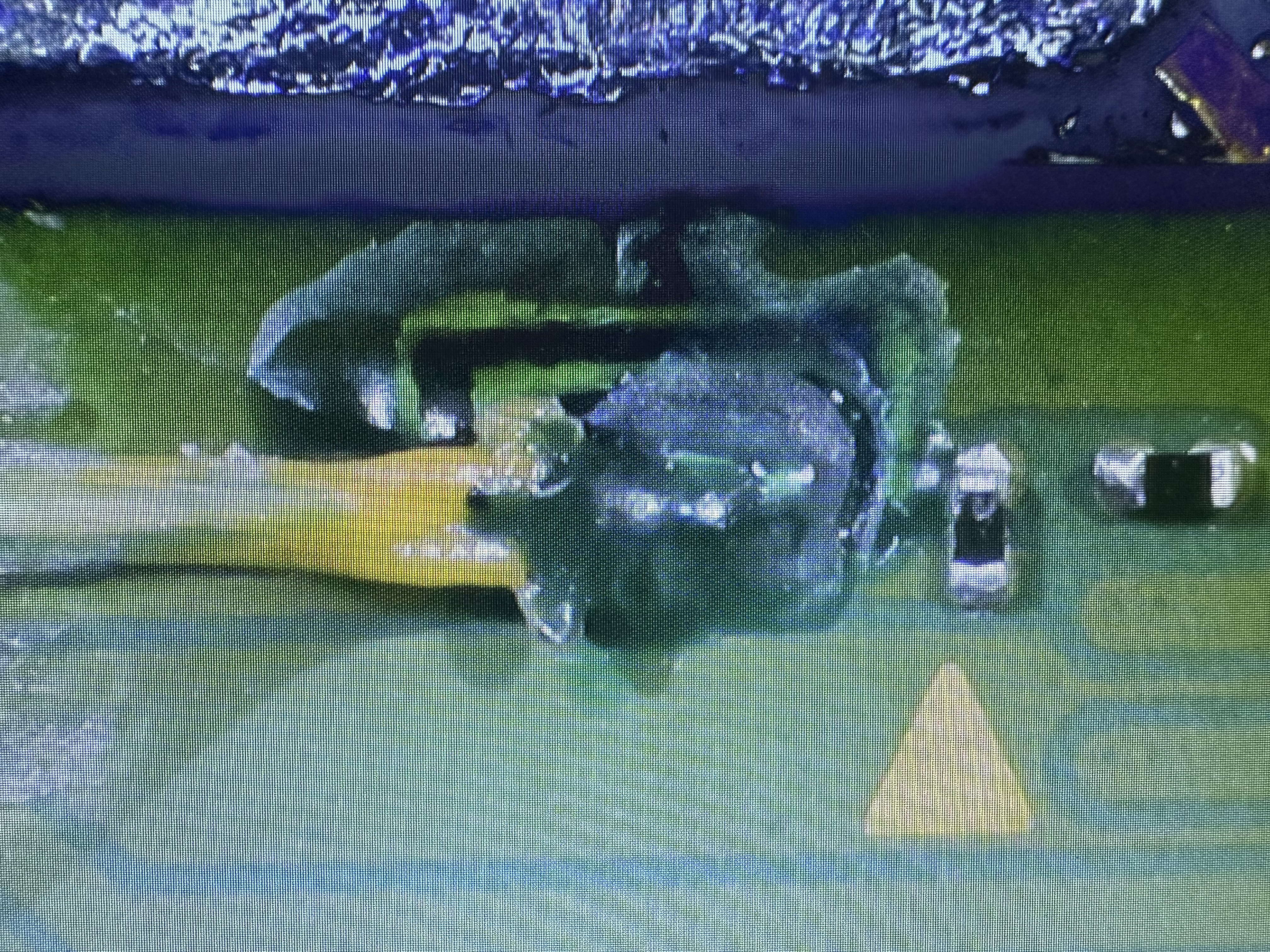
CMD and Dat0 after removal close up.
Really appreciate you taking time to take a look and offering any advise.
Thanks in advance.
Bob
I’m really hoping to get some support with a mod I performed on a Switch OLED.
I successfully ground out the DAT0 point using the Kamikaze method, and everything seemed to be going smoothly until I reassembled the system and tried to boot it. On startup, I got the “No SD Card” screen, and for some reason I was unable to boot into OFW. That said, I was able to dump my keys and back up boot0/boot1 without any issues.
After rechecking all of the points, the Picofly indicated that the CMD point was not connected. I then decided to completely remove the Picofly and all associated flex cables, but I’m still getting a black screen.
At this point, I’m not sure what else to try. Any help or insight would be greatly appreciated. I’ve attached photos below for reference and the diode values that were taken.
On ribbon / adaptor
3.3v = 0.465
D (CLK) = 0.468
A (CMD) = 0.532
C (DAT0) = 0.468
SP1 & SP2 - Resistance mode - black on ground
SP1 = 13.3
SP2 = 13.4
SP1 & SP2 - Diode mode - red on ground
SP1 = 0.014
SP2 = 0.015
Readings taken from the points on the picofly
3.3 = 0.433
D (CLK) = 0.480
A (CMD) = 0.516
C (DAT0) = 0.496
B (RST) = 0.433
CPU = 0.438
Dat0 exposed
Dat0 wire connected and set in place with mask and resin
Flex cable attached
3.3v Close up
A Point and C point close up
CLK point close up
SP1 and SP2 close up
No SD Card screen.
Locked out error message
After all of the above, like i said, i removed the picofly and cables to go back to scratch. Even at this point i was unable to get the Switch to boot to OFW. See photos below following removal of all the bits.
See diode reads following removal of the picofly and flex cables.
3.3v = 0.484
A (CMD) = 0.560
B (RST) = 0.435
C (DAT0) = 0.567
D (CLK) = 0.464
SP1 = 0.014
SP2 = 0.014
SP1 SP2 after removal close up.
CLK point after removal close up
3.3v after removal close up
CMD and Dat0 after removal close up.
Really appreciate you taking time to take a look and offering any advise.
Thanks in advance.
Bob


