OpenMW for Switch
Github repo: fgsfdsfgs/openmw
Latest version: 3 (16 Aug 2026, based on OpenMW 0.46.0)
Download link
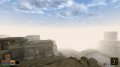
Features:
This port is still in a very early state. Expect issues and bad performance. I have not tested it on any other Switch except mine.
This port is not affiliated with or endorsed by Bethesda Softworks and contains no code or resources copyrighted by or belonging to Bethesda Softworks.
To play the game, you need to copy a licensed installation of Morrowind from your PC.
To install, unzip openmw_nx_v4.zip into the switch folder on your SD card. Then:
If you already have an OpenMW install on your PC:
Known issues:
Some notes:
Credits:
Latest version: 3 (16 Aug 2026, based on OpenMW 0.46.0)
Download link
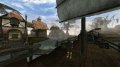
Features:
- most things seem to work: sound, gamepad controls, intro videos, etc;
- barebones touchscreen controls in tablet mode;
- OpenGL 2.1 rendering.
This port is still in a very early state. Expect issues and bad performance. I have not tested it on any other Switch except mine.
This port is not affiliated with or endorsed by Bethesda Softworks and contains no code or resources copyrighted by or belonging to Bethesda Softworks.
To play the game, you need to copy a licensed installation of Morrowind from your PC.
To install, unzip openmw_nx_v4.zip into the switch folder on your SD card. Then:
If you already have an OpenMW install on your PC:
- Copy your openmw.cfg into /switch/openmw/config/ (for Windows users: it's in Documents/My Games/OpenMW). You might have to correct the data paths in the cfg file for this to work.
- Copy your data files (esm, esp, bsa, contents of the Data Files folder) into /switch/openmw/data/.
- Install Morrowind.
- Copy the Data Files folder and Morrowind.ini file from your Morrowind installation into /switch/openmw/data/.
Known issues:
- Exiting the game using the HOME button during a loading screen will crash it.
- Cursor sometimes displays when it shouldn't.
- Performance isn't very good.
- User accounts that have non-ASCII characters in the name will be treated as an absence of user account (i.e. your saves will go into global).
- Startup loading takes a long time. Depends on the SD you're using, for me it takes around 00:40 on the black screen with a total of 01:30 to get to the main menu with Morrowind GOTY.
- Startup times can be decreased by packing loose files into a BSA archive. See this post for an example of how to do that.
Some notes:
- You have to run this from either NSP hbmenu or from a game override. Applet mode does not offer enough memory.
- The game will start with a black screen. You have to wait at this point. This can take up to 3 minutes (see above bug).
- Press MINUS to bring up the software keyboard when an input field is selected.
- Click LSTICK to enable/disable gamepad cursor control.
- This has only been tested with the English release of Morrowind GOTY Edition, without any mods.
- Mods should probably work, however you'll have to either edit your openmw.cfg manually or use openmw-launcher on PC, then copy the config file over.
- The port is bundled with a performance-tuned config file (/switch/openmw/default/settings-base.cfg). Feel free to play around with that or /switch/openmw/config/settings.cfg to find out a better compromise between performance and quality.
- If you somehow avoid selecting a user account, your saves will go into /switch/openmw/data/global.
- If the game crashes, check /switch/openmw/fatal.log and /switch/openmw/config/openmw.log.
Credits:
- OpenMW team and contributors for OpenMW;
- terabyte25 for help and code contributions;
- Gluka for help;
- xyzz for some patches and build scripts;
- fincs, Armada651, Subv and probably others for their work on the OpenGL/mesa/libdrm stuff;
- Bethesda Softworks for TES3: Morrowind.
Last edited by fgsfds,