Hacking Nintendont

  • Thread starter Thread starter sabykos
  • Start date Start date
  • Views Views 10,172,984
  • Replies Replies 42,894
  • Likes Likes 194
it might with nunchaku. I'm not sure though. the wiimote may not have enough buttons, so it doesn't register by itself.
I'll have to do some more research online regarding the matter.

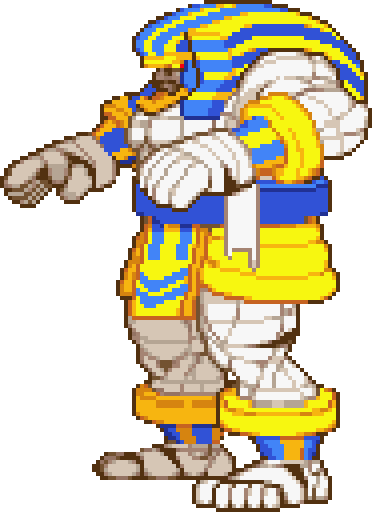
S/N: Idk why, but every time I see your avatar, it reminds me of Anakaris from the game DarkStalkers, lol
Darkstalkers_Anakaris.png
 
  • Haha
Reactions: godreborn
I do not know why, but for the life of me I cannot exit Nintendont after simultaneously pressing the button combination R + Z + B + Down (D-Pad) whether I'm playing a GC game via WiiFlow of through the app natively. I'm using version 5.5.2 if that means anything.
what controller are you using?

the exit varies depending on the controller itself.

if you are using a gc controller through the wii gc ports that is the exit, but if you have enabled the setting called native to yes you loose all the exits besides shutting the wii off on the actual button which im guessing you are using native to ON.
 
what controller are you using?

the exit varies depending on the controller itself.

if you are using a gc controller through the wii gc ports that is the exit, but if you have enabled the setting called native to yes you loose all the exits besides shutting the wii off on the actual button which im guessing you are using native to ON.
So the past 2 weeks I was prepping up an extra Wii console that I purchased over a month ago on ebay as a surprise gift to give to my young nephews today so they have it available to play during Spring Break this week. The whole time I was using a special edition Super Smash Bros controller (that came bundled w/ an official GC adapter for Wii U) which I purchased off eBay. So when I was playing GC games on it w/ my nephews today, I tried the button combo (R+Z+B+Down) using a different controller within the native Nintendont app and it was able to boot back into the Wii Start menu. Come to find out, the "R" button on that Smash Bros controller was defective after testing button presses using a GC adapter on my PC, smh.

ypS2m5G.jpg


Guess I'll be taking this thing apart tomorrow in order to troubleshoot the bottleneck... Sorry for the false alarm.
 
Last edited by urbanman2004,
what controller are you using?

the exit varies depending on the controller itself.

if you are using a gc controller through the wii gc ports that is the exit, but if you have enabled the setting called native to yes you loose all the exits besides shutting the wii off on the actual button which im guessing you are using native to ON.
Was finally able to "fix" my issue... Notice the difference w/ "Y rotation" now.

sdrfe7u.jpg
 
I really came up lucky b/c I had done some window shopping on Amazon this past Sunday and came across a Super Smash Bros themed GC controller Japanese import labeled "like new" condition for around $40 which I impulsively purchased since it was sold by Amazon Warehouse (due to it being a lot easier to make a return if I don't like it)... It arrived today in my mailbox (s/o to Prime) but when I took it out of the box, I saw that there was a nick on it, right below the D-Pad and on the "down" portion of the D-Pad which disappointed me so I called Amazon and was connected to an offshore rep who mentioned that he could compensate me a 20% refund for my troubles. After negotiating w/ him a/b a 50% refund instead, he was able to get it approved by his supervisor. So I got the controller for $20.90 in total instead. Man, I felt I got a really good deal today :)

nWcqsV3.jpg
 
Hello! If i buy a USB ngc controller from Aliexpress, will it work on the Wii Nintendont?
I was tinking of buying a NGC controller tu use on nintendont, but i also want to use it in the PC if needed, and i don't want to bother of buying an addapter too. If i get one that is already USB, will it work normally on the WII Nintendont (i can change the mapping if needed)
 
Hello! If i buy a USB ngc controller from Aliexpress, will it work on the Wii Nintendont?
I was tinking of buying a NGC controller tu use on nintendont, but i also want to use it in the PC if needed, and i don't want to bother of buying an addapter too. If i get one that is already USB, will it work normally on the WII Nintendont (i can change the mapping if needed)
if its an hid device and you know how to do your own controller.ini it should work altough i bet rumble wont work since its very hard to code rumble in nintendont. although no grantees.
 
if its an hid device and you know how to do your own controller.ini it should work altough i bet rumble wont work since its very hard to code rumble in nintendont. although no grantees.
thx, i will think more about it, i think that the best way will be to get a NGC compatible controller, and use others on PC
 
After a few days of messing around with it and seeing it's a long-standing issue with seemingly no fix - posts here along with other places online going back almost a decade - I can confirm Midway Arcade Treasures 2 will work past the legal screen but only if you enable memory card emulation.

My dump was verified against the Redump hashes so I knew the issue was one of the config options. After loading the disc in Dolphin and seeing a memory card prompt immediately after the legal screen, I figured it was likely a memory card issue - which it was! If you try and use a physical memory card (mine is an official Nintendo one with zero issues in any other games so it's not that which is the problem) then the game will just hang on a black screen.

I'm on a PAL Wii which could be the underlying issue with why this game doesn't typically work, but then the reports of a black screen in Nintendont for this title are widespread.
 
After a few days of messing around with it and seeing it's a long-standing issue with seemingly no fix - posts here along with other places online going back almost a decade - I can confirm Midway Arcade Treasures 2 will work past the legal screen but only if you enable memory card emulation.

My dump was verified against the Redump hashes so I knew the issue was one of the config options. After loading the disc in Dolphin and seeing a memory card prompt immediately after the legal screen, I figured it was likely a memory card issue - which it was! If you try and use a physical memory card (mine is an official Nintendo one with zero issues in any other games so it's not that which is the problem) then the game will just hang on a black screen.

I'm on a PAL Wii which could be the underlying issue with why this game doesn't typically work, but then the reports of a black screen in Nintendont for this title are widespread.
Any chance the GameCube memory card you were using was the 1019 block one? The 1019 block Memory Card has known issues when used in a Wii.
 
  • Like
Reactions: Alexander1970
Any chance the GameCube memory card you were using was the 1019 block one? The 1019 block Memory Card has known issues when used in a Wii.
Fair question but I purposefully avoid using that one on my Wii for the reason you stated, on my Wii I only use the 251 block memory card.
 
Fair question but I purposefully avoid using that one on my Wii for the reason you stated, on my Wii I only use the 251 block memory card.
I can confirm that I use a 251 block memory card on my Wii as well and have never had any issues regarding data on it being recognized by my Wii or via the Nintendont app, but I prefer to access Nintendont from the WiiFlow frontend since save data is stored on the SD card instead.
 
For some reason, Nintendont is only detecting my GameCube A& B named files (And a few C's, and a J). They're all in the .NKIT.ISO file format. So Animainiacs - The Great Edgar Hunt (USA).Nkit.iso is detected by Nintendont, and appears in the list of files available to play. Yet Ty The Tasmanian Tiger (USA).Nkit.iso is not being detected, and will not appear in my list of games. I don't know why only certain games are appearing. I thought maybe it can't handle a big list of games, so I removed most of them. But still, Nintendont only detects A & B named files. What am I missing?

 
For some reason, Nintendont is only detecting my GameCube A& B named files (And a few C's, and a J). They're all in the .NKIT.ISO file format. So Animainiacs - The Great Edgar Hunt (USA).Nkit.iso is detected by Nintendont, and appears in the list of files available to play. Yet Ty The Tasmanian Tiger (USA).Nkit.iso is not being detected, and will not appear in my list of games. I don't know why only certain games are appearing. I thought maybe it can't handle a big list of games, so I removed most of them. But still, Nintendont only detects A & B named files. What am I missing?
I never use nkit format for GC games let alone Wii games when playing them on a modded Wii console so I never have a problem when my GC games are formatted to .iso or .gcm. Why use nkit format on GC games when at the most they're 1.5GB in size?
 
For some reason, Nintendont is only detecting my GameCube A& B named files (And a few C's, and a J). They're all in the .NKIT.ISO file format. So Animainiacs - The Great Edgar Hunt (USA).Nkit.iso is detected by Nintendont, and appears in the list of files available to play. Yet Ty The Tasmanian Tiger (USA).Nkit.iso is not being detected, and will not appear in my list of games. I don't know why only certain games are appearing. I thought maybe it can't handle a big list of games, so I removed most of them. But still, Nintendont only detects A & B named files. What am I missing?

if they are on correct path they are found you probably have the path wrong.but yeah you shouldsnt use nkit isos on nintendont, for best compatibility you should always use 1:1 isos with md5 matching redump, nkit ones might work or not depending on the games, but not being detected means nintendont doesnt see the path.
 
  • Like
Reactions: ccfman2004
For some reason, Nintendont is only detecting my GameCube A& B named files (And a few C's, and a J). They're all in the .NKIT.ISO file format. So Animainiacs - The Great Edgar Hunt (USA).Nkit.iso is detected by Nintendont, and appears in the list of files available to play. Yet Ty The Tasmanian Tiger (USA).Nkit.iso is not being detected, and will not appear in my list of games. I don't know why only certain games are appearing. I thought maybe it can't handle a big list of games, so I removed most of them. But still, Nintendont only detects A & B named files. What am I missing?
Didn't even know Nintendont worked with .nkit files. I strictly use GameCube 1:1 ISO's and Wii .wbfs files.

There's also the difference of being detected and working. Do the ones you can see (your .nkit.iso files) load up and play just fine??
 
Didn't even know Nintendont worked with .nkit files. I strictly use GameCube 1:1 ISO's and Wii .wbfs files.

There's also the difference of being detected and working. Do the ones you can see (your .nkit.iso files) load up and play just fine??
Yes. Except after loading, it takes around 5 seconds for my GameCube controller to start actually working. Once then, smooth sailing.
 
  • Like
Reactions: thepagan
"Yes. Except after loading, it takes around 5 seconds for my GameCube controller to start actually working. Once then, smooth sailing."

Wow, I'll try this too. That makes life way easier!
 

Site & Scene News

Popular threads in this forum