


I do require assistance on how to use CrystalTile2 correctly.
I'm trying to translate Jet Impulse's graphics, as I can cover everything else succesfully. The problem arises when I import the edited file inside Crystaltile.
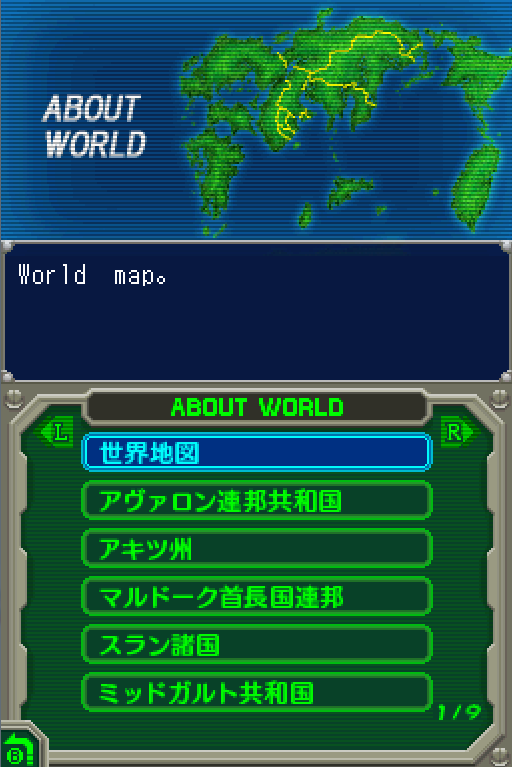
This is how normally looks like.
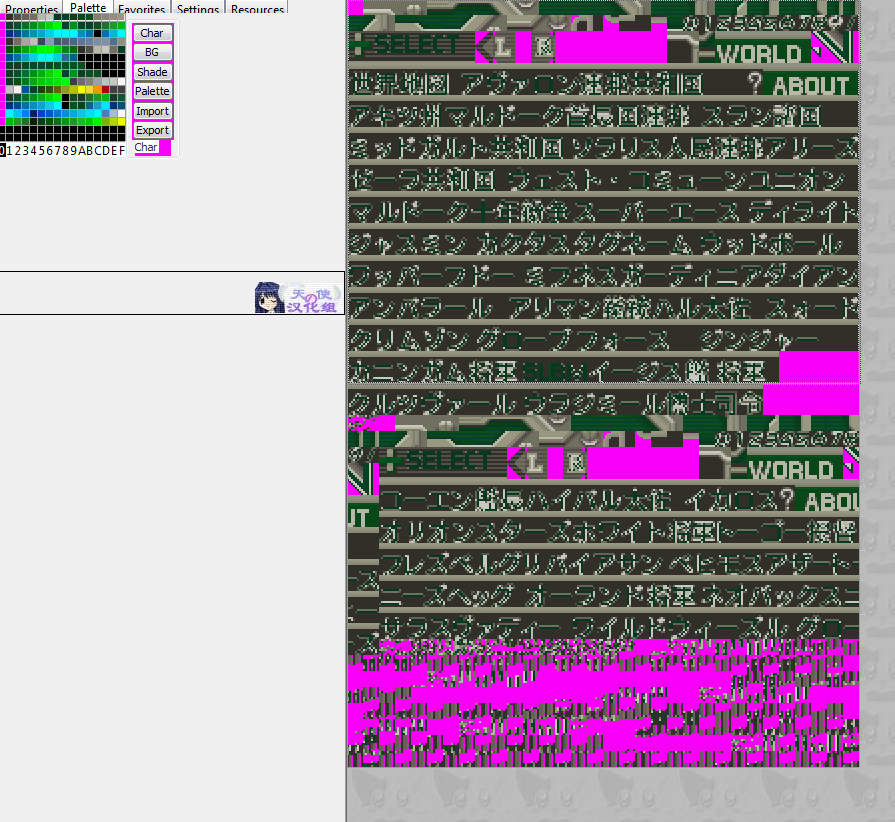
And then I managed to find another color variation, because with the one below I can't edit words.
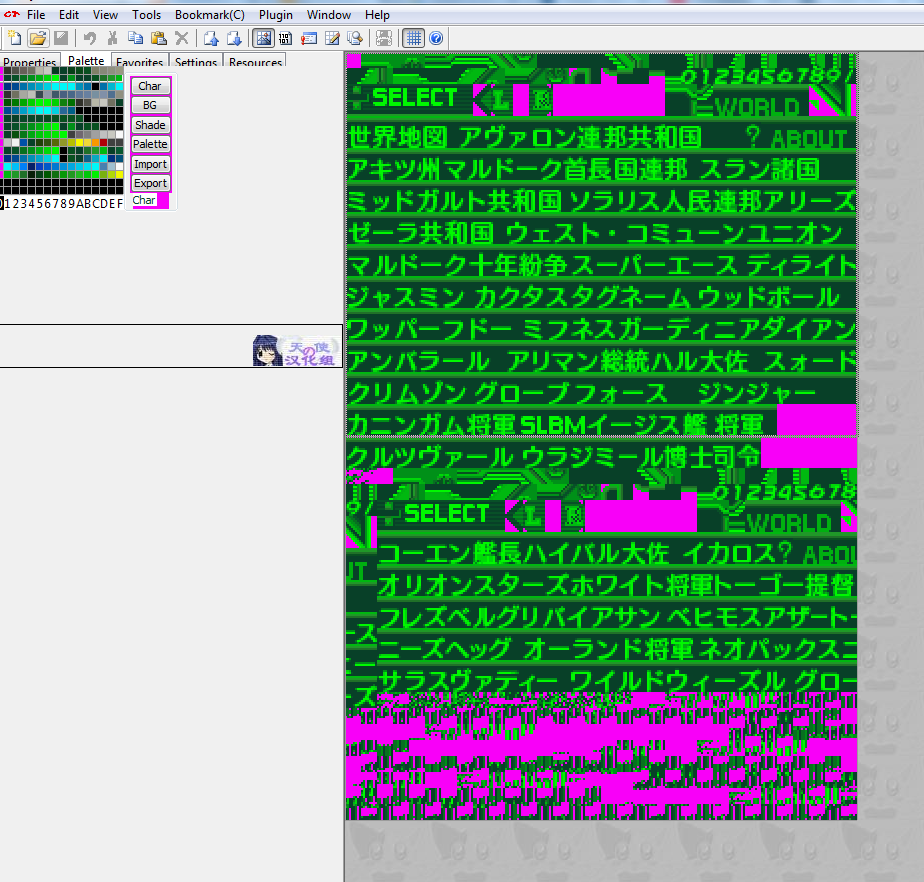
I import the image, then I make sure the words follow the palette of the picture. (Thanks Adobe Photoshop you are a savior)
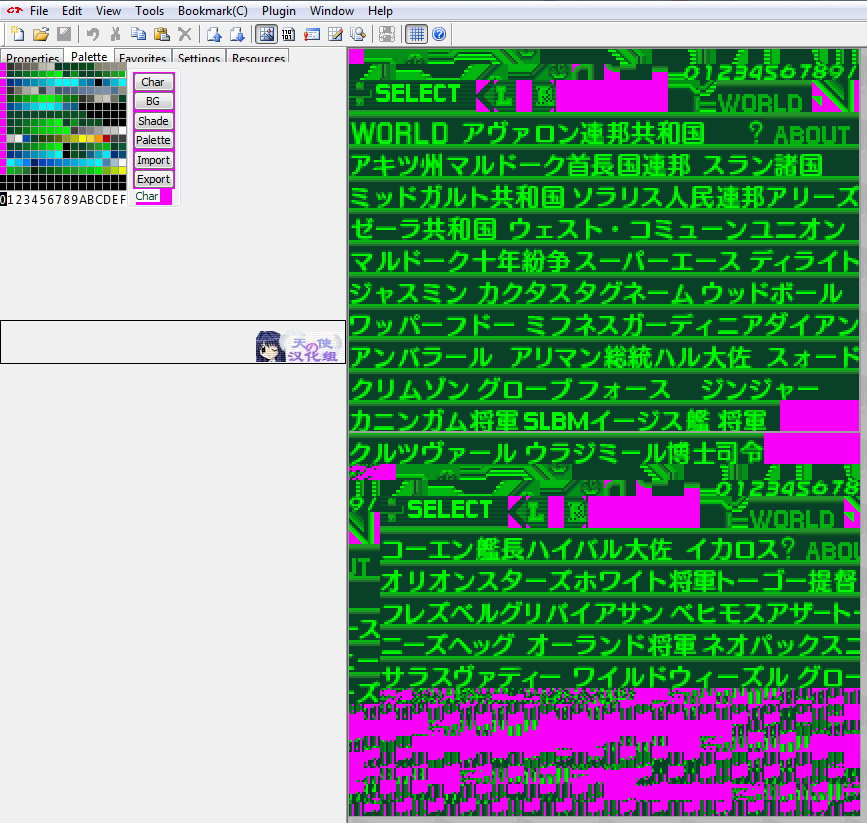
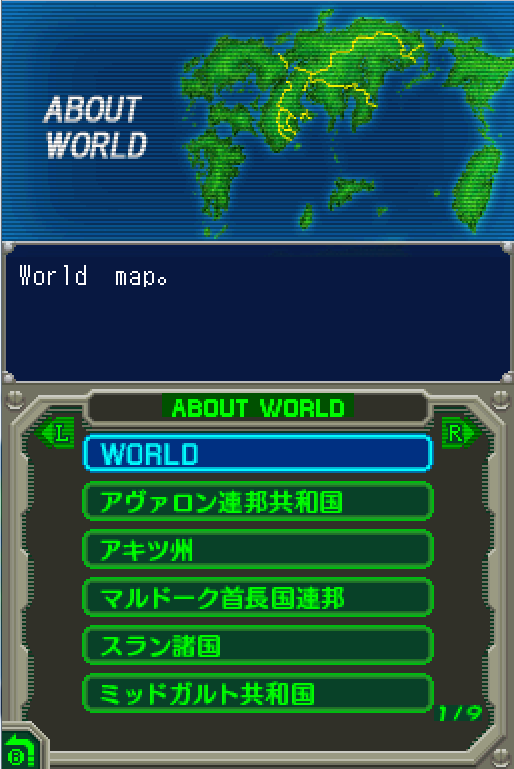
But then, once I open the game to test the changes the entire thing gets messed up.
Here's the 2 pictures in comparison.
At this point I don't know what to do. What am I doing wrong? How can I evade these kind of issues in a future? Your help will be totally appreciated.
I'm trying to translate Jet Impulse's graphics, as I can cover everything else succesfully. The problem arises when I import the edited file inside Crystaltile.
This is how normally looks like.
And then I managed to find another color variation, because with the one below I can't edit words.
I import the image, then I make sure the words follow the palette of the picture. (Thanks Adobe Photoshop you are a savior)
But then, once I open the game to test the changes the entire thing gets messed up.
Here's the 2 pictures in comparison.
At this point I don't know what to do. What am I doing wrong? How can I evade these kind of issues in a future? Your help will be totally appreciated.
Last edited by MegalithAce,



