



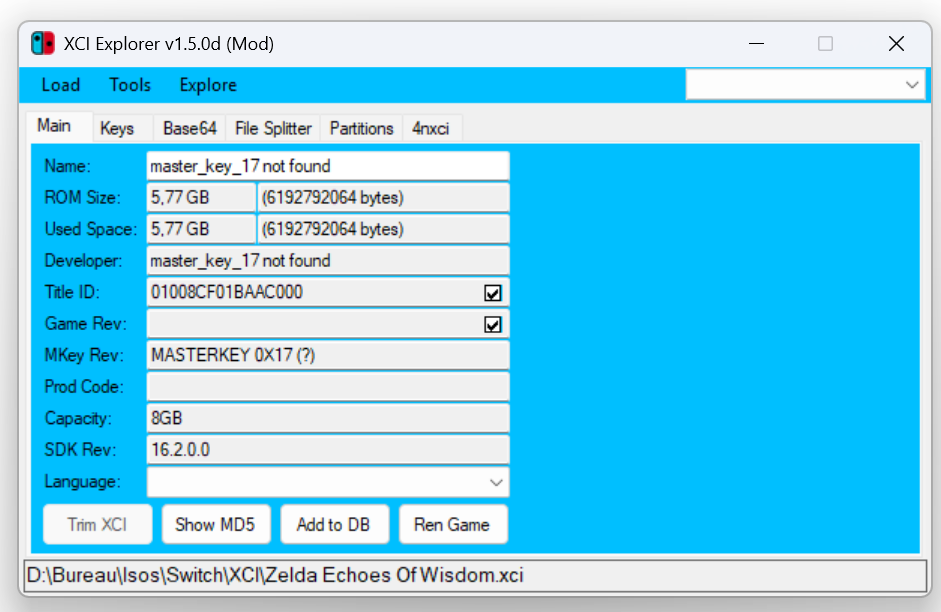
Hello, I tried reading Zelda Echoes of Wisdom (as well as Ace Attorney Investigations Collection) in XCI explorer, but it keep telling me I'm missing master key 17.
Same thing on yuzu when I try to run the Zelda, it tell me I have wrong keys.
I also installed the Firmware.18.1.0.Rebootless but then it tell me I have the 12.1.0 update.

I tried to extract the keys again, from my 18.1.0 OLED sysnand (using both legit LockpinRCM 1.9.11 and a 1.9.12 version that I found on some warez rom sites), but the problem still there.
Do you guys have any solutions?
Same thing on yuzu when I try to run the Zelda, it tell me I have wrong keys.
I also installed the Firmware.18.1.0.Rebootless but then it tell me I have the 12.1.0 update.
I tried to extract the keys again, from my 18.1.0 OLED sysnand (using both legit LockpinRCM 1.9.11 and a 1.9.12 version that I found on some warez rom sites), but the problem still there.
Do you guys have any solutions?




