Hacking HELP! My 3ds luma wont boot

  • Thread starter Thread starter Litsavage23
  • Start date Start date
  • Views Views 2,001
  • Replies Replies 18

Litsavage23

Member
Newcomer
Joined
Jul 3, 2018
Messages
8
Reaction score
0
Trophies
0
Age
21
XP
79
Country
United States
So I downgraded my 3ds to 11.2 from 11.6 and when I updated to 11.7 it completely messed up everything my games are not loading none of my homebrew apps work or fbi injected into h&s I can't boot into luma or luma chainloader but before any of this my 3ds wouldnt boot without my 3ds card now it boots without 3ds card please any tips would help

My 3ds card-
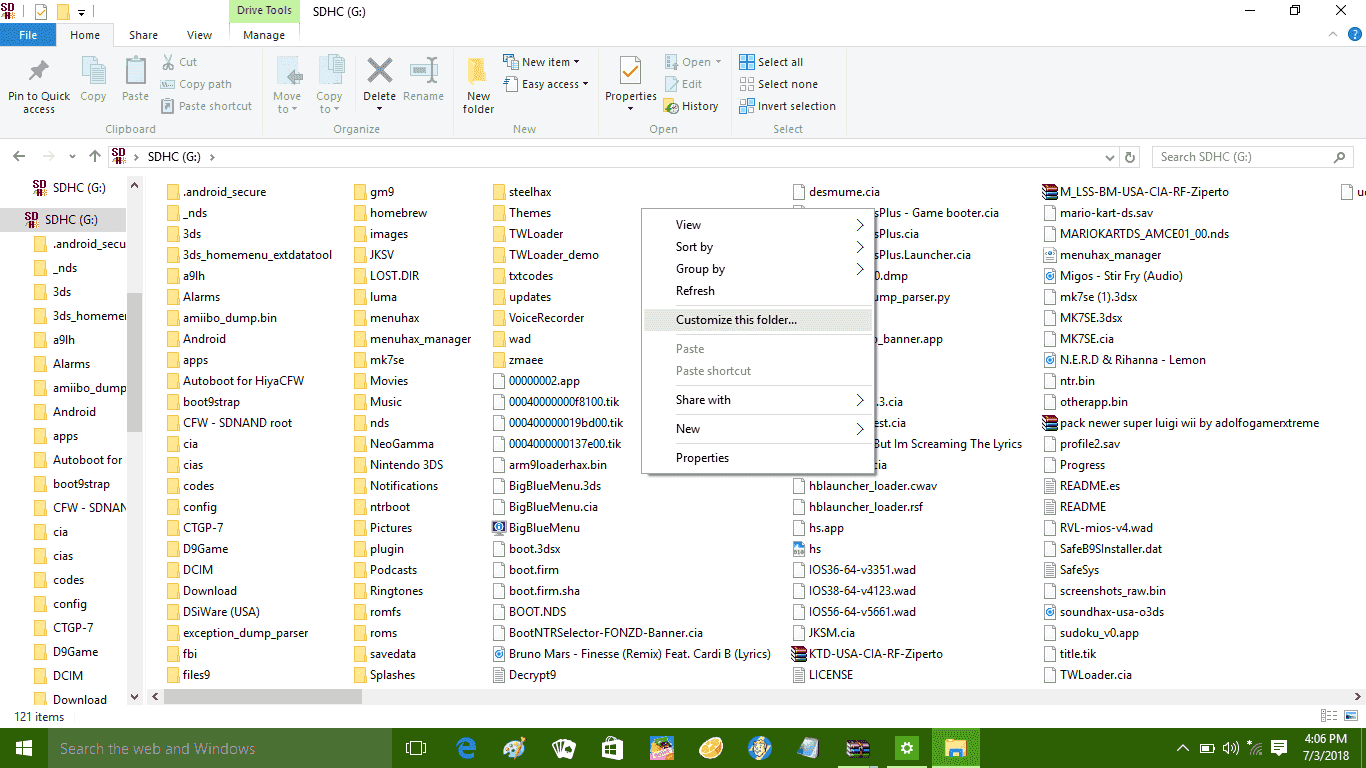
Screenshot (1).png
 
I used sysUpater
That was a bad idea - why did you do that? If you wanted to downgrade, using a CTR transfer would have been a better idea. Although I don't know why it uninstalled CFW.

In any case, if you used ntrboot, or, if you used a DSiWare method and the DSiWare game is still there with the hacked save, you can install it again.
 
That was a bad idea - why did you do that? If you wanted to downgrade, using a CTR transfer would have been a better idea. Although I don't know why it uninstalled CFW.

In any case, if you used ntrboot, or, if you used a DSiWare method and the DSiWare game is still there with the hacked save, you can install it again.
I hacked my 3ds when it was on 11.2 a while ago and I was trying to do something but then I couldn't so I went back but anyways I didn't use those I used a9lh
 
I hacked my 3ds when it was on 11.2 a while ago and I was trying to do something but then I couldn't so I went back but anyways I didn't use those I used a9lh
Ok well that explains why CFW was removed. Buy an ntrboot capable flashcart and follow https://3ds.guide/ntrboot
 
Cant I'm only 13 and got no money :(

--------------------- MERGED ---------------------------

Does the ver in front of the version mean anything in the settings?
Also i remember when I was moving files in order I deleted boot.firm but I reaced it with some random other one and scince then I've been trying to find the right one
 
Last edited by Litsavage23,
Cant I'm only 13 and got no money :(

--------------------- MERGED ---------------------------

Does the ver in front of the version mean anything in the settings?
Also i remember when I was moving files in order I deleted boot.firm but I reaced it with some random other one and scince then I've been trying to find the right one
The Ver means you don't have CFW, unless you had turned that off in Luma settings.

You can also try the seedminer method which means you have to buy a $2 DSiWare game on the eShop, and do a few complicated things. Get your mum to buy it for you on the console and offer to mow the lawn or something in exchange. See here https://gbatemp.net/threads/seedminer-single-system-dsiware-injection.495685/
 
I hacked it with sound hax and somehow installed luma with a9lh and like a month or two ago

Try updating to B9S (boot9strap).
You might want to try this on a spare SD card first and keep your main one aside. If or when you get boot9strap v1.3, Luma v9.0, and GodMode9 v1.6.3 working on that test build, replace your a9lh folder and accompanying CFW files with the b9s substitutes.
 
Try updating to B9S (boot9strap).
You might want to try this on a spare SD card first and keep your main one aside. If or when you get boot9strap v1.3, Luma v9.0, and GodMode9 v1.6.3 working on that test build, replace your a9lh folder and accompanying CFW files with the b9s substitutes.
OP no longer has CFW. He seems to have overwritten it by using sysupdater.
 
That sd card is a mess. it has also been used in a android device, going by the android secure and dcim folders. Maybe you need to sort it out or copy everything off it, and just cop back what you need on it.
 

Site & Scene News

Popular threads in this forum