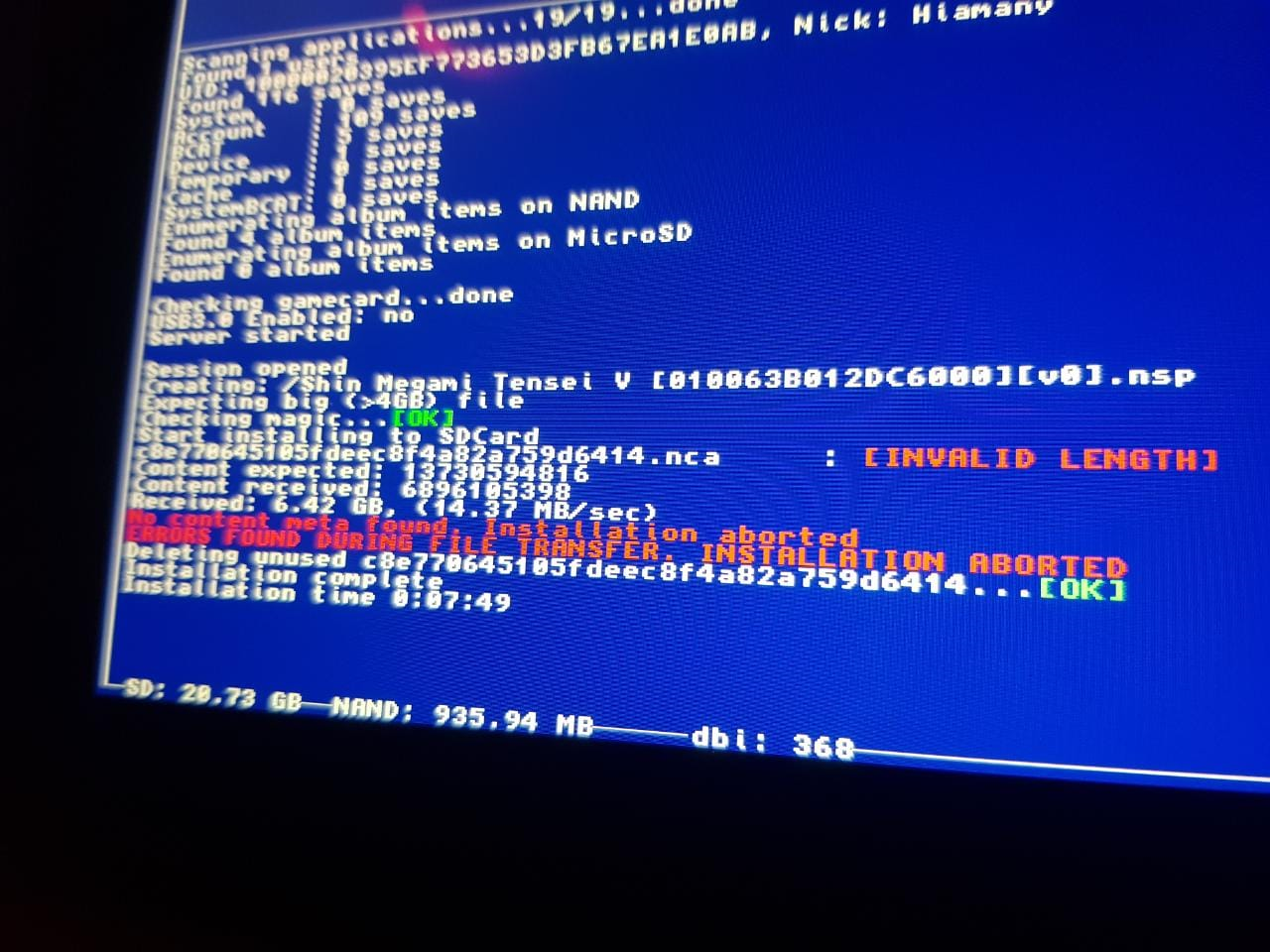
github FAQ provides different solutions:
- use another USB cable (it seems it worked for me)
- check your game integrity (it installs fine with other apps, so not the problem), or scan the SD for error (I didn't try)
- use a different launch mode (Applet <-> Application). (I had this issue with Application mode, so that solution wasn't helpful to me)
I had this issue too since I bought a new USB 3.0 cable, (and/or since I enabled USB3.0 in AMS settings).
I never had the issue before, when I was using the Controller Pro cable (which is not USB3.0).
Last time I used DBI, I disabled USB3.0 in AMS, used Pro controller cable, and used applet mode to launch DBI's MTP. The game installed without issues, BUT it was only the update, and it was a very small file (not 4GB+), so it maybe didn't trigger that error.
But github says it's cable related, probably true.
When using the new cable AND USB3.0 in AMS, I never had any issue when using "copy to SD" instead of "install to SD". Then, you can install the game from SD, but it takes twice the needed space on SD.
Seeing you are already using Applet mode (blue background), and not using USB3.0 support, all I can suggest is copy to SD first, and install later from the SD.
or try an old DBI version (it should work fine with Shinmegaten) and see if there's a version which break install of big files.
or try another, another cable, the shortest the better?
I don't know if it's related too, sometime I had freezes on windows after a transfer/install. I have to wait 1minute until the Explorer's transfer windows closes, and it freezes switch side if I try to install another file. I have to exit MTP and try again. There's an open
issue#91 on github, but nobody is helping. (asking which version started having this issue, I didn't try to test all version to report and help either, so I can't complain...)
Last time I used DBI, I didn't have that freeze issue... either the cable, usb3 disabled, applet mode, or small files, I don't know. too many variables.