Hacking Hack SXOS

  • Thread starter Thread starter Reacher17
  • Start date Start date
  • Views Views 481,248
  • Replies Replies 1,578
  • Likes Likes 63
Hello, 12hours looking for solution and nothing...

I have V1-patched 11.0.1 + SX CORE installed inside

The problem with 11.0.1 i solved, so now normally work with SXOS

SXOS boots normally, I can run HEKATE but NOT ATMOSPHERE


I cannot get license for SWITCH - link from TX is down so only have license-request.dat

Tried spoof with python, but no success


Is there some way to get the valid license.dat ?


Thank You
 
  • Like
Reactions: chronoss
Hello, 12hours looking for solution and nothing...

I have V1-patched 11.0.1 + SX CORE installed inside

The problem with 11.0.1 i solved, so now normally work with SXOS

SXOS boots normally, I can run HEKATE but NOT ATMOSPHERE


I cannot get license for SWITCH - link from TX is down so only have license-request.dat

Tried spoof with python, but no success


Is there some way to get the valid license.dat ?


Thank You
https://github.com/chronoss09/Licence-SXOS-GRATUITE
 
[QUOTE="chronoss, post: 9457486, member: 366229/QUOTE]

You ar e right, but this works only for NON chipped consoles, isn´t it.
There is a proof (sthetix dot info)

PS.this I tried, but no success. The guy in the video told the same
 
  • Like
Reactions: chronoss
[QUOTE="chronoss, post: 9457486, member: 366229/QUOTE]

You ar e right, but this works only for NON chipped consoles, isn´t it.
There is a proof (sthetix dot info)
We can't patch BOOT.DAT for mariko chipped switches... yet ( ? ). I am now doing some stuff to do FAT32 partition stuff for a thing, but I was planning on doing some chainloader that uses sx gear 1.1 boot.dat to load maybe SX payload launcher modified so that it loads a renamed and patched SXOS 3.1.0 BOOT.DAT or maybe I can decrypt SXOS 3.1.0 boot.dat and just embed the patched stage3 of it... and see if I can make it load... that would be good for various things for us mariko users...
 
Partly SOLVED ....

For those who wants Atmosphere on (in my case) V1 Patched, Installed SX CORE (but without valid license) and on OFW 11.0.1 this is working :

1- Just Copy all the files for Atmosphere on mSD card + fusee-primary.bin (ROOT of the card)
2-Boot into the special MENU of SX CORE and go to CORE MENU and do CLEAN UP
3- Go back to MENU and select PAYLOADS -- here choose fusee-primary.bin
4 - done...
 
  • Like
Reactions: chronoss and Inaki
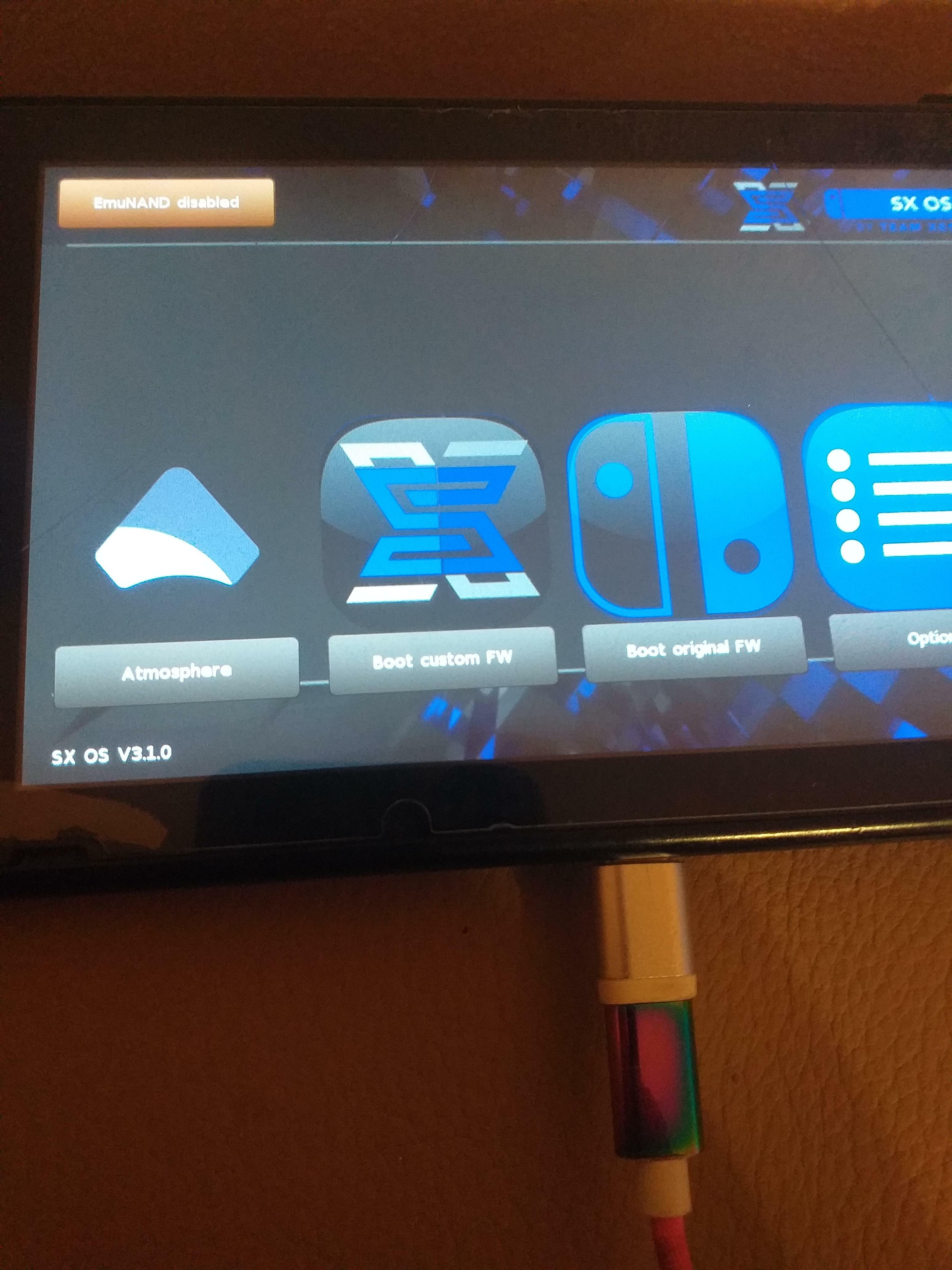
Fix Luigi Mansion SX theme and add more theme sx

IMG_20210430_094146_135.jpg

IMG_20210430_093658_709.jpg IMG_20210430_091241_790.jpg IMG_20210430_083344_715.jpg IMG_20210430_080136_665.jpg

https://github.com/chronoss09/Licence-SXOS-GRATUITE
 
LOL, that's good, the one on the big photo, I like it. I hope we can get to chainload modified SXOS 3.1.0 boot.dat for mariko.
Also, even if it is for unpatched erista switches by now, it would be really cool to add a 4th icon that did what going to Options>Payloads><choose hekate>+Launch does. That would give us an sleek boot menu to launch atmosphere, original, sxos. I know this requires more than modifying images, it would need to add an added region for he 4th button and doing a small routine to either simulate the button presses to do the hekate payload launching or directly call the payload launching routine ( which needs to be found in the disassembly ) with some hardcoded name ( /hekate.bin or maybe a more generic one such as /alternate.bin as in "alternate CFW" ).

What do you think ? Maybe @Reacher17 and/or @mrdude could look into it O: )
 
  • Like
Reactions: chronoss
"themes/menu_bg.bmp" 1280x720
"themes/bootcfw.bmp" 256x256
"themes/bootofw.bmp" 256x256
"themes/options.bmp" 256x256
"themes/core.bmp" 64x64
"themes/autorcm.bmp" 64x64
"themes/nand.bmp" 64x64
"themes/emunand.bmp" 64x64
"themes/repair.bmp" 64x64
"themes/launch.bmp" 64x64
"themes/poweroff.bmp" 64x64
"themes/splash.bmp" 1280x720
32bits ARGB


Code:
#include <string.h>
#include <stdlib.h>
#include <stdio.h>
#include <sys/stat.h>
#include <sys/types.h>

const char gfxin[12][20] = {{"themes/menu_bg.bmp"},
{"themes/bootcfw.bmp"},
{"themes/bootofw.bmp"},
{"themes/options.bmp"},
{"themes/core.bmp"},
{"themes/autorcm.bmp"},
{"themes/nand.bmp"},
{"themes/emunand.bmp"},
{"themes/repair.bmp"},
{"themes/launch.bmp"},
{"themes/poweroff.bmp"},
{"themes/splash.bmp"}};

const char gfxout[12][20] =    {{"out/menu_bg.bin"},
{"out/bootcfw.bin"},
{"out/bootofw.bin"},
{"out/options.bin"},
{"out/core.bin"},
{"out/autorcm.bin"},
{"out/nand.bin"},
{"out/emunand.bin"},
{"out/repair.bin"},
{"out/launch.bin"},
{"out/poweroff.bin"},
{"out/splash.bin"}};

int size_gfx[12] = {0x3c0000,0x40000,0x40000,0x40000,0x4000,0x4000,0x4000,0x4000,0x4000,0x4000,0x4000,0x3c0000};
int size_gfx_reso_x[12] = {0x2D0,0x100,0x100,0x100,0x40,0x40,0x40,0x40,0x40,0x40,0x40,0x2D0};
int size_gfx_reso_y[12] = {0x500,0x100,0x100,0x100,0x40,0x40,0x40,0x40,0x40,0x40,0x40,0x500};
int size;

int main()
{

int count;
mkdir("out",1);
for(count=0; count<12; count++)
{
int i;
int j;
int x;
int y;
int z;
int size_header;

char *tmp_in;
char *tmp_out;

FILE * file_in;
FILE * file_out;

if((file_in = fopen(gfxin[count],"rb")) == NULL){printf("no file: %s \n", gfxin[count]); continue;}

tmp_in = (char*)malloc(size_gfx[count] * sizeof(char));
fread(tmp_in, size_gfx[count], 1, file_in);
size_header = tmp_in[0xa] & 0xff;

file_out = fopen(gfxout[count],"wb");
tmp_out = (char*)malloc(size_gfx[count] * sizeof(char));

if(count == 11){
j = 0;
i = 0;
for(x = 1; x < (size_gfx_reso_y[count]+1); x++)
{

for(y=size_gfx_reso_x[count]; y > 0; y--){
tmp_out[j+0] = tmp_in[size_header + ((size_gfx_reso_y[count]*y*4)-(x*4)) +2];
tmp_out[j+1] = tmp_in[size_header + ((size_gfx_reso_y[count]*y*4)-(x*4)) +1];
tmp_out[j+2] = tmp_in[size_header + ((size_gfx_reso_y[count]*y*4)-(x*4)) +0];
tmp_out[j+3] = tmp_in[size_header + ((size_gfx_reso_y[count]*y*4)-(x*4)) +3];
j+=4;
}

for(i=0;i<0xC0;i+=1){
tmp_out[j+i] = 0x0;
}
j+=i;
}

} else {
j = 0;
for(x = size_gfx_reso_x[count]; x > 0; x--)
{
for(y=size_gfx_reso_y[count]; y > 0; y--){
tmp_out[j+0] = tmp_in[size_header + ((size_gfx_reso_y[count]*x*4)-(y*4))+2];
tmp_out[j+1] = tmp_in[size_header + ((size_gfx_reso_y[count]*x*4)-(y*4))+1];
tmp_out[j+2] = tmp_in[size_header + ((size_gfx_reso_y[count]*x*4)-(y*4))+0];
tmp_out[j+3] = tmp_in[size_header + ((size_gfx_reso_y[count]*x*4)-(y*4))+3];
j+=4;
}

}
}

fwrite(tmp_out, size_gfx[count], 1, file_out);


fclose(file_out);
fclose(file_in);
free(tmp_in);
free(tmp_out);
//rename(gfxout[count],gfxout2[count]);
printf("file convert succes : %s \n", gfxin[count]);
}


printf("success !!!\n");

}

 

Attachments

can someone explain how to use these tools to create your own themed SXOS? I can't seem to figure it out.
  • Download these 3 files and extract them on the same folder
  • create these file :
    • menu_bg.bmp" 1280x720
    • bootcfw.bmp" 256x256
    • bootofw.bmp" 256x256
    • options.bmp" 256x256
    • splash.bmp" 1280x720
      32bits ARGB
  • Launch "main.exe" and you got a "out" folder now with your edited boot.dat, launch "menu_sxos.py"
    • If it's your first boot.dat, use "Python-3.9-hacksxos3.1.0.py" to create a hacked boot.dat and her licence...
Sorry for my english and i think it's good and clear for you :)
 
  • Like
Reactions: lordelan
I can get the splash and main background images to display but my icons for bootcfw bootofw and option do not display. Can anyone tell me what I am doing wrong?
Probably you are not putting an alpha layer in the bmp's. Use gimp to do that.
 

Site & Scene News

Popular threads in this forum