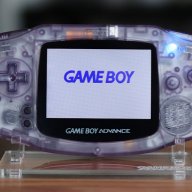
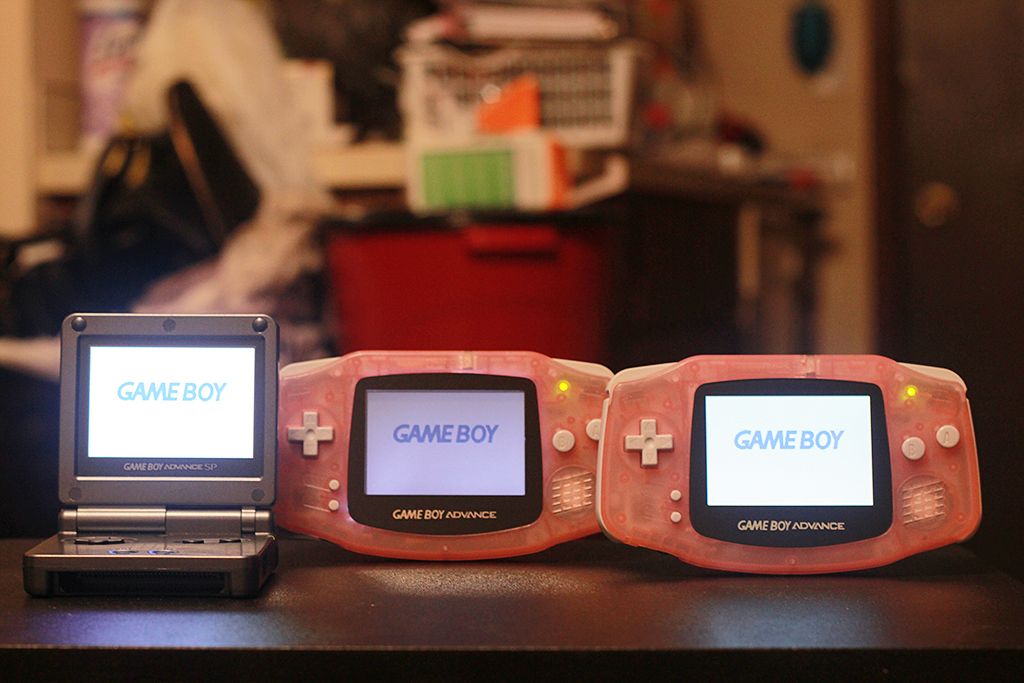
Hardware GBA Backlight! (AGB-001)

  • Thread starter Thread starter zazilu
  • Start date Start date
  • Views Views 684,384
  • Replies Replies 1,367
So, when I first happened upon a second-hand GBA on Goodwill for cheap, I decided it was time to pick it up, and in this context after trying it out, decided I need to do some kind of lighting mod to it.

At first went with front-lighting because the total cost of what was needed was considerably less than picking up a backlit SP screen off ebay by itself, but as I posted here earlier, an accident ended up ruining the system in question.

Much more recently, saw a thread about someone who had two incomplete SP systems, and that was when I managed to get in tact with @invaderyoyo, who ended up helping me a lot in sourcing a new screen. And, here... is the result (I just finished assembling it together in a fresh, new all black shell).

http://ctrlv.in/780018
5776e38cc8e7e.jpg
 
Pretty sweet! I love my modded GBA, I play it more than any other handheld I own. And now that Everdrive GBA is out, I'll play it even more :)
 
Hello! Quick question here. I've ordered a GBA with an original AGS-101 screen installed from a guy on ebay. Everything is original, except the new ribbon cable he said. Screen looked great in pictures, but I may want to try adjusting the trim pot when I get it.
Anyway, if I want to adjust the trim pot for the voltage to the screen, can I do this while the power is on, or do I have to turn it off every time I make adjustments?
 
Hello! Quick question here. I've ordered a GBA with an original AGS-101 screen installed from a guy on ebay. Everything is original, except the new ribbon cable he said. Screen looked great in pictures, but I may want to try adjusting the trim pot when I get it.
Anyway, if I want to adjust the trim pot for the voltage to the screen, can I do this while the power is on, or do I have to turn it off every time I make adjustments?
I can't find one now, but I've definitely seen installation videos, by the original makers of some of these cables, showing adjusting the pot while the unit is powered on. In fact, I think that is the recommended method. Be sure to turn it slowly.
 
Hello! Quick question here. I've ordered a GBA with an original AGS-101 screen installed from a guy on ebay. Everything is original, except the new ribbon cable he said. Screen looked great in pictures, but I may want to try adjusting the trim pot when I get it.
Anyway, if I want to adjust the trim pot for the voltage to the screen, can I do this while the power is on, or do I have to turn it off every time I make adjustments?

Under the barcode sticker on the GBA, there's a hole directly over a trimpot. You can peel away the sticker and get a screwdriver in there to adjust it while the power's on.
 
  • Like
Reactions: hypotc and pelago
I'm having a bit of a problem with the GBA i received. It's very bright, and has a wire soldered from the ribbon cable to DA1 for the highest brightness setting (no other wires)

The screen randomly shows some artifacting where it changes the black to blue in some cases. It also happens when I touch the GBA some times. Does this have to do with grounding? (It happens on both GBA and GBC games)

Also, the colors are a little weird. When I'm testing Zelda: Oracle of Ages the hearts in the save menu at the start is more pink than red. The colors definitely look washed out.

There's a picture and a video of the problem here: https://www.dropbox.com/sh/ywdrb11n57va71f/AAArpL3nneM_J1jJtzN3PG7Fa?dl=0

Anyone know what I can do to fix this?
 
Last edited by hypotc,
Thanks for answer me
But I want to know is my lcd is 34 pin
what can I do for put it on my original gba have 32 pin
Thanks.
Like I said before, you can get a ribbon cable adapter. It will connect your 34-pin GBASP LCD to your 32-pin GBA logic board. Then you'll have to solder on a wire to connect a point on the ribbon to a point on the board to power the backlight. That's it. That lets your 34-pin LCD run off your 32-pin board.
 
New member here :)

I've got a problem regarding a back light GBA I bought a few months ago. It was working fine back then, but having left it since then, playing it today just doesn't work at all, and it has a white screen that shows, but I can still hear the game being played. I've tried jigging it round a bit, and I've also noticed it reacts to strong button presses/pressing the console itself, which results in patches of colour glitch in across the screen, or the power light fading as if the battery is draining, could anyone provide an answer and possible solution?

I have included a video with some of the problem.

 
Last edited by Stuart2016,
New member here :)

I've got a problem regarding a back light GBA I bought a few months ago. It was working fine back then, but having left it since then, playing it today just doesn't work at all, and it has a white screen that shows, but I can still hear the game being played. I've tried jigging it round a bit, and I've also noticed it reacts to strong button presses/pressing the console itself, which results in patches of colour glitch in across the screen, or the power light fading as if the battery is draining, could anyone provide an answer and possible solution?

I have included a video with some of the problem.

Take it apart and check the ribbon cable connections.
 
Take it apart and check the ribbon cable connections.
I checked them yesterday, and ensured that the ribbon was properly inserted onto the motherboard with the clips. The ribbon closer to the screen seems to have an additional triangle-shape on it, I'm not sure if that's added on, or would be on a standard ribbon anyway?
 
Like I said before, you can get a ribbon cable adapter. It will connect your 34-pin GBASP LCD to your 32-pin GBA logic board. Then you'll have to solder on a wire to connect a point on the ribbon to a point on the board to power the backlight. That's it. That lets your 34-pin LCD run off your 32-pin board.

Thank you so much
 
No ideas:(?
I haven't got any experience with this (I still need to source an AGS 101 screen), but since it lights up, it means the wire for the backlighting is working fine but the adapter itself isn't. Either misaligned pins or you might've got a faulty adapter.

Only thing I can think of is to grab a multimeter and test the pins to see if one has got a broken connection on the flat. If it does, you can repair it with a jumper kynar wire.
 
  • Like
Reactions: Testo90

Site & Scene News

Popular threads in this forum