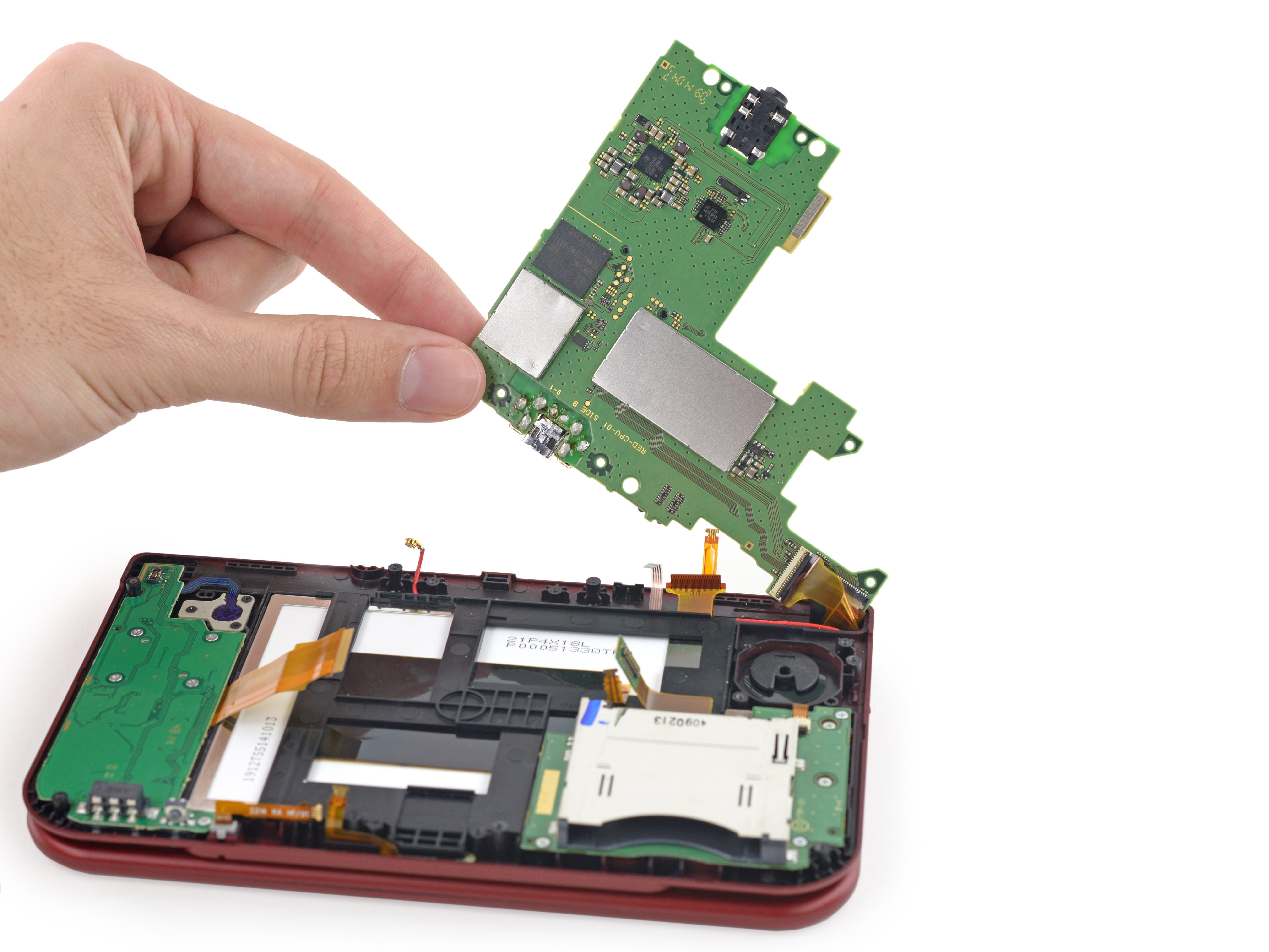
Hey guys, I was successful unplugging the camera to fix the black screen on my first New 3DS Xl, but now I am trying to fix another.
I removed the camera cable again, however I noticed this time there was an additional ribbon cable underneath the camera ribbon cable, they are kinda attached to one other.
Are both ribbon cables supposed to be unplugged?? I am not sure when I was successful with my first try if I just unplugged only the top cable or both.
With both cables unplugged my 3DS does not even turn on and play sound anymore, just turns on and off right after.
I am supposed to plug the bottom ribbon cable back in? How do I put it back it in? Its smaller than the top cable, so where exactly does it go?
I thought since I fixed one already this one would be just as easy.
I removed the camera cable again, however I noticed this time there was an additional ribbon cable underneath the camera ribbon cable, they are kinda attached to one other.
Are both ribbon cables supposed to be unplugged?? I am not sure when I was successful with my first try if I just unplugged only the top cable or both.
With both cables unplugged my 3DS does not even turn on and play sound anymore, just turns on and off right after.
I am supposed to plug the bottom ribbon cable back in? How do I put it back it in? Its smaller than the top cable, so where exactly does it go?
I thought since I fixed one already this one would be just as easy.
Last edited by jon909,