Hacking Ez Flash IV Emulation

KSIXephos938

Member
Newcomer
Joined
Jun 11, 2013
Messages
10
Reaction score
0
Trophies
0
XP
214
Country
United States
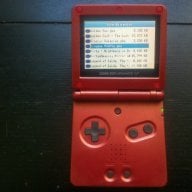
Hi, so I've gotten the Ez Flash IV and have finally finished uploading all my GBA games onto it. Now I'm looking for other games to put onto the flash cart:

GB
GBC
NES
GameGear

I know that you need emulators for them and have downloaded them. I just need to know how to use them. All info I have found is either irrelevant or confusing. Anyone know anything about these emulators?

Goomba
Goomba Color
PocketNES
SMS Advance

Thanks. Any tutorials would be nice. :)
 
GBA flash carts tended not to have SD/CF cards so the emulators had to contain everything in one game. This is not so bad as most older consoles had games smaller than a lot of save files are today.

Each will have a method of making an emulator pack -- some will need a frontend (goombafront for goomba for example) and others will just need to be copied to the end of the file. This should come in any readme for the emulator downloads or with the options I am about to give you

The EZ4 is also a bit fiddly with saves and these emulators. Fortunately this problem was addressed
http://ezflash.sosuke.com/viewtopic.php?f=12&t=12660

Edit- the above uses an earlier version of python. http://www.python.org/download/releases/2.6.6/ should do it.
 
Well my Ez Flash IV has a 2GB microSD card on it. Do you know how to create an emulator pack? I still don't know how to use Goomba Color. I know that the goomba.gba is the emulator and so I just copied my games onto it. Is that correct? But when I load the emulator, it crashes with a black and white jagged screen. I was just asking for a tutorial for the emulators, can't seem to find any on youtube. Thanks.
 
I have a copy of pocketnes on my EZ-Flash IV but it gives me a sram is not enough error
do emulators have to be copied to NOR?
 
here is a guide that will explain how to get goomba working, for goomba color just replace the emu file and use the same tools: http://wiki.gbatemp.net/wiki/How_To_Make_A_Goomba_Emulator_Compilation

here is all the info you will need for pocketnes: http://www.pocketnes.org/howto.html. grab an updated build of pocketnes from HERE.

sms advance contains a readme file, it explains what you need to do.

--------------------------------------------------------------------------------
How to use:
--------------------------------------------------------------------------------
Run SMSAdvance.exe to add roms to the emulator.

When the emulator starts, use Up/Down to select game, then use
B or A to start the game selected.
Press L+R to open the menu, A to choose, B (or L+R again) to cancel.

Controller: 2P control player 2.
Unscaled mode: L & R buttons scroll the screen up and down.
Scaled modes: Press L+SELECT to adjust the background.
Speed modes: L+START switches between throttled/unthrottled/slomo mode.

Sleep: START+SELECT wakes up from sleep mode (activated from menu or 5/10/30
minutes of inactivity)

Make sure your flashing software allocates 64kByte/512kbit SRAM for SMSAdvance.

i can't speak about specific modifications required for the ez iv, so be sure to read over everything fast linked you to.

-another world
 
i can't speak about specific modifications required for the ez iv, so be sure to read over everything fast linked you to.
Once you have a compiled emulator ROM with the games in it all that should be needed is to run said ROM through the EZ Flash IV manager and then copy it over to the miniSD/microSD.
 

Site & Scene News

Popular threads in this forum