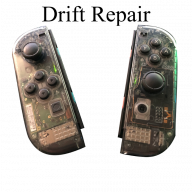
Hardware Does this mean Joy-Con drift is a software issue??

  • Thread starter Thread starter foxtochop
  • Start date Start date
  • Views Views 6,006
  • Replies Replies 11

foxtochop

Well-Known Member
Newcomer
Joined
Mar 29, 2018
Messages
46
Reaction score
9
Trophies
0
Age
32
XP
188
Country
Spain
In the video, this guy fixes drift on Pro Controller by pairing a gamecube controller first.
Someone in the comments said it works also for regular Joy-Con.


Could this mean it can be fixable by a system update?

PS: Tried to share this topic on Nintendo SW subreddit and it got insta-deleted by mods...
 
Last edited by foxtochop,
In the video, this guy fixes drift on Pro Controller by pairing a gamecube controller first.
Someone in the comments said it works also for regular Joy-Con.


Could this mean it can be fixable by a system update?

PS: Tried to share this topic on Nintendo SW subreddit and it got insta-deleted by mods...
There's a reason people are paying repair shops to replace control sticks.
No. It's a hardware issue on the joy cons
 
  • Like
Reactions: NekoMichi
Joycon != Pro Controller
It's interesting that they fixed it via a system update and not via a firmware upgrade for the joy cons.

Edit: looks like they provided a new firmware for the Joycons in the system update. But Joycons don't update automatically, do they?
 
Last edited by ds34,
Joycon != Pro Controller
It's interesting that they fixed it via a system update and not via a firmware upgrade for the joy cons.

Edit: looks like they provided a new firmware for the Joycons in the system update. But Joycons don't update automatically, do they?
So it's clear why they bothered to also add new firmware to the Joy-Cons: to try to fix the majority of drift problems.
Seems like system update fixes some Pro Controller drift problems, and the firmware included in the update does it for the Joy-Cons.

I don't know how Joy-Con's firmware update work, but I suppose their firmware will update itself when first using them after the system update installs into the console.

And, if that it's correct, the Joy-Cons of the SW Lite will also update this way, or even they'll update the same instant the system update is installed.


In any case, it is good news. I bet they worked out the fix thanks to the discovery of the trick done in the video I posted in OP. In the comments, there are many people reporting they even succesfully fixed their Joy-Cons after applying the trick. I'm sure those who fixed the problem with the trick or the update thought their Joy-Cons were hardware-fucked. But there you go, I also bet at least 50% of drifted Joy-Cons are now solved by the trick or the update.

But, IMO, there's only one more thing needed: a system update which ables the user to configure deadzones for the Joysticks both in center and every axis' furthest point.

 
Last edited by foxtochop,
Neither joycon or pro controller drift issues are software based. If you read the release notes you'll see that this addresses an issue introduced in the 10.0.0 update and drift issues in both the pro controller and the joycons have existed basically since launch.
So, unfortunately, Nintendo seems to have cheaped out on the analog stick supplier.
 
  • Like
Reactions: IC and ds34
Inside the joysticks there are two pads, one for up and down axis and one for left and right axis. What happens is over time, the pads get dirty from the joysticks creating friction. Joysticks are not smart, they just have a small voltage that is read when you move around the sticks and that communicates that to the motherboard inside the Joy-cons.
 
Last edited by Winnppl,
It still puzzles me why slightly increasing the deadzone on a software level of the Switch wouldn't fix drift. Like if I have stick drift on a controller on my PC I can just open software for the driver and fix it by changing the deadzone.
 
10.0 introduced a bug where newly paired pro controllers were calibrated incorrectly. 10.0.2 fixes that bug only, not all drift in general.

Its possible for software to be a cause of drift or to sometimes compensate for it, but typically its the hardware going bad and no software update can truly fix that.
 
  • Like
Reactions: IC
dead zone is reduced in 10.1 this make more drift, they can maximizided dead zone for fix something this issue. :(
 

Site & Scene News

Popular threads in this forum