Homebrew Custom Theme Thread

what is the site? plus how do i even get brstm conversion tool to work? all i have in it are more winrar zipped files..
The site has sound effects of games, such as the Hyrule Warriors, the sound effect of sword usage, flying fairy and so on. I have the tools I downloaded almost all of them here in gbatemp. Wav Converter for brstm the Yata plus has.

What put the ctr-wave plugin within the Yata plus, it enables you to convert sounds in wav format to cwav with all this plugin you should find it just like me on their own because it can not be passed here.

If you want to take the sound effects of the game itself there you should get the operating file and put it in your CFW more I do not recommend this method because it is not safe.
 
Last edited by Ryumaru,
ok i made a bgm for it now. now i need to figure out how to put in the sfx i have. it is going to play when you launch an app or game. how do i convert my cwavs file into a usable cwav chunk for yata to inplement?
 
one other question: what are the border parts for in the yata + program? are they for the coloration of the mini icons that appear on the bottom left And right of the top screen/the top left/right of the bottom screen?
 
one other question: what are the border parts for in the yata + program? are they for the coloration of the mini icons that appear on the bottom left And right of the top screen/the top left/right of the bottom screen?
First things first steps. First the Yata does almost everything been going on since the creation theme converting wav to brctm.

To create the CHMM program icon you need to download a program ara create the icon and more unnecessary because the site 3dsthem.es if you to upload an image with resolutions of 48x48px it creates the icon for you.

On the creation of the custom rims and custom folders you have to know 4 pictures edit 2 to create the edges and 2 to create the folders open and closed mode. That's it so you will learn to do the same in practice.
 
Last edited by Ryumaru,
so i can't put custom cwav sounds in the theme?
On the wav files you should seek the plug on his own when he had put it in the directory and yata plus the option to convert the wav to cwav will work.

Otherwise you get the cwav's without this tool and pick up the cwaws themes already created and simple open the theme that has the SFX files in Yata and click the import cwavs tool so you will save these sounds and will be able apply them in other Themes
 
how can i modify the cwavs from a different theme?

--------------------- MERGED ---------------------------

btw this is a bit off topic: how can i set chmm2 to shuffle themes? i know how to do it just that is doesn't show the "installing themes" icon on the bottom screen.

 
how can i modify the cwavs from a different theme?

--------------------- MERGED ---------------------------

btw this is a bit off topic: how can i set chmm2 to shuffle themes? i know how to do it just that is doesn't show the "installing themes" icon on the bottom screen.

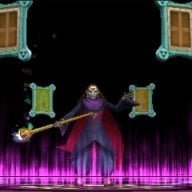
Holy shit, Invader Zim. Seems like it was so long ago.

Anyways, you can use Yata+ to export the cwav chunk. Then you can use this tool: https://gbatemp.net/threads/release-custom-theme-cwavs.381132/ and extract individual sound files out of the .bin.
 
So in this way you will be able to mount a file with the sounds you want then so must import it to the Yata
 
for some reason my BGM.Bcstm file for the Invader zim theme isn't working. hmm.. i think i didn't change the Body_LZ.bin file to the new one..

--------------------- MERGED ---------------------------

how do i turn wavs into cwavs?? i thought it changed my previous wavs into cwavs but it didn't apperently..

--------------------- MERGED ---------------------------

i really do not want to find a plugin or something just to put a few icon noises in a theme..
 
You need it in order to convert the wavs into cwavs.

Your only other alternatives are to find sound effects that are already cwavs or to find other themes that have the sound effects you want and extract those files.
 
UPDATE ON ZIM THEME: BGM ADDED!

--------------------- MERGED ---------------------------

i might be able to find a program for those that do not require another plugin.
 
what if i gave one of you the wav files i plan on using and youturn them into cwavs files then just send them back to me? i use skype. that is one method of sending and recieving files.
 
what if i gave one of you the wav files i plan on using and youturn them into cwavs files then just send them back to me? i use skype. that is one method of sending and recieving files.
To convert MP3 to WAV download the program called Format Factor it converts all formats. I'll see if I can post some themes now be back soon.
 
linkle1.png

Sheik1.png

And a drug more'm gonna be able to post a preview is giving error in my Upload the 3dsthem.es after I see it until then I leave you with the prior game theme Hyrule Warriors - Linkle's.
My internet also is not cooperating this a very sluggish shit. I hope you understand internet in Brazil and garbage :nayps3:.
Once the stops regularize here I post the theme of Linkle's and the Sheik.

Update: With tremendous difficulty managed to upload even with my internet running at 300kbs and I have 50M the theme Linkle the Sheik to leave after personal ok.

Click on the image below in order to download.


Last edited by Ryumaru,

Site & Scene News

Popular threads in this forum