Hacking Custom Boot Screen trouble

Smoker1

Well-Known Member
OP
Member
Joined
Feb 17, 2015
Messages
4,707
Trophies
1
Location
California
XP
5,301
Country
United States
So I am trying to follow the Instructions for getting a Custom Boot Screen, but I am stuck.

The Instructions call for editing the boot_config.txt file, but it is not where it is supposed to be.

On 3.65 Enso.

Screen I want
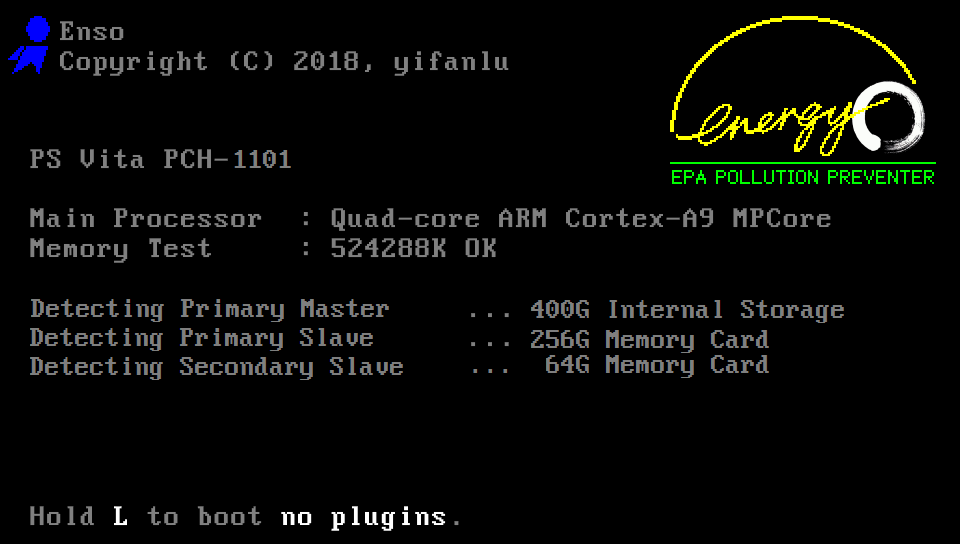
PSVita-EnergyEnso-BootSplash.png
 

Smoker1

Well-Known Member
OP
Member
Joined
Feb 17, 2015
Messages
4,707
Trophies
1
Location
California
XP
5,301
Country
United States
But according to the Instructions, it is supposed to be in ur0:tai/
There is a Note saying if it is not there, to Update 3.65 Enso
To Enso 3.65 users
If Enso 3.65 is installed and boot_config.txt exists in vs0:tai/ and it is not loaded even if plugin path is written to ur0:tai/boot_config.txt, please update Enso to the latest version.

But wont that affect the System in ways? Do I just run the Installer, and it should be good, or will it require a Internet Connection?

Basically need a Noob-Friendly Tutorial.
 
Last edited by Smoker1,

godreborn

Welcome to the Machine
Member
Joined
Oct 10, 2009
Messages
38,145
Trophies
3
XP
28,282
Country
United States
I believe the vs0 partition houses the default apps like content manager and such. afaik, it's not risky to modify that file, since I believe you can disable it at boot.
 

kaymynd

Well-Known Member
Member
Joined
Sep 19, 2018
Messages
640
Trophies
0
Age
30
XP
1,127
Country
United States
But according to the Instructions, it is supposed to be in ur0:tai/
There is a Note saying if it is not there, to Update 3.65 Enso


But wont that affect the System in ways? Do I just run the Installer, and it should be good, or will it require a Internet Connection?

Basically need a Noob-Friendly Tutorial.


Just add the line to config.txt
That's how autoplugin installs it.

Use this to convert your picture

https://princess-of-sleeping.github.io/Vita-HTML-Tools/boot_splash/index.html

Then just add it to to ur0:tai folder.
 
Last edited by kaymynd,

Smoker1

Well-Known Member
OP
Member
Joined
Feb 17, 2015
Messages
4,707
Trophies
1
Location
California
XP
5,301
Country
United States
Nope. Wont work for some reason. I go into VitaShell, Edit the Boot Config, I Save it, then I open it up to make sure it took.....nope. Tried Copying it, Editing, then Copy it back, and I got a Error.
 

kaymynd

Well-Known Member
Member
Joined
Sep 19, 2018
Messages
640
Trophies
0
Age
30
XP
1,127
Country
United States
Nope. Wont work for some reason. I go into VitaShell, Edit the Boot Config, I Save it, then I open it up to make sure it took.....nope. Tried Copying it, Editing, then Copy it back, and I got a Error.
You can add it to the regular config.txt not the boot_config.txt
Try deleting the plugin and installing it from autoplugin so that it gets installed for you, then just replace the image in ur0.

That's what I did and it works for me.
 
Last edited by kaymynd,
  • Like
Reactions: Smoker1
General chit-chat
Help Users
    Psionic Roshambo @ Psionic Roshambo: Best just to move on lol