Hacking Configurable USB Loader

  • Thread starter Thread starter oggzee
  • Start date Start date
  • Views Views 7,866,945
  • Replies Replies 18,482
  • Likes Likes 22
lejong2002 said:
@oggzee
I edited the config.txt.
Code:
cover_url_norm = http://www.theotherzone.com/wii/3d/160/224/{ID6}.png
But, in SD the cover file name is only 4 characters. ( xxxx.png )
How can I save the cover file 6 characters?
Or can you add the option config for saving cover file name length?
I hope this USB LOADER cfg becomes really flexible loader.
Then we can really share the cover image with other loader.
Greetings.

Yes, it Saves the covers using 4 character IDs always.
But it will also Load a 6 character ID if found, so the covers can already be shared with other loaders.
I don't plan adding an option to save the cover as a 6 character ID. As it doesn't add any new functionality.
There is really no need for 6 characters as the 4 characters are enough to identify a game.
The only reason someone might want to use 6 character ids is for custom edited isos, and in this case
a custom 6 character id cover image can be added and will be used.

 
got a strange problem with Klonoa_USA_WII-REV0.
Ive downloaded the cover with wbfs_inteligent_gui_v5 and placed the cover (R96EAF.png) on the SD card (sd:/usb-loader/covers), together with all my other covers.
Somehow this cover wont display?? while the others do....
 
oggzee said:
But it will also Load a 6 character ID if found, so the covers can already be shared with other loaders.
I don't plan adding an option to save the cover as a 6 character ID.

Oh, NO. oggzee.....
Please do me a favor.

The option wii be really useful.

shy.gif
 
erolz said:
got a strange problem with Klonoa_USA_WII-REV0.
Ive downloaded the cover with wbfs_inteligent_gui_v5 and placed the cover (R96EAF.png) on the SD card (sd:/usb-loader/covers), together with all my other covers.
Somehow this cover wont display?? while the others do....

No idea, can you check a few things?
- can you see the cover on PC?
- you're not using 3d covers perhaps?
- can you download the cover from inside the loader, and check if it shows ok?
- can you do a save game settings for klonoa and check in settings.cfg if ID matches R96EAF?
- does it help if you rename it to R96E.png?
- if all above fails, can you send me this png to [email protected] ?

Let's see where this gets us
smile.gif
 
erolz said:
got a strange problem with Klonoa_USA_WII-REV0.
Somehow this cover wont display?? while the others do....


Klonoa from coversite is probably a JPG (check by opening in notepad (JFIF in the beginning on the file)


correct PNG ->
2d8427b.png
 
PNo4 said:
erolz said:
got a strange problem with Klonoa_USA_WII-REV0.
Somehow this cover wont display?? while the others do....
Klonoa from coversite is probably a JPG (check by opening in notepad (JFIF in the beginning on the file)

Hey, yes, this could be it!
Please check that it's not really a jpg!
smile.gif

Tnx PNo4 for the hint!
 
Where exactly does the forwarder point to? Nevermind, worked fine

Also do I need to put the config.txt in my SD's Root if using the forwarder? No

My problem is, after installing the forwarder channel, I am unable to run the loader from the homebrew channel. It just froze my system to black when I tried.

Any idea as to why that happened?
 
no matter which layout I use I can't get it to display less than 21 lines. Is this because I have more than 21 games?
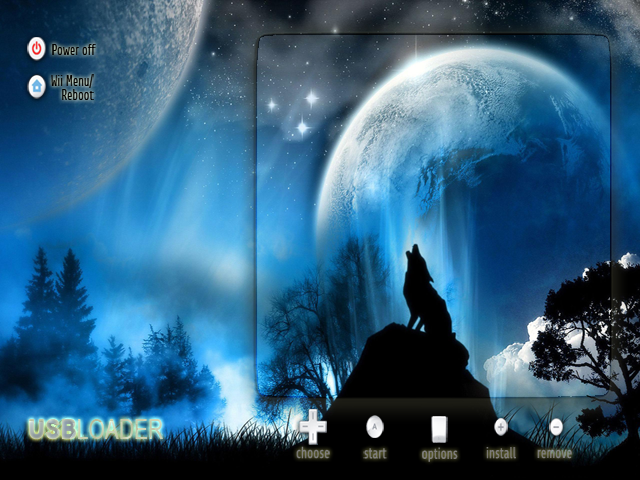
wbg.png


I am using this image and the lines go all the way to the bottom and the text covers the image of the buttons on the bottom. Doesn't interfere with anything but I don't like the way it looks. I tried layout = large3 and layout = medium and it looks the same.
thanks
 
cardo said:
no matter which layout I use I can't get it to display less than 21 lines. Is this because I have more than 21 games?
I am using this image and the lines go all the way to the bottom and the text covers the image of the buttons on the bottom. Doesn't interfere with anything but I don't like the way it looks. I tried layout = large3 and layout = medium and it looks the same.
thanks

Make sure you're editing the right config file, now sd:/usb-loader/config.txt is loaded first, and then also sd:/apps/USBLoader/config.txt is loaded, so your layout setting in the first can be overriden in the second. either edit the second or remove it and edit the first. this might sound confusing, but it offers some more flexibility...

Besides, I think the correct coordinates for that background should be:

cover_coords = 28 , 150
console_coords = 266 , 46 , 336 , 336

try that out...
 
cfg v29a: (alpha)

http://sharebee.com/680ff723

- Fixed mp3 stuttering
- Now mp3 plays fine also while installing a new game.
- Faster loading of game covers and scrolling through the game list
- Now it works fast also with large (1000+) collection of covers in same directory
- Fixed: searching for music.mp3 if base directory is not sd:/usb-loader


Please test this out and let me know if it solves mp3 issues and cover loading speed.
 
oggzee said:
cfg v29a: (alpha)

http://sharebee.com/680ff723

- Fixed mp3 stuttering
- Now mp3 plays fine also while installing a new game.
- Faster loading of game covers and scrolling through the game list
- Now it works fast also with large (1000+) collection of covers in same directory
- Fixed: searching for music.mp3 if base directory is not sd:/usb-loader


Please test this out and let me know if it solves mp3 issues and cover loading speed.

QUOTE(snaker @ May 9 2009, 08:49 PM) Thank a lot.This is the best loader until now which gets even better!

So, have you tried it out, is it better?
 
Oggzee,
Thanks for the wonderful loader and all the work you put into this!

If you get time, it would be nice to have a feature to select the custom ios just for specific games. A few games won't work with 249.

Thanks!
 
This is the issue that should be resolved with 29a:

ulysse57 said:
One question : I added in the image folder all images that I have (> 1800) to be sure to have them. They are in 130x224 because I am in widescreen mode.
All work fine but the scroll with up and down is quite slow. When I click down (or up) the loader wait that the cover is loaded before to do the next down (or up). I didn't notice this when I have had less images in the folder.
Do you have an idea ?
 
oggzee said:
oggzee said:
cfg v29a: (alpha)

http://sharebee.com/680ff723

- Fixed mp3 stuttering
- Now mp3 plays fine also while installing a new game.
- Faster loading of game covers and scrolling through the game list
- Now it works fast also with large (1000+) collection of covers in same directory
- Fixed: searching for music.mp3 if base directory is not sd:/usb-loader


Please test this out and let me know if it solves mp3 issues and cover loading speed.

QUOTE(snaker @ May 9 2009, 08:49 PM) Thank a lot.This is the best loader until now which gets even better!

So, have you tried it out, is it better?


Cover loading is quite fast in this version! Using 2d covers.
 
bow.gif
oggzee said:
cfg v29a: (alpha)

http://sharebee.com/680ff723

- Fixed mp3 stuttering
- Now mp3 plays fine also while installing a new game.
- Faster loading of game covers and scrolling through the game list
- Now it works fast also with large (1000+) collection of covers in same directory
- Fixed: searching for music.mp3 if base directory is not sd:/usb-loader


Please test this out and let me know if it solves mp3 issues and cover loading speed.

mp3 file work properly in the base directory. ( in config.txt ; music = 1 )

*Bug found :
when I use home button for screenshot, only I can get one screenshot.
After taking one screenshot, second clicking home button is exit usbloader.
is it a bug or not?

*New features idea : usbloader +cfg's function is almost perfect , my idea will be just decorations...
1. saved cover image file name length in config.txt: 3 characters, 4 characters, 6 cahracters selecting in config.txt ( I asked before )
2. music toggling in USB LOADER : music1.mp3, music2.mp3, ....
3. console image toggling in USB LOADER : background1.png, background2.png, ....
4. cover image toglling in USB LOADER : 2d, 3d, disc, .... ( we can download 2d covers in 2d directory, 3d covers in 3d directory in SD)

*Quick Question :
1. could you tell me what cover_style in config.txt ? When it is useful?
2. is it possible use the nunchuck's buttons(Z and C) in USB LOADER?

Awesome oggzee.
bow.gif
 
oggzee looking better by the day buddy good work , and I thought you were complaining of no more new ideas to add , you super coder you , keep it up bro
wink.gif
 
I dun hear the music shutter anymore! Oh sheet what else I can complain now???
Oh hey oggzee ur USB loader still suck! It cant make me breakfast with orange juice!
Plz FIX IT ASAP!
 
QUOTE said:
No idea, can you check a few things?
- can you see the cover on PC?
yess i can.

QUOTE1. you're not using 3d covers perhaps?
2 can you download the cover from inside the loader, and check if it shows ok?
3 can you do a save game settings for klonoa and check in settings.cfg if ID matches R96EAF?
4 does it help if you rename it to R96E.png?
5 - if all above fails, can you send me this png to [email protected] ?
6. Please check that it's not really a jpg

1.no. in my config file it says: cover_style = standard
2 no i can not because i have an usb lan adapter.. :-(
3 were can i find the settings.cfg file?
4 no. did not work :-(
5 i will
6 no. its a png, downloaded with wbfs_inteligent_gui_v5.
 
PNo4 said:
erolz said:
got a strange problem with Klonoa_USA_WII-REV0.
Somehow this cover wont display?? while the others do....


Klonoa from coversite is probably a JPG (check by opening in notepad (JFIF in the beginning on the file)


correct PNG ->
2d8427b.png

i have opened the file with notepad:
ÿØÿà JFIF ,, ÿá(ñExif II*     

so this isnt a png but a jpg?
i used your png and now its works!
thanx a lot guys.
 

Site & Scene News

Popular threads in this forum