Homebrew WIP CDNSP-GUI

  • Thread starter Thread starter Type_O_Dev
  • Start date Start date
  • Views Views 115,692
  • Replies Replies 112
  • Likes Likes 23
I added -simple and -update latest to my source will release today with a few more features. plus i have something big planned
 
copy the gui into you cdnp folder and run

Yeah that’s what I have tried but no luck just doing what I said above. Anybody else had this issue? I assume when it works command prompt stays open and you can see the download just like when you do it manually?
 
  • Like
Reactions: Type_O_Dev
Yeah that’s what I have tried but no luck just doing what I said above. Anybody else had this issue? I assume when it works command prompt stays open and you can see the download just like when you do it manually?
no worries im about 5 minutes away from releasing a whole new one
 
weird, one its not dark for me lol if it matters but two, i been using cdn manually just fine, but when i try to pull a game it shows me the command its trying to run and it doesnt seem to work at all. also dlc keeps asking for titles and keys but i know there in the title key txt which i can manually use but not sure if thats how it suppose to function, so basically its just showing a text box and not running the command, not sure if it helps but i do not have cdn on c: drive i have it in root on another drive

 
Last edited by ninjadudexp,
weird, one its not dark for me lol if it matters but two, i been using cdn manually just fine, but when i try to pull a game it shows me the command its trying to run and it doesnt seem to work at all. also dlc keeps asking for titles and keys but i know there in the title key txt which i can manually use but not sure if thats how it suppose to function, so basically its just showing a text box and not running the command, not sure if it helps but i do not have cdn on c: drive i have it in root on another drive
Ya sorry that was for me to debug I forgot to switch back, I need to update. Stay tuned I will be releasing major update with a couple hours
 
CDNSP-GUI
This assumes you have CDNSP with working python script


Requirments
  • .Net 4.5 Framework
  • CDNSP with next script
  • you will need to run update_gamelist.bat
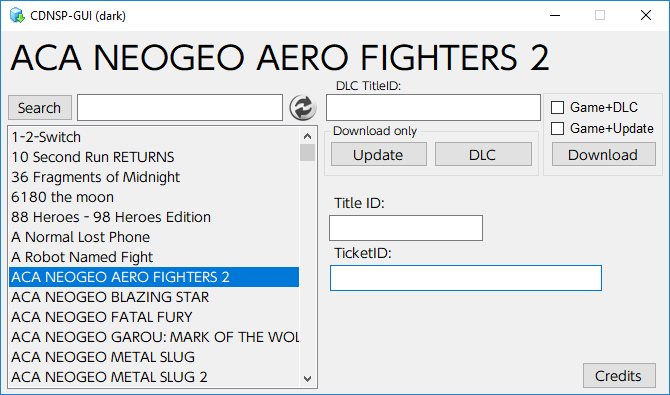
CDNSP-_GUI.png
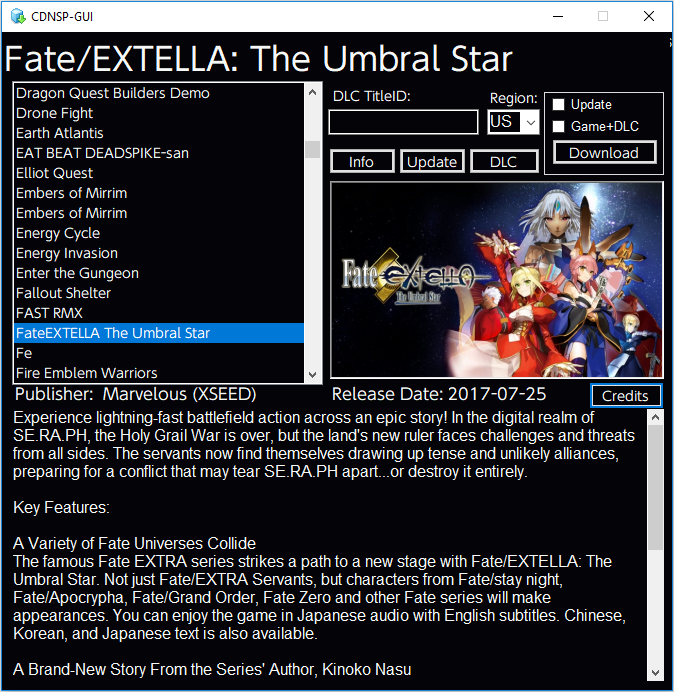
CDNSP-_GUI2.png


So bugyo isnt working right now but added more features so will release one without info

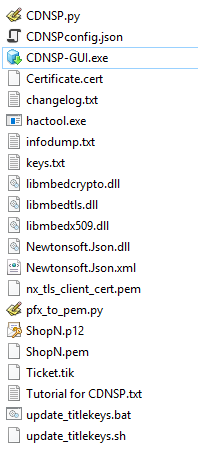
  • copy ShopN.p12 into CDNSP directory (download here)
  • Copy contents of cdnsp-gui into CDNSP directory (you may need updated cdnsp.py get it here)
Your CDNSP directory should look like
CDNSP-_GUI-dir.png
Things I plan on adding:
  • Add batch support


Enjoy!
Will this require my switch cert?
 
This looks quality! I know neither is guaranteed to not get you banned, but is it safer to update your games this way or through the switch in OFW?
 
Yep, there are probably already workarounds but I have no idea what site/discord to get them from.
The public cert did not get banned. Nintendo simply made a few changes. CDNSP still works (New versions floating around in the usual places).
Just wait for this GUI to get updated :)
 
The public cert did not get banned. Nintendo simply made a few changes. CDNSP still works (New versions floating around in the usual places).
I guess I'm not aware of the usual places. I also find it odd if it's not the cert and just an updated bit of python code then why are people so reluctant to share it.
 

Site & Scene News

Popular threads in this forum