
BootMii keeps giving the error code -1 when trying to "prepare SD card"

oliveboy123

Member
Newcomer
Joined
Jun 3, 2021
Messages
9
Reaction score
6
Trophies
0
Age
21
XP
118
Country
United States
I have an SDXC card that is 119.08 GB but only has one partition in fat32 with 29.8 GB, I've tried multiple things like making it so theres no unallocated space left and making the partition really small (like 1-4 GB) but I can't find any solutions.
Partition Type: Primary
UUID: 2DC6-29C2
Partition UUID: 3560AE5C-AA94-5744-A406-2AEC6DF19FBC
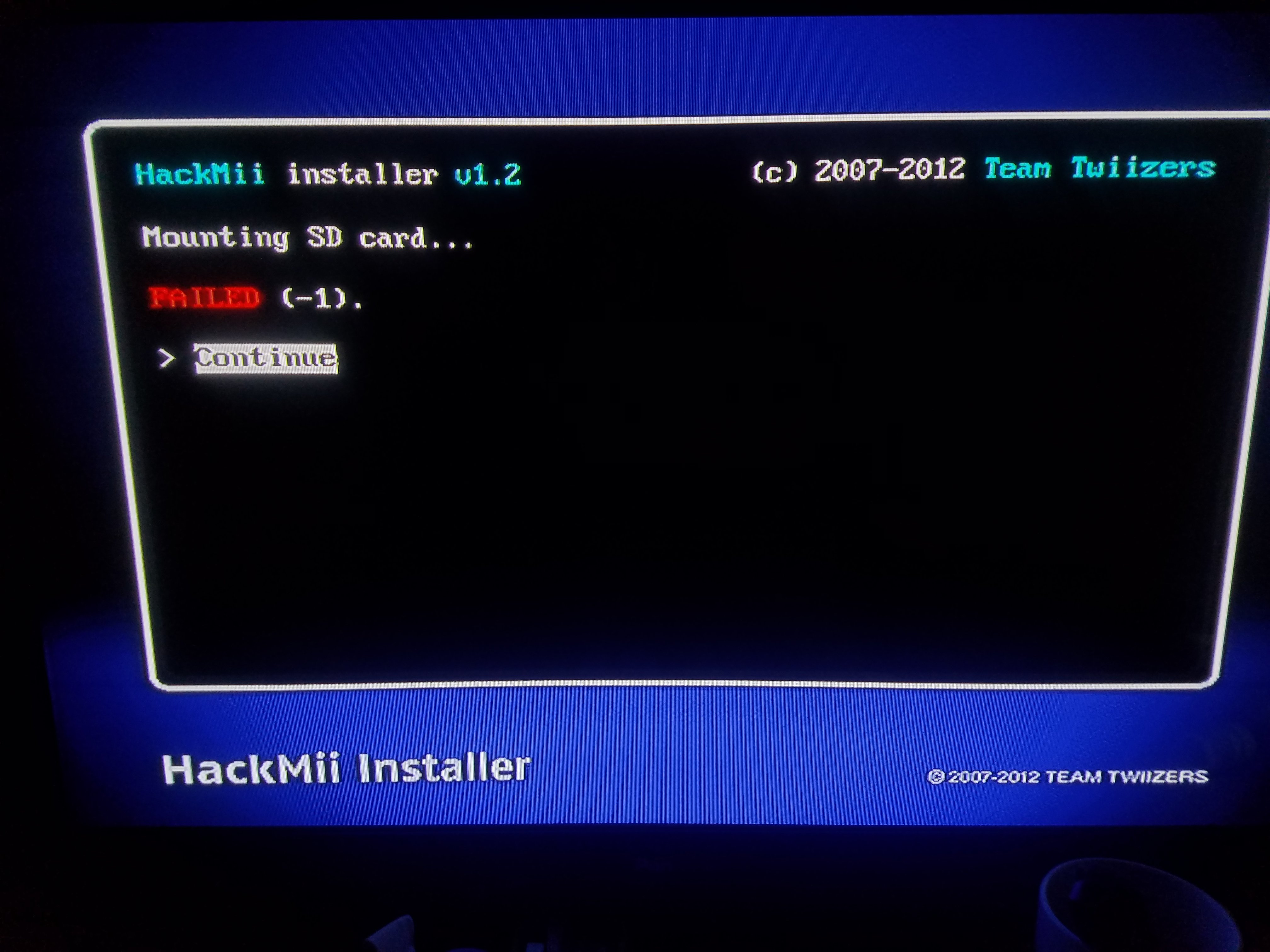
20230613_093840.jpg
 
have an SDXC card that is 119.08 GB but only has one partition in fat32 with 29.8 GB,
That doesn't make any sense, format it again with Guiformat and it should set the whole storage capacity & with one partition.
Confirm it's MBR and not GPT?
For the sd card?
 
  • Like
Reactions: jeannotte
I mean 99% it should be MBR, but it's not impossible right? Even if it wasn't sold that way someone definitely could have formatted it improperly
probably improper formatting since I've used this SD card for a lot of different things and have formatted so many times
 
probably improper formatting since I've used this SD card for a lot of different things and have formatted so many times
Yes. Like I said, it should show the whole storage capacity if the sd card ~120GB as one fat32 (32kb clusters) partition. Use Guiformat to format your sd card, since Windows doesn't format +32GB cards as Fat32.
And If you want to make sure about the "MBR" partition thing, use something like AOMEI Partition Assistant to see what it's set to, and change it if it's not correct, and it can format the sd card correctly too, if you want to format it there.
 
  • Like
Reactions: jeannotte

Site & Scene News

Popular threads in this forum
