Hacking An Error Has Occurred problem

  • Thread starter Thread starter Abdelatif
  • Start date Start date
  • Views Views 9,702
  • Replies Replies 36

Abdelatif

Well-Known Member
Newcomer
Joined
Dec 11, 2013
Messages
77
Reaction score
7
Trophies
0
Age
37
XP
368
Country
Antigua and Barbuda
Hello :)
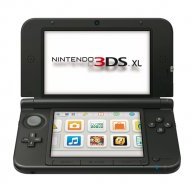
i get a new 3ds xl with problem " An error has occurred " when i turned on, i tried to launch ntrboot with SafeB9SInstaller / Godmode9/ Decrypt9 but nothing works (however i have noticed after trial godmode9 the 3ds was able to boot to system menu for 2 second and go back to black screen with the message on it) is this 3ds is bricked for good and can't be fixed ? how about the hardmod ?
and sorry for my bad english -.-
 
Several questions:
  1. Is Boot9Strap installed on your 3DS?
  2. If Boot9Strap is not installed on your 3DS, are you following the guide?
  3. If you are following the guide, what method of installation are you using (Single 3DS, Multiple 3DS, DS, DSi)?
 
Several questions:
  1. Is Boot9Strap installed on your 3DS?
  2. If Boot9Strap is not installed on your 3DS, are you following the guide?
  3. If you are following the guide, what method of installation are you using (Single 3DS, Multiple 3DS, DS, DSi)?
1-I don't know if Boot9Strap was installed on it however the friend how give it to me told me the problem appear when he updated the system and the 3ds shotdown accidentally.
2- i am following the guide ctrtransfer and my flashcard TTDS is ok i can run safeb9sinsttaler with it (I mean in author 3ds consoles) so the flashcard is not the problem
 
I don't know if Boot9Strap was installed on it
Try holding SELECT on startup. If Boot9Strap and Luma3DS are installed, you should see the Luma3DS menu, which looks something like this:
687474703a2f2f692e696d6775722e636f6d2f6a794d726749312e706e67


however the friend how give it to me told me the problem appear when he updated the system and the 3ds shotdown accidentally.
How do you mean, "the 3DS shutdown accidentally"? Did your friend put it in sleep mode when it was updating? Or did it do that by itself?

If the 3DS shut down while updating, try booting into Recovery Mode by holding A+L+R+Up on startup. From there, you can update the system properly. Try that first, and make sure your 3DS is either fully charged or plugged in before going through with the update.

i am following the guide ctrtransfer and my flashcard TTDS is ok i can run safeb9sinsttaler with it (I mean in author 3ds consoles) so the flashcard is not the problem
You mean this? From the looks of it, you should be doing this after Boot9Strap is installed, which you seem unsure of.
 
  • Like
Reactions: Quantumcat
1- Nothing happens when i push Select Boot9Strap is not installed
2- i don't know exactly how it happen he just told me the 3ds shutdown in update ( I will ask him tomorrow if it's important)
3- i try the recovery mode but is not working i get black screen
4- yes i am following this guide for install the new nand with godmode or decrypt9 but nothing work
 
yes i am following this guide for install the new nand with godmode or decrypt9 but nothing work
No offense, but that description is rather vague. You mean the page linked here? https://3ds.guide/ntrboot

Also, would it be possible to show me the contents of your SD Card? Show me the contents of root (/, base of the SD Card) and the /3ds/ folder.

It just seems odd to me that your friend would decide to update the system before Boot9Strap is installed. ntrboot works on all versions, so I don't really see why he would choose to update.
 
I flashed over than 10 consoles with my flashcard TTDS without no problem i know what file put in the memory card and this is the first time a get a 3ds bricked, so for your question i put in root micro SD :
7374121301.png

(boot.frim is the Godmode9 from the last version, i renomet)

and no, he didn't install any kind of CFW or boot9strap on he's 3ds the problem was when he update 3ds normally the console was shutdown, form here i don't know the reason how it was go off :unsure:
 
I have very important question ; with a flashcard compatible ntrboot and the right files on the micro SD and the magnet of course we be able to boot the files on SD memory (godmode/decrypt/safeb9sinstaller...any one) in any kind bricken 3ds (black/blue screen /MCU brick...any brick exist) ?
i don't mean fix the brick but just boot up the file ?
 
Last edited by Abdelatif,
I contacted my friend and he told me he was trying to downgrade the new 3ds beyond 9.0 version (the downgrade was blocked in the middle and he turn it off) so that what has happened.
 
I contacted my friend and he told me he was trying to downgrade the new 3ds beyond 9.0 version (the downgrade was blocked in the middle and he turn it off) so that what has happened.
You system is bricked. If you have flashed NTRBoot to your flashcart, you can follow THIS GUIDE. If you don't have NTRBoot on your flashcart, you need to use another system to install it. After Installing B9S, do a CTRTransfer and make sure to create a backup when your system starts to work normally.
 
You system is bricked. If you have flashed NTRBoot to your flashcart, you can follow THIS GUIDE. If you don't have NTRBoot on your flashcart, you need to use another system to install it. After Installing B9S, do a CTRTransfer and make sure to create a backup when your system starts to work normally.
all this i know, i have a flashcard with ntrboot on it and the magnet all good but the problem is the new 3ds wont boot any files on the root of the sd memory
 
How about the hardmod ? can i do a CTRTransfer 11.5.0 image on it and replace the bad nand ?
 
A hardmod gives you no more access than ntrboot. The only use for a hardmod, besides installing a NAND backup of that exact console (which you don't have) is installing B9S. ntrboot launches B9S from the flash cart; this is the exact same thing.
 
A hardmod gives you no more access than ntrboot. The only use for a hardmod, besides installing a NAND backup of that exact console (which you don't have) is installing B9S. ntrboot launches B9S from the flash cart; this is the exact same thing.

So if i understand you right with no backup of the original 3ds the hardmod is unuseful
 
Last edited by Abdelatif,
Have you tried ntrboot already?
Yes, no booting of any files I have flashcard compatible and the magnet and the files in SD memory all good when i turn on the 3ds (power+X+start+select) nothing happens seconds and the message error comeback :(
 

Site & Scene News

Popular threads in this forum