A way to read these old HDDs?

MikeyTaylorGaming

YouTube Glitcher
Member
Joined
Aug 11, 2007
Messages
1,795
Reaction score
214
Trophies
1
Location
North West England
Website
youtube.com
XP
1,746
Country
United Kingdom
Hi all,

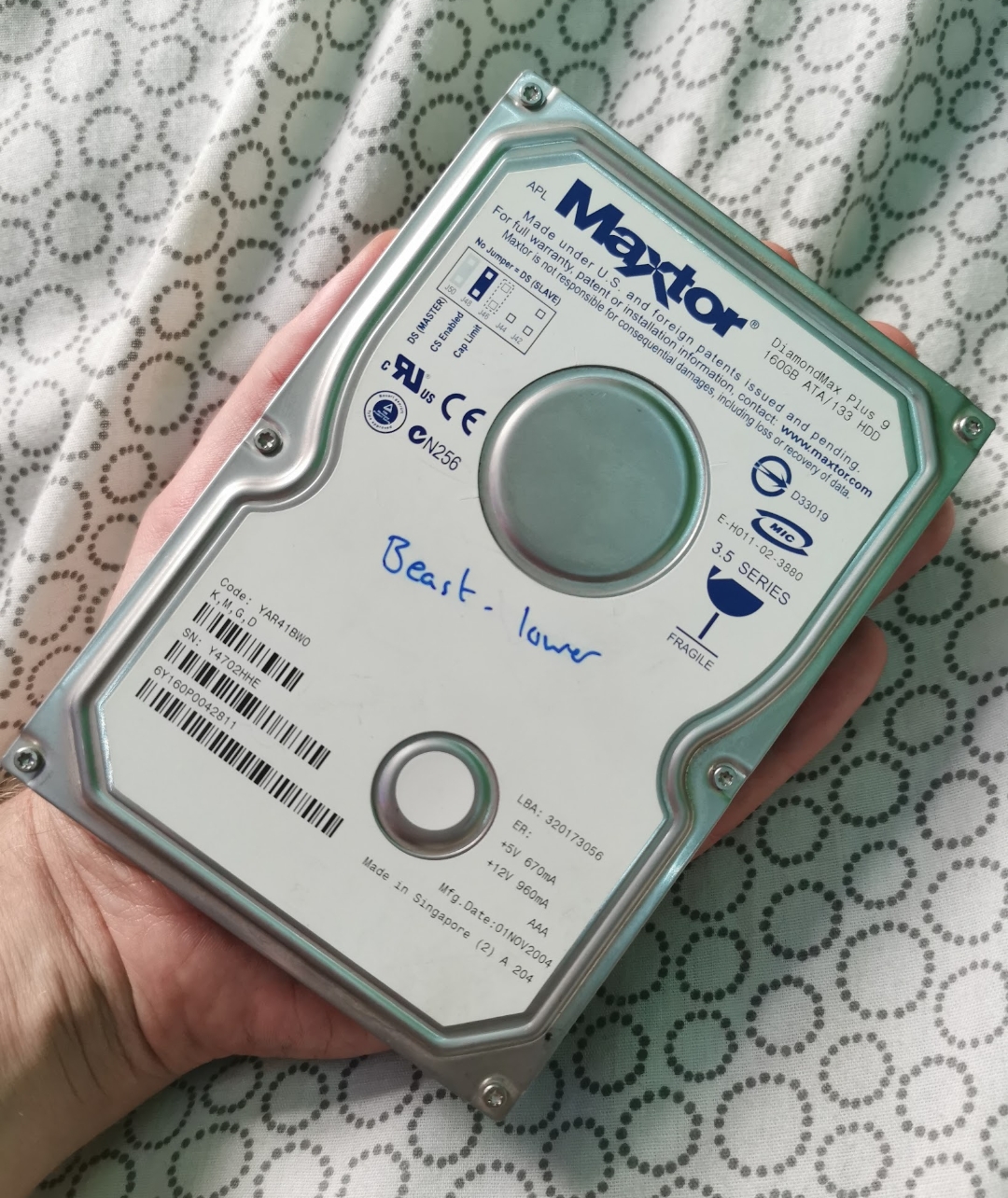
I have these old Hard Drives lying around at home, they're from my school days so probably... 16 years old?

I'm wondering if there's an easy way to connect to them, like an enclosure or some kind of adaptor that will let me connect to them through USB? I only have a gaming laptop so USB is a must really, even if the adaptor requires external power that's fine!

I'm not familiar with old ports like this so, a little help would up a long way. To can tell they're old by the fact this one is called "beast". Big drive for me at 14 years old 😂

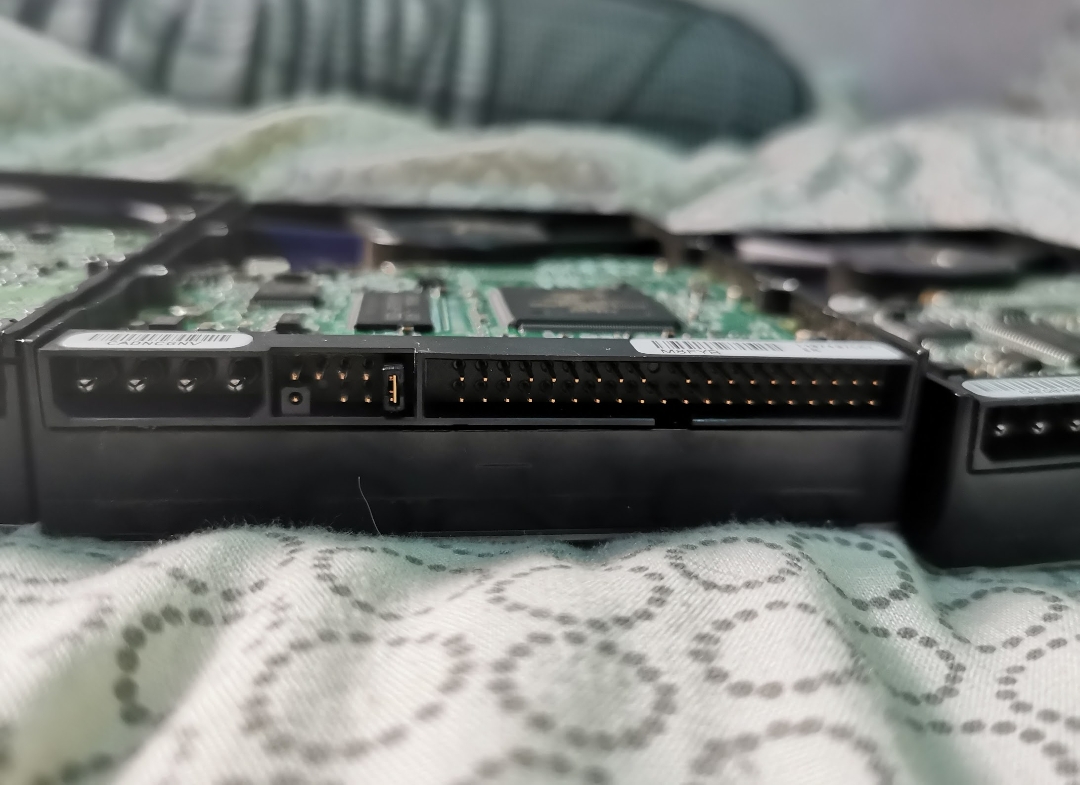
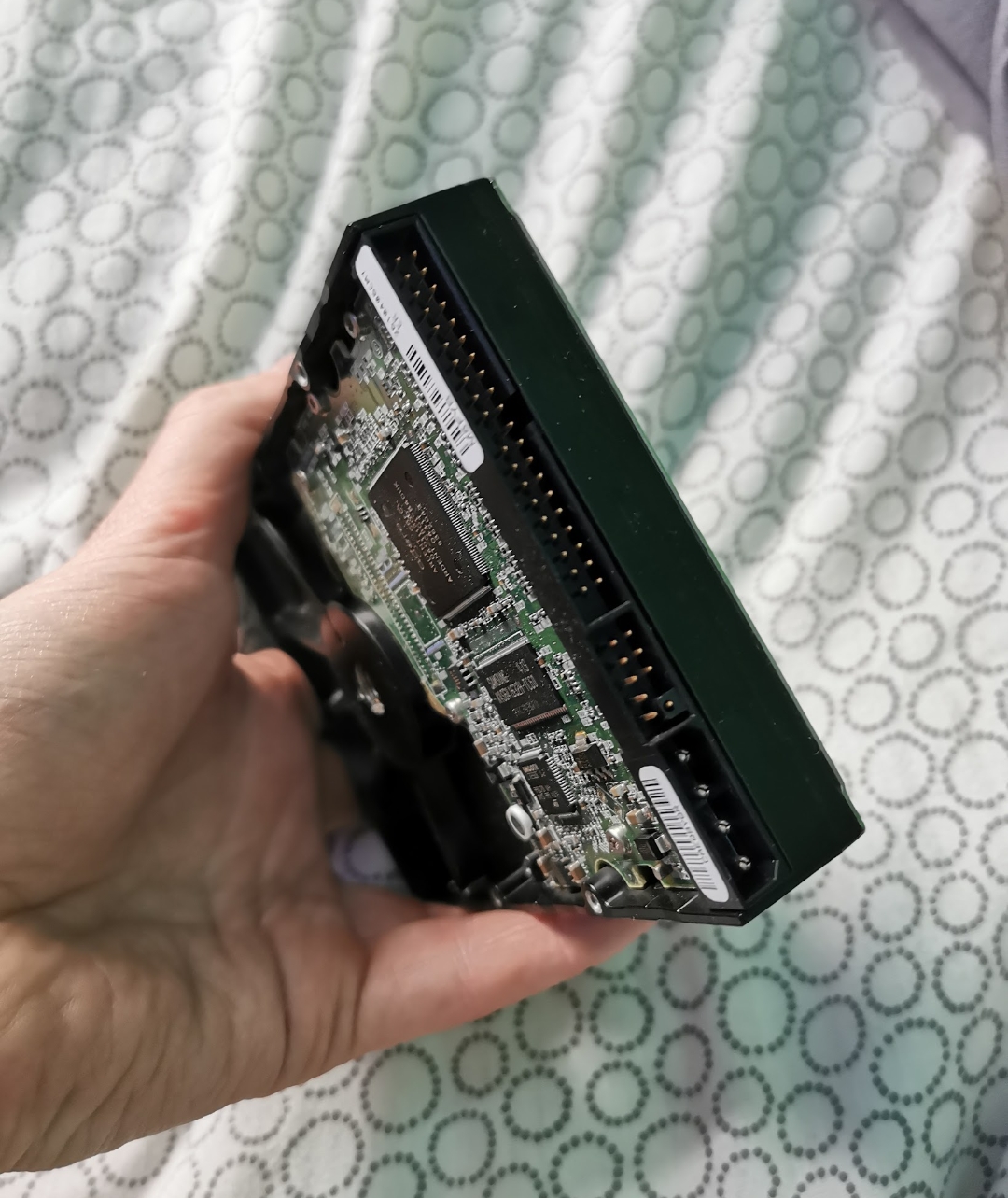
Here are the drives/ ports:
Screenshot_2022-11-08-18-34-28-47_965bbf4d18d205f782c6b8409c5773a4.jpg

Screenshot_2022-11-08-18-34-16-34_965bbf4d18d205f782c6b8409c5773a4.jpg

Screenshot_2022-11-08-18-34-01-66_965bbf4d18d205f782c6b8409c5773a4.jpg

Note: The 'link' on the middle port of the HDD in the second picture is not fitted to all 3 drives. Will it need removing to read data in an adaptor/ enclosure?

Thanks all!

 
I use a sata station to access old drives. the one I have works with both 3.5" and 2.5"
Post automatically merged:

this doesn't work with an m2 ssd though, if that's what you're wanting to use. I don't know how to read them externally. there's probably some sort of adapter.
 
  • Like
Reactions: SylverReZ
I use a sata station to access old drives. the one I have works with both 3.5" and 2.5"
Post automatically merged:

this doesn't work with an m2 ssd though, if that's what you're wanting to use. I don't know how to read them externally. there's probably some sort of adapter.
i got one of them also, grabbed it from ebuyer in a sale for about £9 or $10, still going strong.
 
considering the age of the hdd, op, I assume it's not an m2, it couldn't be. lol sata stations can be expensive though, so maybe an adapter of some sort. though you could always buy one of those cheap enclosures for a couple dollars. if it's a 2.5" drive that is. a 3.5" one will likely need a power source or a y cable.
 
  • Like
Reactions: SylverReZ
considering the age of the hdd, op, I assume it's not an m2, it couldn't be. lol sata stations can be expensive though, so maybe an adapter of some sort. though you could always buy one of those cheap enclosures for a couple dollars. if it's a 2.5" drive that is. a 3.5" one will likely need a power source or a y cable.
Most 3.5" HDDs require power of which it does tell you what voltage it requires on the label, whereas 2.5" drives don't really need additional power.
 
  • Like
Reactions: godreborn
Most 3.5" HDDs require power of which it does tell you what voltage it requires on the label, whereas 2.5" drives don't really need additional power.
I remember one of the adapters I used for bulky HDD had power supply provided from sector, but another one simply fetched its voltage from a second USB cable for essentially the same results.

It probably depends on the adapter built itself, since I recall the one powered from USB was a lot more recent.
 
  • Like
Reactions: SylverReZ
Most 3.5" HDDs require power of which it does tell you what voltage it requires on the label, whereas 2.5" drives don't really need additional power.
yeah, I figured as much. I always buy those elements or black wd external hdd. and, I think the highest capacity they make that doesn't need additional power is 5TBs. it's been that way for a while.
 
  • Like
Reactions: SylverReZ
OP if its only the one HDD you want to grab stuff from the attached pic is probably the cheapest route, it does IDE + sata. used these a few times without issue.

View attachment 336330
This one is almost exactly the same one I have bought almost a decade ago. It served me really up to this day.
 
yeah, you do need to be careful with this one, because I once bought something like this for an old hdd, and I could smell something burning after it had been plugged in for a short time.
 
  • Haha
Reactions: SylverReZ
Holy crap I didn't expect such a response to this thread ahaha! Thanks everyone, great info everywhere!

considering the age of the hdd, op, I assume it's not an m2, it couldn't be. lol sata stations can be expensive though, so maybe an adapter of some sort. though you could always buy one of those cheap enclosures for a couple dollars. if it's a 2.5" drive that is. a 3.5" one will likely need a power source or a y cable.
I'm actually just trying to read and copy the data found on the HDDs shown in the spoiler tag in the original post. Not an M.2 by any means ahaha!

OP if its only the one HDD you want to grab stuff from the attached pic is probably the cheapest route, it does IDE + sata. used these a few times without issue.

View attachment 336330
Since youself and VinsCool have suggested this I think I'll take a look into it. but I've got so many questions :rofl:

I'm unfamiliar with connections on these older HDDs and I've never built or looked into cabling or building a PC, so it looks terrifying how many cables are there.

What's the red cable for, SATA?

I gather The HDD plugs into the black box and USB's to the PC, then where does the power for the drive come from? I see there's a 4 pin power connector, but will I need to use that for the HDD to get enough power to 'turn on'? If so, where do I get that power from? I'm only connecting to a Laptop so don't have a 4 pin power output to plug into...

Sorry for all the questions, it's embarrassing knowing this little about how to connect a bloody hard drive ahaha
 
that hdd is a ide, so you plug that in for data, then molex (the four pin part of the drive) for power. I think that's correct as I can't even remember the last time I messed with an internal hdd that old. :P
 
that hdd is a ide, so you plug that in for data, then molex (the four pin part of the drive) for power. I think that's correct as I can't even remember the last time I messed with an internal hdd that old. :P
thats correct buddy
Post automatically merged:

Holy crap I didn't expect such a response to this thread ahaha! Thanks everyone, great info everywhere!


I'm actually just trying to read and copy the data found on the HDDs shown in the spoiler tag in the original post. Not an M.2 by any means ahaha!


Since youself and VinsCool have suggested this I think I'll take a look into it. but I've got so many questions :rofl:

I'm unfamiliar with connections on these older HDDs and I've never built or looked into cabling or building a PC, so it looks terrifying how many cables are there.

What's the red cable for, SATA?

I gather The HDD plugs into the black box and USB's to the PC, then where does the power for the drive come from? I see there's a 4 pin power connector, but will I need to use that for the HDD to get enough power to 'turn on'? If so, where do I get that power from? I'm only connecting to a Laptop so don't have a 4 pin power output to plug into...

Sorry for all the questions, it's embarrassing knowing this little about how to connect a bloody hard drive ahaha
the black box is for data, the short molex cable (white one end and black at the other) will connect to a wall plug power supply to give power to the HDD. whenever you order make sure it comes with a power supply as USB cannot power a 3.5" drive on its own.
 
Last edited by sudeki300,
  • Like
Reactions: godreborn

Site & Scene News

Popular threads in this forum