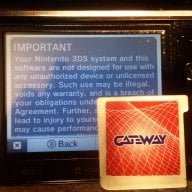
I can't recall what firmware it was on, but when we got our replacement/repaired 3DS, the firmware was not on the latest at the time, because I remember having to update it. Also, some of my friends bought refurbished units from Nintendo in preparation for Smash, and theirs were anywhere around 6.x-8.x. Of course, maybe just buying another 3DS would be safer, but the worse case scenario is that OP sends it in for repair, gets a 9.4 console, and sells it off to buy another.
most recent info we have to go on is this
http://www.maxconsole.com/maxcon_forums/threads/286732-3ds-was-updated-to-9-4-by-nintendo-repairs
and generally if there is hacks or exploits released repair centers are advised to update systems before sending them out.........that's not to say all of them do, but if one center is already updating to 9.4, most of them will be.....plus you can get a second hand system for 70 euro (obviously depending on country/region)but if you sell on the faulty console you would probably end up better off and have it all done sooner
ahh ok so its an XL, i was assuming an original

....well its all fairly easy to disassemble, just be careful with the little ribbon cables and clips L+R buttons can just be popped off then the back comes off, and to take the motherboard out, remove the screws, and the top screen ribbon cables, open the 3ds out flat, unhook the circle stick (just needs the 2 screws removed and pulled up, there will be 2 little circle things underneath, keep them to one side with the stick, unhook the wifi module, and move it out the way of the motherboard, push up on the touchscreen to lift up the motherboard....but be careful there is 1 more ribbon cable for the top screen lift it up, remove lower LCD, then unclip the last ribbon cable from the top screen, the motherboard should now just lift out....clean and dry
hmm weird it looks like the wifi is stuck to the top of the case.....guess it will of been pooled in the apple juice, that may need replacing, but they are also pretty cheap