
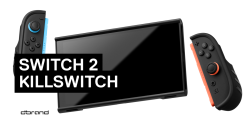
Review cover Dbrand Killswitch For The Switch 2 GBAtemp review
Hardware

Product Information:

After a disastrous initial launch, Dbrand claims to have fixed the glaring issues of their first batch of Switch 2 cases. Did they make good on their claims?

attachFull528621

When the Dbrand Killswitch was announced, it seemed like it would be the perfect premium case for the Switch 2. With a relatively good track record and reputation, it looked like everyone in the market for a Switch 2 case was considering a pre-order. Even influencers who got early samples had nothing but great things to say about the case. However, once real customers started to get their hands on the Killswitch, many obvious flaws were spotted that made you question how Dbrand even brought it out of the prototyping phase. After a few announcements saying they were researching and developing a new version to fix the issues, the new Killswitch is now in our hands so we can finally see if it’s worth the hefty price tag.

Dbrand offers 3 Killswitch “kits.” The Essential Kit is $59.95 and includes the case, a skin of your choice, and a dock adapter. The Travel Kit is $99.85 and adds a travel cover that also holds some game cartridges, along with stick grips. The Ultra Kit is $134.90 and includes everything mentioned plus 2 screen protectors. I chose the Travel Kit because I liked the idea of having everything you need to just throw your Switch 2 in your bag.

If you’ve ever been forced to listen to ad reads from your favorite YouTubers, you’ve probably heard that Dbrand claims their installs are quick and easy. I was interested in testing these claims because I’m a perfectionist when it comes to installing skins (which are included in the package). So when I opened up their premium packaging, I followed along with their quick installation video and applied everything almost carelessly. To my surprise, the installation really was just as easy as they claimed. Everything was painless, including the joy-con skins. I’m sure if I looked close enough, I’d find some misalignment, but even without trying to be perfect it still came out looking nice.

attachFull528622

With everything installed, the case looks substantially bulkier than the naked Switch 2, but it gives the console a clean and mature look. While the controller skin is optional (and included), I’m quite happy with how my damascus choice turned out. I didn’t run any scientific drop tests, but in the hand it feels reassuring—like it would easily protect the device from an accidental fall off a table or from a child’s hands. That said, I do think the travel cover looks a little ugly compared to the case itself, but you’ll likely be leaving that in the bag anyway.

I have mixed opinions on the joy-con grips. In handheld mode, the grips definitely make for a more comfortable experience, but even with my smaller hands I found them too small compared to using my Steam Deck. I did find that, along with the stick grips, my aim was better in shooters like Apex Legends, but don’t expect anything close to a pro controller experience. The stick grips do a lot to trick your fingers into thinking they’re holding a bigger joystick, but due to the vertical joy-con button layout, aiming with the right stick still feels inferior. If the grips angled outward more, your thumb would rest more comfortably on the joysticks but that’s not the case here. I also noticed that with the stick grips installed, the Minus button on the left joy-con is annoyingly hard to press. Not a dealbreaker, since the grips are removable, but worth noting.

In tabletop or TV mode, the split joy-con experience can actually feel worse. The grips make the face buttons more accessible, but I found myself missing the slim and lightweight feel of bare joy-cons. While that’s subjective, what is objectively a downgrade is the ZL and ZR buttons becoming harder to reach. Since your fingers rest on the grips, you can’t press the side buttons without completely adjusting your grip and even then, it’s not comfortable. Bigger hands might have an easier time, but I doubt it would be much more comfortable. This is a shame because I often use the bumpers like on a pro controller. It’s a trade-off that feels worthwhile for handheld mode, but it was an unpleasant surprise.

attachFull528623

So what about the flaws in the first batch of Killswitch cases? There were two notable issues that Dbrand claims to have fixed. First, people complained that docking and undocking the Killswitch required two hands instead of one. I personally had more trouble lining up the USB-C port when docking, but for undocking you can use one hand, you just may need a finger or two to push down on the dock. The second, and more infamous, issue was that you couldn’t hold the Switch 2 by a single joy-con without it detaching. This flaw was so glaring it made you wonder why none of the influencers mentioned it. Thankfully, that issue is gone—at least on my case. I can hold it by one joy-con and even shake it around without the Switch falling out. Despite Dbrand’s rocky response to the backlash, I’m glad they fixed the issues and offered replacements to those affected.

Spending $60 on a case can feel steep when Amazon is full of cheaper options that also claim to protect your console. But with the higher price comes a reputable brand, premium materials, and a slick presentation. If you want a travel case with solid protection for your Switch 2, the Travel Kit is worth it for peace of mind. However, if your main goal is to improve ergonomics, especially if you mostly use TV mode, you’ll likely find better alternatives out there.

Verdict

What We Liked ...
  • Good Feeling Materials
  • Improves Handheld Experience
  • Allows for Docking With Dock Adapter
  • Comes with a Dbrand Skin
  • Seamless Install Experience
What We Didn't Like ...
  • Grip Shape Could Be More Ergonomic
  • No ZL and ZR Buttons With Split Joycons
  • Stick Grips Make Minus Button Hard To Press
7.9
out of 10

Overall

The KillSwitch is worth the money and does a good job at everything it is setting out to do but it is not great at any one of them. You will likely never take this case off your Switch 2 but that does not mean it didn’t make compromises.
Welcome to our Community
Wanting to join the rest of our members? Feel free to sign up today.
Sign up
Why do I feel like I should NOT buy this?
Or that if I buy one, I should only use it on someone else's switch...?
 
The Killswitch Case for the Steamdeck is phenomenal. This just seems like it wants to contradict itself.
 
  • Like
Reactions: emigre
I like it. The Switch feels so much more sturdy with it. There are two things that could be better. 1. The game card holder could easily hold more games. There's a lot of wasted empty space and 10 games just doesn't feel like enough. I have a separate case for my remaining games so not a big deal but a minor gripe. 2. The travel cover is rather ugly. Some similar cases have nicer looking travel covers so it can be done.

There is a dot on the case and dock to help you align the USB-C port while docking. Can be hard to see depending on where your dock is placed though.

Personally I didn't have any problems with the grips being too small. You're never going to have comfort equivalent to a full size controller because you would have to make essentially cut a controller in half and add the equivalent of that amount of bulk to the console and this is supposed to be a portable device. As well as that having the grips protrude more would make them uncomfortable in sideways mode. I appreciate that they didn't go overboard with the size of the grips.
All in with travel cover attached the size is about the same as a Switch 2 in a slim pouch so you aren't compromising on portability in order to have comfort grips. And overall it's a huge improvement that personally took the Switch 2 from not being usable in handheld mode for any extended period of time to actually being enjoyable to use for hours and hours. And that's all I wanted out of it, so I couldn't ask for any more.

I'm not a massive fan of the dock adapter. I actually kinda like that it turns the dock into a display stand, but it also increases the footprint of the dock and reduces portability. It's well made, and it was certainly necessary to come up with a solution for docking, but personally I would have rather had a injection molded custom shell for the dock keeping the portability and just slightly increasing the space to allow the case to fit or even redesigning the shell to be more portable, but understandably the majority of people wouldn't be willing to disassemble/modify their dock just to use a case so that's a very me problem.

I think I will 3D print a custom dock shell to fit the Killswitch as there are a few designs for portable dock shells that are designed with the Killswitch in mind. I frequently bring the Switch 2 + dock with me so I wanted a portable dock anyways. They are all rather ugly though. Be nice to have an injection molded option for a custom dock shell like I said.

Worth noting that the Killswitch provides more complete protection than most/all other cases. They covered nearly every part of the Switch 2 they could, even going so far as to design a separate piece to cover the stand, and you can hardly recognize it with everything installed, but I think that's a good thing. Any part that couldn't be protected by the case, like the face of the JoyCons or the area around the USB-C port on the bottom, they give you skins for.

It is a little pricy overall but you definitely get what you pay for. It's extremely well made. The dock adapter feels better quality than the official dock itself (although looks wise, it blends in perfectly with the dock). And the console feels sturdy enough to bludgeon someone without damaging it. The case itself has an extremely nice stone texture to it that doesn't even feel like plastic and doesn't get slippery whatsoever with gamer sweat and grease buildup.
There are way cheaper options like the JSAUX, but the quality seems much less premium and they don't come with as many features. So with that in mind I think the price is reasonable.
 
How many of these YouTubers would have bought it without it being promotional material? I paid for one of their Xbox Series skins, wasn’t a huge fan, some of their PlayStation plates though have been pretty well done and felt high quality.
 
I've got the Killswitch for the Steam Deck and it is indeed excellent. Have not gamed raw on the Deck since I got it.
 
  • Like
Reactions: Kioku
How many of these YouTubers would have bought it without it being promotional material? I paid for one of their Xbox Series skins, wasn’t a huge fan, some of their PlayStation plates though have been pretty well done and felt high quality.
In their defense, the skins are high quality. I got a vinyl skin for my Switch 2 from them, and even though took a little finagling, I think the finished product looks stunner -- much better than the giant NINTENDOSWITCH2 on the back of the standard console.

(For anyone stalking my comments, I didn't buy it on principle, since Nintendo has been devolving for years, but my partner bought it for our anniversary).
 
In their defense, the skins are high quality. I got a vinyl skin for my Switch 2 from them, and even though took a little finagling, I think the finished product looks stunner -- much better than the giant NINTENDOSWITCH2 on the back of the standard console.

(For anyone stalking my comments, I didn't buy it on principle, since Nintendo has been devolving for years, but my partner bought it for our anniversary).
I don't like the orange peel look of my Joycon 2 skins. The surface isn't smooth, it's full of microscopic dimples. It looks kinda cheap if i look closely, though it's not that noticeable in use. It's the only part of the Killswitch 2 that I don't like.
Maybe a matte skin would look better. It doesn't say if any of their skins are matte. But they gave me the triple black damascus along with the acid pattern that I ordered, the triple black is a lot more matte so I might like it better. Perhaps not quite as matte as the stock finish on the joycons (which I quite liked and felt like the acid skin was cheapening the already rather premium look)
 
I don't like the orange peel look of my Joycon 2 skins. The surface isn't smooth, it's full of microscopic dimples. It looks kinda cheap if i look closely, though it's not that noticeable in use. It's the only part of the Killswitch 2 that I don't like.
Maybe a matte skin would look better. It doesn't say if any of their skins are matte. But they gave me the triple black damascus along with the acid pattern that I ordered, the triple black is a lot more matte so I might like it better. Perhaps not quite as matte as the stock finish on the joycons (which I quite liked)
I got the ultramatte finish version of the breakdown or whatever it's called. It's the skin that makes the console look transparent. Guess I made the right decision!
 
  • Like
Reactions: The Real Jdbye
Welcome to our Community
Wanting to join the rest of our members? Feel free to sign up today.
Sign up
Review cover
Product Information:

Reviews

  1. A 70s mystery FPS with puzzles, this game definitely has my attention, but will it hold it?

  2. CZUR, maker of document scanners and projectors, comes to us today with their K5S Pro bluetooth keyboard.

  3. The Xiaomi 17T Pro, while not quite as beefy as the 17 Pro, is still a powerful Android phone with real emulation potential.

  4. Zero Parades: For Dead Spies marks ZA/UM Studio’s return to the CRPG genre. Has the wait been worth it?

  5. A 1440p pen display running at 90Hz, we check out the latest generation of the Kamvas 22!

Site & Scene News