Homebrew game Project [Release] Twilight Princess for Switch — Dusklight "Alek's Ultimate NX Edition" public beta 1.0.0-beta.1

alexgg1014

Well-Known Member
Member
Joined
Jul 24, 2026
Messages
105
Reaction score
178
Trophies
1
Age
18
XP
437
Country
Mexico
cover.jpg


The Legend of Zelda: Twilight Princess — Alek's Ultimate NX Edition
Unofficial Nintendo Switch homebrew port of Dusklight · Public beta 1.0.0-beta.1

» Download the latest beta «
​

Dusklight is a reverse-engineered reimplementation of Twilight Princess by Twilit Realm, built on the Twilight Princess decompilation. This fork builds it as a Switch homebrew (.nro): Aurora and Dawn (WebGPU) on the Mesa Vulkan driver for Horizon, with SDL3 on libnx.

Features
  • 30 FPS target at stock clocks, with three profiles: Quality, Balanced and Performance
  • Automatic resolution: 900p docked, 720p handheld, 540p on Flip Grip (a resolution picked by hand replaces Auto)
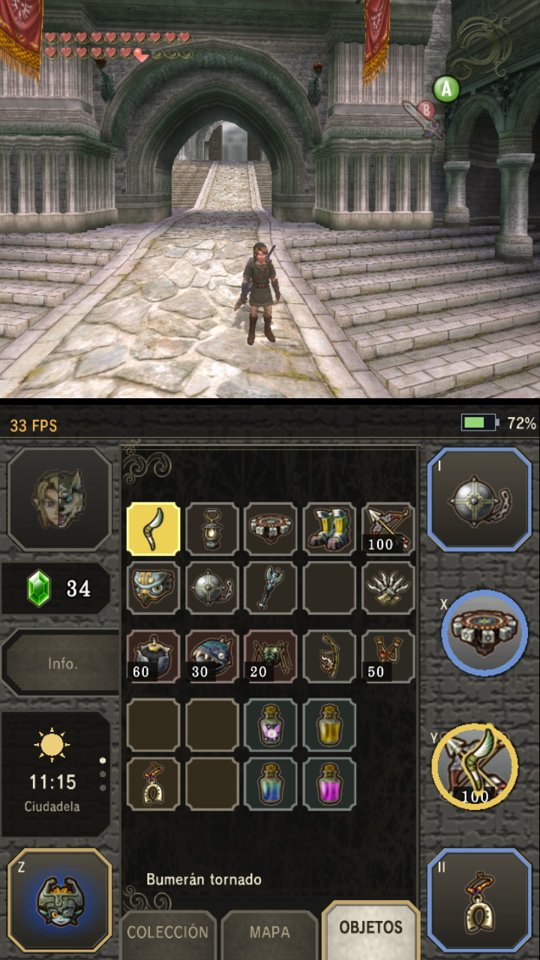
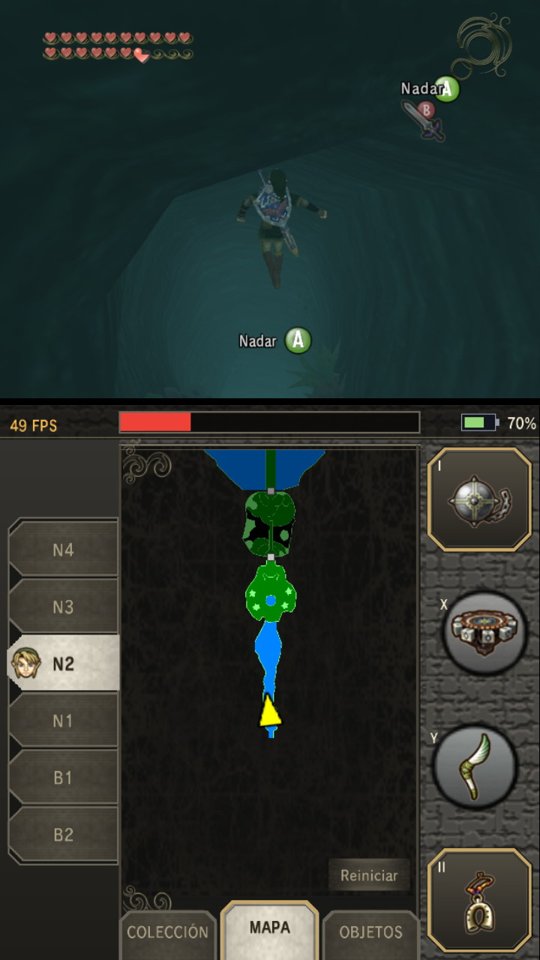
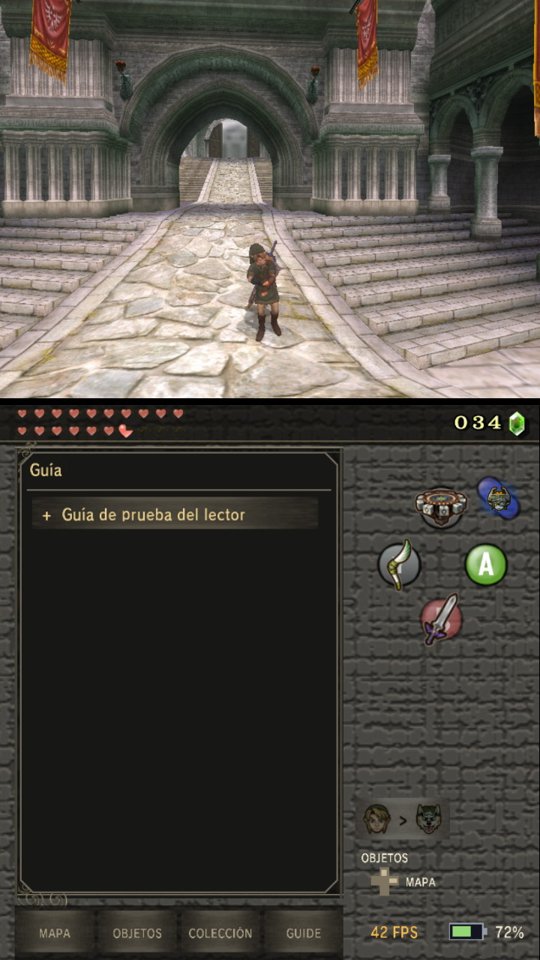
  • Flip Grip companion screen: game on top, touch dashboard below with items (drag to X/Y), collection, dungeon maps by floor and a guide reader
  • Joy-Con, Pro Controller and handheld all work; gyro aiming for the bow, slingshot, boomerang, clawshots and more
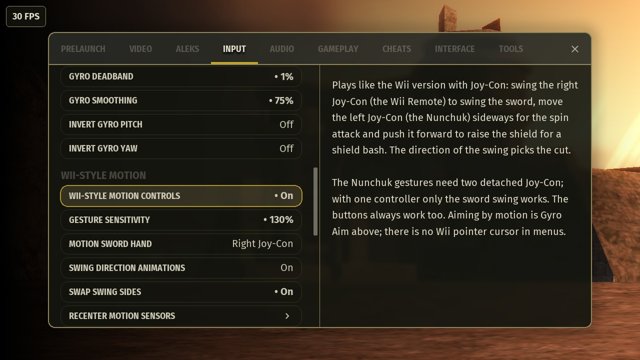
  • Optional Wii-style Joy-Con motion controls: directional sword swings, spin attack, shield bash; the buttons always keep working
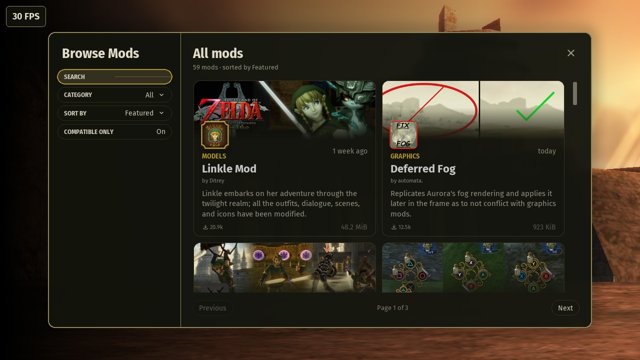
  • Native mod loader (Dry Run / Execute) and in-game mod browser; exact package releases known to crash on this build are blocked
  • Switch builds of Dusklight Randomizer 1.0.6 and Twilit Essentials 2.5.0 included
  • Disc images: ISO, GCM, RVZ, WIA and GCZ
  • Tools: shader preparation, benchmark, performance tour and a session log

Performance (seen on the console, handheld, stock clocks)
ProfileWhat it doesObserved
QualityNative 30 FPS, 4× shadows, bloom and depth of fieldSteady 30 FPS
BalancedInterpolation up to 60, falls back to a clean 3030–60 FPS
PerformanceFast interpolation, lighter effectsMedian ~51 FPS in lighter scenes, peaks near 60
Session-log samples, not a formal benchmark. 60 FPS is not promised; towns, caves and Castle Town are CPU-bound at stock clocks.

Screenshots
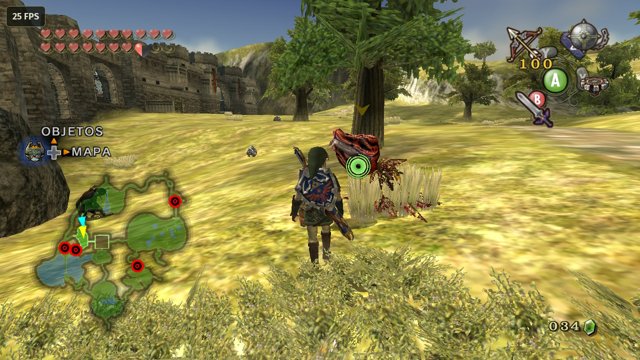
game-hyrule-field.jpg

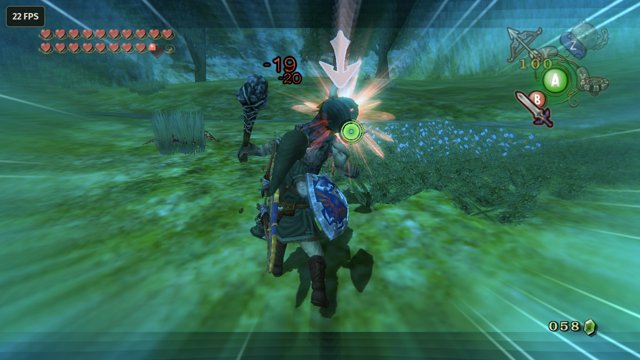
game-field-combat.jpg

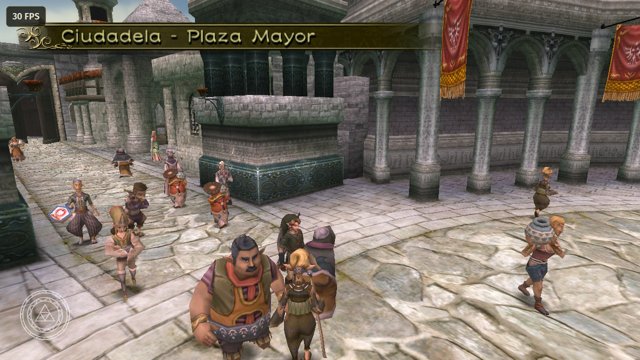
game-castle-town.jpg

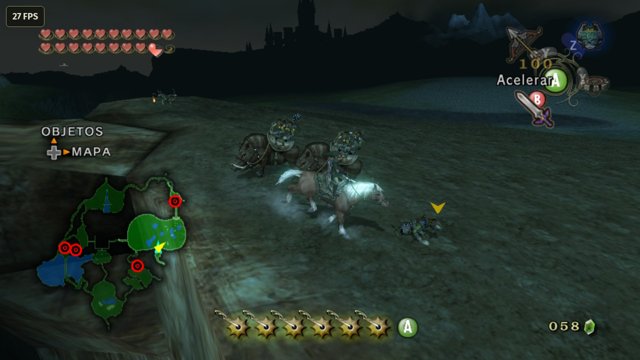
game-epona-night.jpg

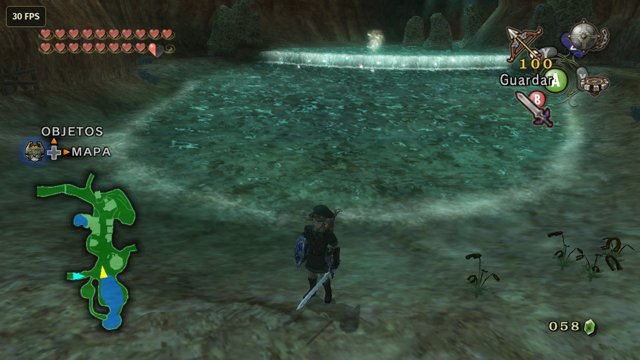
game-ordon-spring.jpg

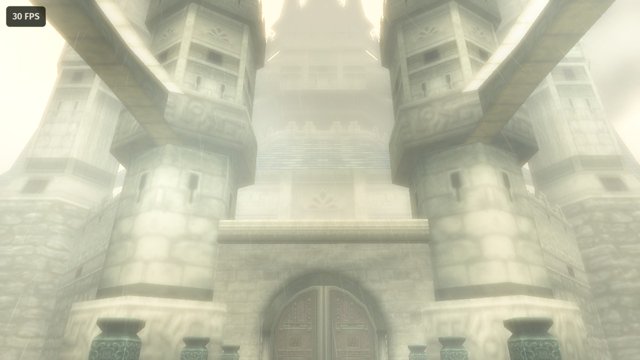
game-castle.jpg
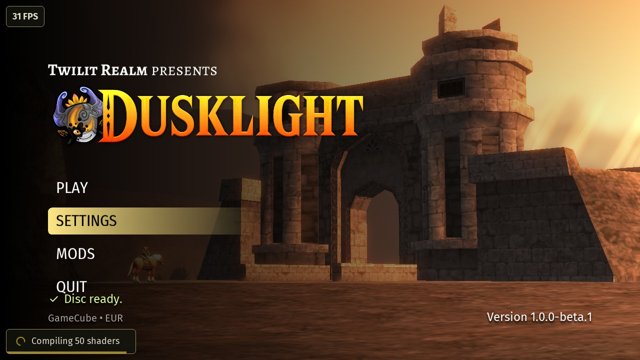
menu-main.jpg

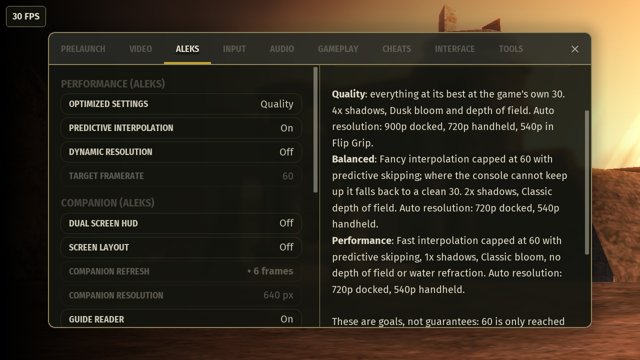
menu-performance.jpg

menu-wii-motion.jpg

menu-randomizer-selector.jpg

mods-browser.jpg

mods-boss-rush.jpg
flipgrip-items.jpg

flipgrip-dungeon-map.jpg

flipgrip-guide.jpg

Installing
  1. If you already use Dusklight, close the game and back up the whole sdmc:/switch/dusklight/ folder. It contains your saves, settings, mods and mod data.
  2. Extract Alek-Ultimate-NX-v1.0.0-beta.1.zip to the root of your SD card. You get:
    Code:
    sdmc:/switch/dusklight-aleks/dusklight.nro
    sdmc:/switch/dusklight/mods/randomizer.dusk
    sdmc:/switch/dusklight/mods/twilit_essentials.dusk
  3. Put a dump of your own Twilight Princess disc in sdmc:/switch/dusklight/ or sdmc:/switch/dusklight/discs/.
  4. Launch it from hbmenu.
  5. For Randomizer and Twilit Essentials: Settings → Aleks → Diagnostics → Native Mods: Loader Mode → Execute, then restart. The default, Dry Run, only checks native mods.
ZIP SHA-256: db64a8cd8a48dfa0b311cdb8be724f38625bdee81e465410fdb9a54dc71800ef
No copyrighted game data is included.

Known issues
  • Deferred Fog 2.0.0 crashes while compiling its fog shader; it is blocked in the mod browser.
  • The old Debug package of TP Classic Modern Controller UI 1.3.1 crashes and is blocked. Version 1.3.2 works in the tested scenarios (don't disable it during gameplay; go back to the title screen and restart).
  • Dynamic resolution is off in this beta; the first visit to an area may stutter while shaders compile.
The full list of tested, untested and incompatible mods is in the README.

How it was made
This port was made by one person with a lot of AI help. Claude (Anthropic) wrote most of the Switch-specific code, tests and docs; ChatGPT (OpenAI) helped with research, diagnosis, planning and the artwork. I directed it, made the decisions, and tested every build on my own Switch. Details in the README. It is not meant to be sent upstream.

Credits
  • Twilit Realm for Dusklight, and the Twilight Princess decompilation team
  • encounter for Aurora, the Dawn fork with Switch support and nod
  • HayatoG (original Switch layer, switch-nvk), danfromtico (Mesa for Horizon), igawa6 (dual-screen companion), SiggeMcKvack: used with permission
  • Mod authors: Twilit Realm (Randomizer, Cosmetics), Fimmel (Twilit Essentials), MelonSpeedruns (Roll and Sprint), XandasLegend (Cowboy Link, TP Classic UI)
  • devkitPro, libnx, Atmosphère and the SDL3 Switch branch

Independent fan fork, not affiliated with Twilit Realm or Nintendo. The Legend of Zelda and Twilight Princess are trademarks of Nintendo. Source: GitHub.
 
does this run at a stable 30fps>?
In my testing it gets close to 30 fps on a stock-clock Switch (V1), but it isn't rock-solid everywhere. Some areas and transitions dip a bit. I'd treat 30 fps as the target, not a guarantee. Docked it targets 900p and handheld 720p.

The presets ship with the fps cap at 60, which the Switch can't actually reach here. In Balanced I'd lower the cap to 45 instead of leaving it at 60. That's my own recommendation, not an official setting.

With the Flip Grip preset (540p) it's almost 30 fps in every scenario I tried, as long as shaders aren't compiling at that moment. Happy to share more details if you tell me which scene you're curious about.

Keep in mind mods can change performance, so results may vary if you use them.
 
  • Like
Reactions: misticknight1
In my testing it gets close to 30 fps on a stock-clock Switch (V1), but it isn't rock-solid everywhere. Some areas and transitions dip a bit. I'd treat 30 fps as the target, not a guarantee. Docked it targets 900p and handheld 720p.

The presets ship with the fps cap at 60, which the Switch can't actually reach here. In Balanced I'd lower the cap to 45 instead of leaving it at 60. That's my own recommendation, not an official setting.

With the Flip Grip preset (540p) it's almost 30 fps in every scenario I tried, as long as shaders aren't compiling at that moment. Happy to share more details if you tell me which scene you're curious about.

Keep in mind mods can change performance, so results may vary if you use them.
thank you :)
 
  • Like
Reactions: alexgg1014
What's planned for v1.0
the non-beta release

Cloud cross-save
This is the big one. You'll be able to sync your save between Dusklight on PC/Android and the Switch. If both sides changed, it asks you which one to keep instead of overwriting anything, and it always keeps a local backup.

Performance
Dynamic resolution will come back once it survives a long stress test. I also want to ship a shader list with the game so the console can prepare shaders ahead of time, which means less stutter the first time you visit an area. The target stays the same: a steady 30 FPS at stock clocks, and 60 where the Switch can keep up.

Mods
I'll fix the Deferred Fog crash (its shader needs more stack on Switch), test more catalog mods on real hardware (Fairy Companion, KH2 Camera...) and try to get a few others working that only need small fixes, like Zora Swim, Chicken Bombs, Cutscene Player and Zelda on Epona.
I'm also looking into A Link Between Twilight, but that one needs extra loader work, so no promises there.

Polish
Hiding the developer/diagnostic tools from normal users, a clean build of the graphics driver for the final release, and whatever comes up from your reports. If something breaks, the logs in sdmc:/switch/dusklight/cache/logs/ help a lot.

No dates yet, the beta feedback decides the order.

P.S. Yes, this port supports rumble and gyro (gyro aiming for the bow, slingshot, boomerang, clawshots and so on).
 
Your build compiles all the shaders on the menu before starting the game like on pc ? the stutter it's what turn me off while playing more than resolution or framerate.
 
Your build compiles all the shaders on the menu before starting the game like on pc ? the stutter it's what turn me off while playing more than resolution or framerate.
Not yet. Right now shaders get compiled as they're needed, so you may get brief stutter the first time an effect or area shows up. The compiled cache is saved on your console, so it gets smoother after that (and it rebuilds if the driver changes). A "Preparing shaders" screen that precompiles everything before you start playing is planned, because I agree the stutter bothers more than resolution or framerate.

From my own testing on a V1, compiling around 800 shaders takes under a minute here, while another port I tried took around 6 minutes for about 600. Not a controlled benchmark, but the difference was noticeable.
 

Site & Scene News

New Hot Discussed User Submitted