


Dragon Quest Monsters: Joker 3 Professional has had an English fan translation since 2021, but it shipped with problems that could stop you partway through. The translation is the Joker 3 Translation Team's, ported to Professional by Eiz, and this build keeps their work and only fixes what was broken.
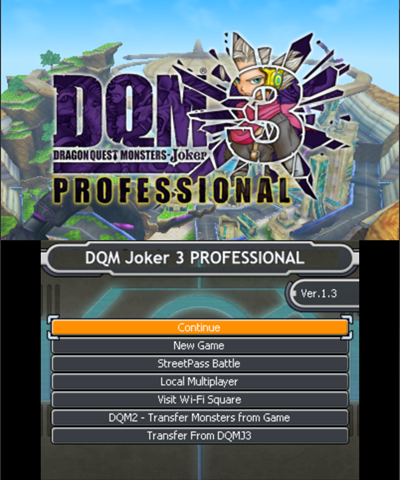
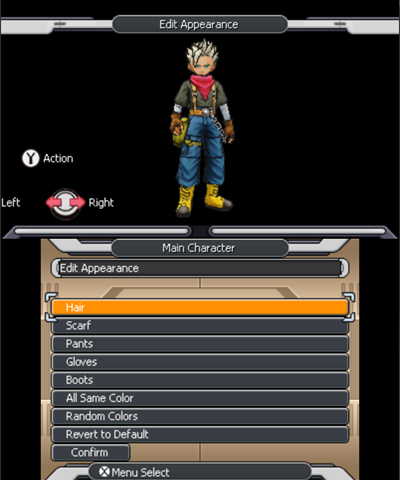
The big one is the crash at The Core, which is gone thanks to Lurpigi's corrected font. Past that, every text layer got proofread and checked against the Japanese, so lines that said the wrong thing now say what the Japanese does. Leftover Japanese strings and UI textures are in English, dialogue breaks between words again, and the name-entry keyboard opens on the Latin tab. Item and monster names aren't cut short on most screens any more, and the Speed Road prompts that locked you out of later races work now.
You'll need your own dumps of the Japanese game and its Ver.1.3 update, decrypted with Batch CIA 3DS Decryptor. The zip has both xdelta patches, xdelta3 and a batch file, so drag both decrypted files onto it, then install the base followed by the update. Hashes are in the README.
Online-only content isn't covered. Anthony's plugin restores it and should coexist with this build: https://github.com/Anthcny144/DQMJ3P-unobtainable-content
Every fix is listed in FIXES.md. If something's still wrong, post here or open an issue on GitHub.
Credits to the Joker 3 Translation Team (lead Z6n4) for the translation and for the Professional patch, Lurpigi for the font fix, and Team Incarnus for some reused textures.
https://www.romhacking.net/translations/7737/
https://github.com/Akoi89/DQMJ3P-english-fixed


The big one is the crash at The Core, which is gone thanks to Lurpigi's corrected font. Past that, every text layer got proofread and checked against the Japanese, so lines that said the wrong thing now say what the Japanese does. Leftover Japanese strings and UI textures are in English, dialogue breaks between words again, and the name-entry keyboard opens on the Latin tab. Item and monster names aren't cut short on most screens any more, and the Speed Road prompts that locked you out of later races work now.
You'll need your own dumps of the Japanese game and its Ver.1.3 update, decrypted with Batch CIA 3DS Decryptor. The zip has both xdelta patches, xdelta3 and a batch file, so drag both decrypted files onto it, then install the base followed by the update. Hashes are in the README.
Online-only content isn't covered. Anthony's plugin restores it and should coexist with this build: https://github.com/Anthcny144/DQMJ3P-unobtainable-content
Every fix is listed in FIXES.md. If something's still wrong, post here or open an issue on GitHub.
Credits to the Joker 3 Translation Team (lead Z6n4) for the translation and for the Professional patch, Lurpigi for the font fix, and Team Incarnus for some reused textures.
https://www.romhacking.net/translations/7737/
https://github.com/Akoi89/DQMJ3P-english-fixed
Last edited by gooface,


