Free TV. It plays the live channels that broadcasters and free ad-supported services publish openly. Pick a source, pick a country, pick a channel. No account, no key, nothing to configure.
You can try the exact same app in your phone or PC browser before you touch the console:
https://brewser.io/free-tv/
On the Switch it runs inside Brewser, install it from the catalogue like any other app.
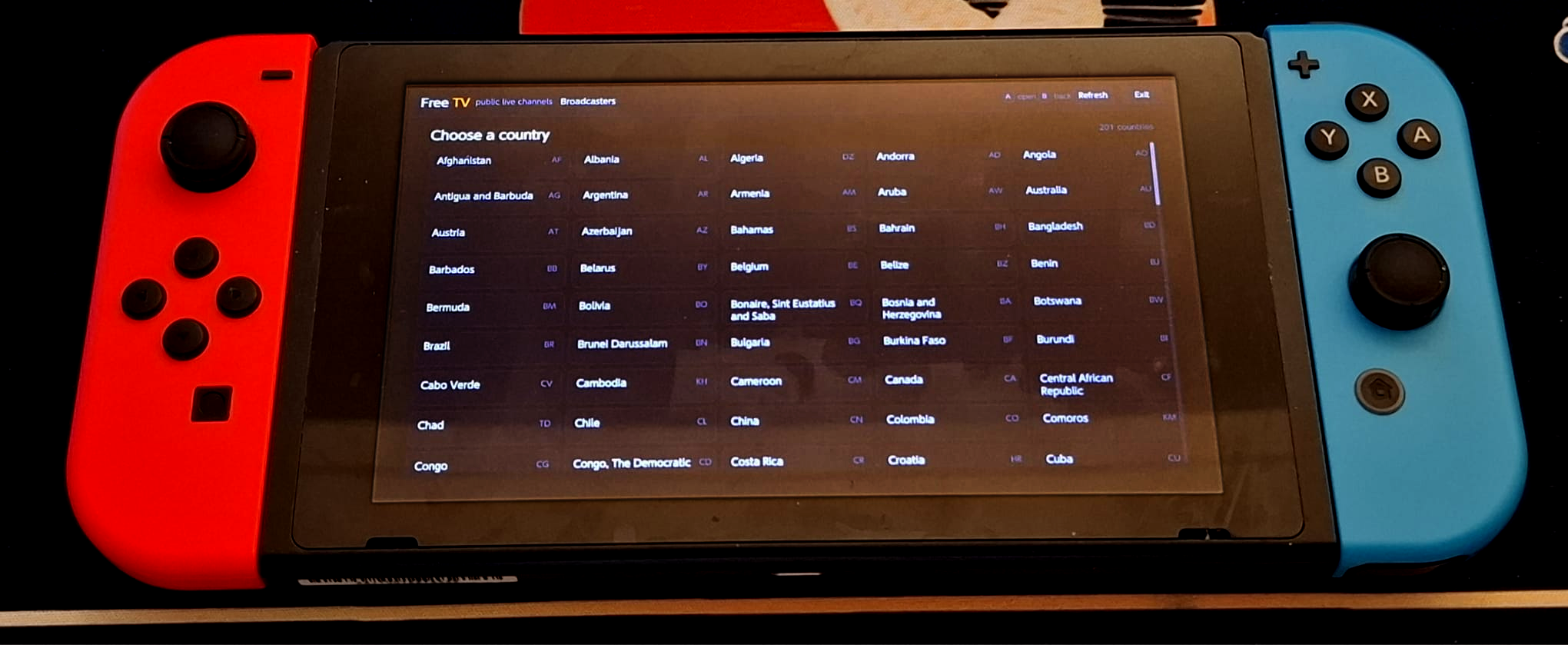
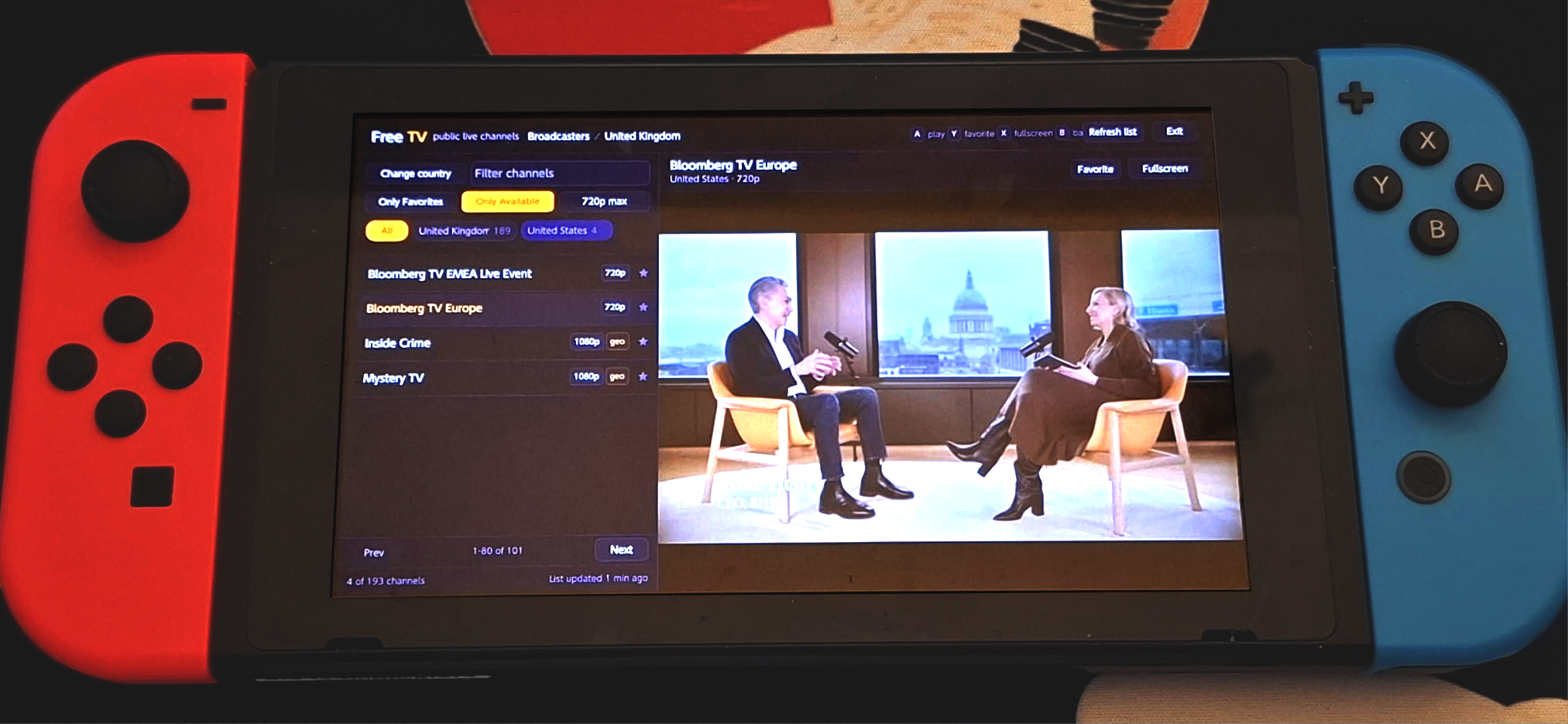
What you get:
Controls: D-pad or stick to move, A select, B back, Y favorite, X fullscreen.
Jellyfin client writeup from the previous post is still here:
https://gbatemp.net/threads/brewser...i-webserial-v8-jit-skia.684141/#post-10905547
If you try Free TV, I would like to know which country you picked and whether the first channel you tapped played. That is the metric that matters for this one.
You can try the exact same app in your phone or PC browser before you touch the console:
https://brewser.io/free-tv/
On the Switch it runs inside Brewser, install it from the catalogue like any other app.
What you get:
- Broadcasters: channels the broadcasters stream themselves, from over 200 countries and territories
- Pluto, Samsung TV Plus, Rakuten TV, Plex: the free ad-supported line-ups, per country
- Favorites gathered from every source, plus filters for favorites only, 720p or lower (easier on the console decoder) and hide unavailable
Controls: D-pad or stick to move, A select, B back, Y favorite, X fullscreen.
Jellyfin client writeup from the previous post is still here:
https://gbatemp.net/threads/brewser...i-webserial-v8-jit-skia.684141/#post-10905547
If you try Free TV, I would like to know which country you picked and whether the first channel you tapped played. That is the metric that matters for this one.