
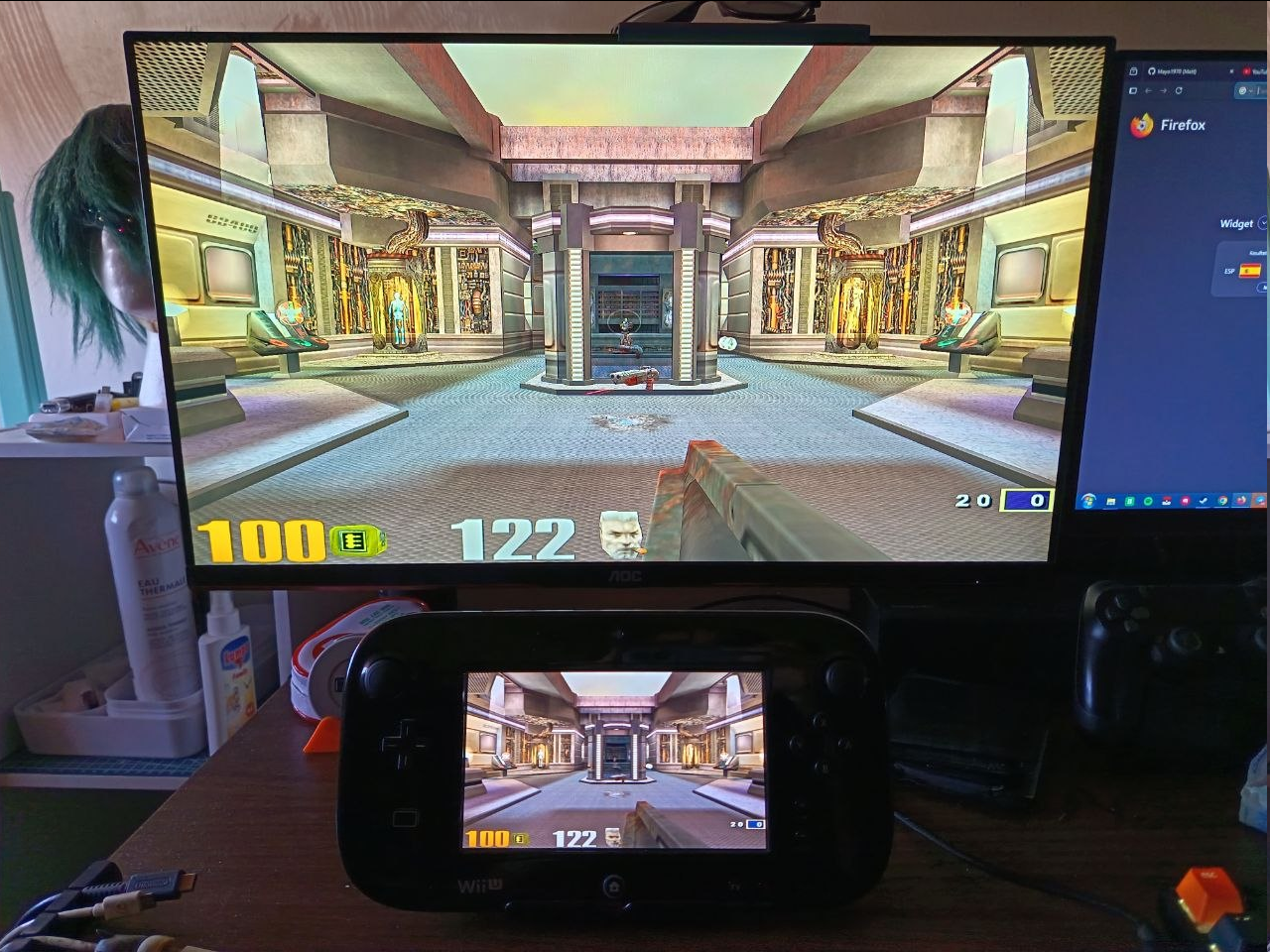
I spent my last few months porting Quake 3 Arena to most consoles that didn't have a port yet (Wii, PS3, PS4, Xbox One), but my main roadblock was always the Wii U. Thanks to all the experience I gained from my previous ports as well as a new toy I'll release later I decided to give it another shot and I got much farther this time. The port is far from playable at the moment, but I lifted most of the roadblocks I ran into last time, which made all this very promising. Since this is my most important project so far, I'd like the first release to be very, very polished. However, I'm still unsure about which name I should pick this time around, so I'll pick the one with most votes the moment I have to do the release.
Main features
Installation
This homebrew can only run under Aroma. Place ioquake3_wiiu.wuhb for Quake III Arena, ioquake3_ta_wiiu.wuhb for Team Arena, ioquake3_oa_wiiu.wuhb for Open Arena and ioquake3_classic_wiiu.wuhb for Classic inside wiiu/apps/, then follow the instructions below where to place the required files. the quake3 folder must be in the root of your SD card.
Quake III Arena
Place pak0-8 in /quake3/baseq3/ from your own Quake III Arena copy.
Open Arena
Place all the pak files in/quake3/baseoa/ from your own Open Arena copy.
Team Arena
Place pak0-3 in /quake3/missionpack/ from your own Team Arena copy.
Star Trek Voyager: Elite Force
Place all the pak files in /quake3/baseEF/ from your own Star Trek Voyager: Elite Force copy.
Quake 3 Classic
Place pak0-8 in /quake3/baseq3/ from your own Quake III Arena copy, as well as dc-mappack.pk3 inside baseq3
Latest release
Pro and Cons compared with each of my ports:
Wii
+ More stable framerate
+ Mods can load more reliably
+ Higher resolution, higher quality models and textures
+ Team Arena support
+ Automatically sets Player name based off User's Mii (with limits, due to characters limitations)
+ XInput support thanks to Bloopair
+ OSK
- No mouse and keyboard support
- No additional video modes
PS3
+ More stable framerate
+ higher quality models and textures, but not as noticeable as Wii's
+ 1080p
+ XInput support thanks to Bloopair
- No mouse and keyboard support
PS4
+ XInput support thanks to Bloopair
+ Wiimote and Nunchuck support
- Worse performance
Main features
- Crossplay with other Quake 3 clients, either via LAN or online
- Gamepad + Pro Controller support as well as other controllers through Bloopair
- Wiimote+Nunchuck support
- Call the On-Screen-Keyboard using L3+B button combo (or 1+2 with the Wiimote+Nunchuck) for chats, or open the console using L3+X (or 1+MINUS), and then A to input console commands.
- Rumble support (toggle with L3+R3)
- Mod support
- Open Arena, Team Arena, Elite Force and CLASSIC (specific build to crossplay with Dreamcast clients) support.
- Username is set automatically by the game. On first boot it will name the player based off the Mii's name.
Installation
This homebrew can only run under Aroma. Place ioquake3_wiiu.wuhb for Quake III Arena, ioquake3_ta_wiiu.wuhb for Team Arena, ioquake3_oa_wiiu.wuhb for Open Arena and ioquake3_classic_wiiu.wuhb for Classic inside wiiu/apps/, then follow the instructions below where to place the required files. the quake3 folder must be in the root of your SD card.
Quake III Arena
Place pak0-8 in /quake3/baseq3/ from your own Quake III Arena copy.
Open Arena
Place all the pak files in/quake3/baseoa/ from your own Open Arena copy.
Team Arena
Place pak0-3 in /quake3/missionpack/ from your own Team Arena copy.
Star Trek Voyager: Elite Force
Place all the pak files in /quake3/baseEF/ from your own Star Trek Voyager: Elite Force copy.
Quake 3 Classic
Place pak0-8 in /quake3/baseq3/ from your own Quake III Arena copy, as well as dc-mappack.pk3 inside baseq3
Latest release
Pro and Cons compared with each of my ports:
Wii
+ More stable framerate
+ Mods can load more reliably
+ Higher resolution, higher quality models and textures
+ Team Arena support
+ Automatically sets Player name based off User's Mii (with limits, due to characters limitations)
+ XInput support thanks to Bloopair
+ OSK
- No mouse and keyboard support
- No additional video modes
PS3
+ More stable framerate
+ higher quality models and textures, but not as noticeable as Wii's
+ 1080p
+ XInput support thanks to Bloopair
- No mouse and keyboard support
PS4
+ XInput support thanks to Bloopair
+ Wiimote and Nunchuck support
- Worse performance
Last edited by Mayo1990,








 then if you ever port Quake 2 and 1 they could be QIIU and QIU lol