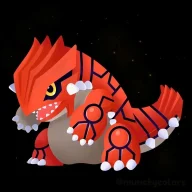
Homebrew Nintendo Badge Arcade: Badges Collection

  • Thread starter Thread starter CoopLink
  • Start date Start date
  • Views Views 312,640
  • Replies Replies 492
  • Likes Likes 34
Hi!

I decided to make my own official 3DS badge collection using the extracted sprite sheets from the Spriters Resource cause the colors of the badge images there are very slightly different than the ones extracted from whatever you guys used to extract the badge images.

https://mega.nz/file/voRW2YwI#2NMIqUwunRmKmb7e1AR0RMg0lOglif7NehQ1g7P11Bo

This collection includes:
  • All 10,374 badges in PNG format
  • All 113 set icons in PNG format
Enjoy!
 
Last edited by PaperJacob,
Hi!

I decided to make my own official 3DS badge collection using the extracted sprite sheets from the Spriters Resource cause the colors of the badge images there are very slightly different than the ones extracted from whatever you guys used to extract the badge images.

https://mega.nz/file/voRW2YwI#2NMIqUwunRmKmb7e1AR0RMg0lOglif7NehQ1g7P11Bo

This collection includes:
  • All 10,374 badges in PNG format
  • All 113 set icons in PNG format
Enjoy!
The link is busted, I'd love to take a look at this if you have an updated one!
 
The link seems to work perfectly fine for me, are you sure the link is broken?
Is there a way to have the icons in the settings as their actual names? Because they come up with underscores and code names
Post automatically merged:

The link seems to work perfectly fine for me, are you sure the link is broken?
also do you know which folder the app replacement icons are for e.g. settings?
 
Is there a way to have the icons in the settings as their actual names? Because they come up with underscores and code names
Post automatically merged:


also do you know which folder the app replacement icons are for e.g. settings?
The "underscores and code names" are just the actual image file names from Nintendo Badge Arcade

As for the first question, if your using GYTB, just rename the images to whatever you want.

And for the second question, I don't know what you're talking about.
 
Last edited by PaperJacob,
I made a list of all the official 3DS badges in an Excel spreadsheet, complete with corresponding images!

https://mega.nz/file/S8oxnJIZ#4KwSG8OuI2cKIk-cDUlFNS8J5L-U21X2wGbEH6SuS7s

The badges and sets are organized by their ID and the badge names are in Japanese cause the Japanese badges have unique names, while the American and European badges don't.

Mega badges are color-coordinated by size:

Red - 2x1
Blue - 1x2
Green - 2x2

Enjoy!
 
Last edited by PaperJacob,
Hi!

I decided to make my own official 3DS badge collection using the extracted sprite sheets from the Spriters Resource cause the colors of the badge images there are very slightly different than the ones extracted from whatever you guys used to extract the badge images.

https://mega.nz/file/voRW2YwI#2NMIqUwunRmKmb7e1AR0RMg0lOglif7NehQ1g7P11Bo

This collection includes:
  • All 10,374 badges in PNG format
  • All 113 set icons in PNG format
Enjoy!
Thank you my friend for taking the time to make this! Especially for making the 48 x 48 set icons so I can install these with Anemone3DS. I was struggling converting the set icons from bclim to png and making them the correct 48 x 48 size. The excel file is a fantastic touch as well.

Now I need to pick the sets I want to add, too bad we are limited to 1,000!

It's a shame the Badge Arcade is gone as I really enjoyod the app and collecting back in the day but at least we have all these badges preserved.
 
  • Like
Reactions: PaperJacob
Thank you my friend for taking the time to make this! Especially for making the 48 x 48 set icons so I can install these with Anemone3DS. I was struggling converting the set icons from bclim to png and making them the correct 48 x 48 size. The excel file is a fantastic touch as well.

Now I need to pick the sets I want to add, too bad we are limited to 1,000!

It's a shame the Badge Arcade is gone as I really enjoyod the app and collecting back in the day but at least we have all these badges preserved.
You're welcome!

That badge collection took me about a week or two to make since I had to go into the sprite sheets extracted by the Spriters Resource and crop every single badge one by one. Very repetitive work, but I got through it to the end.

If you want, you can use Advanced Badge Editor/Simple Badge Injector to import badges with the corresponding sets onto your 3DS. It's what I use for importing badges onto my 3DS.

Also, thanks for appreciating the Excel spreadsheet I made. That also took me about a week or two to make since I had to copy-paste all the Japanese badge names onto the spreadsheet, and also put every single badge image onto said spreadsheet.
 
Last edited by PaperJacob,
  • Like
Reactions: Fish17
Hola, ¿cómo puedo agregar insignias oficiales directamente a la carpeta arcade de insignias, ya que quiero usar GYTB para agregar insignias personalizadas?
Post automatically merged:

Hi, how can I add official badges directly to the badge arcade folder, since I want to use GYTB to add custom badges?
 
Hi!

I decided to make my own official 3DS badge collection using the extracted sprite sheets from the Spriters Resource cause the colors of the badge images there are very slightly different than the ones extracted from whatever you guys used to extract the badge images.

https://mega.nz/file/voRW2YwI#2NMIqUwunRmKmb7e1AR0RMg0lOglif7NehQ1g7P11Bo

This collection includes:
  • All 10,374 badges in PNG format
  • All 113 set icons in PNG format
Enjoy!
Would you be okay with me uploading this collection to archive.org? This would be for long-term preservation, since MEGA would not be my #1 for archival purposes.
 

Site & Scene News

Popular threads in this forum