Hacking N-card skins

  • Thread starter Thread starter thegame07
  • Start date Start date
  • Views Views 20,454
  • Replies Replies 83

thegame07

Well-Known Member
Member
Joined
Oct 16, 2006
Messages
3,853
Solutions
4
Reaction score
105
Trophies
2
Website
Visit site
XP
492
Country
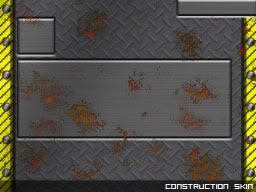
desktopbar.JPG


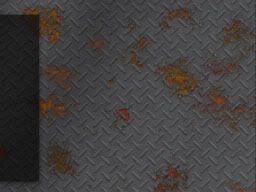
barretskin.JPG


download here . http://www.fileden.com/files/2007/2/24/815747/bar%20skin.rar

This is my very first time at making a skin. I have never used photoshop before so go easy on me. I know its si** however i want this sh** skin to inspire people to make some
biggrin.gif
 
No offense, but these skins are useless until the final build of the new firmware comes out. Since most people would be upgrading to the beta which doesn't support skins.
 
the firmware im using all you do is drop skins right onto the card
blink.gif
so they are not useless for everybody. If anyone needs any help ask me
biggrin.gif
 
Photoshop skills or not, those don't look bad....

When in doubt, keep it simple!Â
yaynds.gif
nice work!

thanks
biggrin.gif
i guess my skins will get better
happy.gif
i dont even know how to use all of photoshops features. Also n-card skins are hard to come by i wish some people would make some :'(
 
No offense, but these skins are useless until the final build of the new firmware comes out. Since most people would be upgrading to the beta which doesn't support skins.


I found out the new firmware is skinable. You just do the same thing as always drop the skins into the dsystems folder.
 
well i make really basic skins which dont go into much detail. I would like to see some skins like this
[508]ff7acprev1.jpg
that skin is far more advanced.
 
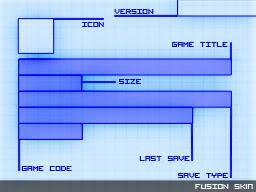
Ok here goes, this is my first attempt so take it easy on me. I was trying to get the position of each element first, allowing for easier skin creation afterwards. Also I felt lazy so just used images that were nearby
smile.gif


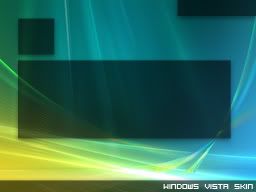
Here is the Windows Vista Skin for N-Cards

Top

WV_c_file.jpg


Bottom

WV_desktop.jpg


http://www.fileden.com/files/2007/6/3/1140...ows%20Vista.rar
 
I'll definitely be making some skins as soon as I pick up my DS.

Thegame07, I like your skins, but I reckon you could easily do something like that Vincent one you posted.

If I can make a suggestion: I noticed most of yours look very similar in the top and bottom screens. They clash a little. I think it looks better if you make the top screen as something detailed like a character, but keep the bottom screen as some kind of simple pattern or landscape to complement the top.

Like if you're doing a Solid Snake theme just do a close up of his face, or him crouching against a wall for the top, then for the bottom just his camoflauge, an empty hallway, or close up of dog tags.

Not sure.... I suck at photoshop actually. Just thinking out loud.

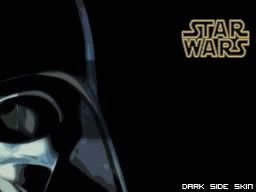
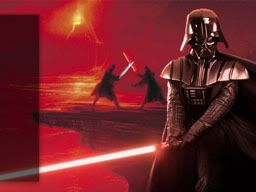
Edit: That Darth Vader one rules. It'll go well with my black DS.

 
I'll definitely be making some skins as soon as I pick up my DS.

Thegame07, I like your skins, but I reckon you could easily do something like that Vincent one you posted.

If I can make a suggestion: I noticed most of yours look very similar in the top and bottom screens. They clash a little. I think it looks better if you make the top screen as something detailed like a character, but keep the bottom screen as some kind of simple pattern or landscape to complement the top.

Like if you're doing a Solid Snake theme just do a close up of his face, or him crouching against a wall for the top, then for the bottom just his camoflauge, an empty hallway, or close up of dog tags.

Not sure.... I suck at photoshop actually. Just thinking out loud.

Edit: That Darth Vader one rules. It'll go well with my black DS.

thanks for the advice
biggrin.gif
also a special thanks to joker for making skins
bow.gif
 
What are the requirements for making a skin anyway? Just make some bitmaps with the correct dimensions and filenames?

What are the dimensions?
 

Site & Scene News

Popular threads in this forum