Hacking Kernel 2.0 RC2 (6-29)

  • Thread starter Thread starter Sergio619
  • Start date Start date
  • Views Views 8,933
  • Replies Replies 54

Sergio619

New Member
Newbie
Joined
May 12, 2008
Messages
3
Reaction score
0
Trophies
1
XP
39
Country
Available on Chinese Forum and firmware update v9 for EZVi

Nice Work
yaynds.gif


FAST6191 said:
EZ5 kernel 2.0 rc3 30th June 2009 and EZ5i update
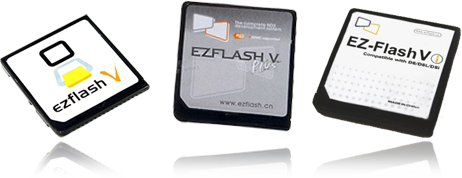
ez5fam_ref.png

The EZTeam have released kernel 2.0 RC3 for the EZ5 (all versions) and a updated firmware for the EZ5i (more on the below), this is a quick bugfix for the RC2 released yesterday aimed at those still with freezing problems. Other users can still use it though.

EZ5i firmware update
The EZTeam also released an updated firmware (also known as the core loader, internal firmware and similar names) for the EZ5i bringing it up to v9, this aims to fix problems some users with the 2.0 kernels.
Simply download the file, place it on the root of the memory card you are using and launch it from the loader before following the on screen instructions.
The EZTeam recommend that the DS is fully charged at least, plugged into the wall is better.
Users of older EZ5 models please ignore this.

icon11.gif
EZFlash.cn thread (Chinese)
icon11.gif
EZFlash US forums thread
download.gif
GBAtemp download (2.0 rc3 kernel)
download.gif
GBAtemp download (v9 EZ5i firmware (only for EZ5i))
discuss.png
Discuss

No cheats are included in the downloads but you can grab cheats from the GBAtemp cheat database.
If you are new to this you want the ??_??_??_USRCHEAT.DAT.zip (the ?? changes with date) and once you have it extract the USRCHEAT.DAT file from the zip into the EZ5Shell folder.

Thanks to 9600pro for the news.

 
Copy of the newspost:
ez5logo.gif
EZ5 kernel 2.0 rc2 29th June 2009 and EZ5i update
returning features and bugfixes
ez5fam_ref.png

The EZTeam have released kernel 2.0 for the EZ5 (all versions) and a updated firmware for the EZ5i (more on the below), this is mainly a bugfix release albeit some major ones but it does see the return of delete, copy and move file features to the loader.


rte-ok.png
Games fixed in EZ5 kernel 2.0 rc2 (anti piracy checks)
1.gif
DS #3872: Tago Akira no Atama no Taisou Dai 2 Shuu - Ginga Oudan Nazotoki Adventure (Japan)
1.gif
DS #3873: Tomodachi Collection (Japan)
1.gif
DS #3874: Tago Akira no Atama no Taisou Dai 1 Shuu (Japan)


Release notes said:
1. Fixed Ez5i with certain SD cards (see also the firmware update below)
2. Fixed iDS games and icons
3. Korean game icons fixed.
4. Japanese file names fixed
5. Boot speed optimization
6. Delete, copy and move file features returned to the loader*
7. Fixed homebrew software.

The copy, delete and move work the same as they did in the 1.9x line.
To copy or move select the file with the cursor and press Y, highlight the destination folder and then Y is a copy or X to move.
To delete highlight the file and press X, you should then get a confirmation.

EZ5i firmware update
The EZTeam also released an updated firmware (also known as the core loader, internal firmware and similar names) for the EZ5i bringing it up to v8, this aims to fix problems some users with the 2.0 kernels.
Simply download the file, place it on the root of the memory card you are using and launch it from the loader before following the on screen instructions.
The EZTeam recommend that the DS is fully charged at least, plugged into the wall is better.
Users of older EZ5 models please ignore this.


icon11.gif
EZFlash.cn thread (Chinese)
icon11.gif
EZFlash US forums thread
download.gif
GBAtemp download (2.0 rc2 kernel)
download.gif
GBAtemp download (v8 EZ5i firmware (only for EZ5i))
discuss.png
Discuss

No cheats are included in the downloads but you can grab cheats from the GBAtemp cheat database.
If you are new to this you want the ??_??_??_USRCHEAT.DAT.zip (the ?? changes with date) and once you have it extract the USRCHEAT.DAT file from the zip into the EZ5Shell folder.


Thanks to Sergio619 for the news.
 
Moonshell 2.02 stable now work good. Boot time is even better. This is kernel is good.
 
When I want to update my firmware, the EZVi says my card doesn't need an update while I never updated it before. How come?
 
elixirdream said:
according to the site

some of the EZVi might have problem loading commercial games
smile.gif

they will release another update by this week
What the fuck.. they are saying it now?

I was fucking breaking my ds(opened the housing 3 times since yesterday...), because i had other issues with it I thought it might be an issue with my DS.

anyways at least they finally said it.

Seriously, I expected more from the EZ-Vi..
Game booting time is soo long, menu lags like hell, freezes every now and then..
 
1. Fixed Ez5i with certain SD cards (see also the firmware update below) => was Kingston 2GB one of them?

By the way, my EZ boots up fine, not as laggy as before but I still cant load any commercial games. Freeze and White/Black screen.
 
I have yet to experience any loading errors with my Vi on these new firmwares and kernel updates yet I see a lot of complaints, where did you order yours from because I am thinking that those who are having load issues have either faulty or fake cards. My first Vi bricked and stopped loading completely so it would not at all surprise me if there are other cards with other bugs in them, it's a 20 dollar flash card after all
tongue.gif
 
Thanks DSgamer64, for your feedback. I appreciate this rather than free complain, if you know what i mean.
wink.gif


Ok. If any EVi users are impacted by this bug, just let me know here.
 
Mbmax said:
Thanks for the news on the portal FAST6191.
wink.gif


Is anybody have always the freezing bug with this one ?
Yep.

I figured that a firmware update would be required. However, like raing3 reported, the firmware updater says that I don't need the update on the old kernel and doesn't allow you to proceed on kernel 2.0. raing3 posted a link to a topic on the Chinese forums that explains this.
http://translate.google.com/translate?u=ht...=1&ie=x-gbk

According to that topic, it sounds like the ez-flash team will release another kernel update this week that will allow people to update their firmware, since the update program was made for the next kernel.
QUOTE1. Firmware problem, not all EZ5i need to upgrade the firmware upgrade process, if needed to upgrade, will be automatically upgraded, do not upgrade, of course, do not upgrade.
2. The kernel to enter the system, but when the cards into the game in the final step, that has not amended. The reason is that the firmware and the kernel has not yet synchronized. This week released a new kernel.
 
I'll just wait for next week's update before buying the simple edition EZ Flash Vi. Im glad they're fixing some of the issues but I can see a lot more issues for this card. Though, I'll wait for more updates before complaining
 
1. Fixed Ez5i with certain SD cards (see also the firmware update below) => Not fixed for me. I have been trying to get it to work.. I used panasonic SD formatter and formatted the Kingston 2GB, but it still didnt work.
After reading that yesterday I was skeptical and tried with my Sandisk 2GB, works flawlasly. Works really nice... no hang/freeze so far.

My kingston 2GB is fine, as its working perfectly on the EDGE. So I gues kingston 2GB doesnt work on Ez-Vi? Anyone else having probs with kingston 2gb, japan?
 

Site & Scene News

Popular threads in this forum