
- Joined
- May 20, 2022
- Messages
- 247
- Reaction score
- 110
- Trophies
- 0
- Age
- 28
- Location
- Novody Know it
- XP
- 598
- Country

The first thing to do is download the file from GitHub: https://github.com/Clownacy/Sonic-Mania-Decompilation/releases/tag/v0.2
you have to download your version of Mania, normal or Plus
when you have the file you will need the "Data.rsdk" file from your copy of Sonic Mania for PC, I recommend that you have SonicMania.rpx or SonicManiaplus.rpx and Data.rsdk in the same folder for the following steps
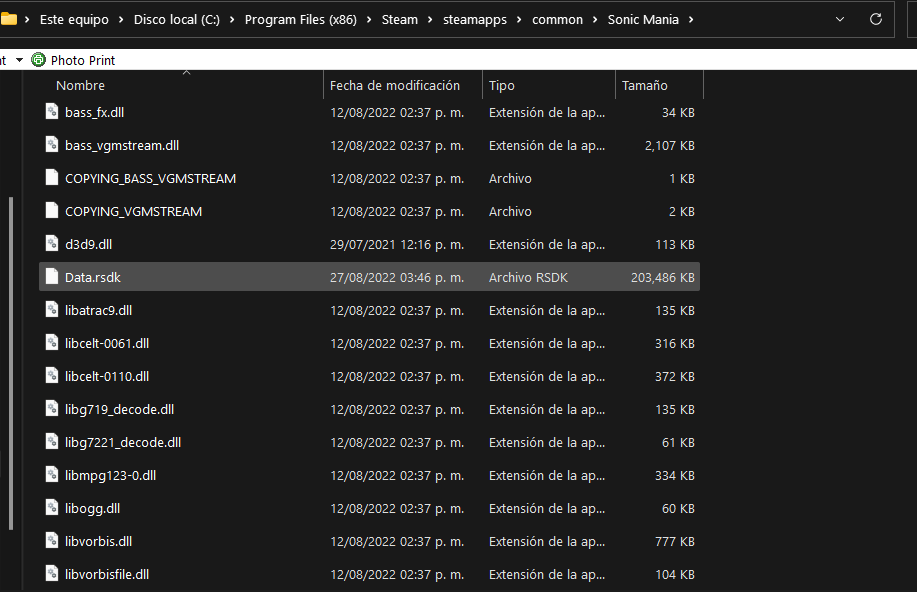
Now I will use FTPiiU and FileZilla to put the files in the SD, but you can do the same process with your SD connected to your PC
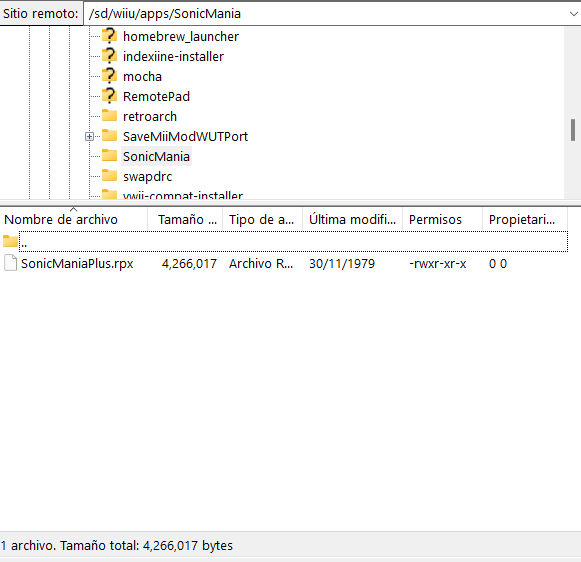
now in the "wiiu/ apps" directory copy the .rpx file or if you like to create a folder called Sonic Mania and copy it there
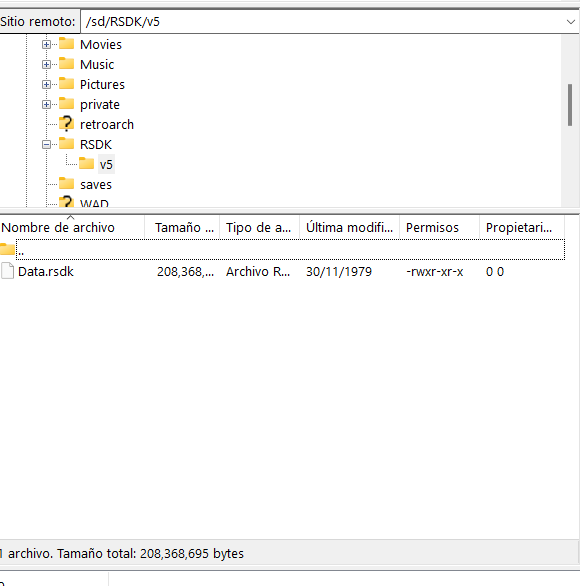
now in the root of the SD you create a folder called "RSDK", inside the "RSDK" folder you create a called "v5" and inside "v5" copies Data.rsdk, in the end it will look like this: [sd card]/RSDK /v5/Data.rsdk
and congratulations you will have Sonic Mania/Sonic Mania plus on Wii U, when you open it you will have to wait for it to load (a black screen) but after a while the Sonic Mania logo will appear, if it stays on the black screen try to press start
you have to download your version of Mania, normal or Plus
when you have the file you will need the "Data.rsdk" file from your copy of Sonic Mania for PC, I recommend that you have SonicMania.rpx or SonicManiaplus.rpx and Data.rsdk in the same folder for the following steps
Now I will use FTPiiU and FileZilla to put the files in the SD, but you can do the same process with your SD connected to your PC
now in the "wiiu/ apps" directory copy the .rpx file or if you like to create a folder called Sonic Mania and copy it there
now in the root of the SD you create a folder called "RSDK", inside the "RSDK" folder you create a called "v5" and inside "v5" copies Data.rsdk, in the end it will look like this: [sd card]/RSDK /v5/Data.rsdk
and congratulations you will have Sonic Mania/Sonic Mania plus on Wii U, when you open it you will have to wait for it to load (a black screen) but after a while the Sonic Mania logo will appear, if it stays on the black screen try to press start