Hacking New Theme for EZ-Flash Omega!

  • Thread starter Thread starter Sterophonick
  • Start date Start date
  • Views Views 620,152
  • Replies Replies 1,498
  • Likes Likes 52
Does MSX emulation work for anyone? I can't get it to work with any roms I find, the display is a jumble of random graphics but the sound works fine.
 
Hello, I noticed that after I installed this, I lost rumble support on Game Boy Color. Is there a way to bring back that feature, or do I need to just live without it in order to enjoy all the features this gives me?
 
Hello, would it be possible to update the GBC emulator to have the vibrations as on the last official update for EZ Flash DE
Hello, I noticed that after I installed this, I lost rumble support on Game Boy Color. Is there a way to bring back that feature, or do I need to just live without it in order to enjoy all the features this gives me?
Attached is an experimental build of Jagoomba that hopefully has the DE's rumble support included. I say hopefully because as I've mentioned before, I don't have a DE to test with, so I'm not sure how this will behave. If you'd like to test this out, let me know how it works.
 

Attachments

  • Like
Reactions: hippy dave
Attached is an experimental build of Jagoomba that hopefully has the DE's rumble support included. I say hopefully because as I've mentioned before, I don't have a DE to test with, so I'm not sure how this will behave. If you'd like to test this out, let me know how it works.
I will gladly test this out, but I am not sure how to get it working on the flash cart. It says to make a compilation rom when I launch it? I'm new to GBA homebrew specifically since I just got the flash cartridge about a week ago.
 
I will gladly test this out, but I am not sure how to get it working on the flash cart. It says to make a compilation rom when I launch it? I'm new to GBA homebrew specifically since I just got the flash cartridge about a week ago.
On the SD card, go to the SYSTEM/PLUG folder and drop the Jagoomba .gba file in, rename it to gb.gba, copy and rename the copy to gbc.gba. That allows you to open .gb and .gbc files with the matching plugin (Jagoomba in this case).

People told me the first build didn't work so here's a new one.
 

Attachments

On the SD card, go to the SYSTEM/PLUG folder and drop the Jagoomba .gba file in, rename it to gb.gba, copy and rename the copy to gbc.gba. That allows you to open .gb and .gbc files with the matching plugin (Jagoomba in this case).

People told me the first build didn't work so here's a new one.
hello, it still does not work the test2
there is no way to take the gb gbc emulator from the latest update to ez-flash?
 
Gah... I got nothing. If somebody figures this out they're welcome to make a pull request, in the meantime I'm gonna work on fixing more games.

@EZ-Flash2 Could you guys explain how you got rumble working in Goomba? I'm not seeing how in the code on Github. I thought the relevant code was in mappers.s but that doesn't seem to be working.

 
Let me just ask a quick question. Is this built based on the 1.06 Kernel? Because the stock one was updated to 1.09. Does this make any difference?

Edit: Said f*ck it and installed it anyway. It is based on the latest kernel. All good except for a very specific game that I want to play. It's V-Rally: Edition '99 for the GBC on Jagoomba Color.

I don't know if you @EvilJagaGenius are aware but when playing it, the HUD and the road flickers a lot
 
Last edited by pedrocaseiro95,
Actually, I tried Pokemon Pinball again and it works! Strangest thing. I guess just make sure to go to the settings and make sure it rumbles when you set the setting.
 
On the SD card, go to the SYSTEM/PLUG folder and drop the Jagoomba .gba file in, rename it to gb.gba, copy and rename the copy to gbc.gba. That allows you to open .gb and .gbc files with the matching plugin (Jagoomba in this case).

People told me the first build didn't work so here's a new one.
Adding a +1 to this build working on my ODE. Thank you!
 
I am now having trouble playing Grand Theft Auto. It doesn't run smooth. Is this something I can change in settings or is it pure compatibility issues?
 
Could you maybe talk to veikkos and include the option to quick boot games which he has included in his Omega Kernel? The only thing missing!! Thanks in advance
Skärmavbild 2022-02-02 kl. 00.08.26.png
 
I wanted to share this skin. If anyone wants a purple, orange, or green verion of this I have also made one :D IPS screen is recommended, on the old AGS-001 it looks too dark IMO.
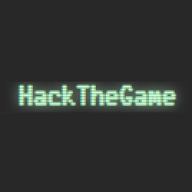
It's for the regular EZ-Flash omega and based on the newest version of simple.
1644105331101.jpeg
1644105401262.jpeg
 

Attachments

I did a video review on the EZ-Flash Omega Definitive Edition and focused solely on SimpleDE instead of the default firmware (I can't post links with this fresh account, but my YT-channel name is RetroGameCouch). The custom firmware really opens up the possibilities of the hardware. So for that I thank you. I especially love the Game Gear emulator!

I've been reading that rumble isn't working for GBC games, but also read an update is either available or coming. Is that true?
 
Great update to the kernal! Thanks so much!

A few questions:
1. Anyone know if this works on the EZ-Flash IV model / version?
2. Only (1) .sms rom shows, despite loading many. Any ideas why the others would not show?
3. Neo Geo Pocket Color folder & roms do not show. Any ideas why they wouldn't?
4. While TG16 games run slow, sound doesn't appear to play. Any ideas why it wouldn't?


Thanks again!
 
Last edited by jsp62,
No, it will not. This is for the ezflash omega and omega DE, the EzflashIV/reform is entirely different hardware with its own kernel.
Thanks! I was affraid of that. I wish there was an equivalent one for the IV, though understand it is legacy hardware.
 

Site & Scene News

Popular threads in this forum