
Hacking Ps vita boot loop after instaling autoplugin

  • Thread starter Thread starter peke
  • Start date Start date
  • Views Views 20,957
  • Replies Replies 89

peke

Well-Known Member
Member
Joined
Sep 11, 2017
Messages
188
Reaction score
34
Trophies
1
Age
46
XP
1,920
Country
Argentina
hi to all, I´m trying to use an external hdd without success. recently I follow this guide and now my ps vita tv won´t boot. got stuck on boot loop.


can somebody help?

I allready try to rebuild database...and start with L pressed and won´t work!

thanks
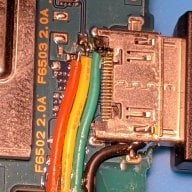
 
On the PSTV, holding the L button at start is not as easy.

I can't get it to work with a Dualshock 4, only Dualshock 3 and Sixaxis.

Controller has to be wired to the PSTV.

Sorry, I haven't tried a hard drive mod with PSTV yet so I can't guide you further on that.

Once you have started without plugins, you can use VitaShell in ur0 tai to edit the storage manager config text.

Sent from my SM-G998U1 using Tapatalk
 
Last edited by Anderxale,
The vita got recovery mode. Hold Powerbutton for 30sec or longer. See this threat
https://gamefaqs.gamespot.com/boards/620272-playstation-vita/62052849

Use this tutorial for your vita:
https://vita.hacks.guide

Normaly The taifolder on the main partition needs to copied your desired drive. And the tai- folder inside the vita needs to be deleted or better renamed.
Then u need to configure the different Drives with a manager and activate the pluged in usb drive in Vitashell.
 
Last edited by Sypherone,
  • Like
Reactions: Anderxale
The vita got recovery mode. Hold Powerbutton for 30sec or longer.

I can confirm (just tested), recovery works with PSTV.

The dualshock 4 works with recovery mode, still needs to be connected via USB cord.

That would allow a full system restore.
 
The vita got recovery mode. Hold Powerbutton for 30sec or longer. See this threat
https://gamefaqs.gamespot.com/boards/620272-playstation-vita/62052849

Use this tutorial for your vita:
https://vita.hacks.guide

Normaly The taifolder on the main partition needs to copied your desired drive. And the tai- folder inside the vita needs to be deleted or better renamed.
Then u need to configure the different Drives with a manager and activate the pluged in usb drive in Vitashell.
thanks, I try it tonight!
 
The vita got recovery mode. Hold Powerbutton for 30sec or longer. See this threat
https://gamefaqs.gamespot.com/boards/620272-playstation-vita/62052849

Use this tutorial for your vita:
https://vita.hacks.guide

Normaly The taifolder on the main partition needs to copied your desired drive. And the tai- folder inside the vita needs to be deleted or better renamed.
Then u need to configure the different Drives with a manager and activate the pluged in usb drive in Vitashell.
I allready try recovery mode, but when I select rebuild database nothing happen, still on boot loop, Didn´t try other option because I don´t want to lose my hack (enso), I have an official sony memory card that when is inserted have vitashell.
 
restoring the system will not remove enso, but it will delete your account and the contents of the tai folder. it's designed this way in case of catastrophic problems like yours.
 
  • Like
Reactions: peke
it will rebuild them though. if you could at least get into the livearea, you could go into henkaku settings and recreate the config.txt or rather create a new one.
 
  • Like
Reactions: peke
if you system restore, remove the usb device in case it's been read as ux0 but not working. I think it will try to format it iirc.
 
  • Like
Reactions: peke
since it's a pstv, you can get everything back very quickly as it has 2GBs or so worth of internal memory.
 
  • Like
Reactions: peke
restoring the system will not remove enso, but it will delete your account and the contents of the tai folder. it's designed this way in case of catastrophic problems like yours.
ok, so I make a restore after boot in safe mode, should I keep inserted my memory card? (it has vitashell on it)?
 
  • Like
Reactions: godreborn
once you're done, shut down the system when you go through initial setup, then insert the memory card and see if it rebuilds the database. also check if you henkaku settings in system settings.
 
  • Like
Reactions: peke
I try that and see, hope to get it back on track and to manage to use my external HDD (after), I got a 200gb retro stuff that is waiting but still can´t make it to work (external hdd)

thanks!
Just checking a few things.

Your hard drive is powered with it's own power adapter?

Formatted to exFat?

The drive has been imaged with zzblank.img?


Sent from my SM-G998U1 using Tapatalk
 
  • Like
Reactions: godreborn
I assume it worked since he signed out and gave me a like, but I dunno. I hope it did.
 
Just checking a few things.

Your hard drive is powered with it's own power adapter?

Formatted to exFat?

The drive has been imaged with zzblank.img?


Sent from my SM-G998U1 using Tapatalk
hdd got his own power
formated to exfat
imaged with zzblank
re formated to ex fat (strange but is what the youtube tutorial says, but I couldn´t format on pc after imaged with zzblank, so I have to do it on mac =(

before this tutorial I try to do it with ubsmc, and I can see the hdd, but never could boot from it.

=(
 
hdd got his own power
formated to exfat
imaged with zzblank
re formated to ex fat (strange but is what the youtube tutorial says, but I couldn´t format on pc after imaged with zzblank, so I have to do it on mac =(

before this tutorial I try to do it with ubsmc, and I can see the hdd, but never could boot from it.

=(
did you fix the problem?
 

Site & Scene News

Popular threads in this forum