Hacking Easy Nus3bank Editor With GUI

  • Thread starter Thread starter jam1garner
  • Start date Start date
  • Views Views 140,142
  • Replies Replies 301
  • Likes Likes 20
afaik in game, there's no playlist, it plays one track at a time, if it loops, it will stop whenever some event stops the current track being played (ex: entering some menus, starting a match), if it doesn't, it'll just stop playing. So if your song is not looping then it's normal that the game doesn't play anything else once the song is over. So I don't really see what's wrong with the nus3bank if you're making it not loop and the song does indeed not loop.

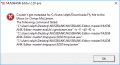
Yes, normally game scene switching will change the music player's status, but the game I'm trying to hack is, uh, a kind of special. The stage's system seems to need the music's endsign to end. If the music which was injected by the editor hasn't an "end" (just like the pop up says, "ended with an error"), the stage will never finish. If it has an "end", the stage will finish after the playback ends. Sounds strange, but the game's behavior is like this.

I use the editor to determine whether it has an "end" or hasn't. If the warning msgbox hasn't appear during the injection, the new .nus3bank works fine. or else, works bad.
Are those results specific to one song or can you replicate the same behavior with all songs?

Sorry for not make it clear. Using the editor for injection, I found that some audio files were injected smoothly, while the other audio files were be warned. So I tried to make those invalid files to valid. By using the brawlbox, I can replicate the same behavior with those warned songs.

4.jpg

This .brstm was generated by brawlbox (with a loop). At the beginning of injection, if I choose "not disable the loop", it'll not pop any warns up. if I choose "disable the loop", it'll pop up the warning msgbox.

3.jpg

This one was generated by brawlbox (no loop). Whether I choose "yes" for adding a loop or choose "no", it'll pop up the msgbox.

I want to figure out what the "end" is, and how to fix the song with the "end". Although the brawlbox can make a .brstm with an "end" (no warning message), yet my hacking game doesn't need any loop. Again, thanks for your reply.
 
Huh I see nothing wrong with these metadata. What game are you modding?
(maybe you can show the metadata for the converted idsp as well?)
I'll have to contact @soneek
 
Huh I see nothing wrong with these metadata. What game are you modding?
(maybe you can show the metadata for the converted idsp as well?)
I'll have to contact @soneek
Thanks to the cc.
The game I'm modding is Taiko no Tatsujin. As a rookie on modding, I want to do this work step by step. My first step is looking for some tools has been developed. Honestly, your editor is brilliant and easy to use, thank you.

Here are some metadata for converted .idsp files.
5.jpg

1.brtsm (generated by brawlbox (with a loop)) -> not disable the loop -> 1.idsp

6.jpg

1.brtsm -> disable the loop -> warning -> 2.idsp

7.jpg

3.brtsm (generated by brawlbox (no loop)) -> not adding a loop -> warning -> 3.idsp
 
I believe I made a mistake when adding a loop from beginning to end, I just committed a slight adjustment, can you check if the warning still happens when adding a loop?
 
Thanks to the commit.
I call these warned songs as "invalid songs", correspondingly, the others are "valid songs". And I found that "valid songs" will always be valid, whatever I choose "yes" or "no" for adding a loop, it'll never be warned. On the contrary, "invalid songs" will be warned. The only way to prevent being warned is to use brawlbox to convert it into .brstm with a loop.

7.jpg

3.brtsm (by brawlbox (no loop)) -> adding a loop -> warning -> 4.idsp

8.jpg

1.mp3 (a "valid song") -> adding a loop -> 5.idsp
 
I accidentally made nus3banks open with Winamp and have no idea to change it now. Any help?
 
I am having this exact problem modding Sm4sh on Wii U. I am trying to replace Mario's voice lines. I am using the exact same file method I used to edit a bunch of the victory themes (Export music in Audacity as WAV signed 16-bit PCM, convert that file to brstm in BrawlBox as either ADPCM or PCM16 since both have worked for the victory themes, and then replacing the idsp in the appropriate nus3bank with the brstm). At that last step I am getting the error LogicIsHansom is having.
 
The program seems to work fine, it doesn't requires to use just WAVs like almost any other sound modding tool. I'm only using it to change SFX/Voices btw, so maybe that's what I haven't run into any problem.

Keep it up!
 
I tested it in-game and the nus3bank for Mario's voice I created by replacing the idsp's with wav's works fine (although I had to make them mono as they sounded slowed down and low-pitched in stereo). I'm not sure what the error the program was claiming to have was.
 
Hi!, i love the program, it makes sfx replacement really easy and fast, but i've got a problem: when i change the IDSP it says that it fails creating the new IDSP when running revb.exe
how can i fix it?
 
Not sure if you already solved this but when ever I try to replace a song
79264-0c75f1e74cb1f65189a827b5a2ab228a.jpg

This appears
 

Attachments

  • Capture.PNG
    Capture.PNG
    4.7 KB · Views: 391
I'm a little confused as to how this program works. Based on this:

Now uses ffmpeg to support a LOT more file types (literally anything ffmpeg can convert to wav, from MP3 to video files)

I was under the impression that I could just import an mp3/flac/whatever and convert it to an nus3bank. But it seems the only format the program will open is Nus3bank. Does this not work like BRSTM?
 
Also Whenever I try to convert my brstrm to a nus3bank it always says successful but usually the result is the original nus3bank's sound.
 
I have a weird problem. I ran into trouble with a couple of audio files so I did a clean install of nus3bank editor. I fixed the initial problem, but now any non-native Smash audio file I run through the editor gets an audio crackle at the end of it. It's audible in-game and if I extract the file after injecting. At some point something got messed up somewhere. I don't think I was using a significantly older version of the editor before. Completely clean installs do the same thing. Using Python 3.5+

I'm kind of baffled. Any help?
 
Each time I try to replace the bank file it tells me "no loop is detected" even though a made a loop in brawlbox
 
This program won't run. I'm using version 2.20 and have Python version 3.10.0 installed. Every time I try to execute it, nothing happens.
 

Site & Scene News

Popular threads in this forum