Dear all,
Yesterday, I tried to install the RCM x86 modchip and unfortunately, I burnt the right joy-con track attached to the switch motherboard ribbon connector :'( the one marked with an arrow in the below thread, mine is slightly different from the Ararage one).
I tried to reply to the thread with the title "[question] Switch motherboard parts" because is the one that approach the most my issue , but as new user, I could not reply to it.
My switch is still booting and it's fully functionable excepts the physical joycon connection... That is not detected (nothing happens when I plug it).
I blame myself for this and I will definitively call a professionnal in my city in the future.
If someone of you already faced this issue and succeed to repare it by a bridge, or a connector replacement, your help is totally welcomed.
Gratefully yours
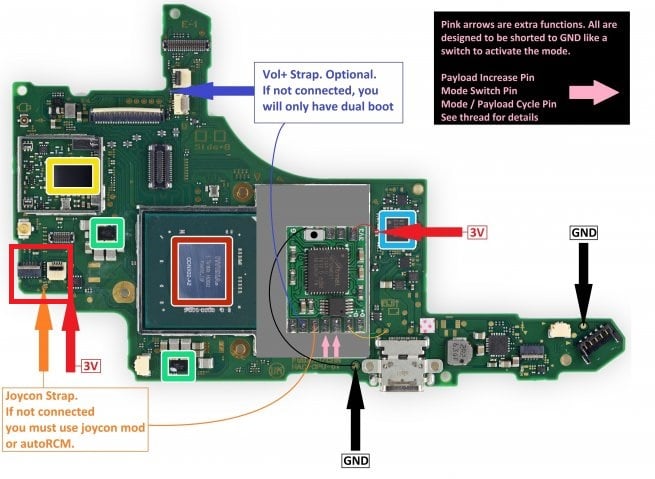
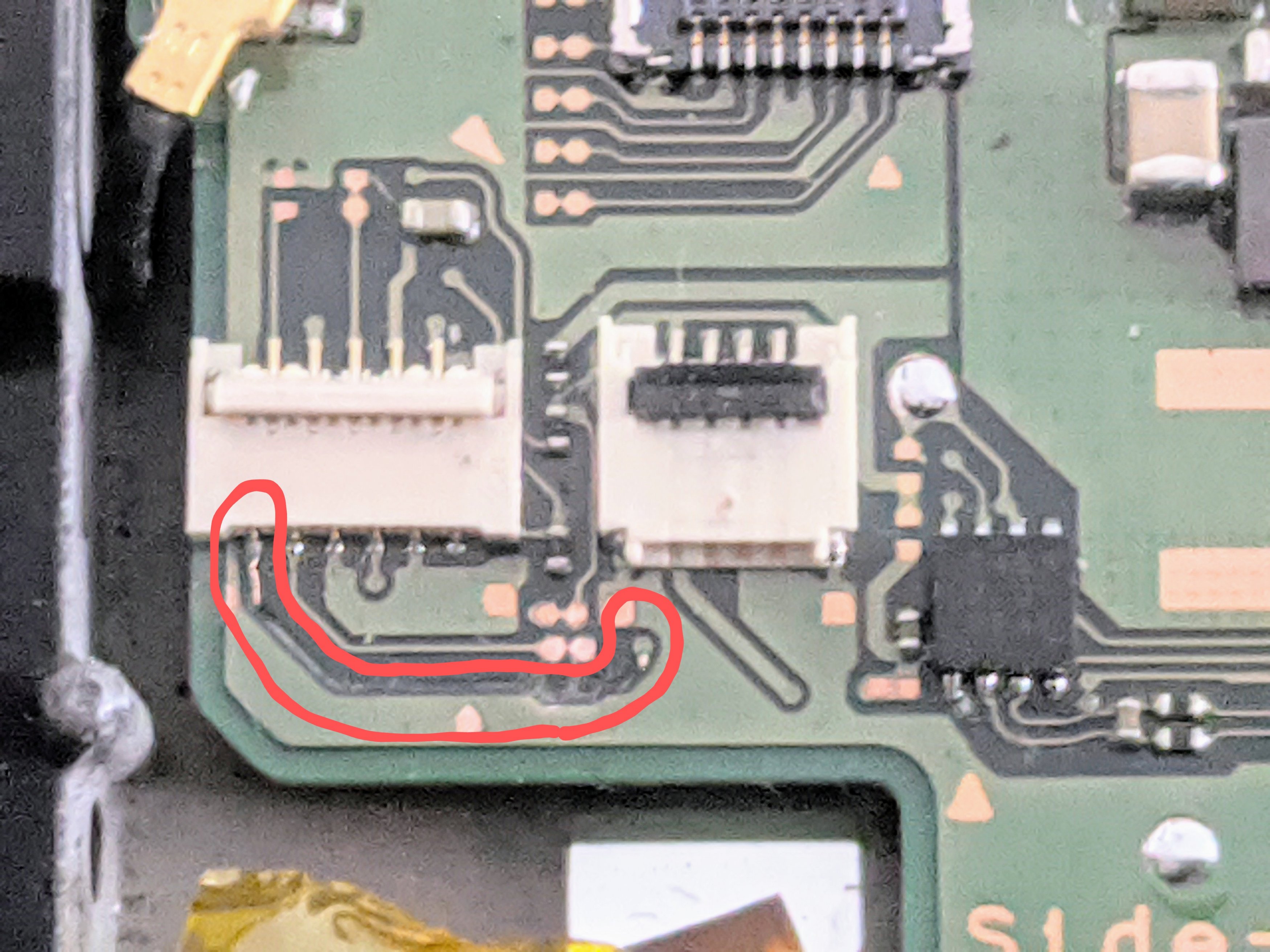
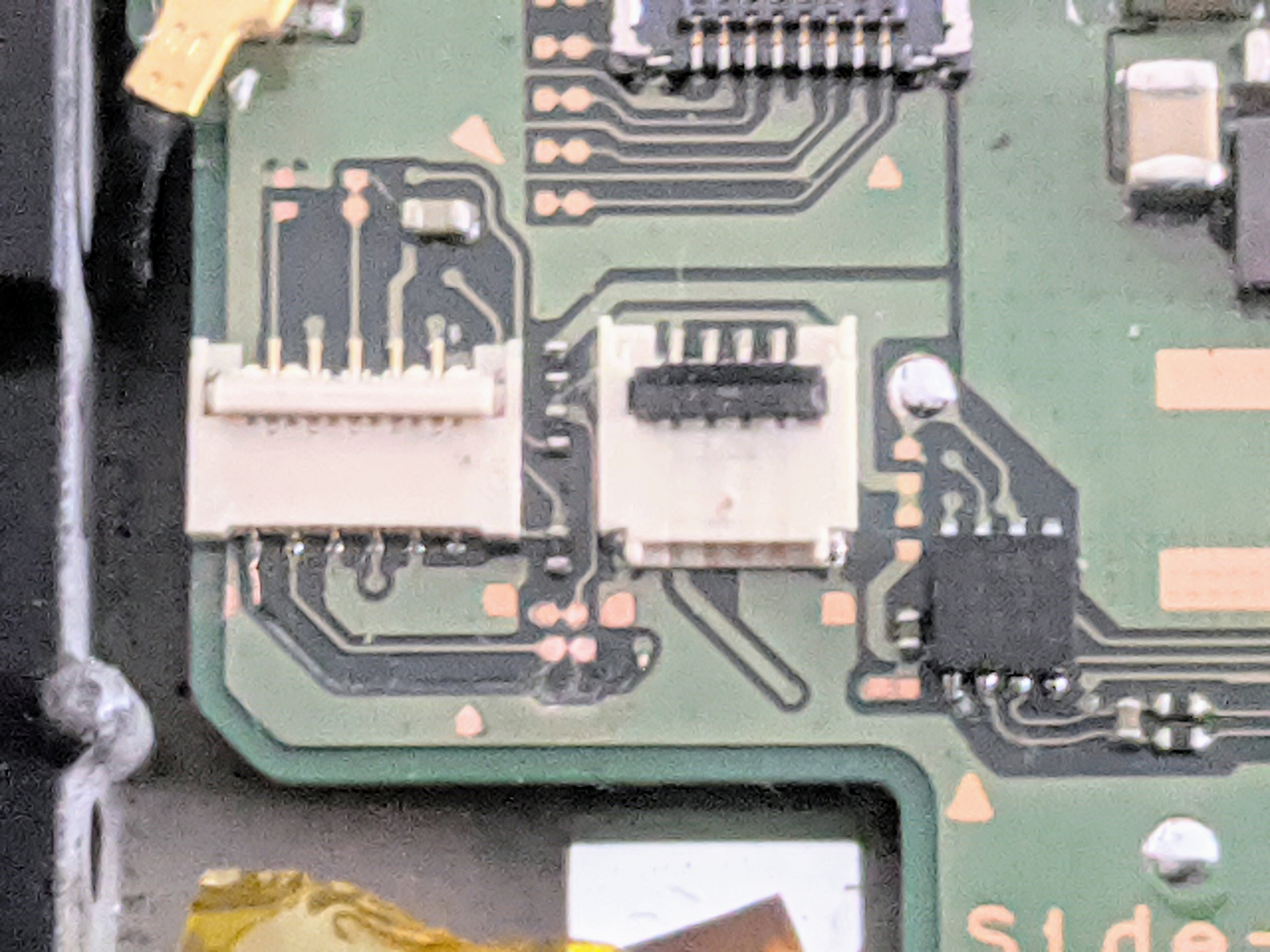
Yesterday, I tried to install the RCM x86 modchip and unfortunately, I burnt the right joy-con track attached to the switch motherboard ribbon connector :'( the one marked with an arrow in the below thread, mine is slightly different from the Ararage one).
I tried to reply to the thread with the title "[question] Switch motherboard parts" because is the one that approach the most my issue , but as new user, I could not reply to it.
My switch is still booting and it's fully functionable excepts the physical joycon connection... That is not detected (nothing happens when I plug it).
I blame myself for this and I will definitively call a professionnal in my city in the future.
If someone of you already faced this issue and succeed to repare it by a bridge, or a connector replacement, your help is totally welcomed.
Gratefully yours