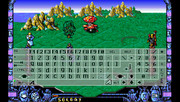
Thank you very muche rsn, first of all for your fantastic emulator (which i tested with some adfs). Regarding hdf, i just did what you suggested but trying some hdf result in a blue screen with a window saying "Not a DOS disk in unit B)
Go back into the menu and restart the emulation. That's a bug I've found where it uses kickstart 1.3 on first boot of a configuration even if a different kickstart is selected, restarting fixes it.
Thank you hippy but i cannot get it run yet. I also tried updating to 1.79 but not luck. I just have a yellow blanking screen after pressing R in the main menu
Is it me or is the disk swapping not working. ?
I have the latest instalment. But when i am being ask for disk b. For example in last ninja remix. It isn’t working. I push - to get into the menu and choose the right disk. As i did in the psvita version. But won’t work for the switch version.
Any one an idea?
Is it me or is the disk swapping not working. ?
I have the latest instalment. But when i am being ask for disk b. For example in last ninja remix. It isn’t working. I push - to get into the menu and choose the right disk. As i did in the psvita version. But won’t work for the switch version.
Any one an idea?
There's really no difference in floppy code between Vita and Switch. If it works on Vita it should work on Switch.
Another thought: Maybe you have some game-specific config on your Switch that you don't have on your Vita (check contents of configs folder). The game specific config might get loaded when you insert disc 2.
I improved keyboard handling. Now Celtic Legends can be started. On Switch, I also improved single/dual joycon mode switching. Thanks to Toni Wilen for help fixing the keyboard bug.
Thanks to my supporters on Patreon: Andyways, CountDuckula, Jesse Harlin, Matthew Machnee, and RadicalR.
Changes in this version
1.80
- improve keyboard input (fixes Celtic Legends)
- on Switch, improve single/dual joycon mode switching
Yes. On the Vita I already have external bluetooth keyboard and mouse support. As soon as mouse and keyboard support is added to the SDL2 library for the Switch, UAE4All2 will then automatically support it. I am not sure when that will be.
Note if you are playing in handheld mode, the touchscreen mouse works pretty well, too. You can adjust the speed in the menu to your liking. You can control the pointer with the touchscreen just like on a touchpad on a laptop (put finger anywhere and drag, no need to put finger on top of the pointer).
I agree. I have to admit I was also disappointed that SDL2 on the Switch didn't already support keyboard and mouse. Let me look into it, because I implemented that on the Vita and it wasn't very hard at all.
hi I am new to this forum can anyone point me In the right direction for the kickstart roms there is that many of them I am unsure which ones to get can I add all do they need to be renamed etc thanks in advance.
hi I am new to this forum can anyone point me In the right direction for the kickstart roms there is that many of them I am unsure which ones to get can I add all do they need to be renamed etc thanks in advance.
My system.hdf wont boot anymore, i have nothing changed, the HD led is flashing but black screen.
Im on 1.80, tested other versions and copied the system.hdf again but no luck.
My system.hdf wont boot anymore, i have nothing changed, the HD led is flashing but black screen.
Im on 1.80, tested other versions and copied the system.hdf again but no luck.
One of your inserted hdfs (not necessarily system.hdf) is being "validated" by the Amiga OS. It is a slow process. It happens when the emulator was quit while the Amiga was accessing the hdf.
The solution is to just wait a really (really) long time at the black screen. Wait ca. 5-10 minutes or so. It will boot normally again. This wait only needs to be done once. After that, it will boot fast again.
If it still doesn’t work, copy all inserted hdfs over from the backup (not just system.hdf but also the others). The Amiga OS tries to validate ALL inserted hdfs when booting, not just dh0:
To prevent this problem:
Always exit the emulator safely (go to menu, press L). Don't exit the emulator by pressing the Home button.
On the Vita, I disabled the home button because of this problem. But on the Switch, I haven't found a way to disable the home button yet.
In case your SD card is exFAT formatted, I put my exFAT rant here:
exFAT will always (always) become corrupted eventually, which might also cause this validation problem. The Switch OS itself is responsible for the corruption. Sometimes the corruption can be fixed on Windows by running chkdsk. Many people say they have not encountered problems with exFAT: I challenge those people to run chkdsk. I bet they will already see all kinds of corruption in their Nintendo folder that they just haven't noticed yet.
Because of these problems, FAT32 is the way to go. It is possible to just make a backup of all files, re-format the SD card to FAT32, and then restore the files. Installed files in the Nintendo folder are already all <4GB, because the OS does that automatically when installing .nsp files. Guiformat.exe for Windows works well to easily format your SD Card with cluster size 32. For large (>4 GB) new .nsp files and your large .xci game cart backups, there are xci-cutter and nsp-splitter tools available to convert those .xci and .nsp files to 4Gb chunks so they work on FAT32.
It is worth it to make the change to FAT32, trust me. I have encountered so many problems with exFAT during my testing of the emulator. Eventually, I switched to FAT32 and all my problems were gone.
I think you can already do this with the current version, but you have to manually edit your config file.
Configure your game, and then save a game specific configuration. The game specific configuration will be loaded automatically when you load your hdf/adf.
Go into the conf folder and find your configuration file. It should be named after your hdf/adf. Edit the config file with a text editor.
Find the line after spritecollisions, where it says
cpu = “some negative number”
Change the number:
0 is 7 MHz,
-1 is 14 MHz,
-2 is 28 MHz,
-3 should be 56 MHz
-4 should be 112 MHz
I have never tested numbers other than 0,-1,-2. The menu only allows you to set those, but nothing should stop you editing config files.
One of your inserted hdfs (not necessarily system.hdf) is being "validated" by the Amiga OS. It is a slow process. It happens when the emulator was quit while the Amiga was accessing the hdf.
The solution is to just wait a really (really) long time at the black screen. Wait ca. 5-10 minutes or so. It will boot normally again. This wait only needs to be done once. After that, it will boot fast again.
If it still doesn’t work, copy all inserted hdfs over from the backup (not just system.hdf but also the others). The Amiga OS tries to validate ALL inserted hdfs when booting, not just dh0:
To prevent this problem:
Always exit the emulator safely (go to menu, press L). Don't exit the emulator by pressing the Home button.
On the Vita, I disabled the home button because of this problem. But on the Switch, I haven't found a way to disable the home button yet.
In case your SD card is exFAT formatted, I put my exFAT rant here:
exFAT will always (always) become corrupted eventually, which might also cause this validation problem. The Switch OS itself is responsible for the corruption. Sometimes the corruption can be fixed on Windows by running chkdsk. Many people say they have not encountered problems with exFAT: I challenge those people to run chkdsk. I bet they will already see all kinds of corruption in their Nintendo folder that they just haven't noticed yet.
Because of these problems, FAT32 is the way to go. It is possible to just make a backup of all files, re-format the SD card to FAT32, and then restore the files. Installed files in the Nintendo folder are already all <4GB, because the OS does that automatically when installing .nsp files. Guiformat.exe for Windows works well to easily format your SD Card with cluster size 32. For large (>4 GB) new .nsp files and your large .xci game cart backups, there are xci-cutter and nsp-splitter tools available to convert those .xci and .nsp files to 4Gb chunks so they work on FAT32.
It is worth it to make the change to FAT32, trust me. I have encountered so many problems with exFAT during my testing of the emulator. Eventually, I switched to FAT32 and all my problems were gone.
It’s about that time of year again where I check in with the community to see if we can get the front page aligned with what people are interested in knowing and what...
WiiCompiled is a new project that lets PC gamers play Mario Kart Wii natively on PC without emulation. Using static recompliation to convert the code into native PC...
After being announced last year, the fan-made remake Gamma Emerald has finally gotten its first early access release. A complete rebuild of fan-favourite Pokemon...
The long awaited Grand Theft Auto VI Extended Look gameplay trailer has finally dropped on YouTube. As you all know, it had dropped 6 hours earlier on Netflix, and...
Though we knew all the way back in May that this was coming, the exact numbers remained a mystery for prospective Nintendo gamers in the UK. If you happen to have...
Thanks to the recent decomplication efforts; The Minish Cap 3DS brings the Game Boy Advance classic Zelda title to your 3DS.
The port takes full advantage of the 3DS...
In the wake of Sony's shift to a digital-only ecosystem within the next year, Xbox have today announced a surprising scheme. Aiming to offer physical buyers the same...
After being announced last week, the first of two broadcasts is set to go live later today with a stark focus on The Legend of Zelda and its 40th anniversary...
It is with a heavy heart that I announce the departure of our beloved Chary from the position of Chief Editor. Chary took over early 2021 and has done a wonderful job...
To celebrate its 25th anniversary, XBOX has launched pre-orders for the XBOX 25th Anniversary Collection. For the occasion, the trailer below was aired.
This...
It’s about that time of year again where I check in with the community to see if we can get the front page aligned with what people are interested in knowing and what...
After being announced last week, the first of two broadcasts is set to go live later today with a stark focus on The Legend of Zelda and its 40th anniversary...
In the wake of Sony's shift to a digital-only ecosystem within the next year, Xbox have today announced a surprising scheme. Aiming to offer physical buyers the same...
Though we knew all the way back in May that this was coming, the exact numbers remained a mystery for prospective Nintendo gamers in the UK. If you happen to have...
It's been something of a quiet week in the gaming space, with the deluge of big hitters trying to find their place before GTA 6 launches really kicking off next week...
The long awaited Grand Theft Auto VI Extended Look gameplay trailer has finally dropped on YouTube. As you all know, it had dropped 6 hours earlier on Netflix, and...
It is with a heavy heart that I announce the departure of our beloved Chary from the position of Chief Editor. Chary took over early 2021 and has done a wonderful job...
The second of a two-part special, a more traditional Nintendo Direct is set to air today. Unlike the Zelda Direct the contents of this one is still relatively up in...
After being announced last year, the fan-made remake Gamma Emerald has finally gotten its first early access release. A complete rebuild of fan-favourite Pokemon...
A few days ago Chary stepped down as Chief Editor after 5 wonderful years, and everyone guessed the seat wouldn't stay empty for very long. Back in 2021 I proudly...