Team-Xecuter Presents SX OS v2.3 BETA

TX is on roll, release after release, and today's big release is brand-new SX OS v2.3 BETA
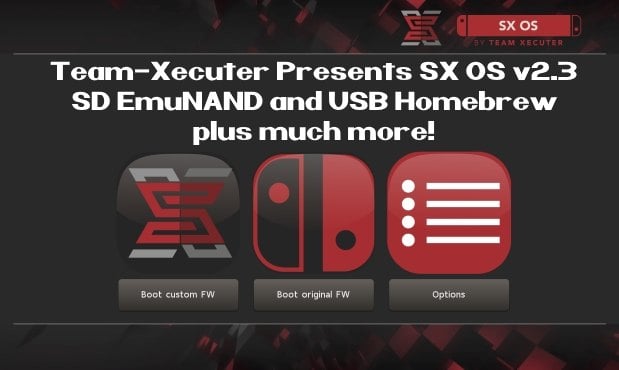
SX23.jpg

As you read thru TX's announcement below, you will quickly see that is jam-packed with all the features you have been requesting recently like SD EmuNAND and USB Homebrew, so check it out below:
Your favorite superheroes from Team Xecuter are back with another SX OS update.

In v2.3 beta of SX OS we have some exciting new functionality that you, the community, has been requesting a lot. As you know, we value your feedback and support.. so your wishes are our command!

Let's have a look at the changelog:
  • SD emuNAND support
    Since the introduction of our emuNAND feature we got a lot of comments about our initial decision to make the emuNAND data live on the actual system NAND. After lots of hard work we are happy to say we now have a workable solution for storing your emuNAND partition data on your microSD card. This has the upside of not using up any space on your Switch. In order to use the new microSD emuNAND system you will *not* have to format your microSD card. Simply enter the TX boot menu by holding Volume-+ while powering on your switch. Head into the options menu and select emuNAND on the left. Users of our existing emuNAND solution will see an option to migrate their existing emuNAND data. The migration process also cleans up the old emuNAND from the system NAND. Painless! We're interested in hearing your feedback about this exciting new functionality.
  • The 'Emutendo' folder
    In addition to the new microSD emuNAND system we also introduce the 'Emutendo' folder on your microSD card. As you've probably noticed, the Switch saves various data to a 'Nintendo' folder on your microSD card. To completely decouple this data between your Original Firmware and your EmuNAND enabled firmware we have made EmuNAND enabled systems use this differently named folder. If you want keep using your old SD card data with your emuNAND, simply copy/rename the 'Nintendo' folder to 'Emutendo'.
  • Added more directories to scan for content
    By popular demand we have added yet another list of subdirectories that will be scanned on your microSD card (or USB harddisk) for XCI/NSP/homebrew. The directories that have been added are:
    • – /sxos/updates
    • – /sxos/dlc
    • – /switch/updates
    • – /switch/dlc
  • Homebrew menu takeover of any title by holding R
    Homebrew is usually launched from either the TX menu or the Homebrew Launcher menu. Both of these applications run as an 'applet' on the Switch. Applets do not have access to all of the system's memory, and thus any homebrew apps or games launched from here are affected by this as well. The only way to allow full use of the system's memory was to build and install homebrew NSP files. But now we have added another way to give homebrew applications full memory access! You can now hold the (R) button while launching any regular title, and this will launch the Homebrew Launcher Menu. Any homebrew launched from here will run with the same capabilities as a regular Switch game/app. Enjoy!
  • Loading homebrew from USB
    More good news for homebrew lovers. You can now copy homebrew NRO files to your USB harddisk as well, and launch them directly from our SX OS menu.
  • Stability improvements
    Overall stability of many components has been improved. This includes LayeredFS and USB incompatibilities. We have also fixed a bug which would prevent people from launching more than 32 titles.
  • libusbfs update
    Last but not least a small update for developers. We've squashed a small bug in libusbfs pertaining the stat() function. If you had issues with this, grab an updated copy of libusbfs from our website!
The year 2018 is entering its final months. That does not mean we're taking a break from working on our beloved SX OS though. And yes, also those new 'unhackable' consoles are high up on the agenda. Don't worry, we will deliver.

Keep sending your feedback and ideas, they're very welcome.

See you all in the next update!

--< Team-Xecuter - Rocking the Switch in 2018 and beyond! >--

:arrow: Source: MaxConsole
 
The option disappeared for me too but I can boot into cfw (not the one in the emunand though). I just downgraded to the last version of SXOS for now to get my old emunand back.

Anyone know how I can access the old emunand (the one stored on sysnand) in the latest beta? I prefer my emunand on system storage as my sd is kinda small

Same problem in here, I returned to vers. 2.2.1 for now. Are we forced to move emunand to SD if we install the SX 2.3?

Sorry it's happening to you guys too, but at least I know it's not just me. When I went back down to 2.2.1, the emuNAND option came back. Only when updating to the latest did it disappear. I'm curious, since it disappeared, if it deleted the emuNAND altogether when updating? Maybe we have to downgrade, delete emuNAND, update then recreate emuNAND on sd? I think I'll wait it out a bit more to see what others say about this.
 
This sounds easily corruptible and can corrupt the entire SD card.

exFAT in general is wonky on the switch and constant read/writes to any filesystem (wether its exFAT or FAT32) is just a recipe for corrupting it and the files on it.

The reason the emuNAND solutions from the 3DS scene repartitioned the SD was specifically to avoid this from occuring.

This is just the dualboot sysNAND hackjob moved to the SD except you can now also corrupt your entire SD card incredibly easy (exFAT already corrupts on regular HBL usage and constant read/writes to a file on the filesystem is just bad regardless of filesystem).
Well, if you have the SXOS source code, like you appear to have, care to share it with the rest of the class? Or has your crystal ball been on charge all weekend?
 
Update on my testing. Even after renaming back the Emutendo folder to Nintendo and disabling the emunand option in the sx menu it seems it was still using emunand and not finding my games, I downgraded to version 2.0.1 and still it was not recognizing my installed games. After checking the SD on the pc it seems my SD got corrupted or something. My nintendo folder used to have like 50gb+ of data and now it only holds 417mb :( R.I.P.
 
@garyopa As others have reported I just created an SD Emunand and renamed my old Nintendo folder to Emutendo but it still asking to redownload all the games I have installed. Seems to be a bug. I'm on FW: 6.0.1 using exfat. :unsure:

Do you have enough storage on your microSD ? I'm also on 6.0.1 and also using exfat and after migration the Emutendo folder was created automatically and all the games were fine. But I already had unlinked nands before migration and this whole SD was dedicated only for emuNAND.
 
Last edited by Ra1d,
Well, if you have the SXOS source code, like you appear to have, care to share it with the rest of the class? Or has your crystal ball been on charge all weekend?
Don't need the source code to determine what happened considering earlier in the thread there is mention of the SX folder containing files matching the partitions and the knowledge of how their sysNAND hackjob worked (hexkyz).
 
Don't need the source code to determine what happened considering earlier in the thread there is mention of the SX folder containing files matching the partitions and the knowledge of how their sysNAND hackjob worked (hexkyz).
Since it's such a hackjob why don't you write a better emunand

Oh wait...
 
  • Like
Reactions: vpd and Don Jon
Since it's such a hackjob why don't you write a better emunand

Oh wait...
I'm holding out for those that can.

I'm not calling the sysNAND trick a hackjob, someone who can does. That someone being hexkyz back when the sysNAND hackjob came out.
 
Do you have enough storage on your microSD ? I'm also on 6.0.1 and also using exfat and after migration the Emutendo folder was created automatically and all the games were fine. But I already had unlinked nands before migration and this whole SD was dedicated only for emuNAND.
Yeah I made sure to have like 65gb free before. I had a new Emutendo folder after I created emunand and booted it but it had only 22.7 MB
 
So can I use this to make a “backup” of the nand , I know there are things out there to do so, I just wish it would put the “backup” on to the USB hard drive so I don’t have to stuff around with my sf card
 
No, I'm not.

I came here to level a valid criticism against their emuNAND (high corruption risk) which is now being nitpicked and twisted by shills and idiots.
 
Last edited by linuxares,
I'm holding out for those that can.

I'm not calling the sysNAND trick a hackjob, someone who can does. That someone being hexkyz back when the sysNAND hackjob came out.
listen
if you cant do any better just move along if you dont have anything good to say
you cant write your own so what gives you the right to bash others work

go away man...or whatever you are

--------------------- MERGED ---------------------------

Yeah I made sure to have like 65gb free before. I had a new Emutendo folder after I created emunand and booted it but it had only 22.7 MB
look in the sxos folder
youll see a folder called backup

its a backup of your nand. you can delete it
so theres actually 2 copies of your nand in that folder

the backup and the emunand
 
Yeah I made sure to have like 65gb free before. I had a new Emutendo folder after I created emunand and booted it but it had only 22.7 MB
Mine's also like 22 mb, the games were not moved only my save files. Did you have unlinked NANDs before migration ?
 
I guess this means we no longer need 2 Switches to have the best of both worlds of homebrewing and playing legit games online?
 
@garyopa Does this work to protect the switch from malicious nsps? From what was being said the other emunand wasn't enough because the prodinfo that was being scrambled up was still on the nand and not in the user partition. Can you confirm this is different?
 
Silly question I want to setup up a bigger hard drive format is exFay right , I copied everything across and it wound pick up any games? But will on the old hard drive , am I missing something
 

Site & Scene News

Popular threads in this forum