Team-Xecuter Presents SX OS v2.3 BETA
TX is on roll, release after release, and today's big release is brand-new SX OS v2.3 BETA
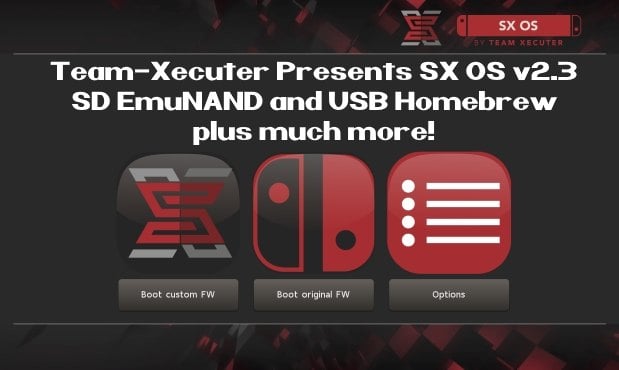
As you read thru TX's announcement below, you will quickly see that is jam-packed with all the features you have been requesting recently like SD EmuNAND and USB Homebrew, so check it out below:
Your favorite superheroes from Team Xecuter are back with another SX OS update.
In v2.3 beta of SX OS we have some exciting new functionality that you, the community, has been requesting a lot. As you know, we value your feedback and support.. so your wishes are our command!
Let's have a look at the changelog:
The year 2018 is entering its final months. That does not mean we're taking a break from working on our beloved SX OS though. And yes, also those new 'unhackable' consoles are high up on the agenda. Don't worry, we will deliver.
- SD emuNAND support
Since the introduction of our emuNAND feature we got a lot of comments about our initial decision to make the emuNAND data live on the actual system NAND. After lots of hard work we are happy to say we now have a workable solution for storing your emuNAND partition data on your microSD card. This has the upside of not using up any space on your Switch. In order to use the new microSD emuNAND system you will *not* have to format your microSD card. Simply enter the TX boot menu by holding Volume-+ while powering on your switch. Head into the options menu and select emuNAND on the left. Users of our existing emuNAND solution will see an option to migrate their existing emuNAND data. The migration process also cleans up the old emuNAND from the system NAND. Painless! We're interested in hearing your feedback about this exciting new functionality.- The 'Emutendo' folder
In addition to the new microSD emuNAND system we also introduce the 'Emutendo' folder on your microSD card. As you've probably noticed, the Switch saves various data to a 'Nintendo' folder on your microSD card. To completely decouple this data between your Original Firmware and your EmuNAND enabled firmware we have made EmuNAND enabled systems use this differently named folder. If you want keep using your old SD card data with your emuNAND, simply copy/rename the 'Nintendo' folder to 'Emutendo'.- Added more directories to scan for content
By popular demand we have added yet another list of subdirectories that will be scanned on your microSD card (or USB harddisk) for XCI/NSP/homebrew. The directories that have been added are:
- – /sxos/updates
- – /sxos/dlc
- – /switch/updates
- – /switch/dlc
- Homebrew menu takeover of any title by holding R
Homebrew is usually launched from either the TX menu or the Homebrew Launcher menu. Both of these applications run as an 'applet' on the Switch. Applets do not have access to all of the system's memory, and thus any homebrew apps or games launched from here are affected by this as well. The only way to allow full use of the system's memory was to build and install homebrew NSP files. But now we have added another way to give homebrew applications full memory access! You can now hold the (R) button while launching any regular title, and this will launch the Homebrew Launcher Menu. Any homebrew launched from here will run with the same capabilities as a regular Switch game/app. Enjoy!- Loading homebrew from USB
More good news for homebrew lovers. You can now copy homebrew NRO files to your USB harddisk as well, and launch them directly from our SX OS menu.- Stability improvements
Overall stability of many components has been improved. This includes LayeredFS and USB incompatibilities. We have also fixed a bug which would prevent people from launching more than 32 titles.- libusbfs update
Last but not least a small update for developers. We've squashed a small bug in libusbfs pertaining the stat() function. If you had issues with this, grab an updated copy of libusbfs from our website!
Keep sending your feedback and ideas, they're very welcome.
See you all in the next update!
--< Team-Xecuter - Rocking the Switch in 2018 and beyond! >--
 Source: MaxConsole