Tutorial  Updated

How to edit Memory and change in-game values (NSwitchDebugger)

NSwitchDebugger tutorial
original post
The goal is to check addresses until we find the correct one with the value we want to change. we do this by starting game multiple time and with process of deduction we can find it

prerequisites

Download above file
  1. extract SDfiles to your sd card (if you already have latest hekate skip this step)
  2. extract NSwitchDebuger to sd card overwriting files
  3. enter RCM mode and select "NSDebugger"
Once in game note what items you wish to edit (coin count) then hit home
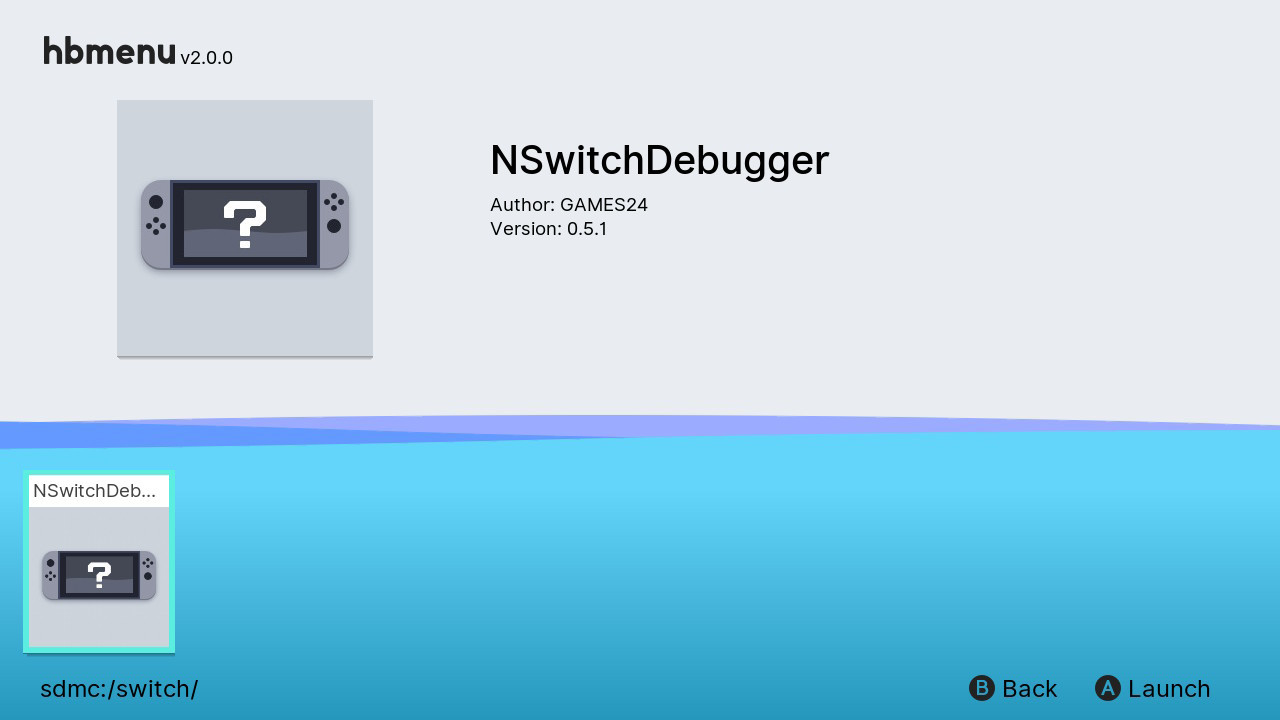
  • Start homebrew menu and run NSwitchDebugger
image.png
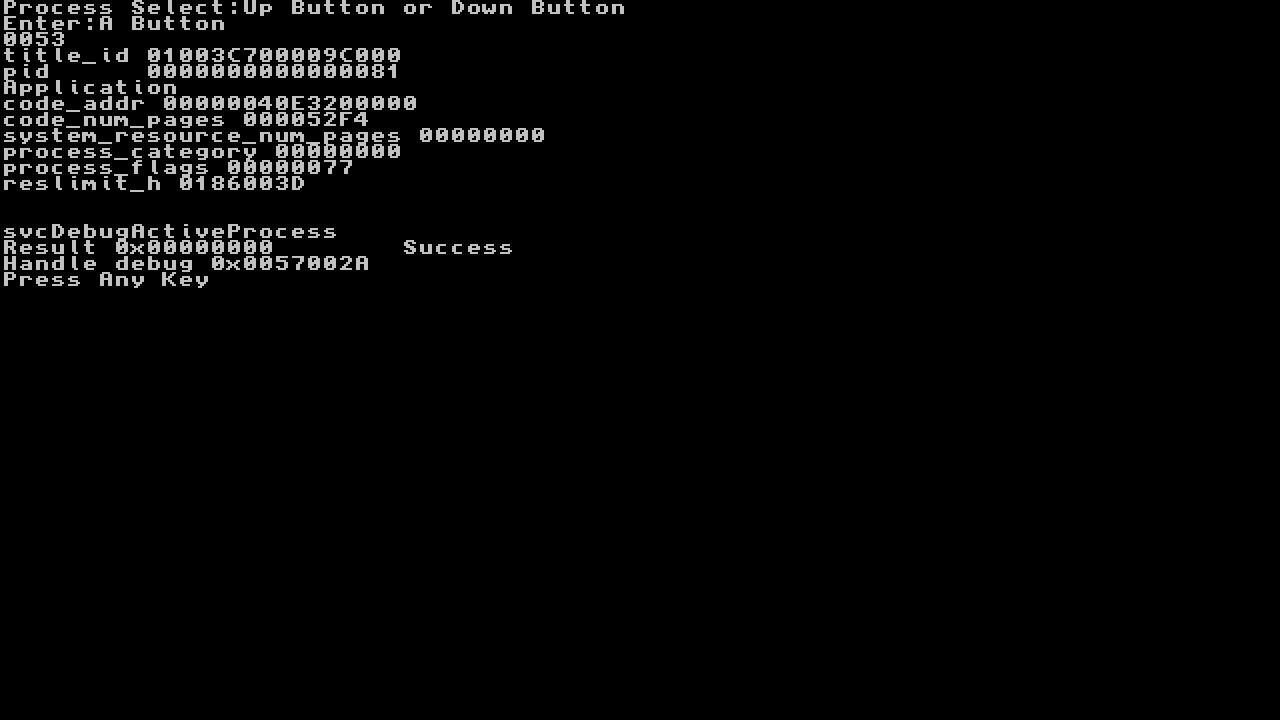
  • Now use UP and Down to select the game by title id
    • flip threw until you see Application name where it says Apllication in image
keep in mind a game may have multiple processes running you may have to try bellow a few times until you find results
  • Hit A, should show Success
image.png

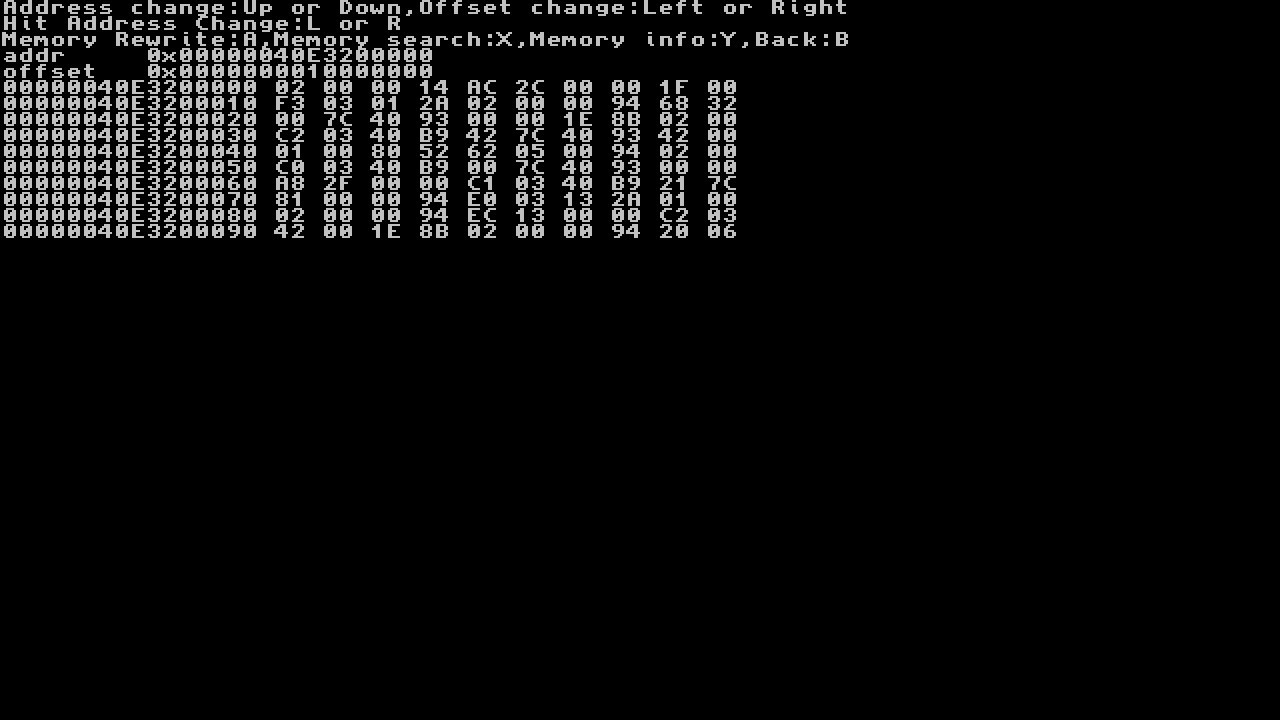
The next screen will appear
image.png
  • If you know the address this is where you would enter it...
    • Also if you see below We are our of range
Code:
XX XX XX XX XX XX XX XX XX XX
  • We dont know the address for this guide so we will need to search for our value
    • note: we now need to know how wide are the offset is lets say we are editing coins we note that coin count can go up to 9999999 so we use 8 bytes, lets say we are editing a item that can go up to 9999 so 4 bytes, 99 would be 2. we would change between them by hitting L and R
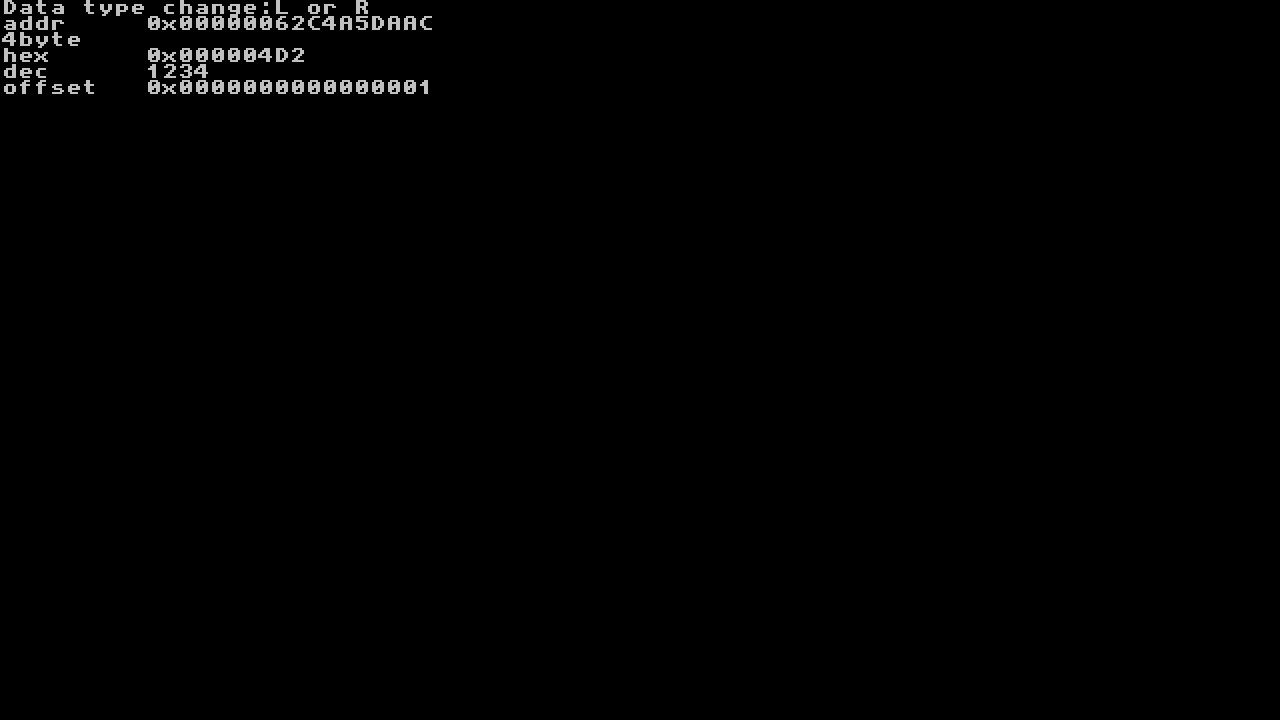
  • Hit X to search for value so lets say we are editing 1234 coins in SMO
  • use L and R to change byte size 2,4,8) use d-pad LEFT and RIGHT to move between digits and UP and DOWN to match 1234
    • it is easier to hit d-pad left a few places to change numbers to higher values instead of going from 1 to 1234
image.png
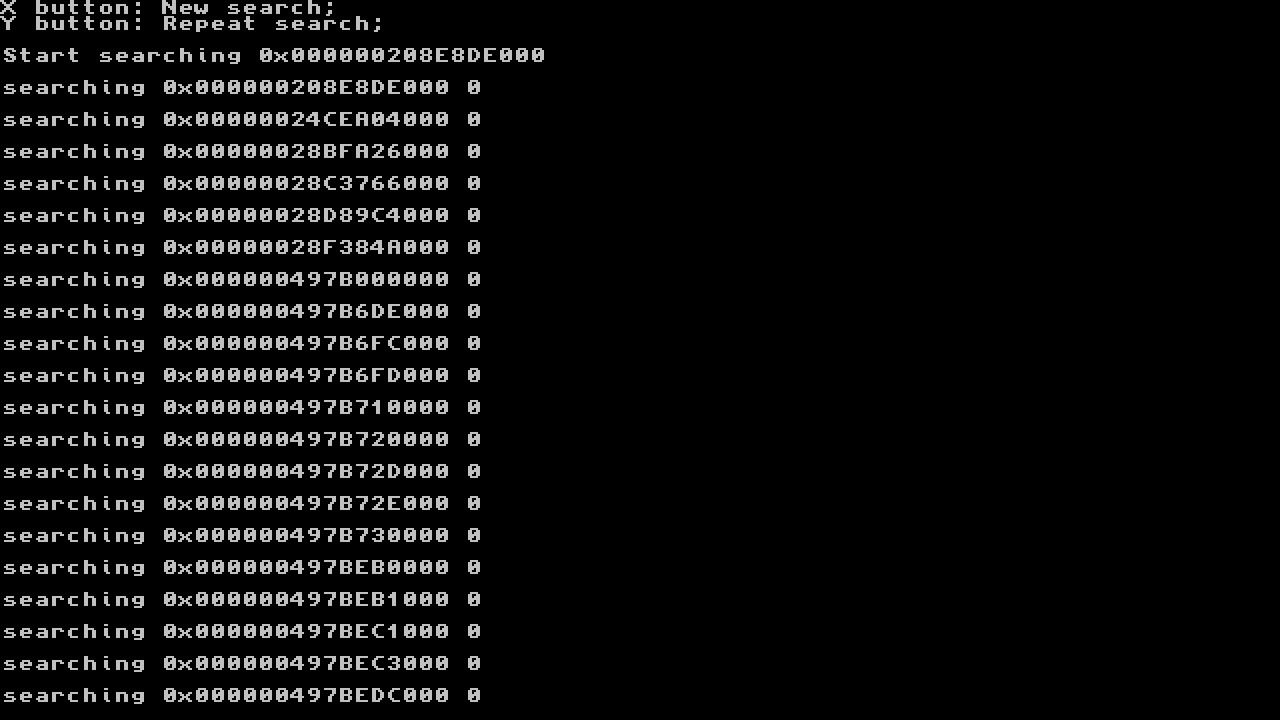
  • Now hit A to do the search
you will see below as searches through addresses
image.png
If you only found one or two offsets you do not need to exit and restart
  • After the search hit home
    • we will now spend coins and re-search the stored offsets from prior search
If you find more than one addresses you will want to open game again and spend a couple coins re-search with Y.
  • Restart nswitchdebugger repeat above but hit Y instead of X to repeat search
    • this should narrow search down to a couple or one hit
  • If you still getting many hits open game up again and spend more coins and re-search again with Y
When your search is done and narrowed down it will take you to first found address hit (hit L and R to change addresses if multiple hits). Now we can do our edit
(I was only looking for number 1 for this screenshot to write this guide, assume I spent 1233 coins)
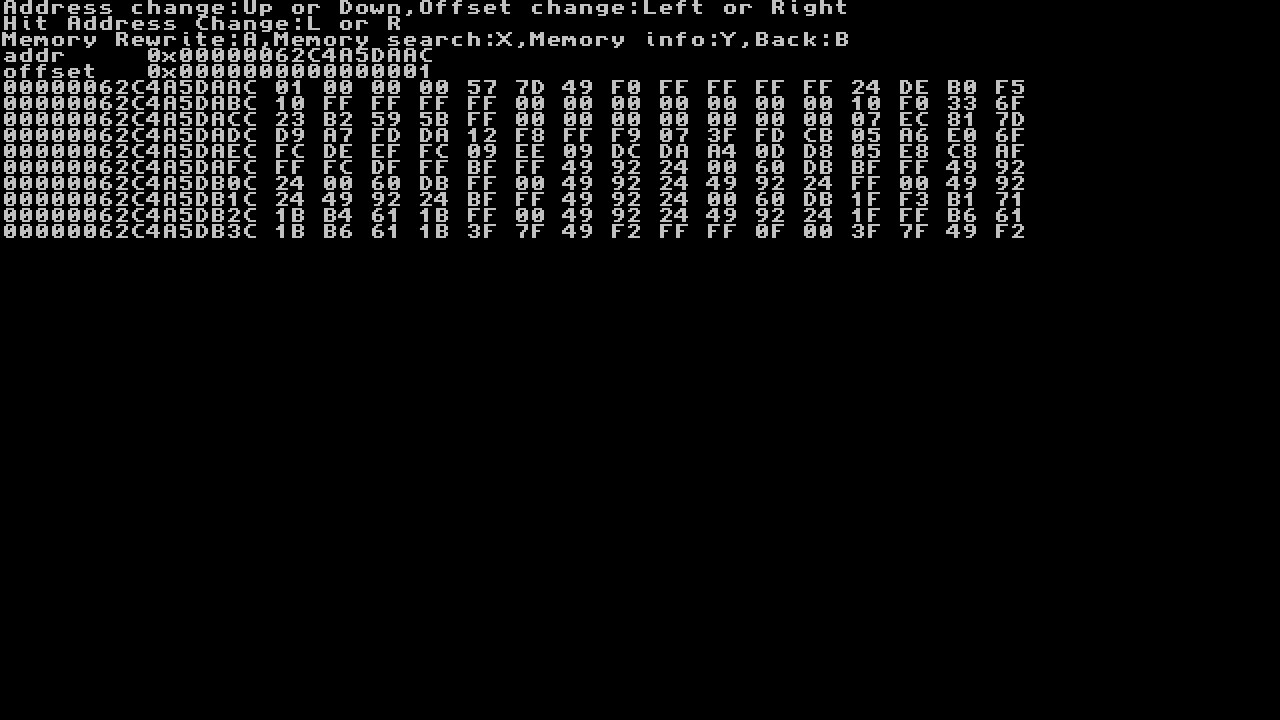
image.png
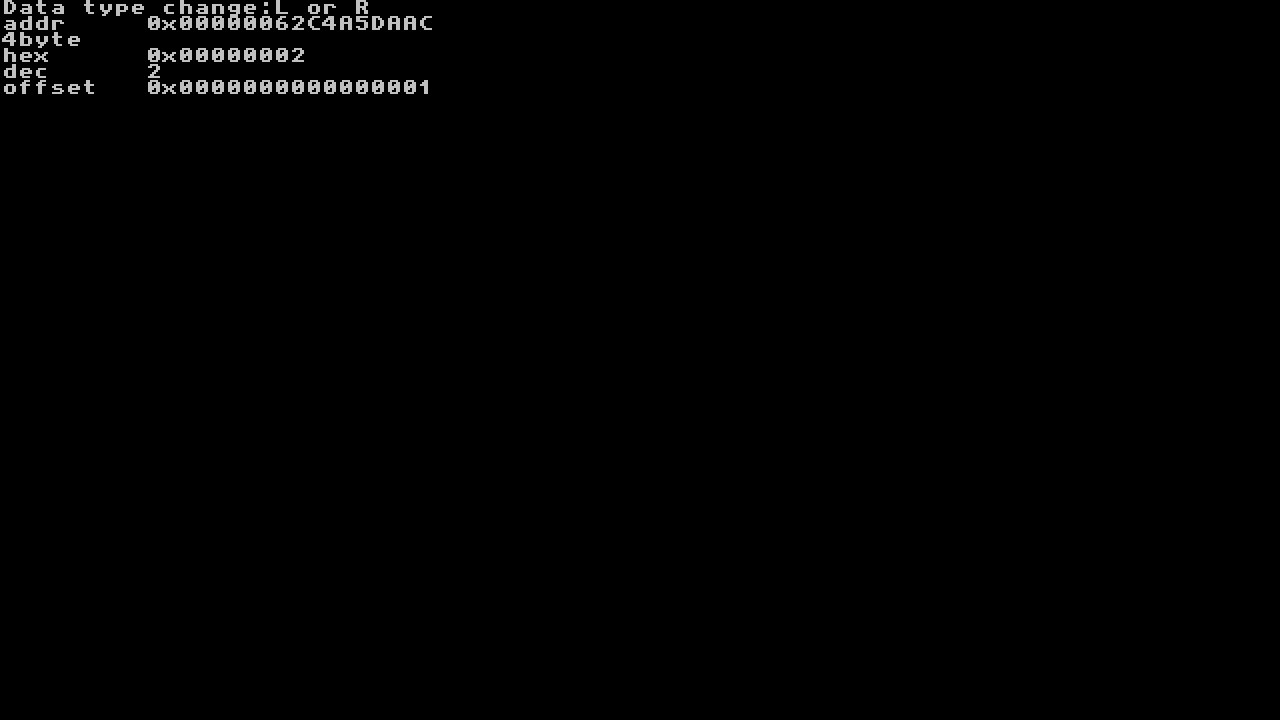
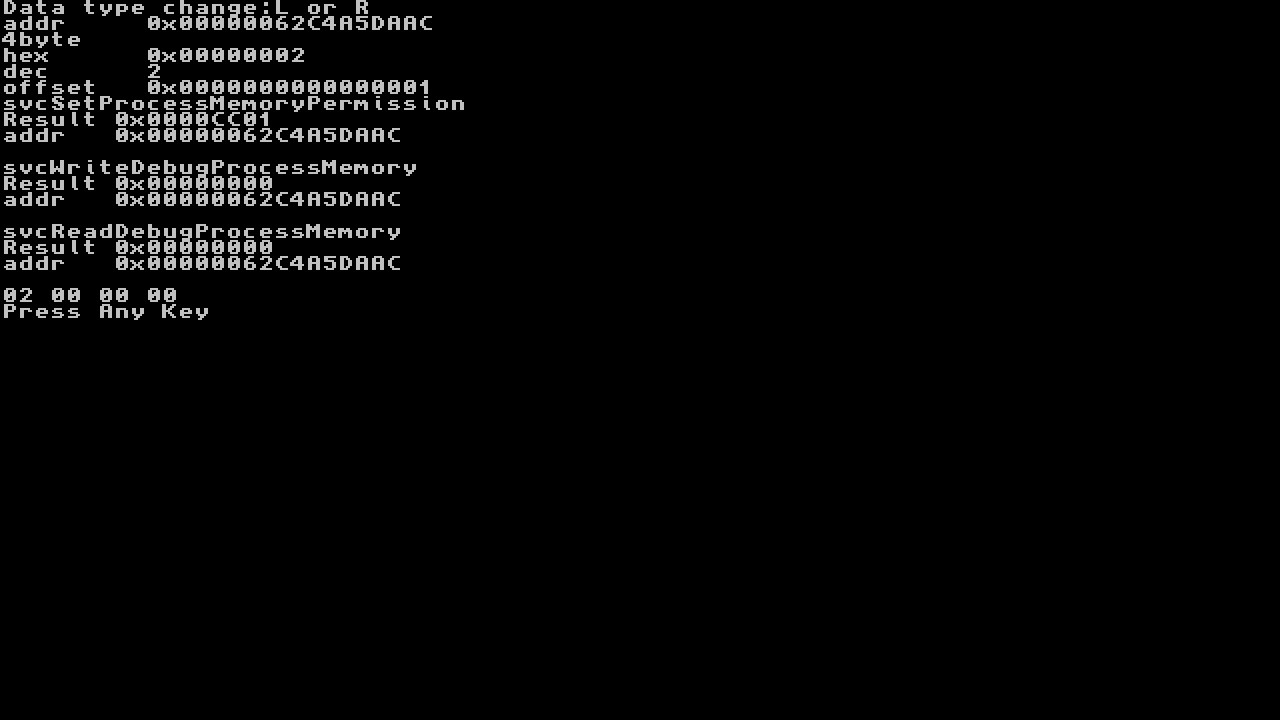
  • The following is now where we do our value changing
    • note: write down the address listed as you will use it in future to do this mod without doing the whole searching method
  • We will now press A to change 4D2 to 5F5E0FF (again for guide i did 1 to 2)
we will now see bellow
image.png
  • press up or down to change number left or right to change column
    • note: we can also change byte size here but keep in mind this could break game if writing back a too large value
image.png
rinse and repeat until you see your coins in-game change, continue the same for other values to get the result's desired

Here is a Video Tutorial


Congratulations you have now patched memory, Enjoy!:grog:
 

Attachments

  • 2018062719292500-DB1426D1DFD034027CECDE9C2DD914B8.jpg
    2018062719292500-DB1426D1DFD034027CECDE9C2DD914B8.jpg
    44.6 KB · Views: 988
  • 2018062719294000-DB1426D1DFD034027CECDE9C2DD914B8.jpg
    2018062719294000-DB1426D1DFD034027CECDE9C2DD914B8.jpg
    49.7 KB · Views: 785
  • 2018062719295000-DB1426D1DFD034027CECDE9C2DD914B8.jpg
    2018062719295000-DB1426D1DFD034027CECDE9C2DD914B8.jpg
    78 KB · Views: 773
  • 1234.jpg
    1234.jpg
    24.7 KB · Views: 769
  • searching.jpg
    searching.jpg
    109.1 KB · Views: 742
  • address_after_found.jpg
    address_after_found.jpg
    102.3 KB · Views: 739
  • changing_value.jpg
    changing_value.jpg
    24.4 KB · Views: 744
  • seccessful_changed.jpg
    seccessful_changed.jpg
    57.4 KB · Views: 807
Last edited by Type_O_Dev,

holy shit the UI is super unfriendly.

but i have a problem, i managed to get it working but i added a few values that wasn't what i was looking for. these values freeze the switch and i have no clue how to delete/remove these cheats.

the app auto saves everything and auto loads everything so u r fked if u something that freezes your game


so how do i delete cheats addresses?
 
Last edited by tides,
holy shit the UI is super unfriendly.

but i have a problem, i managed to get it working but i added a few values that wasn't what i was looking for. these values freeze the switch and i have no clue how to delete/remove these cheats.

the app auto saves everything and auto loads everything so u r fked if u something that freezes your game


so how do i delete cheats addresses?
huh, I've been usng this for awhile, didn't know it saves and loads everything
but, try delete the Search, Cheats folder in your microsd in the NSwitchDebugger folder
 
huh, I've been usng this for awhile, didn't know it saves and loads everything
but, try delete the Search, Cheats folder in your microsd in the NSwitchDebugger folder

yea i found out that u have to go into the sd card and delete the file it generates.

yes all changes you make to any part of the memory is saved and loaded automatically. it is how they can let you search for an address/value.
if you accidentally edit a memory, it will be saved and that memory is forever edited. if that memory you accidentally save crashes or freezes the game, u r fked until u go into your sd card and delete the entry/file.
 
Thanks, this works great. Runs fine with Reinx. I didn't have to boot into its payload via Hetake.
 
How do you install I'm on firmware 6.0.1 running reinx 1.7. I can search the values but but can't edit them

Edit:
Got it to work but whenever I put the switch in sleep mode it won't turn back on. I have to shut it down and boot up again
 
Last edited by Chrisb8833,
I got it to work as well but the same issue of when the switch goes in sleep mode it won't turn back on (I'm on FW6.1 BTW). Hard reset to fix, hopefully this problem can be fixed in the future. Best to use the NSwitchDebugger for what you need then switch back to a normal CFW. I was using KosmosV11 so the hekate_ipl.ini is different. if you have a problem with your games not loading its probably because of the loader.kip that you are using. I had the same issue but after I defaulted to the Kosmos Loader the issue went away.

Here is the code that I used,

Code:
{-- NSwitchDebugger --}
[NSDebugger_NZero_KosmosV11]
kip1=modules/required/loader.kip
kip1=modules/nsdebugger/nsdebugger.kip
kip1=modules/required/pm.kip
kip1=modules/required/sm.kip
secmon=modules/required/exosphere.bin
kip1patch=nosigchk
atmosphere=1
debugmode=1
fullsvcperm=1
[NSDebugger_NZero_KosmosV11_fs_mitm_kip]
kip1=modules/required/loader.kip
kip1=modules/nsdebugger/nsdebugger.kip
kip1=modules/required/pm.kip
kip1=modules/required/sm.kip
kip1=modules/required/fs_mitm.kip
secmon=modules/required/exosphere.bin
kip1patch=nosigchk
atmosphere=1
debugmode=1
fullsvcperm=1
{ }
 
Last edited by noblezerozx,
How do you install I'm on firmware 6.0.1 running reinx 1.7. I can search the values but but can't edit them

Edit:
Got it to work but whenever I put the switch in sleep mode it won't turn back on. I have to shut it down and boot up again

how did you make it work?

I am using Reinx 1.7 & 5.1.0 FW & newest SDFiles

can't boot [NSDebugger] I got a message "the software was closed because an error occurred."
if i boot [NSDebugger_kip] can't open games and album (hbmenu)

if I boot via Reinx payload I can search values but can't edit them in games
 
Last edited by mhamd,
how did you make it work?

I am using Reinx 1.7 & 5.1.0 FW & newest SDFiles

can't boot [NSDebugger] I got a message "the software was closed because an error occurred."
if i boot [NSDebugger_kip] can't open games and album (hbmenu)

if I boot via Reinx payload I can search values but can't edit them in games
I have Reinx 1.7 wtih 5.1.0 FW as well. I am using NSDebugger 0.5.9 and do not have the problem. I launch the NSDebugger.nro and just use it directly after launching Reinx. I have it working on Monster Hunter, Setsuna, BOTW, Octopath and Diablo. Have not found a game where I cannot modify the basic like golds and items. Have not tried to modify anything that involve more than a few basic value search when I buy, sell, or use an item.
 
I'm on reinx and I can't seem to get it to work.

Couldn't search float values for money in South Park so I tried to search for item quantity to sell.

Except when I hit Y for repeat search, nothing happens
 
how did you come to 51 for current hearts
question , if I may?.., it's about this tool being used if** possible with BOTW on switch of course.. perhaps is possible to find value(s) for inf. arrows or maybe Inf. Stamina?... and thanks as always for help guys...
 
question , if I may?.., it's about this tool being used if** possible with BOTW on switch of course.. perhaps is possible to find value(s) for inf. arrows or maybe Inf. Stamina?... and thanks as always for help guys...
this tool seems very basic, doubt you can freeze value to get infinite stamina. Would love to see an update to this tool since it is the only tool that works on the switch aside from SX OS cheat or the cheat searcher that requires a network connection (
sys-netcheat)
.
 
For some strange reason Nswitchdebugger now works for me since updating atmosphere and firmware. The problem now is that whenever I attempt to save, the game freezes.

Okay, it turns out that I had a cheat active from a previous attempt. all ya gotta do is delete preexisting cheat files in there.
 
Last edited by MikeHawke,
For some strange reason Nswitchdebugger now works for me since updating atmosphere and firmware. The problem now is that whenever I attempt to save, the game freezes.

Okay, it turns out that I had a cheat active from a previous attempt. all ya gotta do is delete preexisting cheat files in there.
Glad it worked out for you. This is my goto cheat engine because it is just convenient.
 
  • Like
Reactions: MikeHawke
how does nswitch display the addr? Hex or dec?
Glad it worked out for you. This is my goto cheat engine because it is just convenient.

haha, yeah. Same. Sys-netcheat by jaki is also good, it's faster and can choose something other than 4 byte or 8 byte, but for some reason it's easier to find the values I want using NSwitch. Not to mention it gives us a small but incredibly useful view of the surrounding values, so that we can make sense of the surrounding date structure.
 
Thanks! NSwitchDebugger worked on Dead or Alive Xtreme 3 Scarlet, sadly the game have money limit (3M) and I have to do all over again everytime I need money.

Any way to freeze the money value?
 
  • Like
Reactions: Type_O_Dev

Site & Scene News

Popular threads in this forum