Official hakchi2 - NES Mini very simple pimp tool

  • Thread starter Thread starter Cluster
  • Start date Start date
  • Views Views 4,414,252
  • Replies Replies 18,558
  • Likes Likes 138
Then you Have selected the 7z Algorithmus for the zip file!
But the normal zip Algorithmus doesnt work with the Mini snes

Gesendet von meinem Huawei P10 mit Tapatalk
 
Then you Have selected the 7z Algorithmus for the zip file!
But the normal zip Algorithmus doesnt work with the Mini snes

Gesendet von meinem Huawei P10 mit Tapatalk

I can't continue talking to you, it's just pointless right now.
 
edit: I thought i followed the video to the letter but there is 1 very important step i overlooked you need the right rom mvscu.zip after i used that rom it booted straight up. thanks Patton for you very informative video without it i wouldn't have got it working.

as for zip or 7zip the game is working in a winzip format (zip) perfectly well so debunks the zip format idea

I think i will just quit with the cps2 game etc as just cant get them to load i am missing something i guess but not sure. Thanks for taking the time to try and help me.

This is the video by Patton Plays that i followed with no luck:

 
Last edited by johnnytheboy12,
Is it possible to mix usb and internal?
I mean when usb is not connected do i have at least the original games?
Or must an usb stick always be connected?

Thx

Gesendet von meinem SM-G920F mit Tapatalk
 
Is it possible to mix usb and internal?
I mean when usb is not connected do i have at least the original games?
Or must an usb stick always be connected?

Thx

Gesendet von meinem SM-G920F mit Tapatalk
Mixing usb and internal is actually the default behaviour:
The original games are not available when you plug the USB device, and vice-versa.
 
  • Like
Reactions: 16v
Then you Have selected the 7z Algorithmus for the zip file!
But the normal zip Algorithmus doesnt work with the Mini snes

Gesendet von meinem Huawei P10 mit Tapatalk

All my roms are in the zip format, not 7zip and they all working without problems.

Mixing usb and internal is actually the default behaviour:
The original games are not available when you plug the USB device, and vice-versa.

Thats not true. If i unplug my usb stick i have only the 21 original games. With the stick i have the 21 original games and all the extra games.
 
Last edited by zeomax,
  • Like
Reactions: 16v
All my roms are in the zip format, not 7zip and they all working without problems.


Thats not true. If i unplug my usb stick i have only the 21 original games. With the stick i have the 21 original games and all the extra games.
I can be wrong I am using a full romset and moving it into folders, so once I am in usb mode I did not see anymore the originals! My bad.
Anyway the question was more addressed to the case of using the snes without the usb device plugged.
 
edit: I thought i followed the video to the letter but there is 1 very important step i overlooked you need the right rom mvscu.zip after i used that rom it booted straight up. thanks Patton for you very informative video without it i wouldn't have got it working.

as for zip or 7zip the game is working in a winzip format (zip) perfectly well so debunks the zip format idea

I think i will just quit with the cps2 game etc as just cant get them to load i am missing something i guess but not sure. Thanks for taking the time to try and help me.

This is the video by Patton Plays that i followed with no luck:


Glad you got it situated. Like I said, you have to make sure you are using the correct rom for the core you load. I honestly didn't know there was a difference until I started doing this on the NES Classic. If you've got 1 cps2 game working, others should work as well, but that assumes you've got the correct romset. Frustrating, I know. Anyways, glad you got it working.
 
Thank you

This doesn't matter.
Its o.k. to plug or unplug usb everytime i want.
Thats fine.
Thx

Gesendet von meinem SM-G920F mit Tapatalk
 
Can it be that mgba sometimes problems has with gba Rom and switch in in the Main menu?
I Have it with sometimes with some games that main Menu get stuck and the System Musik get Stuck too.
Better gambatta or gpsp for gba roms?

Gesendet von meinem Huawei P10 mit Tapatalk
 
Last edited by Liriel,
edit: I thought i followed the video to the letter but there is 1 very important step i overlooked you need the right rom mvscu.zip after i used that rom it booted straight up. thanks Patton for you very informative video without it i wouldn't have got it working.

as for zip or 7zip the game is working in a winzip format (zip) perfectly well so debunks the zip format idea

I think i will just quit with the cps2 game etc as just cant get them to load i am missing something i guess but not sure. Thanks for taking the time to try and help me.

This is the video by Patton Plays that i followed with no luck:


Oh sorry about that! yeah in my earlier videos I know I mention the zip file but I never stressed the importance of it. I made a change to my later videos to specify what file to use. Sorry you had so much trouble with it, arcade games are a pain.
 
  • Like
Reactions: evilvoice
I've been installing and uninstalling my NES Mini back and forth. I noticed that the last few times when I installed custom kernel, I always got MD5 Cheksum error, but as Cluster said on the FAQ, just continue the process. Then I realized I can no longer view Retroarch from Select + Start button. I did installed the CloverApp for NES and only installed 3 modules: km retroarch 170, km nes cheats, use nestopia. All the games (about 876 NES, Famicom & FDS games) run normally, but I just can't make Retroarch menu to appear when I pushed the two above buttons. Please help. Thanks.
 
Last edited by maande80,
I've been installing and uninstalling my NES Mini back and forth. I noticed that the last few times when I installed custom kernel, I always got MD5 Cheksum error, but as Cluster said on the FAQ, just continue the process. Then I realized I can no longer view Retroarch from Select + Start button. I did installed the CloverApp for NES and only installed 3 modules: km retroarch 170, km nes cheats, use nestopia. All the games (about 876 NES, Famicom & FDS games) run normally, but I just can't make Retroarch menu to appear when I pushed the two above buttons. Please help. Thanks.
Try start select LB RB all same time
 
I've been installing and uninstalling my NES Mini back and forth. I noticed that the last few times when I installed custom kernel, I always got MD5 Cheksum error, but as Cluster said on the FAQ, just continue the process. Then I realized I can no longer view Retroarch from Select + Start button. I did installed the CloverApp for NES and only installed 3 modules: km retroarch 170, km nes cheats, use nestopia. All the games (about 876 NES, Famicom & FDS games) run normally, but I just can't make Retroarch menu to appear when I pushed the two above buttons. Please help. Thanks.

You need to make sure the command lines for NES and FDS Games are /bin/fceumm or /bin/nestopia Remember, I warned you in the past that use nestopia was not a very good one to use:) You are better off using Find & Replace in my Core Set, changing the command lines to all be /bin/nestopia Then, amending any that you want to be /bin/fceumm:) Then, you will have no issues opening RetroArch
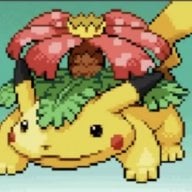
--------------------- MERGED ---------------------------

N64 Performance Upgrade Preview:


And,

N64 Performance Upgrade Final:)


Will tentatively be posted in my next Update sometime on Friday 2-9-18:)
 
Try start select LB RB all same time

Okay, I'll try it tonight, thanks. Any idea how it could change like that?


You need to make sure the command lines for NES and FDS Games are /bin/fceumm or /bin/nestopia Remember, I warned you in the past that use nestopia was not a very good one to use:) You are better off using Find & Replace in my Core Set, changing the command lines to all be /bin/nestopia Then, amending any that you want to be /bin/fceumm:) Then, you will have no issues opening RetroArch

In the past earlier posts, I read that Nestopia is better than Fceumm. Also, though Fceumm has many mappers, game screens are cut at the edges. I did plan to use that Find & Replace if anything goes wrong. Guess I should really do it then. Thank you! :)
Btw, do you know why Select + Start was not functioning? Even though my current command lines were different than what you suggest, previously the function worked well with no issue, so I wonder where the problem really is.
 
Okay, I'll try it tonight, thanks. Any idea how it could change like that?

In the past earlier posts, I read that Nestopia is better than Fceumm. Also, though Fceumm has many mappers, game screens are cut at the edges. I did plan to use that Find & Replace if anything goes wrong. Guess I should really do it then. Thank you! :)
Btw, do you know why Select + Start was not functioning? Even though my current command lines were different than what you suggest, previously the function worked well with no issue, so I wonder where the problem really is.

If you use the proper command line and have retroarch freshly installed, you will be able to do select+start to open retroarch. Using incorrect command lines and or use nestopia will end up causing a conflict.

/bin/fceumm /bin/nestopia are what you should be using:)
 

Site & Scene News

Popular threads in this forum