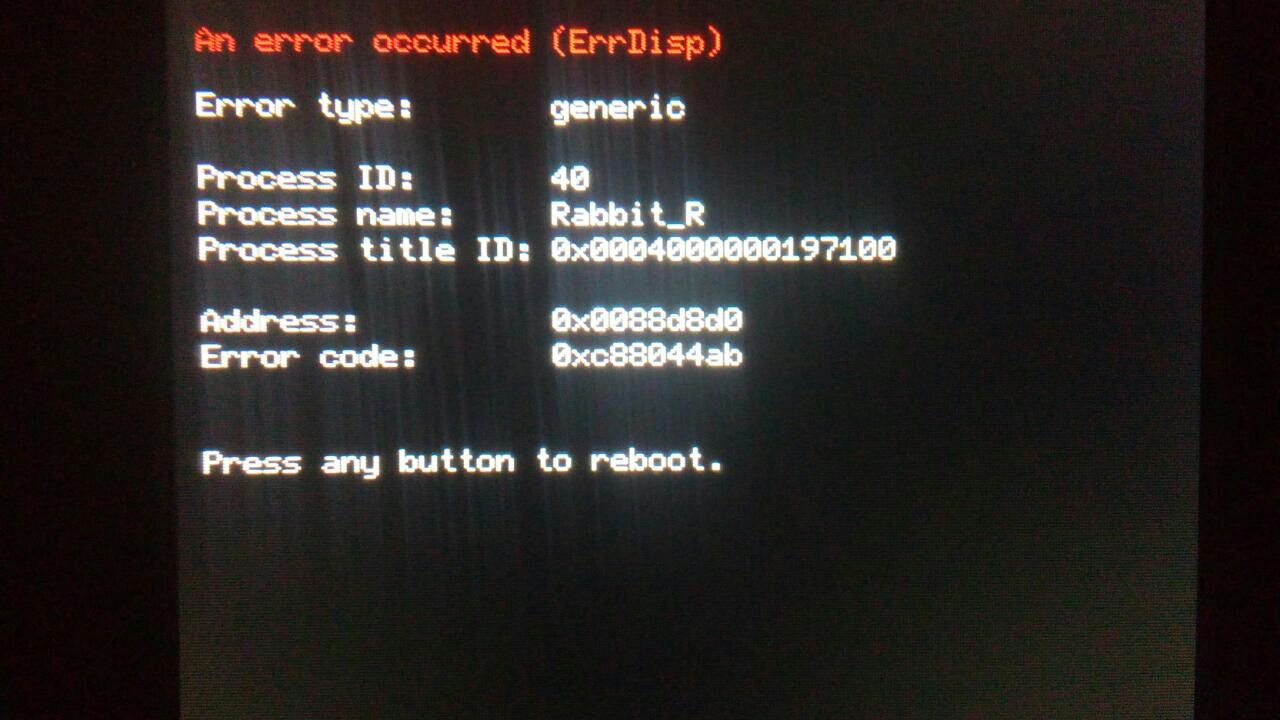
Hacking I'm using B9S and suddenly i start to get this error.

  • Thread starter Thread starter skateredm
  • Start date Start date
  • Views Views 4,235
  • Replies Replies 11

skateredm

Well-Known Member
Newcomer
Joined
Nov 7, 2016
Messages
46
Reaction score
7
Trophies
0
Age
41
XP
191
Country
Brazil
Can someone know how to fix this? I did not received this error when i used A9LH; The game i was playing in the moment was Monster Hunter XX in the online multiplayer mode, my 3DS is an OLD XL one with the 11.6 firmware, B9S a Luma updated to his last versions, and im using the MHXX display plugin.
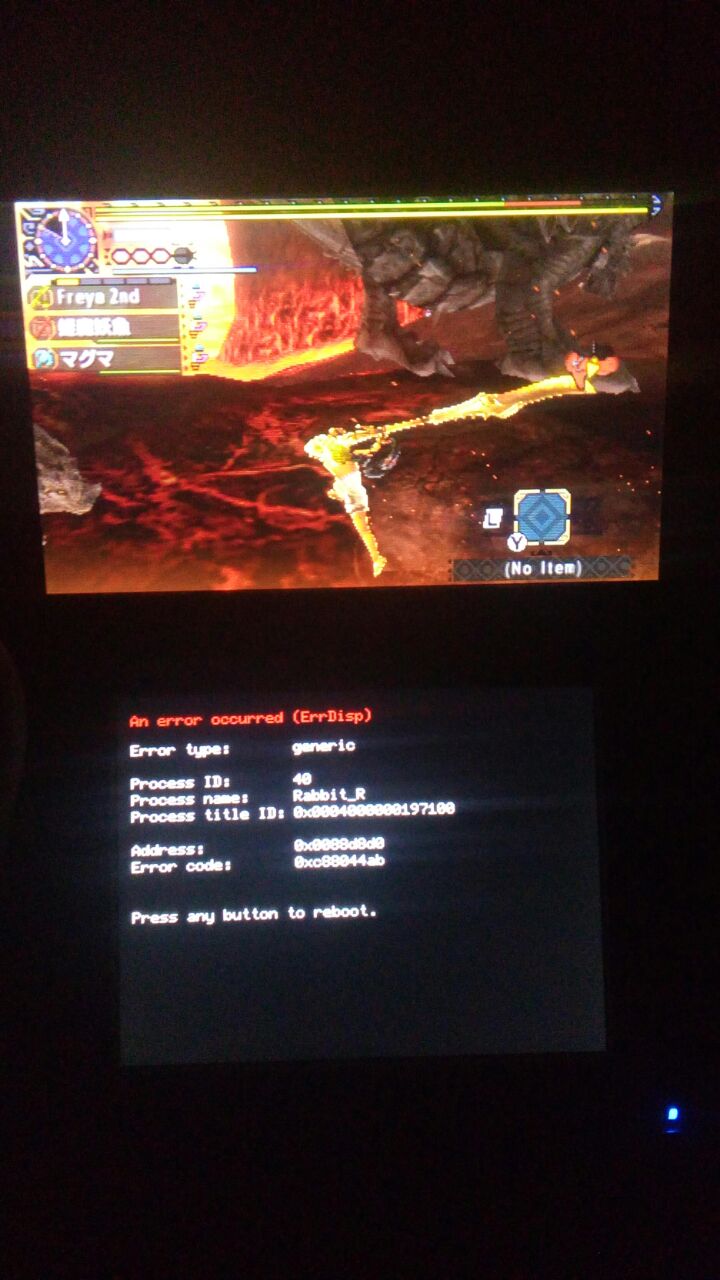
WhatsApp Image 2017-12-27 at 18.41.46.jpeg
WhatsApp Image 2017-12-27 at 18.41.59.jpeg


Thanks in advance.
 
I'd say it might have to do with "old" 3ds. You should upgrade to new 3dsxl or even the new 2dsxl.
Thats ridiculous, i used A9LH and NEVER get this error, you're just saying i will have to buy a NEW HARDWARE just to fix this? LOL man, just LOL
 
Can someone know how to fix this? I did not received this error when i used A9LH; The game i was playing in the moment was Monster Hunter XX in the online multiplayer mode, my 3DS is an OLD XL one with the 11.6 firmware, B9S a Luma updated to his last versions, and im using the MHXX display plugin.

View attachment 109415 View attachment 109416

Thanks in advance.
Try it without the display plugin or without NTR and see if that helps.
 
  • Like
Reactions: Lacius
Try it without the display plugin or without NTR and see if that helps.
Tried 10 minutes ago, same error.

--------------------- MERGED ---------------------------

Remove B9S and redo A9LH.

Fixed.
Sure, thats soo easy to redo. Im a complet idiot, so... can you post a link to this "re-do" tutorial? ¬¬
 
Hold start at boot and then disable the error handlers. That fixed all of the crashes I was having with B9S.
I tried that too, same error. Tried reinstall and update B9S and reinstall the game. If i got some progress, i will post here, since there's no much information on how to fix this problem on the internet.
 
Aparenttly i solve the problem removing entirely the game, reinstaling and updating Luma (v 9.0), and installing if from scratch again.
 

Site & Scene News

Popular threads in this forum