Official hakchi2 - NES Mini very simple pimp tool

  • Thread starter Thread starter Cluster
  • Start date Start date
  • Views Views 4,398,721
  • Replies Replies 18,558
  • Likes Likes 138
My latest Core Set, just install RetroArch, after uninstalling yours, and FDS works:)

--------------------- MERGED ---------------------------


Using a Flash Drive to run games off of, instead of your NESC/SNESC:)

Really using flash drive for game storage?? How is the operation? I cannot wait to find a low power consumption hdd to store roms on it~
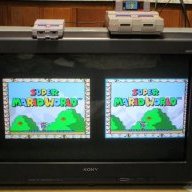
 
This is all exciting news, but I really want a hard mod for more INTERNAL storage. I don't know crap about coding or hacking, but am comfortable with removing/replacing any smc on the snesc's pcb if need be. But surely it ~could be as simple as wiring in your own sd card cage? I mean there's plenty of room in there....Would there be different custom software to recognize/enable more internal storage needed? Different that the current "ext" storage software? I don't want to buy a cable, flash drive, etc. Not interested in using other usb controllers/keyboards, I just want more internal storage. Is anyone working on this specifically still?
 
  • Like
Reactions: TxFxL
@KMFDManic , will this (the picture shown) work too? :)
 

Attachments

  • Unitek.jpg
    Unitek.jpg
    31.4 KB · Views: 370
There is an internal mod, which also interests me MUCH more. I'm kind of a purist in design, I hate dangling things. I even put my retro receivers inside my Snes classic. KFMDManic told me, I don't know the specifics yet though.

I want to add internal memory, I hope that once we do that it ends up being supported by hakchi.
 
now it is out from where i got the software ^^

and i can say that a normal usb hub with power input not working.
it musst be a usb to go cable with power port
 
Last edited by Liriel,
what is the best SNES Retroarch core for Treasure of the Rudras and Marvelous: Another Treasure Island ?
 
I just updated (well, rebuilt totally) my NESCE to Hakchi 2.21f with the latest official Retroarch...and the scanlines are gone. I've tried switching from CRT to 4:3 and back, which didn't help.

Is there a trick I'm missing here?
 
There is an internal mod, which also interests me MUCH more. I'm kind of a purist in design, I hate dangling things. I even put my retro receivers inside my Snes classic. KFMDManic told me, I don't know the specifics yet though.

I want to add internal memory, I hope that once we do that it ends up being supported by hakchi.

We think alike and I think it will be possible, as it is possible in theory.
@DanTheMan827 said:
Here's some context:

There are solder pads on the board for SDC0 which the R16 SoC will attempt to boot before anything else.

It's possible to solder an SD card to these points and boot from it.

In theory, an SD card with the stock software and emulator could be prepared and booted, along with as much space as the SD card has available.

Sorry if this was already known, but it seems like a pretty big deal.

Edit: Reading the whole thread there seems like people actually have found ways already.

https://www.reddit.com/r/miniSNESmo...es_and_snes_classic_systems_support_sd_cards/
 
Last edited by Advokaten,
I just updated (well, rebuilt totally) my NESCE to Hakchi 2.21f with the latest official Retroarch...and the scanlines are gone. I've tried switching from CRT to 4:3 and back, which didn't help.

Is there a trick I'm missing here?

As it turns out, there is a single missing line in /bin/retroarch-clover-child:

Code:
--- retroarch-clover-child.orig 2017-11-10 15:19:19.486291500 -0500
+++ retroarch-clover-child      2017-11-10 15:15:28.630514800 -0500
@@ -22,6 +22,7 @@
   [ "$1" == "--save-screenshot-on-quit" ] && screenshot=$2
   [ "$1" == "--save-data-backing-file" ] && sram=$2
   [ "$1" == "--graphic-filter" ] && filter=$2
+  [ "$1" == "--enable-crt-scanlines" ] && crt=1
   [ "$1" == "--video-mode" ] && [ "$2" == "crt-filter" ] && filter=crt720 && crt=1
   [ "$1" == "--video-mode" ] && [ "$2" == "keep-aspect-ratio" ] && filter=gpu720
   [ "$1" == "--video-mode" ] && [ "$2" == "pixel-perfect" ] && filter=ppu
 
Last edited by rhester72,
  • Like
Reactions: Advokaten
I installed an older version to use it with the NES mini. Can I install the latest version but now to use it with SNES mini on the same computer?
 
Last edited by Massivemacca,
with the SNES classic, do you have to use something like zadig ? It's been a while, so I don't remember what it does, but I remember that you had to do that with the NES classic...
 
Do others have issues running N64 roms as well? I can get them all to launch but most of them run soo slow, can't get anything to run smooth.
Am I missing a setting or module or something?

Also, is there a Reset key combo for the PS4 controller?
 
  • Like
Reactions: artemus3
So I tried changing the preset ID for Marvelous to 1610 and got a black screen on load up. 1610 works great for Mana 2. Keep Marvelous at 9C10 to keep it working in Canoe with blurred text or run it through retroarch.

Anyone get Kirby's Avalanche to work? Can't find a working rom.
 
Just curious...why the recommendation of Snes9x 2010 over Snes9x (the more recent version)? I've had quite good luck with it, and the libretro page suggests it improves compatibility with a handful of games over 2010.

I assumed regular Snes9x couldn't run on the hardware, as Snes9x 2010 is optimized for low-end devices.
 
Does the Retroarch settings/menu not work on SNES games? I can pull up the menu/settings on all my ROMs except for SNES.
 
Do others have issues running N64 roms as well? I can get them all to launch but most of them run soo slow, can't get anything to run smooth.
Am I missing a setting or module or something?

Also, is there a Reset key combo for the PS4 controller?

N64 emulation isn't perfect even on a decent PC, on low powered devices you're generally limited to mario 64 (normally near perfect) and a few other major games like mariokart that run near pretty well. Most games will run slowly or with glitches.

Does the Retroarch settings/menu not work on SNES games? I can pull up the menu/settings on all my ROMs except for SNES.

Do the SNES games in question definitely have the '--retroarch' argument added to the command line field in hakchi2? Sounds like they may be running with canoe.
 
Last edited by Count Duckula,
I assumed regular Snes9x couldn't run on the hardware, as Snes9x 2010 is optimized for low-end devices.
There is a version made for hardware used in various Raspberry Pis, and its essentially the same hardware/chipset as a Raspberry Pi B, IIRC?

I have a Raspberry PI C, while I have tried to test it on that, my issue was more of a control settings issue. I couldn't get my controllers to work with it. However, the demos and introductions on games I tested it on seemed to work fine.

How that core runs on lower end models like Pi A, and Pi B, or the NES/SNES mini hardware I have no idea.

--------------------- MERGED ---------------------------

N64 emulation isn't perfect even on a decent PC, on low powered devices you're generally limited to mario 64 (normally near perfect) and a few other major games like mariokart that run near pretty well. Most games will run slowly or with glitches.


Do the SNES games in question definitely have the '--retroarch' argument added to the command line field in hakchi2? Sounds like they may be running with canoe.

The biggest issue was developers didn't make N64 games follow any standards. Many used shortcuts, and even holes in the system to get the games do things they weren't normally intended to do. So it makes it highly dififcult to emulate for every game the same way.
 

Site & Scene News

Popular threads in this forum