Hacking Having fun with the Switch's browser

  • Thread starter Thread starter GalladeGuy
  • Start date Start date
  • Views Views 8,263
  • Replies Replies 16

GalladeGuy

Cool and Epic
Member
Joined
Oct 28, 2015
Messages
2,686
Reaction score
2,795
Trophies
2
XP
3,376
Country
United States
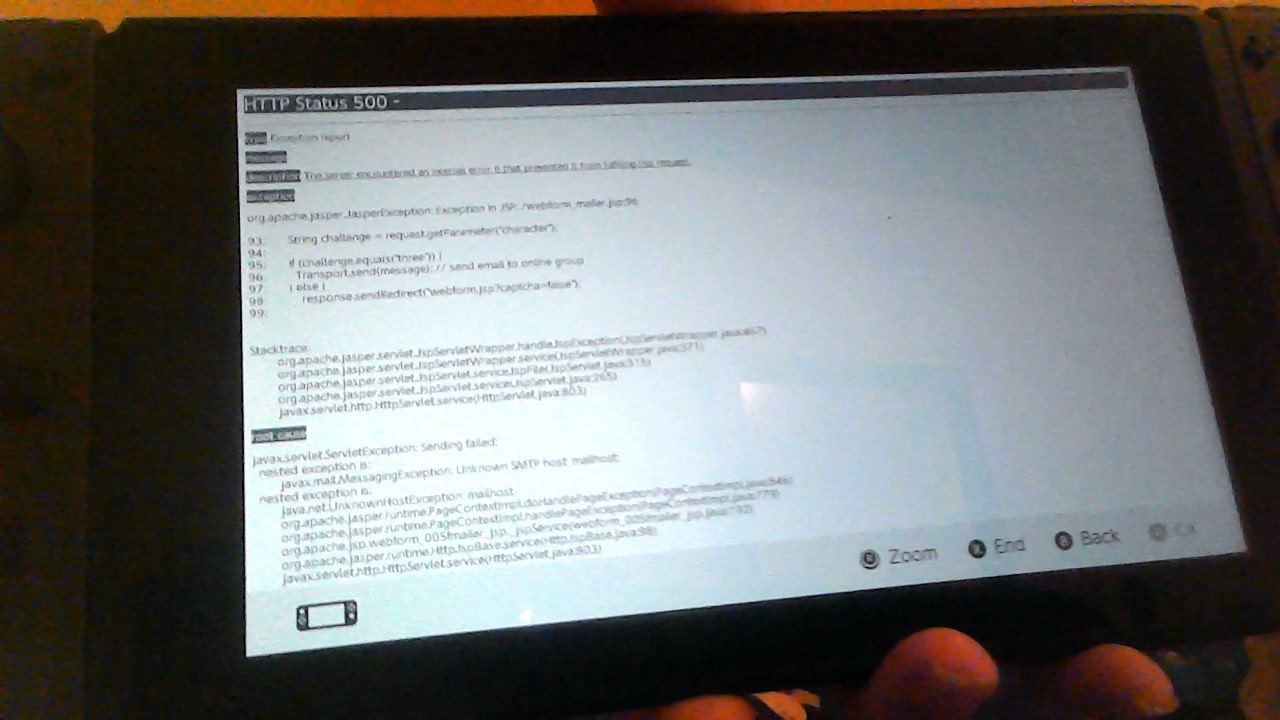
I made my way onto Nintendo's website using the Switch's browser and tried to send them an email through it. Then this happened:
WIN_20170306_155853.JPG


Try and find other interesting stuff you can do with the Switch browser and share it here!
 
Last edited by Mr. Wizard,
  • Like
Reactions: Xabring
I made my way onto Nintendo's website using the Switch's browser and tried to send them an email through it. Then this happened: View attachment 80529

Try and find other interesting stuff you can do with the Switch browser and share it here!
That just means their website is broken ¯\_(ツ)_/¯
 
Well, shall I wrote that same tutorial for you in these threads or you should honor us with a new thread showing us this?
here is his post for those that don't want to go to GAF:

Hi guys, i've seen that some people still not sure how to watch Youtube videos from their Nintendo Switch. In this video, i show you how you can access pretty much any website from the Nintendo Switch (yes, even those ones, you naughty boys and girls...).

This method doesn't require any external app or configuration to work, all you need is a Nintendo Switch and an internet connection.

I've uploaded a video to make things easier:


Please, let me know if you find any problem and if this method has been posted before, please, kill this thread with fire.


EDIT:

Text summary for the folks that can't watch the video:

1 - Go to Settings > Users > select a user > click on Posting to Social media
2 - Click on the button Link on front of the Facebook option
3 - On the botton of the page, select Pages
4 - Search for the term "gmail" and select the first result
5 - Click on the blue button that says "Use App"
6 - Scroll down to the botton of the page and click on the "Google" link.
7 - Change Google view to classic
8 - On the upper part of the screen, select More > Translate
9 - Type the address of the website you want to enter (e.g.: m.neogaf.com) and click on the Translate button to generate a link
10 - Click on the newly created link to access the site
11 - If you want to watch Youtube videos, the original website won't work, i recommend using the site Watchkin (www.watchkin.com)
12 - Search for the video content you want, select a video > click on the spinning circle at the center of the screen > press Play and enjoy!


EDIT 2: Just to clarify, it does work on the latest firmware (Ver. 2.1.0), the video was recorded after i updated my Switch.

 
  • Like
Reactions: Xabring
I've gotten into the browser a few times through the Nintendo page and Gmail but it's honestly not that great. I haven't really digged that deep but it tends to give an error most times you enter any page outside of google.
 
I still hope Nintendo releases a proper browser for the Switch.
To be honest that is all I am waiting for right now to get one.
I know that if a proper browser gets released == Webkit exploit is ensured.
Heck plutoo is already documenting Switch stuff even without a proper browser. xD
 
Well, shall I wrote that same tutorial for you in these threads or you should honor us with a new thread showing us this?

If you feel like creating a new tutorial or using the one i posted at NeoGAF in a new thread, go ahead my friend :)

here is his post for those that don't want to go to GAF:

Thanks! ;)
 

Site & Scene News

Popular threads in this forum